
TL;DR:
- An all-in-one POS integrates multiple systems into a single platform, reducing errors and complexity.
- It improves staff training, order accuracy, and real-time data updates, enhancing operational efficiency.
- Offline resilience and venue-specific features are critical factors when choosing the right POS system.
Running a busy hospitality venue means managing dozens of moving parts simultaneously. When your payment system, stock control, kitchen display, and reporting tools are all separate products from different suppliers, one dropped connection or software glitch can bring the whole operation to a halt. Queues build, staff panic, and customers leave. An all-in-one POS (point of sale) system replaces that fragile web of tools with a single, unified platform that keeps every part of your venue talking to every other part. This guide explains why that matters, what to look for, and how to make the right choice for your specific venue.
Table of Contents
- The challenges of managing hospitality operations without an all-in-one POS
- What makes an all-in-one POS truly matter in hospitality?
- All-in-one POS vs best-of-breed: Which is right for your venue?
- How to choose the best all-in-one POS for your hospitality venue
- A realistic perspective: What industry advice misses about all-in-one POS in hospitality
- Find your ideal all-in-one POS with expert guidance
- Frequently asked questions
Key Takeaways
| Point | Details |
|---|---|
| Unified operations | All-in-one POS streamlines service by integrating sales, stock, and reporting in one system. |
| Reduced risks | Hybrid or offline-capable POS prevents costly outages during internet drops, vital for rural venues. |
| Fewer training headaches | Staff learn faster and make fewer errors when everything runs through a single platform. |
| Suits independents best | Independent venues save time and avoid integration risks with all-in-one, while large chains may prefer specialist systems. |
| Feature fit matters | Choose a POS with the right features for your venue, such as quick tab management for wet-led pubs. |
The challenges of managing hospitality operations without an all-in-one POS
Most venue managers who have grown their operation organically end up with a patchwork of tools. There is a card terminal from one provider, stock management software from another, a kitchen printer system bolted on as an afterthought, and a separate reporting dashboard that nobody quite trusts. Each of these systems was chosen to solve a specific problem at a specific moment, but together they create something far worse than any individual problem.
Understanding why hospitality POS matters starts with recognising what goes wrong when systems do not talk to each other. Staff have to enter the same order in two or three places. End-of-day reconciliation becomes a 45-minute exercise in cross-referencing spreadsheets. When a discrepancy appears, nobody can pinpoint which system is at fault. Training new team members takes longer because each tool has its own logic, its own interface, and its own quirks.
Here are the most common pain points venue managers report when running multiple disconnected systems:
- Reconciliation errors that surface at close of business, often with no clear audit trail
- Staff training overload caused by multiple interfaces, leading to higher error rates during busy service
- Customer experience failures when orders placed at the bar do not reach the kitchen promptly
- Tab management chaos in wet-led venues where open tabs span multiple rounds and multiple staff members
- Cellar stock blind spots that make it impossible to know in real time whether a popular keg is about to run dry
- Integration failures between payment terminals and the main till, causing double-entry and settlement delays
Connectivity is another critical vulnerability. Cloud-dependent systems fail in poor internet conditions, and rural UK pubs in particular need offline resilience or hybrid modes to maintain service during outages. A country pub on a Friday evening with 80 covers and a dropped broadband connection is not a theoretical scenario. It happens regularly, and when it does, venues without offline capability are left taking orders on paper and guessing at stock levels.
“The biggest operational risk is not a single system failing. It is the gap between systems, where data falls through and nobody notices until it costs you money.”
For defining hospitality POS in practical terms, the starting point is always the same: what does your venue need to do, and how many separate tools are currently doing it?
What makes an all-in-one POS truly matter in hospitality?
An all-in-one POS for hospitality is a single platform that integrates sales processing, inventory management, tab handling, kitchen order management, payment processing, and live reporting. Everything runs through one system, on one database, with one support contact. That simplicity sounds modest, but its operational impact is significant.
The core benefits break down clearly:
- Faster staff training. When new team members only need to learn one interface, onboarding time drops sharply. A single logical workflow replaces the confusion of switching between apps.
- Fewer errors across service. Orders flow directly from the front of house to the kitchen screen without manual re-entry, cutting the most common source of mistakes.
- Seamless data across all activity areas. Sales figures, stock levels, and staff performance all update in real time from a single source of truth.
- Hybrid and offline operation. Quality all-in-one systems continue processing orders and payments even when internet connectivity drops, syncing data automatically when the connection restores.
- Wet and dry venue support. Whether you run a cocktail bar, a café, or a mixed food and drink operation, the system handles the specific workflows each service type demands.
- Live reporting without the spreadsheet. Managers can pull end-of-shift reports, track best-selling items, and monitor waste in real time from a back-office dashboard.
Venues that make the switch report up to 30% faster service after moving to an integrated platform, largely because staff spend less time navigating between tools and more time serving customers.
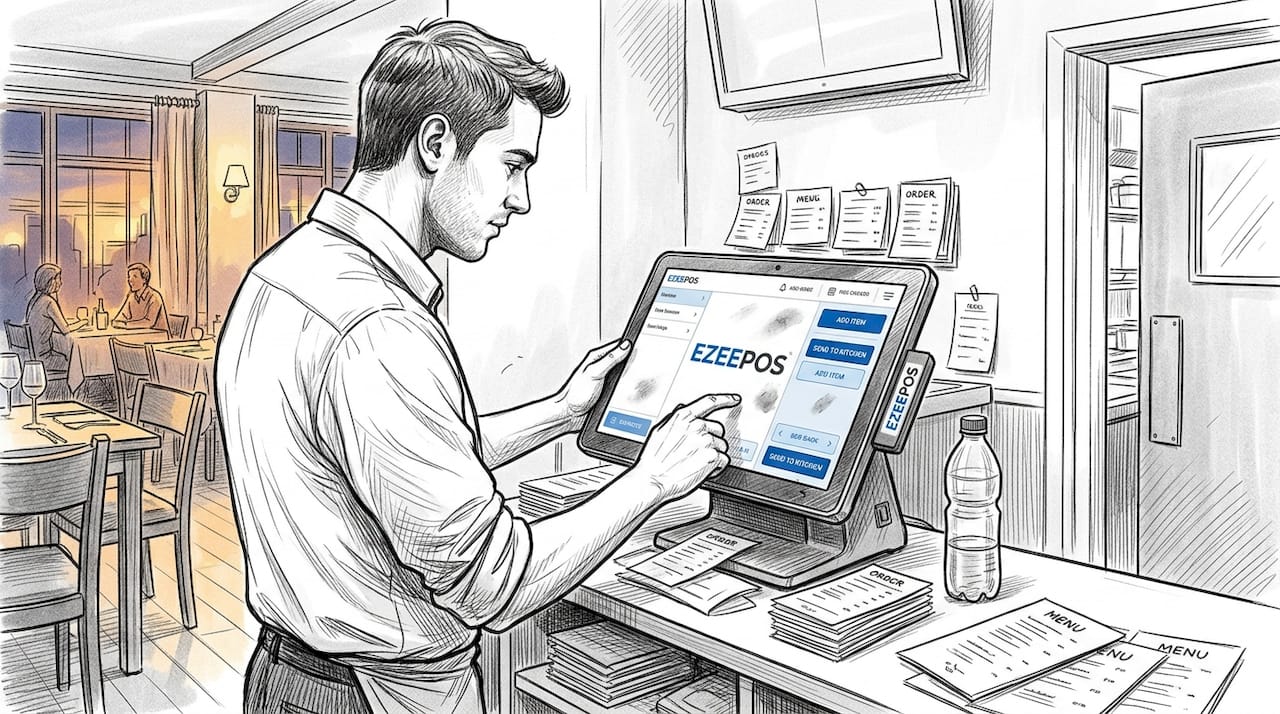
Independents favour all-in-one systems while larger chains may prefer distributed best-of-breed solutions, but for the vast majority of UK venue operators running one or two sites, the operational simplicity of a unified platform delivers more value than any marginal feature advantage from specialist software.
Pro Tip: If your venue is in a rural location or a building with unreliable Wi-Fi, make offline capability a non-negotiable requirement during any POS evaluation. Ask vendors to demonstrate the system running without an internet connection, not just describe it.
All-in-one POS vs best-of-breed: Which is right for your venue?
The alternative to an all-in-one system is a best-of-breed approach, where you select the best individual tool for each function and integrate them together. On paper, this sounds appealing. In practice, it introduces complexity that most independent venue operators are not equipped to manage.
| Feature | All-in-one POS | Best-of-breed approach |
|---|---|---|
| Setup complexity | Low, single system | High, multiple integrations |
| Staff training | One interface | Multiple interfaces |
| Ongoing support | Single contact | Multiple vendors |
| Customisation | Moderate | High |
| Integration risk | Minimal | Significant |
| Total cost of ownership | Predictable | Variable, often higher |
| Offline resilience | Built-in (if chosen well) | Depends on each tool |
| Scalability | Straightforward | Complex |
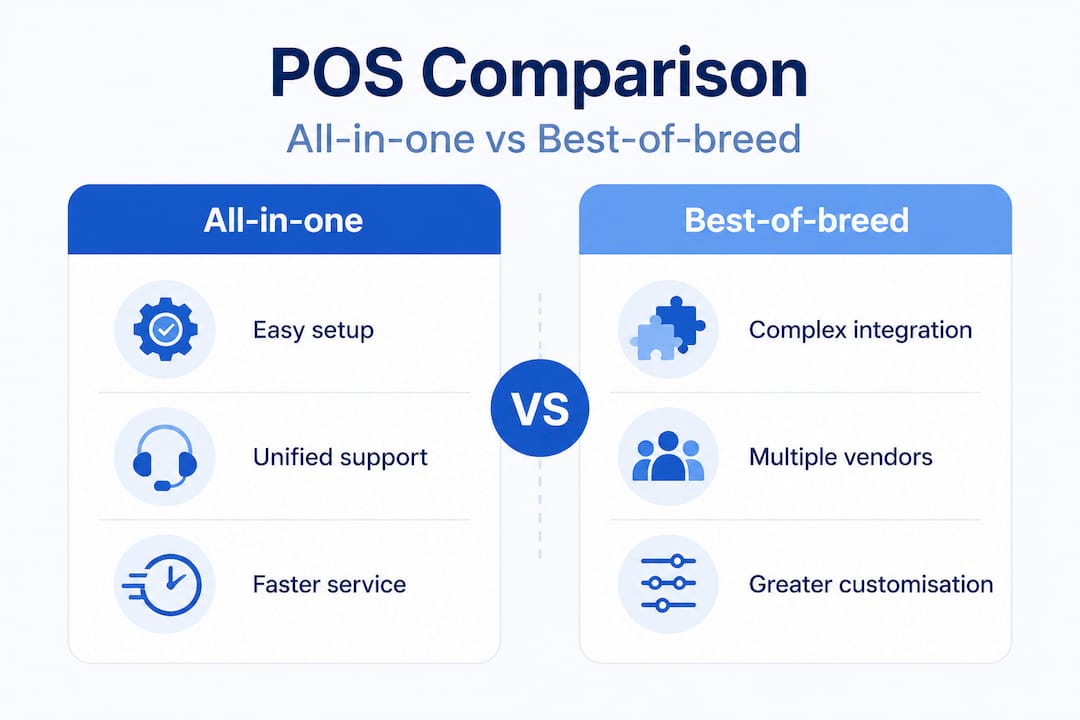
All-in-one systems offer lower setup complexity and a single dependency, whereas best-of-breed solutions offer deeper features but carry higher integration risk. For a single-site gastropub or a growing café group, that integration risk is rarely worth accepting.
The risks of the best-of-breed approach are worth spelling out clearly:
- Support finger-pointing. When something breaks, each vendor blames the others. You are left in the middle, trying to diagnose a problem across systems you did not build.
- Integration drift. Software updates from one vendor can break the connection to another tool without warning.
- Hidden costs. Each integration often carries a monthly fee, and those fees compound quickly across four or five tools.
- Data inconsistency. When systems sync imperfectly, your reporting becomes unreliable. You cannot trust figures that come from multiple sources with different update frequencies.
Understanding the types of POS systems available helps you evaluate these trade-offs with clarity. There is also useful context in e-commerce essentials for hospitality that illustrates how digital integration affects the full customer journey, not just the transaction at the till.
Pro Tip: For most single-site venues, operational simplicity outweighs theoretical feature depth. A system that your whole team can use confidently on a busy Saturday night is worth more than a technically superior tool that only your most experienced staff member understands.
How to choose the best all-in-one POS for your hospitality venue
Choosing the right system requires more than reading a feature list. The best approach is to evaluate vendors against the specific demands of your venue type, your service style, and your connectivity environment.
Here is a practical checklist for making that evaluation:
- Assess your venue’s specific needs. A wet-led pub has different requirements from a fast-casual restaurant. List the workflows that matter most to your operation before you speak to any vendor.
- Demand a demo using real-case scenarios. Ask vendors to demonstrate a busy Friday evening scenario, including split bills, open tabs, kitchen order management, and a connectivity dropout.
- Verify offline and hybrid operation. Do not accept a verbal assurance. Watch the system process orders and payments with the internet disabled.
- Examine reporting and management tools. Live dashboards, stock alerts, and staff performance tracking should be accessible without exporting data to a spreadsheet.
- Confirm support quality and location. UK-based support, available during service hours, is not a luxury. It is a basic requirement for any venue that cannot afford downtime.
The feature requirements also vary significantly by venue type. The table below illustrates which capabilities matter most for different operations:
| Feature | Pub / bar | Restaurant | Café | Fast casual |
|---|---|---|---|---|
| Fast tab management | Essential | Useful | Rarely needed | Not needed |
| Cellar stock tracking | Essential | Not applicable | Not applicable | Not applicable |
| Table ordering | Useful | Essential | Useful | Rarely needed |
| Kitchen display screens | Useful | Essential | Useful | Essential |
| Self-service kiosk | Rarely needed | Useful | Useful | Essential |
| Mobile POS for catering | Useful | Rarely needed | Useful | Useful |
| Inventory management | Essential | Essential | Essential | Essential |
Wet-led pubs require fast tab management and cellar tracking that is not always optimised in restaurant-focused POS platforms. This is a critical distinction that many generic POS vendors overlook entirely. A system designed primarily for table service in a restaurant environment will feel clumsy and slow in a busy bar where speed of transaction is everything.
Understanding what is hospitality EPOS in technical terms also helps you ask better questions during vendor evaluations. And reviewing hospitality technology examples from venues similar to yours gives you a realistic benchmark for what good looks like in practice.
A realistic perspective: What industry advice misses about all-in-one POS in hospitality
Most vendor marketing presents all-in-one POS as a straightforward upgrade. Install the system, train the team, and watch efficiency improve. The reality is more nuanced, and it is worth being honest about where the narrative falls short.
The first thing the standard advice misses is that not all all-in-one systems are built for all venue types. A platform designed for fast-casual dining may handle table ordering beautifully but struggle with the speed and tab complexity that a wet-led pub demands. Wet-led pubs require fast tab management and cellar tracking that restaurant-focused systems simply are not optimised for. Buying an all-in-one system that does not fit your venue type is no better than buying five separate tools that do not talk to each other.
The second gap in conventional advice is the cloud dependency problem. Many vendors position cloud-based management as a selling point, and it genuinely is useful for remote reporting and multi-site oversight. But a system that requires a live internet connection to process orders is a liability in any venue with patchy connectivity. This is not a niche concern. Older pub buildings, rural locations, and basement venues across the UK all face connectivity challenges that cloud-only platforms cannot reliably handle.
The third issue is the demo problem. Vendors are skilled at demonstrating their systems under ideal conditions. A polished demo in a showroom tells you very little about how the system performs during a chaotic Saturday service with 12 staff members logged in, 40 open tabs, and a kitchen printer that has just jammed. The only way to get a realistic picture is to speak to venue operators who use the system in conditions similar to yours, ideally in the same type of venue, in the same region.
The honest recommendation is this: treat the all-in-one category as a starting point for evaluation, not a destination. Focus on local POS support quality, offline resilience, and venue-type fit above all other criteria. A system with slightly fewer features but excellent UK support and proven offline capability will serve your venue far better than a feature-rich platform that lets you down when you need it most.
Find your ideal all-in-one POS with expert guidance
If this guide has clarified what you need from a POS system, the next step is finding a solution that is genuinely built for your venue type and your operational reality.

At Ezee POS, we work with cafés, bars, restaurants, and fast-casual venues across the UK, providing Android-based POS platforms that integrate sales, inventory, kitchen management, and reporting into one reliable system. Whether you are running a single-site café or a multi-outlet operation, our systems are installed and supported locally by accredited UK providers. Explore our all-in-one POS for cafés, use our POS software comparison to evaluate options for quick-service environments, or visit our inventory management for hospitality guide to understand how stock control fits into your wider operation. Get in touch for a demo tailored to your venue.
Frequently asked questions
How does an all-in-one POS differ from a traditional POS?
An all-in-one POS integrates sales, inventory, payment, and reporting into a single system, whereas a traditional POS typically handles only transactions and requires separate tools for everything else.
Can all-in-one POS systems work offline in rural UK venues?
Many modern systems offer hybrid or offline modes that keep orders and payments processing during connectivity issues, with offline resilience specifically recommended for rural UK venues where internet reliability cannot be guaranteed.
Are all-in-one POS solutions suitable for wet-led pubs?
Not all of them. Wet-led pubs need fast tab management and cellar tracking, which restaurant-focused platforms often do not prioritise, so always verify these features before committing.
What is the main risk of integrating separate POS modules?
Integration failures create higher risk and support complexity, whereas an all-in-one system gives you a single point of contact and eliminates the finger-pointing that comes with multi-vendor setups.
What should I prioritise when selecting a POS for my venue?
Prioritise offline capability, UK-based support available during service hours, and features that are specifically designed for your venue type rather than adapted from a different hospitality context.
Recent Comments