

Most hospitality managers think POS systems simply process payments and track orders. They overlook the back office, which quietly orchestrates inventory levels, staff schedules, menu updates, and sales forecasting behind the scenes. This hidden engine transforms raw transaction data into actionable insights that cut costs, improve service quality, and drive profitability. For UK venues juggling multiple locations, fluctuating demand, and tight margins, understanding how the back office supercharges POS efficiency isn’t optional anymore. This guide reveals exactly how back office functions integrate with modern cloud POS in hospitality operations to deliver measurable operational gains.
Table of Contents
- Understanding The Back Office Role In Hospitality Pos Systems
- How Cloud Pos Transforms Back Office Efficiency
- Leveraging Back Office Data For Inventory And Staff Management
- Integrating Recipe And Menu Management In The Back Office
- Explore Ezeepos Solutions For Your Back Office Needs
- Frequently Asked Questions
Key takeaways
| Point | Details |
|---|---|
| Back office integrates operations | Connects sales, inventory, and staff data in one unified system for seamless management. |
| Cloud POS enables real-time insights | Provides instant access to sales and stock levels across all venue locations simultaneously. |
| Data-driven decisions boost efficiency | Using back office analytics reduces waste, optimises labour costs, and improves forecasting accuracy. |
| Staff management relies on POS tools | Automated scheduling and attendance tracking streamline workforce planning and payroll processing. |
| Recipe integration controls food costs | Automated menu updates with allergen data and ingredient pricing enhance kitchen accuracy and compliance. |
Understanding the back office role in hospitality POS systems
The back office in a POS system handles everything that happens after a transaction completes. It processes sales data, manages employee records, controls inventory levels, and generates reports that inform strategic decisions. Unlike the front-of-house interface customers see, the back office operates behind the scenes to ensure accuracy and consistency across your entire operation.
Modern hospitality venues need more than basic transaction tracking. Integrating POS with Fourth enables accurate, up-to-date sales transactional item data, time and attendance tracking, published employee schedules, employee information, and menu/recipe information. This integration creates a single source of truth for all operational data, eliminating discrepancies between systems and reducing manual data entry errors.
Back office functions typically include:
- Sales analysis and performance reporting across different time periods and venue locations
- Inventory tracking with automated alerts for low stock levels and reorder points
- Staff scheduling, time tracking, and payroll integration for accurate wage calculations
- Menu management with pricing updates, recipe costing, and allergen information
- Customer data collection for loyalty programmes and targeted marketing campaigns
For venues operating multiple sites, the back office becomes even more critical. It synchronises data across locations, allowing managers to compare performance metrics, transfer stock between venues, and maintain consistent pricing and menu offerings. Without robust back office capabilities, hospitality businesses struggle to scale efficiently or maintain operational standards as they grow.
How cloud POS transforms back office efficiency
Traditional on-premise POS systems store data locally on physical servers at your venue. This creates bottlenecks when you need to access information remotely or consolidate data from multiple locations. Cloud-based systems move all data processing and storage to secure remote servers, fundamentally changing how back office operations function.
Cloud POS systems offer enhanced accessibility, real-time data synchronisation, and scalability, enabling management from any device and easy business growth. You can check yesterday’s sales figures from your mobile whilst on holiday, approve staff schedule changes from home, or monitor live inventory levels across all venues simultaneously. This flexibility eliminates the need to be physically present at your venue to manage critical operations.
Real-time synchronisation means every transaction instantly updates your back office data. When a server rings up a meal, inventory levels adjust immediately, sales reports reflect the new revenue, and ingredient costs update automatically. This eliminates the lag time inherent in older systems where batch processing might delay updates by hours or even days.
Scalability becomes effortless with cloud infrastructure. Adding a new terminal requires minimal setup, expanding to additional locations takes hours instead of weeks, and upgrading software happens automatically without expensive hardware replacements. You pay for what you use, making it cost-effective for small cafés and large restaurant groups alike.
Key advantages of cloud-based back offices include:
- Remote access from any internet-connected device, giving managers flexibility and control
- Automatic backups protect against data loss from hardware failures or disasters
- Instant software updates deliver new features without disrupting service
- Lower upfront costs compared to traditional server-based systems
- Enhanced security through enterprise-grade encryption and regular security patches
Pro tip: Train your staff thoroughly on cloud POS features during quieter periods to maximise adoption and minimise errors when you need the system most during peak service times.
Leveraging back office data for inventory and staff management
Your POS generates thousands of data points daily. The back office transforms this raw information into practical insights that directly impact your bottom line. Smart venue operators use this data to optimise two of their largest expense categories: inventory and labour.
POS Gateway integration enables daily sales data to inform stock adjustments, purchasing, and future labour needs forecasting. Instead of guessing how much stock to order or how many staff to schedule, you base decisions on actual consumption patterns and sales trends. This data-driven approach reduces waste, prevents stockouts, and ensures you have adequate staffing without overspending on labour.
For inventory management, the back office tracks every ingredient used in every dish sold. When a customer orders fish and chips, the system automatically deducts the precise quantities of cod, potatoes, oil, and batter from your stock levels. You can set par levels for each ingredient and receive automatic alerts when stock falls below minimum thresholds, ensuring you never run out during service.
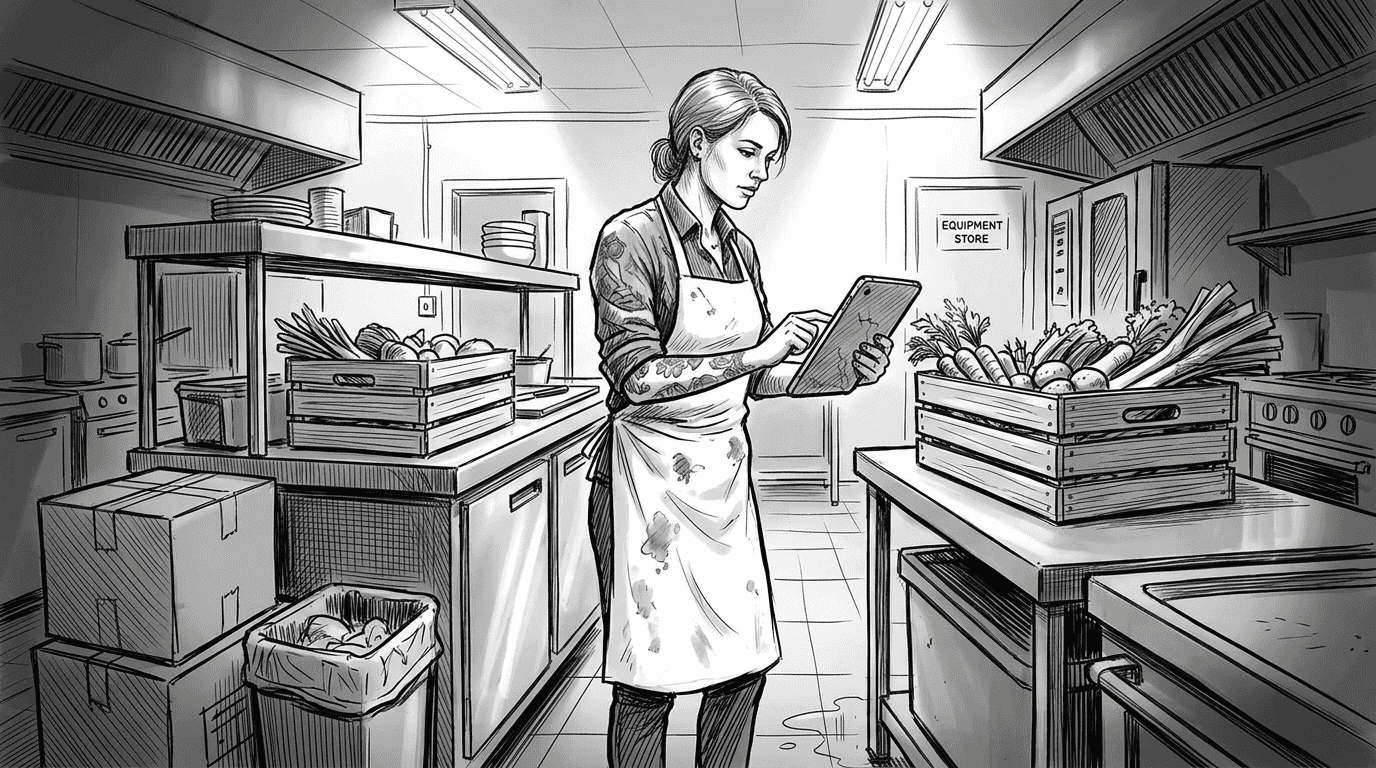
Staff management becomes equally precise. The back office analyses historical sales data to predict busy periods, helping you schedule the right number of employees for each shift. It tracks actual hours worked against scheduled hours, flags potential overtime issues before they occur, and integrates with payroll systems to ensure accurate wage calculations. You can also monitor individual staff performance, identifying top performers and addressing training needs.
Here’s how to optimise inventory and scheduling using back office data:
- Review weekly sales reports to identify your best-selling and slowest-moving items across different dayparts.
- Analyse ingredient usage patterns to spot waste opportunities and adjust portion sizes or preparation methods accordingly.
- Compare labour costs as a percentage of revenue across different shifts and locations to identify inefficiencies.
- Set automated reorder points for critical ingredients based on lead times from your suppliers and typical consumption rates.
- Use forecasting tools to predict busy periods based on historical data, weather patterns, and local events.
- Monitor staff productivity metrics like average transaction value and covers per hour to optimise team composition.
| Approach | Inventory accuracy | Labour cost control | Time investment |
|---|---|---|---|
| Manual tracking | 70-80% accurate | Reactive adjustments | 10-15 hours weekly |
| Data-driven back office | 95-98% accurate | Proactive optimisation | 2-3 hours weekly |
Pro tip: Use back office reporting to identify patterns in waste and overstaffing, then implement targeted changes rather than broad cost-cutting measures that might harm service quality.
For more detailed guidance, explore our comprehensive guide on inventory management for hospitality venues and learn advanced techniques in staff management in hospitality POS.
Integrating recipe and menu management in the back office
Menu changes happen constantly in hospitality. Seasonal ingredients come and go, supplier prices fluctuate, and customer preferences evolve. Managing these changes manually creates opportunities for errors that directly impact profitability and compliance.
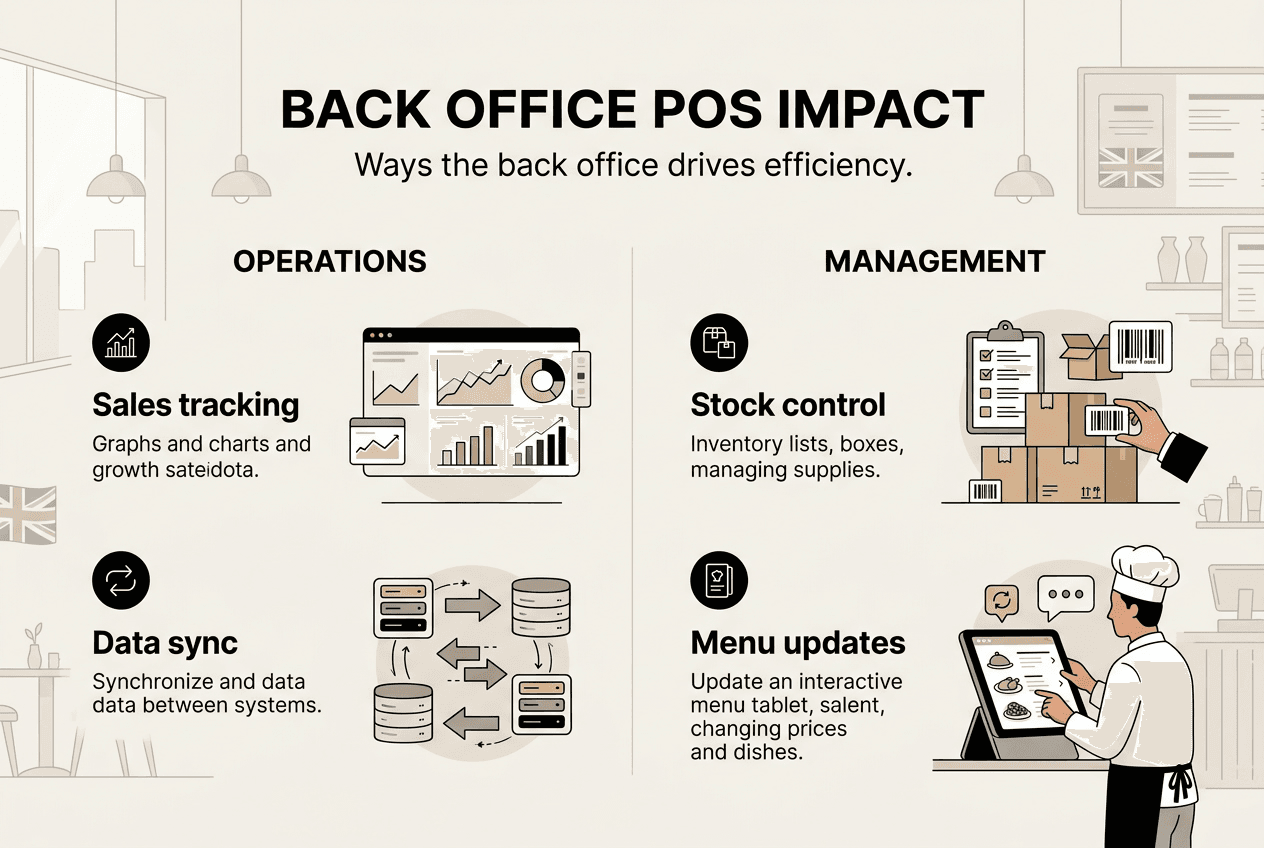
Recipe and menu integration automates creation with categorisation, costs, taxes, allergen information, and nutrition information within the POS back office. When you update a recipe in the back office, those changes instantly flow through to your kitchen display screens, front-of-house terminals, and customer-facing menus. This eliminates the confusion that arises when different systems show conflicting information.
Recipe costing becomes automatic. The back office calculates the exact cost of each dish based on current ingredient prices, portion sizes, and preparation methods. When your supplier increases the price of chicken, the system recalculates the cost of every dish containing chicken and flags items where your profit margin has fallen below acceptable thresholds. You can then adjust menu prices strategically rather than reacting after profits have already declined.
Allergen compliance represents a critical concern for UK hospitality venues. The back office maintains detailed allergen information for every ingredient and automatically generates accurate allergen declarations for each menu item. When you substitute an ingredient, the system updates allergen information across all affected dishes, ensuring you meet legal requirements whilst protecting customers with dietary restrictions.
Key benefits of integrated recipe management:
- Instant menu updates across all terminals and customer touchpoints without manual data entry
- Accurate food cost calculations that reflect current ingredient prices and waste factors
- Automated allergen tracking that reduces compliance risks and protects vulnerable customers
- Nutritional information readily available for health-conscious diners and regulatory requirements
- Simplified menu engineering with data on item profitability and popularity
| Method | Update speed | Accuracy rate | Compliance risk |
|---|---|---|---|
| Manual menu management | Hours to days | 85-90% | Moderate to high |
| Integrated back office | Seconds to minutes | 98-99% | Minimal |
Integrated systems also support dynamic pricing strategies. You can schedule automatic price changes for happy hours, create time-limited promotions, and test different pricing tiers without manually updating every terminal. The back office tracks the performance of these pricing experiments, showing which strategies drive revenue and which fall flat.
For venues offering online ordering or third-party delivery, the back office ensures menu consistency across all channels. Changes made once propagate everywhere, preventing the frustration of customers ordering items that are no longer available or seeing different prices on different platforms. Learn more about comprehensive hospitality POS menu integration and how it streamlines operations.
Explore eZeepos solutions for your back office needs
Optimising your back office operations requires the right technology partner. eZeepos POS software delivers comprehensive solutions designed specifically for UK hospitality venues facing the challenges we’ve discussed throughout this guide. Our Android-based platform integrates front-of-house efficiency with powerful back office capabilities that give you complete operational control.

Discover how unified POS platforms eliminate data silos and create seamless workflows across your entire operation. From cloud-based reporting to automated inventory tracking, our solutions scale with your business whilst maintaining the simplicity your team needs. Explore advanced staff management POS features that transform scheduling and payroll from administrative burdens into strategic advantages. With local UK support and enterprise functionality without tiered pricing, you get the tools successful hospitality venues rely on to maximise efficiency and profitability.
Frequently asked questions
What is the role of the back office in a POS system?
The back office processes all data generated by front-of-house transactions, managing inventory levels, staff schedules, menu updates, and financial reporting. It transforms raw sales data into actionable insights that inform purchasing decisions, labour planning, and pricing strategies. Rather than simply recording what happened, the back office analyses patterns to predict future needs and optimise operations. This centralised data management ensures consistency across multiple locations and eliminates discrepancies between different operational systems.
How does cloud POS improve back office operations?
Cloud POS systems provide real-time access to back office data from any internet-connected device, eliminating the need to be physically present at your venue. All data synchronises instantly across locations, ensuring managers see the same up-to-date information whether checking from a tablet in the kitchen or a mobile phone at home. Scalability becomes effortless since adding new terminals or locations requires minimal setup, and automatic software updates deliver new features without expensive hardware replacements. Enhanced security through enterprise-grade encryption protects sensitive business data better than most on-premise systems.
What are the benefits of integrating recipe and menu management in POS back office?
Integrated recipe management automates food cost calculations based on current ingredient prices, ensuring accurate profit margins without manual spreadsheet updates. Allergen and nutritional information updates automatically across all menu items when ingredients change, maintaining compliance with UK regulations whilst protecting customers with dietary restrictions. Kitchen staff receive consistent preparation instructions through connected display screens, reducing errors and improving dish quality. Menu updates propagate instantly to all terminals and customer-facing platforms, preventing the confusion of outdated pricing or unavailable items.
How can back office data reduce operational costs?
Back office analytics identify waste patterns, overstaffing issues, and inventory inefficiencies that drain profitability without obvious symptoms. By comparing actual ingredient usage against theoretical recipe costs, you spot portion control problems or theft before they significantly impact margins. Labour forecasting based on historical sales patterns ensures you schedule adequate staff without paying for unnecessary hours during quiet periods. Automated reorder points prevent both stockouts that lose sales and overordering that ties up capital in perishable inventory.
Why is real-time data synchronisation important for multi-site hospitality venues?
Real-time synchronisation ensures all locations operate from the same current information, preventing costly errors from outdated data. Managers can compare performance across venues instantly, identifying which sites excel and which need support without waiting for end-of-day reports. Stock transfers between locations happen smoothly when both venues see accurate inventory levels, reducing waste from overstocking at one site whilst another runs short. Centralised menu and pricing control maintains brand consistency whilst allowing location-specific adjustments when needed for local market conditions.
Recent Comments