
Cloud setup explained for POS in hospitality
TL;DR:
- Running a hospitality venue requires clear understanding of cloud POS technology, which stores data remotely and is accessible from any device. Setting up a cloud-based POS system is simple, usually accomplished in a single day with proper preparation of hardware, network, and staff access controls. Security responsibilities are shared, with venue owners managing internal controls to ensure PCI compliance and safeguard customer data effectively.
Running a hospitality venue means you cannot afford confusion about your technology. Yet cloud setup explained for POS is one of those topics that gets overcomplicated by vendors and undersimplified by guides written for IT professionals rather than busy restaurant and bar managers. The reality is straightforward. A cloud-based POS system stores your data and software on remote servers rather than a local machine, and cloud POS benefits are well within reach for venues of any size. This guide cuts through the noise and gives you exactly what you need to set up, budget for, and secure your system with confidence.
Table of Contents
- Key takeaways
- What is a cloud-based POS system?
- How to set up a cloud POS system
- Costs, subscriptions, and ongoing fees
- Cloud POS security and compliance
- My honest take on cloud POS setup
- How Ezeepos makes cloud POS simple
- FAQ
Key takeaways
| Point | Details |
|---|---|
| Cloud POS is not complex | Most systems allow setup and first transaction within a single day, even without technical expertise. |
| Budget realistically | Restaurant venues should plan for £10,000 to £25,000 in first-year POS ownership costs, with processing fees dominating. |
| Security is shared | Your cloud vendor secures the infrastructure, but you remain responsible for staff access, passwords, and network controls. |
| Staff access matters | Unique logins per employee reduce security risks and improve sales accountability across your team. |
| Integration adds value | Connecting your POS to accounting software like Xero automates reporting and reduces manual errors significantly. |
What is a cloud-based POS system?
Traditional POS systems store everything locally. Your menu, sales data, and settings live on a physical server or hard drive inside your venue. If that machine fails, you lose access to everything until it is repaired. Cloud-based POS systems work differently. Your data lives on remote servers managed by your software provider, and your terminals connect to it via the internet.
The practical difference for a hospitality venue is significant. You can log into your back office from home, check last night’s sales on your phone at 7am, and push a menu update to every terminal simultaneously without touching a single device on the floor. That kind of flexibility is why cloud POS in hospitality has moved from a nice-to-have to an operational standard for most serious venues.
Here is how cloud POS compares to traditional on-premise systems at a glance:
| Feature | Cloud POS | Traditional POS |
|---|---|---|
| Data storage | Remote servers | Local hardware |
| Remote access | Yes, from any device | No |
| Software updates | Automatic | Manual, often costly |
| Uptime dependency | Internet connection | Local hardware reliability |
| Scalability | Add terminals easily | Requires hardware investment |
| Disaster recovery | Automatic cloud backup | Manual backup required |
Common hardware components you will find in a hospitality cloud POS setup include:
- Countertop Android terminals for counter service
- Tablet-based systems for table ordering and mobile staff
- Self-service kiosks for quick-service environments
- Kitchen display screens replacing printed tickets
- Card readers integrated directly with the software
The hardware connects to the cloud software, but the intelligence lives online. That means a software update from your provider reaches every device at once, with no engineer visit required.
How to set up a cloud POS system
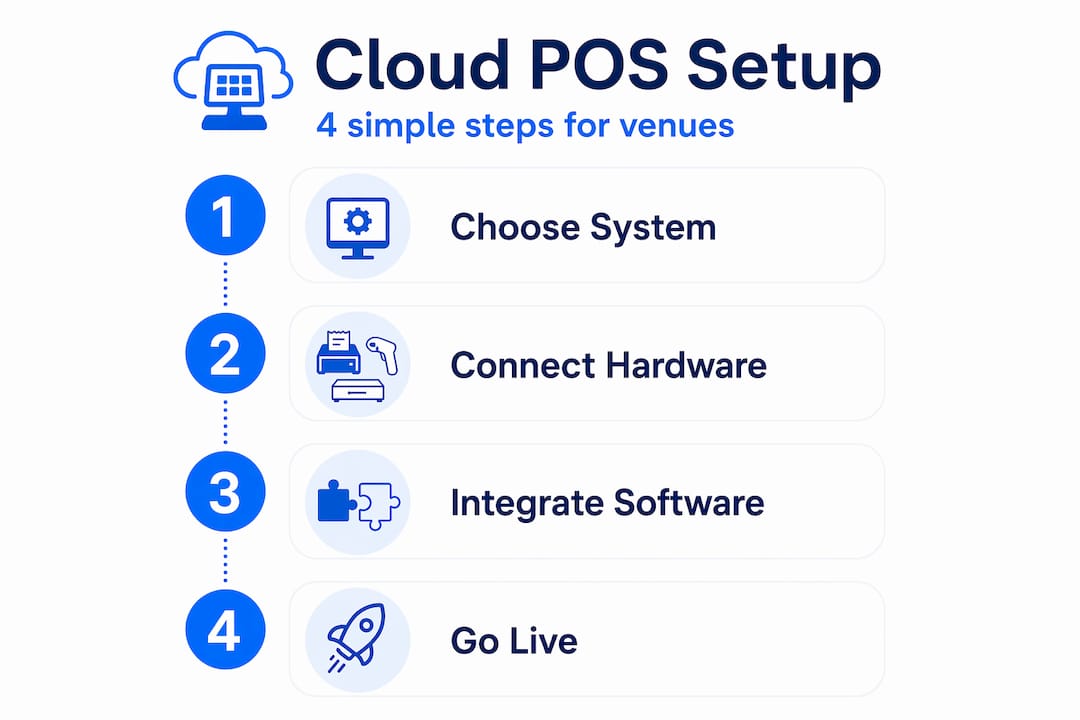
The good news is that setup can be completed in a single day for most hospitality venues, including hardware preparation, configuration, and your first live transaction. Here is a clear sequence to follow.
-
Prepare your hardware and network. Unbox and charge your terminals, card readers, and any kitchen screens. Connect everything to a dedicated Wi-Fi network. Do not run your POS on the same network as guest Wi-Fi. This is a basic but frequently skipped step that creates both security and performance problems.
-
Configure your business settings. Log into your cloud back office and enter your venue details, tax rates, and service modes. Whether you run table service, counter service, or a mix of both, configure these before touching your menu.
-
Build your menu or catalogue. Add your products, categories, modifiers, and pricing. Cloud systems let you do this from a laptop before your hardware even arrives. Group items logically so staff can find them quickly during a rush. If you run a café, the POS setup for cafés process follows the same sequence but with particular attention to modifier options for drinks.
-
Connect your payment processing. Link your card payment provider to the system. Most cloud POS platforms support integrated payments, meaning the terminal and card reader communicate automatically without staff manually entering amounts. Test this with a real transaction before going live.
-
Set up employee access. Create individual logins for every member of staff. Unique employee logins lower security risks and improve accountability, particularly for tip tracking and sales reporting. Assign roles with appropriate permissions. A floor server does not need access to your financial reports.
-
Run a full test before opening. Process test orders through every service mode you use. Fire orders to kitchen screens. Refund a transaction. Check that reports populate correctly in your back office. This rehearsal catches configuration errors before they affect a real customer.
Pro Tip: Integrate your cloud POS with accounting software like Xero or QuickBooks during setup rather than retrofitting it later. This automates financial reporting, removes the need for manual data entry, and gives you accurate figures from day one.
Costs, subscriptions, and ongoing fees
Understanding the full cost picture before you commit prevents unpleasant surprises six months in. Cloud POS costs fall into three categories: hardware, software, and processing fees.
Hardware varies considerably. A minimal setup using a card reader and an existing tablet can cost as little as nothing upfront, while a full single-location restaurant setup with multiple terminals, kitchen screens, and a cash drawer can run from £3,000 to £10,000 in hardware alone.
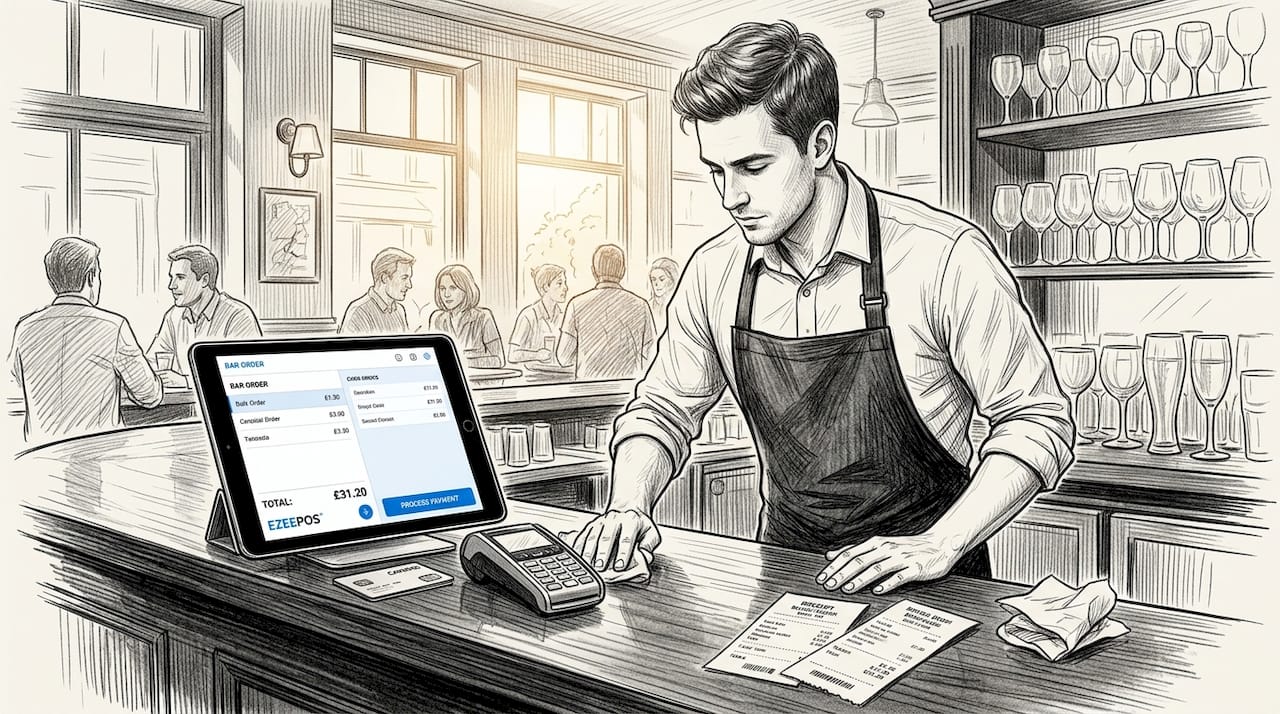
Software subscriptions for cloud POS systems typically range from £60 to £200 per terminal per month, depending on the provider and feature set. Some providers, including Ezeepos, offer full feature access without tiered pricing, which means you are not paying more to unlock inventory management or staff reporting.
Processing fees are where most venues underestimate their costs. Typical card processing rates sit around 2.3% to 2.6% plus a fixed fee per transaction. At scale, these fees dwarf your monthly software subscription. A restaurant turning over £50,000 per month in card payments pays roughly £1,150 to £1,300 in processing fees alone.
For a realistic first-year budget, consider these ranges:
- Small café or retail venue: £5,000 to £10,000 total
- Full restaurant or bar: £10,000 to £25,000 total
- Processing fees: typically the largest single cost at volume
For a transparent breakdown of what you should expect to pay, the POS pricing guide from Ezeepos is worth reviewing before you sign anything.
Cloud POS security and compliance
This is the area where venue owners most often make costly assumptions. Moving to a cloud POS does not hand your security responsibilities to your software provider. The industry operates on a shared responsibility model, and understanding it is not optional.
“Cloud POS security uses a shared responsibility model: vendors secure the infrastructure, but merchants handle the ‘last mile’ security such as employee access controls and network firewalls.” PCI DSS in cloud environments
Your provider secures the servers, the software, and the data in transit. You are responsible for everything that happens inside your venue. That includes your Wi-Fi setup, who has access to which functions, how strong your passwords are, and whether your devices are kept up to date.
Moving to the cloud does not remove PCI compliance obligations. Merchants remain responsible for internal controls including user access management, strong passwords, and keeping POS terminals on a separate network from general internet traffic. Effective compliance requires isolating POS terminals on segregated networks and enforcing role-based access controls within the software itself.
Three practices make the biggest difference in practice:
- Keep all devices updated. Outdated firmware introduces vulnerabilities that directly compromise your PCI compliance status. Set updates to install automatically wherever possible.
- Use multi-factor authentication on your back-office account. MFA significantly reduces the risk of compromised credentials being exploited, even if a password is stolen.
- Never share logins between staff members. Shared credentials make it impossible to trace who processed a refund, voided an order, or accessed a report.
For a broader view of protecting your systems, the guidance on protecting systems from hackers covers the shared responsibility model in practical terms that apply directly to hospitality POS environments.
Pro Tip: Put your POS terminals on a separate VLAN from your guest Wi-Fi and staff devices. This single network configuration step is one of the most effective things you can do for PCI compliance, and most modern routers support it.
My honest take on cloud POS setup
I have seen a lot of venue owners put off switching to cloud POS because they assume it will be a week-long IT project involving consultants and downtime. In my experience, that fear is almost always unfounded. The setup process is genuinely manageable for a non-technical person, and the vendors who make it complicated are usually the ones with poor onboarding, not complex technology.
What I have found actually trips people up is not the technology itself. It is the preparation. Venues that struggle are the ones who try to build their menu in the system on the same day they open, or who give every staff member manager-level access because it is quicker than thinking through permissions. Those shortcuts create problems that last for months.
The security side is where I think conventional wisdom lets venue owners down. Most articles tell you to “choose a reputable provider” and leave it at that. What they do not tell you is that your provider’s reputation is largely irrelevant to your PCI compliance status if your own house is not in order. I have seen venues with excellent software providers fail audits because they had shared passwords and unsegmented networks. The staff management setup is not an afterthought. It is a compliance requirement.
My practical advice: spend the first hour of setup on your network configuration and access controls, not your menu. The menu can be refined over days. A security gap can cost you far more.
— John
How Ezeepos makes cloud POS simple

If this guide has clarified what cloud POS setup actually involves, the next step is finding a system built specifically for the way hospitality venues operate. Ezeepos is an Android-based cloud POS platform designed for cafés, bars, restaurants, fast-casual venues, and mobile catering operations across the UK. It includes full feature access without tiered pricing, local UK installation by accredited providers, and ongoing human support rather than a ticket queue.
Whether you run a single café or a multi-site operation, Ezeepos covers counter service, table ordering, self-service kiosks, and kitchen display screens from one unified system. Explore the café POS solutions or review the hospitality POS types to find the right configuration for your venue. Get in touch with the Ezeepos team to arrange a demonstration.
FAQ
What does cloud setup mean for a POS system?
Cloud setup for a POS system means your software, data, and settings are stored on remote servers rather than local hardware. Your terminals connect to the cloud via the internet, giving you remote access to reports and configuration from any device.
How long does it take to set up a cloud POS?
Most cloud POS systems can be set up and ready for a first live transaction within a single day, including hardware preparation, menu configuration, payment integration, and staff access setup.
What are the ongoing costs of a cloud POS for hospitality venues?
Expect monthly software fees of roughly £60 to £200 per terminal, plus card processing fees of around 2.3% to 2.6% per transaction. Full first-year costs for a restaurant typically range from £10,000 to £25,000 when hardware and processing are included.
Who is responsible for cloud POS security?
Security is shared between your software provider and your venue. Your provider secures the servers and software infrastructure. You are responsible for staff access controls, network configuration, device updates, and PCI compliance within your premises.
Do I need technical expertise to set up a cloud POS?
No. Most cloud POS platforms are designed for non-technical users. With a provider like Ezeepos, local UK installation support is included, so you are not left to figure it out alone.
Recent Comments