
Many UK venue owners struggle with slow, error-prone manual promotion workflows causing staff and customer frustration. A specialized POS workflow can reduce errors by 40% and speed transactions by 30%. This guide covers prerequisites, step-by-step creation, common pitfalls, expected results, and training strategies to transform your promotional operations and enhance customer engagement across all service channels.
Table of Contents
- Prerequisites: What You Need Before Starting
- Step 1: Evaluate Existing Promotion and POS Setup
- Step 2: Integrate Tailored Hardware and Software
- Step 3: Streamline Transaction Workflows
- Step 4: Train Staff on Optimized POS Use
- Common Mistakes to Avoid
- Expected Results and Outcomes
- Alternative Approaches and Tradeoffs
- Discover eZeepos: Streamline Your Hospitality Promotions Workflow
Key Takeaways
| Point | Details |
|---|---|
| Speed Gains | Well-structured POS workflows reduce transaction times by up to 30%. |
| Error Reduction | Staff training on POS features cuts order errors by 25% or more. |
| Channel Integration | Hardware and software integration streamlines promotions across all channels. |
| Real-Time Insights | Analytics help track promotion success and improve service instantly. |
| Common Pitfalls | Avoid outdated software and poor training for best results. |
Prerequisites: What You Need Before Starting
Before launching a new promotions workflow, you need solid groundwork. Start by documenting your existing POS hardware and software versions, including inventory system details. This baseline helps you identify compatibility issues and upgrade requirements early.
Ensure your setup meets GDPR and PCI DSS compliance standards for customer data and payment processing. UK venues face strict regulations, and non-compliance risks hefty fines and reputational damage. Verify your POS provider handles data encryption and secure storage properly.
Set measurable goals like reducing transaction time by 20% or increasing table turnover by 15%. Clear targets guide your workflow design and help you evaluate success. Without specific goals, you cannot measure improvement or justify investment.
Plan your budget and timeline for system upgrades and staff training. Factor in hardware costs, software licensing, training hours, and potential downtime during implementation. Most venues allocate 8-12 weeks for full rollout including staff onboarding.
Select POS vendors experienced in UK hospitality regulations and workflows. Look for providers offering local installation, ongoing human support, and proven track records in venues similar to yours. The right partner makes implementation smoother and reduces long-term support headaches.
- Document current POS hardware, software, and inventory systems
- Verify GDPR and PCI DSS compliance for data and payments
- Set measurable goals for transaction speed and turnover
- Allocate budget for upgrades, training, and implementation time
- Choose vendors with UK hospitality expertise and local support
Step 1: Evaluate Existing Promotion and POS Setup
Start by mapping every step in your current promotional processes from creation to redemption. Identify where customer engagement happens, how staff input promotions, and where orders flow through your systems. This visual map reveals bottlenecks and inefficiencies you might overlook in daily operations.
Next, pinpoint specific bottlenecks like slow checkouts during peak hours or manual tracking errors that frustrate staff and guests. For example, if servers manually apply discounts at checkout, you likely see inconsistent pricing and longer wait times. Document these pain points with specific examples and frequency.
Assess how well your POS integrates with all sales channels including table ordering, counter service, kiosks, and online platforms. Poor integration causes order mismatches, inventory discrepancies, and customer confusion. Many hospitality POS success stories highlight integration as the key to seamless operations.
Evaluate staff proficiency with existing tools and identify training gaps. Survey your team about which features they struggle with and which workflows feel clunky. Their frontline experience provides invaluable insights into practical improvements.
Establish baseline performance metrics for future benchmarking. Track current transaction times, error rates, table turnover, and customer satisfaction scores. These numbers prove your workflow improvements and justify investment. Understanding the importance of hospitality POS systems helps frame this evaluation correctly.
- Map all promotional steps from creation to customer redemption
- Document bottlenecks causing delays or errors with specific examples
- Check integration quality across table, counter, kiosk, and online channels
- Survey staff to identify tool proficiency gaps and workflow frustrations
- Record baseline metrics including transaction times and error rates
Step 2: Integrate Tailored Hardware and Software
Choose POS systems that centralize promotion management across all your sales channels in one interface. Fragmented systems create confusion and duplicate work. A unified platform lets you launch promotions once and have them apply automatically at every touchpoint.
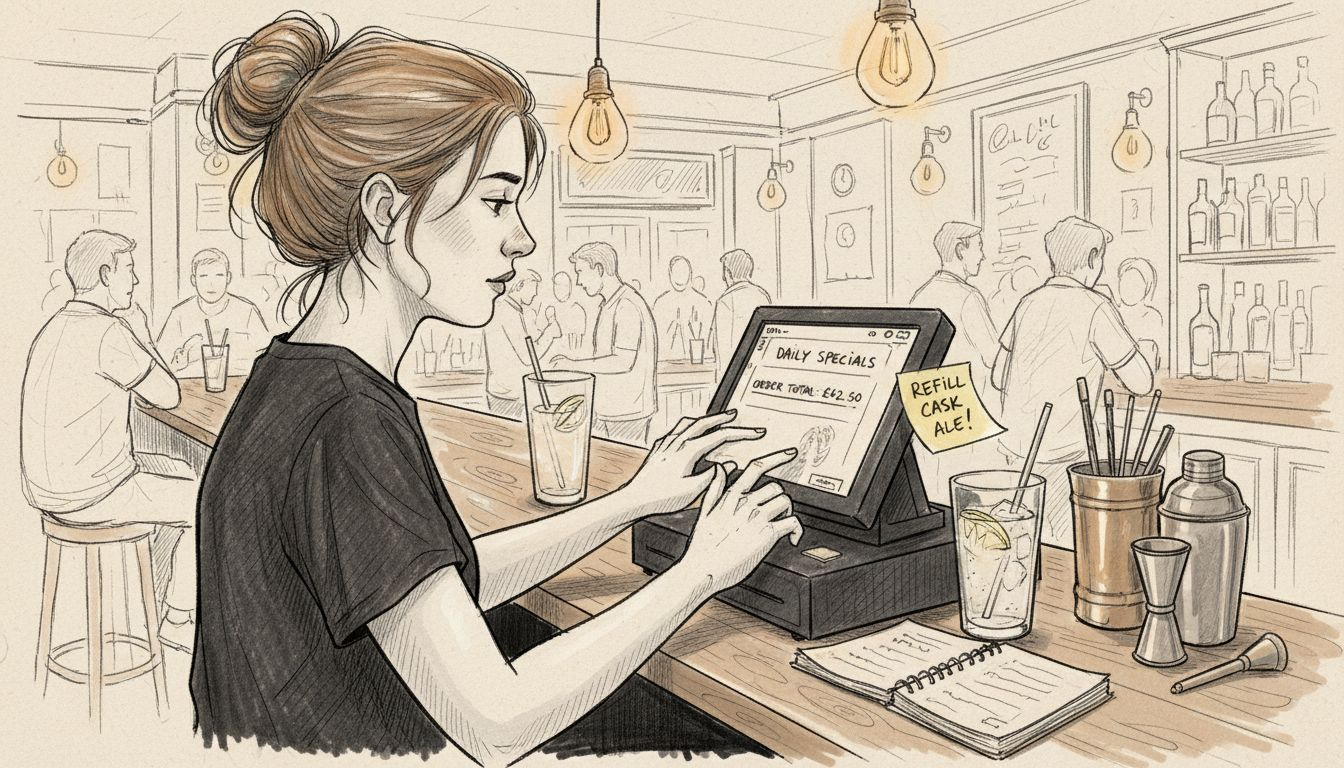
Select hardware compatible with your specific service styles. If you run table service, invest in handheld tablets for servers. Quick-service venues benefit from countertop terminals and self-service kiosks. Mobile catering operations need portable devices with long battery life. Match hardware to how your guests actually interact with your venue.
Enable flexible payment options and split-bill capabilities to accommodate diverse promotional scenarios. Guests expect to split checks, apply multiple discounts, and pay via various methods. Your POS must handle these requests smoothly without manual workarounds that slow service.
Prefer cloud-based solutions supporting real-time control and analytics. Cloud systems let you adjust promotions instantly across all locations and monitor performance from anywhere. You gain immediate visibility into which promotions drive sales and which fall flat.
Ensure offline mode availability to maintain operations during internet outages. Despite reliable connections, outages happen. Offline mode keeps sales processing smoothly, syncing data automatically when connectivity returns. This protects revenue during critical service periods.
Pro Tip: Test your POS offline mode during a quiet period before relying on it during peak hours. This practice run reveals quirks and ensures staff know the fallback procedures.
- Centralize promotion management across all sales channels in one system
- Match hardware to service styles: tablets for table service, kiosks for self-service
- Enable flexible payments and split-bill options for complex transactions
- Choose cloud-based platforms for real-time analytics and remote control
- Verify offline mode works reliably during internet outages
Explore mobile POS setup options and understand what defines hospitality POS to make informed hardware decisions. Compare best UK hospitality POS systems to find the right fit for your venue.
Step 3: Streamline Transaction Workflows
Automate promotion timing and inventory adjustments using AI-powered analytics built into modern POS systems. Manual scheduling creates errors and missed opportunities. Automated rules trigger promotions at optimal times and adjust inventory levels instantly, reducing waste and maximizing profitability.
Simplify promotion entry workflows to minimize staff input errors. Complex multi-step processes frustrate servers during busy periods. Design one-touch promotion application where possible, letting staff apply discounts with a single button rather than navigating multiple screens.
Integrate order routing with kitchen display systems to speed preparation times. When promotions affect preparation requirements, the kitchen needs immediate notification. Direct integration eliminates communication delays and ensures promotional items get prepared correctly the first time.
Implement real-time tracking of promotion redemptions and inventory usage. Live dashboards show you exactly how many guests redeem each promotion and how inventory levels shift. This visibility prevents overselling limited-time offers and helps you adjust campaigns on the fly.
Assign specific roles and checkpoints for promotional approvals within the POS. Not every staff member should create or modify promotions. Role-based permissions prevent unauthorized discounts while giving managers flexible control. This balance maintains security without slowing legitimate operations.
Pro Tip: Start with one simple automated workflow, perfect it, then expand. Trying to automate everything at once overwhelms staff and increases error risk.
| Workflow Element | Before Optimization | After Optimization | Improvement |
|---|---|---|---|
| Average Transaction Time | 4.5 minutes | 3.2 minutes | 29% faster |
| Order Error Rate | 8% | 3% | 63% reduction |
| Kitchen Prep Delay | 12 minutes | 7 minutes | 42% faster |
| Promotion Redemption Tracking | Manual, end-of-day | Real-time | Instant visibility |
Discover how POS system benefits extend beyond transactions and see how counter service POS speed improvements transform guest experiences.
- Set up automated promotion scheduling and inventory adjustments
- Create one-touch promotion application workflows for staff
- Connect order routing directly to kitchen display systems
- Enable real-time tracking dashboards for redemptions and inventory
- Configure role-based permissions for promotion management
Step 4: Train Staff on Optimized POS Use
Provide scenario-based training covering all promotional features and workflows your staff will encounter. Generic training misses real-world complications. Walk servers through applying multiple promotions to split bills, handling promotion errors, and managing edge cases like expired offers.
Monitor staff progress during initial weeks and schedule refresher courses quarterly. Skills fade without practice and reinforcement. Short, focused refresher sessions keep everyone sharp and introduce new features as your POS evolves.
Assign role-based POS permissions matching each team member’s responsibilities. Servers need promotion application rights but not creation access. Managers require full control including analytics and approval workflows. Clear permissions prevent mistakes and maintain security.
Collect staff feedback regularly to identify and refine workflow issues. Your team uses the POS every shift and spots problems management might miss. Create simple feedback channels like weekly check-ins or anonymous surveys to capture honest input.
Highlight training as essential, not optional, to reduce costly errors. Untrained staff make mistakes that frustrate guests and waste inventory. One server applying promotions incorrectly can cost hundreds of pounds weekly. Proper training pays for itself within weeks through error reduction alone.
- Conduct hands-on training with realistic promotional scenarios
- Schedule quarterly refresher courses to maintain proficiency
- Set role-based permissions matching job responsibilities precisely
- Create feedback loops to capture staff workflow concerns
- Treat training as critical investment, not optional expense
Understand why POS importance for training cannot be overstated and explore latest POS training articles for ongoing staff development.
Common Mistakes to Avoid
Running promotions on outdated POS software invites errors and security vulnerabilities. Software updates patch security holes and fix bugs that cause transaction failures. Delaying updates saves time short-term but creates expensive problems during peak promotional periods.
Ensuring full integration between POS and all sales channels prevents order mismanagement. Disconnected systems cause orders to vanish, inventory counts to drift, and promotions to fail at specific touchpoints. Integration testing before launch catches these issues early.
Neglecting regular and comprehensive staff training guarantees workflow breakdowns. New hires need onboarding, and existing staff need updates as features evolve. Skipping training to save hours creates confusion that costs days fixing mistakes.
Keeping promotion schemes simple avoids confusion and input errors. Complex tiered discounts with multiple conditions overwhelm staff and slow service. Simple promotions execute flawlessly and achieve better redemption rates because staff explain them confidently.
Regularly updating POS software maintains security and functionality. Cyber threats evolve constantly, and outdated systems become targets. Monthly update checks and immediate security patch installation protect your business and customer data.
- Never run promotions on outdated POS software versions
- Test integration across all sales channels before launching promotions
- Invest in ongoing staff training, not just initial onboarding
- Design simple promotion rules that staff execute confidently
- Apply software updates and security patches promptly
Learn from venues that succeeded by upgrading POS for mistakes avoidance and prevention.
Expected Results and Outcomes
Transaction times typically drop by up to 30% within the first quarter after implementing optimized workflows. Faster checkouts improve guest satisfaction and allow you to serve more customers during peak periods. This efficiency directly boosts revenue without adding staff.
Order errors decrease up to 40% when staff use streamlined promotional workflows. Fewer mistakes mean less food waste, fewer comped meals, and happier guests. Error reduction also cuts staff stress and improves team morale.
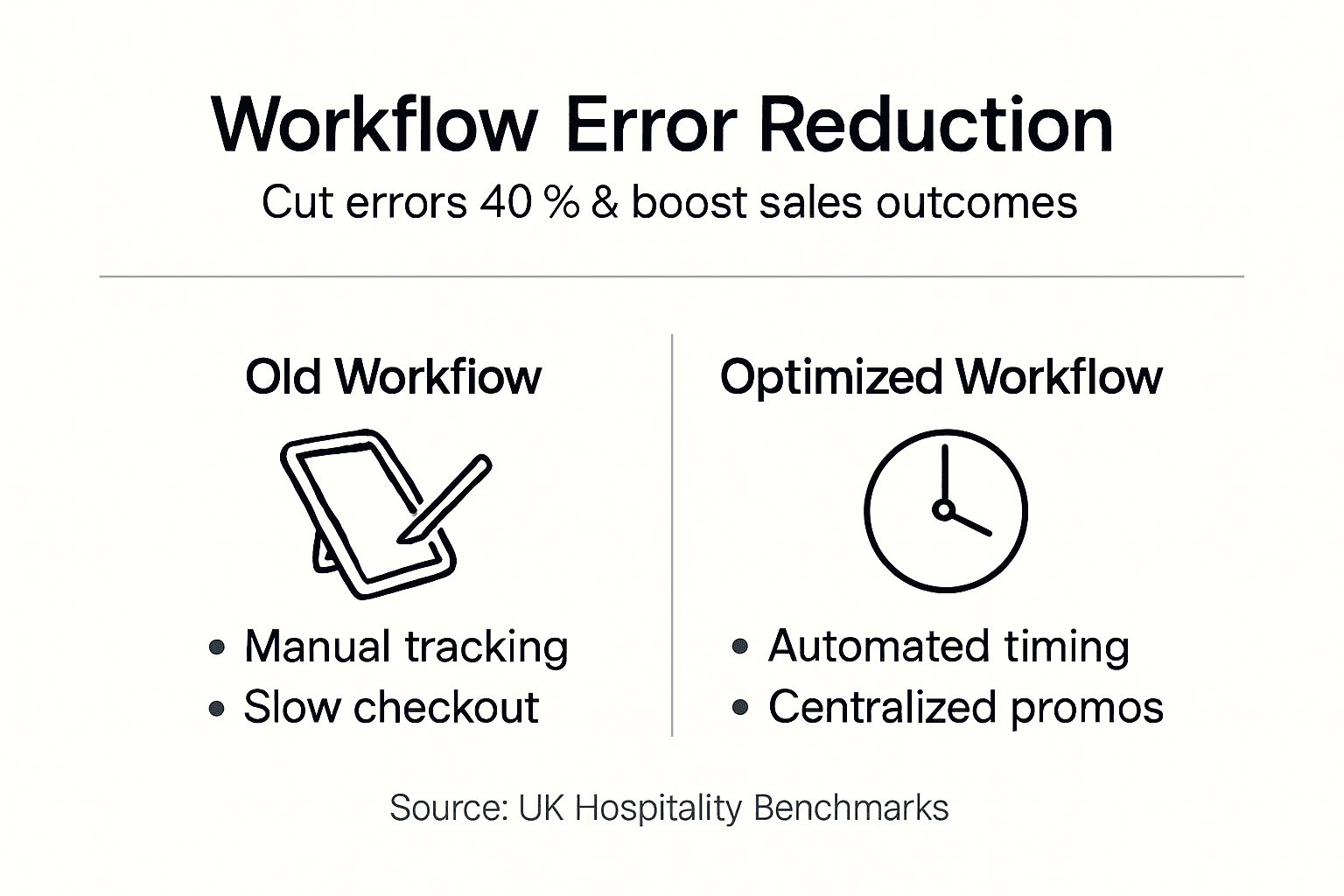
Table turnover rates improve by up to 20% as faster transactions free tables sooner. Higher turnover means more guests served per shift and increased daily revenue. This improvement compounds during busy periods when every minute counts.
Real-time analytics enable you to track promotion performance instantly and pivot strategies quickly. You see which promotions drive traffic, which fall flat, and which guest segments respond best. This intelligence makes every campaign smarter and more profitable.
Guest satisfaction scores rise as quicker, more accurate service enhances their experience. Positive reviews and repeat visits follow naturally. Many venues report satisfaction scores climbing 15-25% after workflow optimization.
| Metric | Before Implementation | After Implementation | Improvement |
|---|---|---|---|
| Average Transaction Time | 4.8 minutes | 3.4 minutes | 29% reduction |
| Order Error Rate | 9% | 3.5% | 61% reduction |
| Table Turnover Rate | 3.2 per shift | 3.8 per shift | 19% increase |
| Guest Satisfaction Score | 72% | 88% | 16 points higher |
Review real hospitality POS success metrics from UK venues that achieved these results.
Alternative Approaches and Tradeoffs
Offline POS ensures sales continue during internet outages but limits real-time analytics and multi-location control. You gain reliability at the cost of immediate data visibility. For single-location venues with unreliable internet, this tradeoff makes sense.
Basic POS systems cut initial costs but miss out on automated promotion workflows and advanced analytics. You save money upfront but sacrifice efficiency gains. Small venues with simple operations might accept this limitation, while growing businesses outgrow basic systems quickly.
Manual promotion management using spreadsheets and verbal communication proves prone to errors and inefficient at scale. Staff forget to apply promotions, pricing becomes inconsistent, and tracking redemptions requires tedious manual counting. This approach only works for the smallest venues with minimal promotional activity.
Cloud-based POS offers scalability, centralized control, and real-time analytics but requires reliable internet connectivity. You gain powerful features and flexibility but depend on network stability. Most UK venues find modern internet reliable enough to justify cloud benefits.
Choosing the right POS depends on balancing cost, features, complexity, and operational needs. Evaluate your venue size, promotional frequency, staff technical skills, and growth plans. No single solution fits everyone, but specialized hospitality systems typically deliver the best long-term value.
| Approach | Pros | Cons | Best For |
|---|---|---|---|
| Offline POS | Works during outages, reliable | Limited real-time data, harder to update | Single venues, unreliable internet |
| Basic POS | Lower cost, simple to learn | No automation, limited analytics | Small venues, simple operations |
| Manual Systems | Minimal tech investment | High error rates, inefficient | Very small venues, rare promotions |
| Cloud POS | Real-time analytics, scalable, multi-location | Requires internet, higher cost | Growing venues, multiple locations |
Explore different types of hospitality POS and understand when POS upgrades and tradeoffs make business sense. Compare UK hospitality POS alternatives to make informed decisions.
Discover eZeepos: Streamline Your Hospitality Promotions Workflow
Optimizing your hospitality promotions workflow transforms guest experiences and operational efficiency. eZeepos offers specialized POS solutions designed specifically for UK hospitality venues like yours.

Our cloud-based system integrates hardware and software seamlessly to reduce errors and speed service across all channels. We support table ordering, counter service, kiosks, and mobile POS with unified promotion management.
Explore real hospitality POS systems for UK restaurants success stories and understand exactly why venues choose to upgrade your POS system for growth.
Get started with eZeepos POS software tailored to your venue’s unique needs. Our local UK support and accredited installers ensure smooth implementation and ongoing success.
FAQ
How can I ensure GDPR compliance within my POS promotions workflow?
Ensure your POS provider supports GDPR-compliant data handling and encryption for all customer information. Train staff on data protection best practices during promotion management, including secure handling of customer details and proper consent procedures.
What are the fastest ways to reduce promotion-related errors?
Conduct scenario-based training focused on promotional workflows within your POS system. Keep promotion rules simple and clearly documented in the POS to prevent confusion during busy service periods.
How long does it typically take to see results after implementing a new promotions workflow?
Most venues observe improvements in transaction times and error rates within one to three months of implementation. Continuous monitoring and staff training accelerate achievement of full benefits including higher turnover and satisfaction scores.
Are cloud-based POS systems better for managing promotions than traditional ones?
Cloud POS offers real-time analytics, multi-location control, and instant promotion updates across all channels. Traditional POS may lack automation features and require manual workarounds during internet outages, limiting operational flexibility.
Recent Comments