
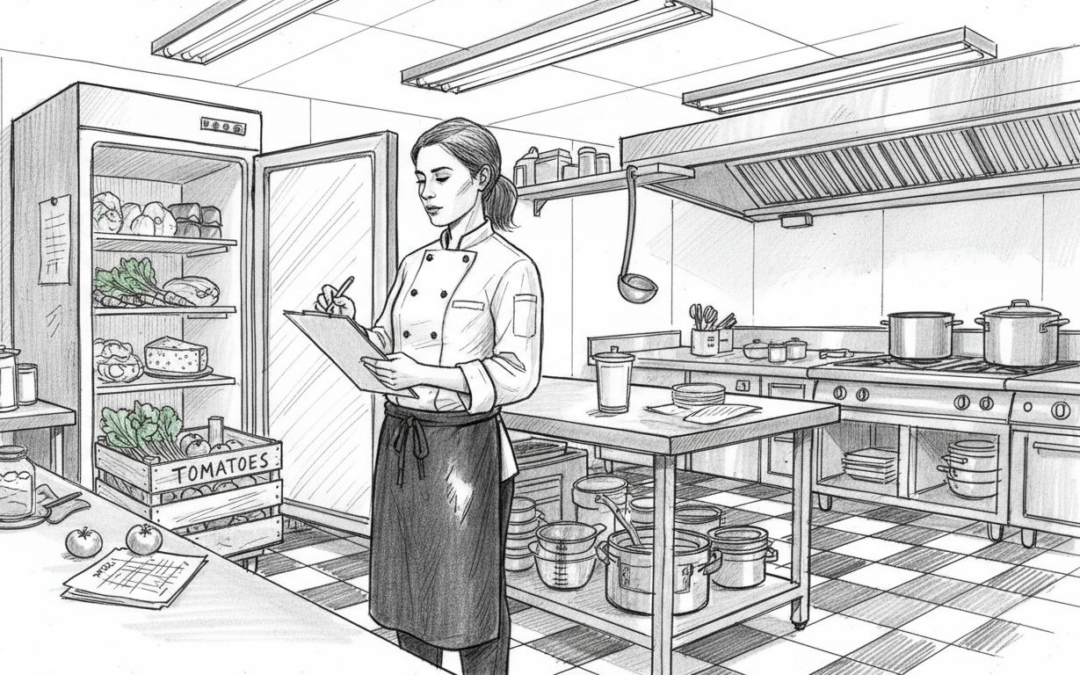
Managing inventory effectively stands as one of the biggest operational challenges for UK restaurant and café owners. Choosing the right inventory checklist can transform chaotic stock control into a streamlined system that cuts waste, saves time, and protects your profit margins. This article walks you through the key criteria for selecting an inventory checklist, explores manual and digital options, and provides practical recommendations tailored to different venue types across the UK hospitality sector.
Table of Contents
- Key Criteria To Choose An Effective Restaurant Inventory Checklist
- Essential Components Of A Restaurant Inventory Checklist
- Best Practices For Using Inventory Checklists To Reduce Waste And Errors
- Digital Tools Integrating Inventory Checklists For UK Restaurants
- Summary Comparison Of Restaurant Inventory Checklists And Tools
- Situational Recommendations For UK Hospitality Inventory Checklists
- Streamline Inventory Management With EzeePOS Solutions
- Frequently Asked Questions
Key takeaways
| Point | Details |
|---|---|
| Effective checklists cover all stock categories and fit your restaurant size and style | A comprehensive inventory system tracks dry goods, fresh produce, frozen items, beverages, and cleaning supplies tailored to your operational scale |
| Combining manual and digital tools saves time and reduces errors | Digital integration with POS systems automates data entry whilst manual methods suit smaller venues with simpler needs |
| Daily or weekly counts paired with FIFO methods significantly lower waste | Regular stock audits combined with first-in-first-out labelling optimise freshness and minimise spoilage |
| Digital tools with POS integration offer real-time control and time savings | Automated inventory systems can save 10 to 20 hours weekly whilst improving gross margins by around 2 percentage points |
| Choose inventory solutions tailored to your venue type for best results | Small cafés benefit from printable templates whilst multi-site operations require integrated digital platforms |
Key criteria to choose an effective restaurant inventory checklist
Selecting the right inventory checklist requires understanding what makes one system more effective than another for your specific venue. Your checklist needs to be comprehensive enough to track everything that matters whilst remaining simple enough for your team to use consistently.
Comprehensiveness across all stock items forms the foundation of good inventory control. Your checklist must cover dry goods, fresh produce, frozen items, beverages, cleaning supplies, and disposables. Missing categories create blind spots where waste and theft can hide unnoticed.
Counting frequency should match your stock turnover and perishability. High-volume venues with fresh ingredients need daily counts for produce and weekly reviews for dry goods. Lower-volume cafés might manage with weekly fresh counts and monthly dry stock audits. The key is finding a rhythm that catches problems early without overwhelming your team.
Integration ability with POS and accounting software transforms inventory from a reporting task into a management tool. Effective inventory checklists must integrate well with POS and accounting software to provide real-time visibility and reduce manual data entry. When your inventory system talks to your POS, you automatically track theoretical usage against actual consumption, revealing variance patterns that signal waste or theft.
Easy-to-use formats lower barriers to adoption and reduce errors. Your checklist should make sense to staff members within minutes of training. Complex systems that require extensive explanation often fail because team members avoid using them properly during busy shifts.
Customisability ensures the checklist fits your restaurant’s unique needs. A fine dining establishment has different inventory priorities than a quick-service café. Your system should adapt to your menu complexity, supplier relationships, and reporting requirements. For comprehensive guidance on adapting inventory systems to your venue type, explore our inventory management guide for hospitality venues.
Pro Tip: Start with a simple checklist covering your top 20 cost items by value. Master this core inventory before expanding to track every single item in your stockroom.
Essential components of a restaurant inventory checklist
A properly structured inventory checklist captures the data you need to make informed decisions about ordering, pricing, and waste reduction. Understanding which components matter most helps you build or select a system that delivers actionable insights.
Stock categories should reflect how you organise your storage areas and purchasing patterns:
- Dry goods including flour, rice, pasta, tinned items, and shelf-stable ingredients
- Fresh produce covering fruits, vegetables, herbs, and salad items
- Frozen items including proteins, prepared foods, and long-term storage ingredients
- Beverages spanning soft drinks, alcoholic products, coffee, and tea
- Cleaning supplies and chemicals for kitchen and front-of-house maintenance
- Disposables such as takeaway containers, napkins, and utensils
Key data columns track stock movements and identify variances. Comprehensive inventory sheets incorporating item name, unit, opening stock, purchases, closing stock, and variance columns enhance loss control by making discrepancies immediately visible. Each column serves a specific purpose in the variance calculation that reveals where stock is going.

| Data Column | Purpose | Example Entry |
|---|---|---|
| Item Name | Identifies the product | Chicken breast (skinless) |
| Unit of Measure | Standardises counting | Kilogram |
| Opening Stock | Shows starting inventory | 15.5 kg |
| Purchases | Records additions | 25.0 kg |
| Closing Stock | Confirms physical count | 18.0 kg |
| Theoretical Usage | Calculates expected consumption | 22.5 kg |
| Actual Usage | Shows real consumption | 22.5 kg |
| Variance | Highlights discrepancies | 0.0 kg |
Including par levels and reorder thresholds prevents stockouts and overordering. Par levels represent the ideal quantity to have on hand between deliveries. When closing stock falls below par, you know it’s time to reorder. This simple system stops you from running out of essential items whilst avoiding excess stock that ties up cash and risks spoilage.
Tracking disposables and equipment parts ensures full operational oversight. Many venues focus exclusively on food and beverage inventory whilst ignoring the cost of takeaway packaging, cleaning supplies, and replacement equipment parts. These items represent significant expenses that deserve the same tracking discipline as ingredients. For practical implementation strategies, review our inventory management tips for UK cafés and restaurants.
Pro Tip: Use colour coding on your physical checklist to group items by storage location. This speeds up counting and reduces the chance of missing items during busy periods.
Best practices for using inventory checklists to reduce waste and errors
Having a great checklist means nothing if your team doesn’t use it correctly and consistently. Implementation practices determine whether your inventory system delivers value or becomes just another ignored administrative task.
Daily or frequent counts ensure updated stock data and catch problems early. FIFO labelling systems combined with daily inventory audits optimise stock freshness and reduce spoilage by maintaining accurate records and ensuring proper stock rotation. High-value perishables deserve daily attention whilst stable dry goods can be counted weekly.
FIFO labelling ensures older stock gets used before newer deliveries. Label everything with received dates as it arrives. Train staff to always pull from the front of shelves where older stock sits. This simple discipline dramatically cuts spoilage losses, especially for fresh and frozen items with limited shelf life.
Regular staff training on checklist use prevents errors and improves consistency. New team members should shadow experienced counters before taking responsibility for sections. Schedule refresher training quarterly to reinforce proper techniques and address bad habits that creep in over time.
“The difference between a successful inventory system and a failed one isn’t the sophistication of the tool. It’s whether your team actually uses it correctly every single time.”
Monitoring par levels avoids overordering and minimises waste. Review your par levels monthly based on actual consumption patterns. Seasonal menu changes, customer trends, and supplier delivery schedules all affect ideal stock levels. What worked in January might create excess waste in June.
Using automated reports highlights discrepancies for timely correction. Set variance thresholds that trigger investigation. A 2% variance might be acceptable noise, but 5% signals a problem requiring immediate attention. Regular variance reviews reveal patterns pointing to specific products, shifts, or storage areas with control issues. For specialised approaches to high-end venues, explore our fine dining inventory guide to cut waste.
Follow this routine for consistent inventory control:
- Count physical stock at the same time each day or week
- Record counts immediately in your checklist system
- Compare closing stock against theoretical usage from POS data
- Investigate variances exceeding your threshold percentage
- Adjust par levels and ordering based on consumption trends
- Review and address recurring problem areas with staff
Pro Tip: Schedule inventory counts during quiet periods when staff can focus without service pressure. Early morning before opening or mid-afternoon between lunch and dinner rushes work well for most venues.
Digital tools integrating inventory checklists for UK restaurants
Technology transforms manual inventory checklists from time-consuming administrative tasks into strategic management tools. Understanding the digital options available helps you decide whether automation makes sense for your venue and budget.
Automated inventory tools save 10 to 20 hours weekly whilst improving gross margins by around 2 percentage points through better waste control and purchasing decisions. These time and profit improvements can quickly justify the software investment for venues doing significant volume.
Jelly tool offers automated invoice scanning and real-time margin tracking integrated with POS systems. You photograph supplier invoices, and the system extracts pricing and quantity data automatically. This eliminates manual data entry whilst maintaining accurate cost tracking. Real-time margin analysis shows which menu items generate the best returns based on current ingredient costs.
Manual Excel templates suit small venues but require more time and risk errors. Spreadsheet-based systems cost nothing beyond staff time but demand careful data entry and offer no automatic POS integration. Formula errors or missed entries can corrupt your entire dataset without obvious warning signs.
Digital tools support multi-site inventory control and consistent reporting. Restaurant groups managing multiple locations benefit enormously from centralised inventory platforms. You can compare waste rates, identify purchasing efficiencies, and enforce consistent par levels across all sites from a single dashboard.
Integration with UK accounting software streamlines financial reconciliation. When inventory systems connect to Xero, QuickBooks, or Sage, your cost of goods sold updates automatically. This eliminates month-end reconciliation headaches and provides accurate profit data in real time. To understand how POS integration enhances inventory accuracy, read about the role of POS in inventory control.
Ease of use varies significantly between platforms. Vendor support and training options influence adoption success. Choose systems offering responsive UK-based support, comprehensive training materials, and intuitive interfaces your team can master quickly. A powerful system that confuses your staff delivers no value. For step-by-step implementation guidance, review our inventory control step by step resource.
Pro Tip: Request trial periods from digital inventory vendors before committing. Test the system during actual service to confirm it works with your workflow and team capabilities.
Summary comparison of restaurant inventory checklists and tools
Choosing between manual and digital inventory systems requires weighing features, costs, and operational fit. This comparison clarifies the trade-offs to help you select the approach matching your venue’s needs and resources.
| Feature | Manual Checklist | Excel Template | Digital Platform (Basic) | Digital Platform (Advanced) |
|---|---|---|---|---|
| Categories Covered | Customisable | Customisable | Pre-built, expandable | Fully customisable |
| POS Integration | None | Manual export/import | Limited API connection | Full real-time sync |
| Data Entry Method | Handwritten, typed later | Manual keyboard entry | Mobile app or tablet | Invoice scanning, API |
| Time Required Weekly | 8-12 hours | 6-10 hours | 4-6 hours | 2-4 hours |
| Multi-Site Support | Paper copies only | Shared files | Basic centralisation | Full multi-site dashboard |
| Variance Reporting | Manual calculation | Formula-based | Automatic alerts | Predictive analytics |
| Training Required | Minimal | Low | Moderate | Significant |
| Typical Cost Monthly | £0 | £0 | £50-150 | £200-500+ |
| Best Suited For | Single small café | Small single-location | Growing single-location | Multi-site or high-volume |
Manual checklists offer simplicity and zero software costs but demand significant staff time and provide no automated insights. They work well for small venues with limited inventory complexity and tight budgets.
Excel templates add calculation automation whilst maintaining flexibility and low cost. They suit venues ready to move beyond paper but not yet requiring real-time POS integration or mobile counting capabilities.
Basic digital platforms reduce data entry time and provide automatic variance calculations. They bridge the gap between spreadsheets and enterprise systems for growing single-location venues.
Advanced digital platforms deliver maximum efficiency through invoice scanning, POS integration, and predictive analytics. They justify their higher cost for multi-site operations or high-volume single locations where time savings and waste reduction generate substantial returns.
Situational recommendations for UK hospitality inventory checklists
Your ideal inventory approach depends on your venue type, size, and operational priorities. These tailored recommendations help you match checklist systems to your specific situation.
Small single-location cafés benefit from simple printable checklists like Rezku’s template. These venues typically carry 100-200 stock items and process limited daily transactions. Manual or Excel-based systems provide adequate control without overwhelming simple operations. Focus on tracking your top cost items meticulously rather than attempting comprehensive coverage.
Multi-location full-service venues gain efficiency with integrated digital tools like Jelly. Managing consistent inventory practices across multiple sites becomes nearly impossible with manual systems. Centralised digital platforms enforce standardisation, enable bulk purchasing analysis, and reveal location-specific waste patterns requiring intervention.
Fast-casual and mobile catering require mobile-friendly POS-integrated checklists. These operations lack fixed back-office spaces for traditional inventory counting. Tablet or smartphone-based counting with cloud sync enables accurate tracking regardless of location. Real-time stock visibility prevents running out of popular items during events or peak trading periods.
High waste reduction targets motivate investment in automated inventory control. If waste currently exceeds 5% of revenue, digital tools with daily tracking and variance alerts typically pay for themselves within months. The data insights revealing exactly where waste occurs justify the platform costs through targeted improvements. For specific strategies suited to smaller operations, explore our inventory management tips for UK cafés.
Budget-constrained venues can start with manual systems and scale up gradually:
- Begin with daily counts of your top 20 cost items using a simple printed checklist
- Add weekly counts for dry goods and monthly equipment inventory as the habit builds
- Move to Excel templates once manual tracking proves consistent
- Invest in basic digital tools when volume justifies the time savings
- Upgrade to advanced platforms only after mastering simpler systems
This progressive approach builds inventory discipline without requiring large upfront investment. You develop sound counting practices before adding technology layers.
Streamline inventory management with eZeePOS solutions
Managing inventory effectively requires the right tools working together seamlessly. eZeePOS offers integrated inventory control solutions tailored specifically for UK hospitality venues of all sizes. Our Android-based POS platform connects sales, ordering, and stock management in one unified system.

Real-time stock tracking eliminates manual data entry whilst providing instant visibility into consumption patterns. Our system automatically deducts ingredients as orders process, maintaining accurate theoretical inventory without additional staff effort. Variance reports highlight discrepancies immediately so you can address problems before they impact profitability.
Our local UK installation and ongoing support ensure you’re never stuck troubleshooting alone. Accredited providers deliver hands-on training tailored to your venue’s specific needs and workflows. Explore our comprehensive inventory management guide to discover how eZeePOS supports better inventory control. Learn more about the role of POS in inventory control and how integrated systems transform stock management.
Frequently asked questions
Can a manual inventory checklist really reduce waste effectively?
Yes, manual checklists reduce waste when used consistently with proper staff training. The key lies in regular counting, immediate recording, and systematic variance investigation. Small venues often achieve significant waste reduction with simple paper checklists before needing digital tools. Automation adds accuracy and saves time but isn’t essential for achieving initial waste control improvements in smaller operations.
How often should inventory counts be done in a UK restaurant?
Daily counts for perishable items and weekly counts for dry goods balance accuracy with practicality for most UK restaurants. High-volume venues may need twice-daily perishable counts whilst low-volume cafés can manage with weekly fresh counts. Adjust frequency based on actual waste levels and stock turnover patterns revealed through regular monitoring.
What benefits do integrated digital inventory checklists offer?
Integrated digital systems save time by automating data entry and generating real-time reports for better stock control. They reduce human errors in calculations, improve waste tracking accuracy, and support consistent multi-site operations. The time savings typically range from 10 to 20 hours weekly whilst margin improvements average around 2 percentage points through better purchasing and waste control.
Which inventory checklist type suits small UK cafés best?
Printable manual checklists like Rezku’s template offer ease of use and low cost for small, single-location cafés with limited inventory complexity. They allow straightforward stock tracking without requiring software investment or extensive training. Focus on tracking high-cost ingredients meticulously rather than attempting comprehensive coverage of every item.
Recent Comments