

TL;DR:
- Full access POS pricing includes all features for one flat fee with no feature gates.
- Total cost of ownership considers hardware, training, support, and downtime beyond the initial price.
- UK compliance requirements like VAT handling and licensing features are critical in POS system selection.
Not every point of sale system buries its best features behind a premium tier. Yet hospitality owners across the UK regularly face pricing structures that feel more like a puzzle than a proposal. One package excludes inventory tools, another charges per user, and a third quietly adds integration fees after you sign. The result is frustration, overspending, and systems that never quite deliver what was promised. This article cuts through that noise. You will learn what full access POS pricing genuinely means, how to calculate the real cost of any system, what UK compliance demands from your setup, and how to make a confident, well-budgeted decision.
Table of Contents
- What is ‘full access’ POS pricing?
- Breaking down the true cost of ownership for POS
- POS pricing and UK hospitality compliance
- Choosing and budgeting for full access POS in your venue
- The real cost: what most venues overlook about full access POS
- Explore unified POS solutions for UK hospitality
- Frequently asked questions
Key Takeaways
| Point | Details |
|---|---|
| Full access model clarified | You pay one price for all main POS features, helping budgeting and reducing cost surprises. |
| Total cost matters | Upfront price is just the start—plan for integration, staff training, and transition losses. |
| Compliance saves money | Selecting a POS with UK VAT and licensing integration reduces legal and admin risks for hospitality venues. |
| Practical buying steps | Use a checklist to identify, budget for, and negotiate the right POS system for your venue. |
What is ‘full access’ POS pricing?
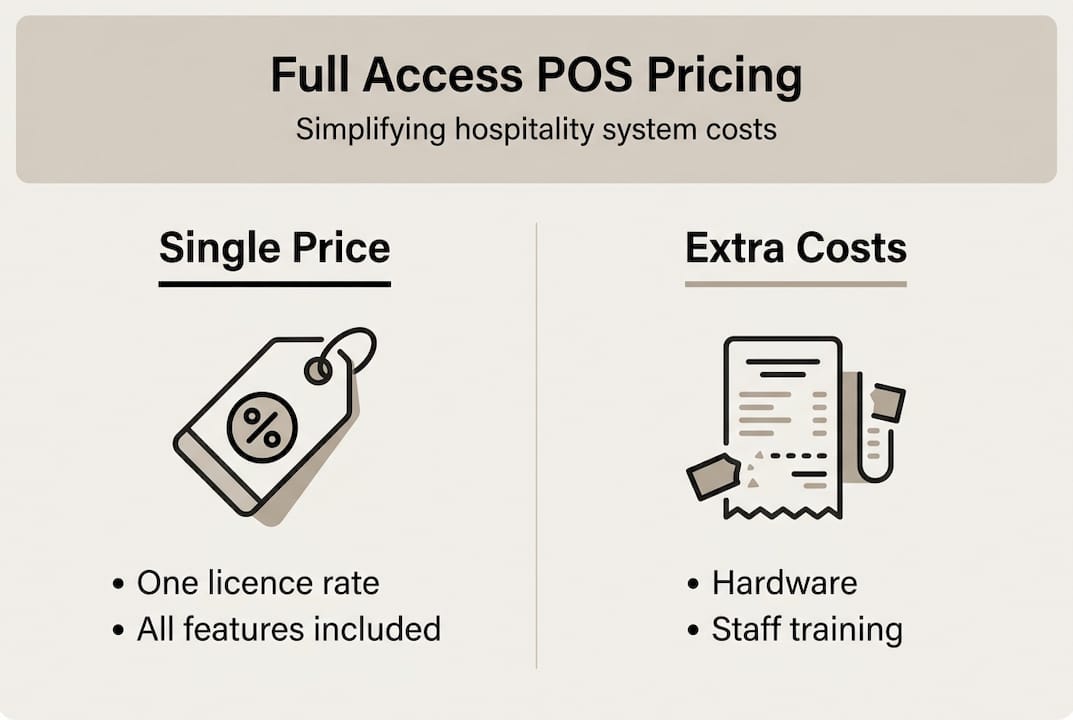
Full access POS pricing is straightforward in principle: one price, all features, no artificial gates. You are not paying extra to unlock reporting, add a second terminal, or integrate your kitchen display. Every function the system offers is available from day one, regardless of your venue size or transaction volume.
This sits in sharp contrast to tiered or subscription models, which are common across the industry. Tiered models typically offer a basic package at a low monthly rate, then charge additional fees for features that most hospitality venues actually need. Table management, inventory tracking, staff scheduling, and detailed analytics are frequently locked behind higher tiers. By the time you have built a package that genuinely serves your operation, the monthly cost looks nothing like the headline figure.
When comparing pricing models, it helps to map out the key fee components side by side.
| Fee component | Full access model | Tiered model |
|---|---|---|
| Software licence | Single flat rate | Per tier, escalating |
| Features included | All features | Tier dependent |
| Additional users | Included | Often per seat |
| Integrations | Bundled or clear cost | Add-on charges |
| Support | Included or clear SLA | Premium tier often required |
| Hardware | Separate, transparent | Separate, sometimes bundled |
Common misconceptions are worth addressing directly. Many owners assume full access means no hardware cost. It does not. Hardware, physical installation, and sometimes initial configuration remain separate line items in almost every model. What full access removes is the feature-gating that forces you to upgrade your software tier to do basic operational tasks.
There is also no universal standard for what counts as full access. The term is used loosely, so always dig into the detail of what is and is not included. Understanding the range of hospitality POS system types available helps you ask better questions during any sales conversation.
As noted by industry reviewers, there is no universal ‘full access POS pricing’, and venues should evaluate total cost of ownership including potential initial throughput losses of 5 to 10% during training and migration.
Pro Tip: Never judge a POS on its monthly licence alone. Ask for a full quote that includes hardware, installation, support, and any integration fees before making a comparison.
Breaking down the true cost of ownership for POS
Total cost of ownership (TCO) is the complete financial picture of running a POS system over its lifetime, not just the monthly subscription. For hospitality venues, this figure is almost always higher than the initial quote suggests, and understanding it protects your margins.
The individual cost components stack up quickly. Hardware covers terminals, tablets, kiosks, kitchen screens, and receipt printers. The software licence is your ongoing fee. Integration costs arise when connecting to payment providers, reservation systems, or accounting tools. Support fees vary enormously between providers. Training costs are often overlooked entirely during the budgeting phase.

Perhaps the most underestimated cost is operational downtime. When upgrading your POS system, venues routinely experience a dip in service speed and accuracy while staff adapt. Research highlights that throughput can drop 5 to 10% during the initial migration and training period. For a busy bar or restaurant, even a modest reduction in table turns translates directly into lost revenue.
A realistic three-year TCO breakdown might look like this:
| Cost item | Year 1 | Year 2 | Year 3 |
|---|---|---|---|
| Hardware | £2,500 | £0 | £300 (repairs) |
| Software licence | £1,200 | £1,200 | £1,200 |
| Installation & setup | £400 | £0 | £0 |
| Integration fees | £300 | £150 | £150 |
| Training | £500 | £100 | £100 |
| Support | £0 | £0 | £0 |
| Total | £4,900 | £1,450 | £1,750 |
The POS benefits for hospitality only materialise when you have a system that is properly implemented and supported. A low licence fee that hides high training and integration costs is not a bargain.
To calculate TCO accurately for your venue, follow these steps:
- List every hardware item you need and get itemised quotes.
- Confirm the full software licence cost, including any annual increases.
- Ask providers for a written list of all integration fees.
- Estimate training hours and multiply by average staff wage.
- Factor in a conservative revenue loss of 5 to 10% during the first two to four weeks post-migration.
- Add a contingency of at least 10% to your total.
This process takes time but prevents expensive surprises six months into a contract.
POS pricing and UK hospitality compliance
Cost is only part of the story. Compliance can make or break your investment, and UK hospitality venues operate within a specific regulatory environment that directly affects which POS systems are viable.
VAT integration is the most immediate concern. Your POS must correctly apply VAT rates across different product categories, and those rates are not uniform in hospitality. Hot food, cold food, alcohol, and soft drinks can all carry different tax treatments depending on context. A system that cannot handle this cleanly creates manual work, increases error risk, and can lead to HMRC penalties. As UK VAT and licensing integration becomes a critical selection factor, venues that skip this assessment during procurement often pay for it later.
Licensing compliance adds another layer. If your venue holds a premises licence, your POS should support age verification prompts, challenge logs, and sale refusal recording. These are not optional extras; they are operational necessities that protect your licence.
Every POS you evaluate for a UK hospitality setting should be checked against this list:
- VAT rate flexibility: Correct handling of multiple VAT categories across food, drink, and retail.
- Licensing prompts: Age verification and refusal logging built into the transaction flow.
- Allergen flagging: Support for mandatory allergen information at point of order.
- Receipt compliance: Correct VAT breakdown on customer receipts.
- Data protection: GDPR-compliant handling of customer and transaction data.
- Audit trail: Full transaction history accessible for HMRC inspection.
For venues operating across multiple service formats, a mobile POS setup for hospitality must meet the same compliance standards as a fixed terminal. Compliance does not flex based on how you serve.
“Compliance failures in POS selection are rarely about intent. They happen when venues focus on price and features without verifying whether the system actually meets UK regulatory requirements. The cost of a compliance gap is always higher than the cost of getting it right upfront.”
Investing in POS system integration for compliance from the outset is genuinely cheaper than retrofitting or facing fines.
Choosing and budgeting for full access POS in your venue
Understanding costs and legalities brings you to the most practical question: how do you actually choose and budget for a full access POS system that fits your operation?
The first step is honest self-assessment. What service modes does your venue use? A café with counter service has different requirements to a restaurant with table ordering, a bar with split bills, and a catering unit operating outdoors. Feature relevance drives value, and paying for unused features is wasteful regardless of the pricing model.
Follow this process to move from assessment to decision:
- Map your service flow: Document every point where a transaction occurs, from ordering through to payment and reporting.
- List non-negotiable features: Identify what your operation cannot function without, such as kitchen screens, inventory tracking, or split payments.
- Request full written quotes: Ask every provider for a written breakdown covering hardware, software, support, installation, training, and integrations.
- Compare like for like: Ensure each quote covers the same feature set before drawing conclusions.
- Check contract terms carefully: Look for auto-renewal clauses, price escalation terms, and exit fees.
- Visit a live installation: Ask providers to arrange a reference visit to a venue of similar size and type.
Budgeting for staff management with POS is often skipped. Staff engagement during implementation significantly affects how quickly you recover from the migration dip. Budget for proper onboarding, not just a single training session.
There is no universal POS pricing standard; venues must evaluate their specific feature needs and expected efficiency gains when setting a budget. A system that costs more upfront but reduces weekly admin hours by three or four can deliver a strong return within twelve months.
For POS inventory control, calculate the value of stock waste you currently experience. If better inventory visibility reduces waste by even 3%, that saving contributes directly to your TCO calculation.
Pro Tip: Always negotiate support terms before signing. Response times, engineer availability, and escalation procedures should be written into your agreement, not left as verbal assurances.
The real cost: what most venues overlook about full access POS
After working with hospitality venues across different formats and sizes, the pattern is consistent: the numbers are rarely the hardest part. The hardest part is people.
Staff resistance to new technology is routinely underestimated in POS planning. Even a well-designed system creates friction during the first few weeks if the team does not feel confident using it. That friction shows up as slower service, order errors, and workarounds that bypass the system entirely. The training and migration disruptions often cost more than the quoted fees once you account for the true impact on throughput and morale.
Venues that invest in proper change management, meaning involving staff early, running hands-on sessions before go-live, and having a knowledgeable contact available during the first service, recover far faster than those that treat training as a box to tick.
Comparative quoting is another underused tool. Getting three or four detailed quotes gives you negotiating leverage and reveals which providers are genuinely transparent. For fine dining POS systems and other complex environments, this process is especially valuable because the operational stakes are higher.
Pro Tip: Build a 10% safety margin into your migration budget. Unexpected costs during rollout are not a sign that something went wrong; they are simply the reality of moving a live operation onto new technology.
Explore unified POS solutions for UK hospitality
Now you understand what to look for, the next step is finding a solution that delivers it without the complexity. At ezeePOS, we offer simple POS solutions built specifically for UK hospitality venues, with transparent pricing and full feature access from day one. No tiers, no feature gates, no surprises buried in the small print.

Our Android-based platform covers everything from counter service and table ordering to kiosks and kitchen screens, all managed through a single cloud-based back office. Local UK installation and ongoing human support from accredited providers mean you are never navigating a problem alone. Explore the benefits of unified POS and see how a single, well-integrated system can simplify your operation and your costs.
Frequently asked questions
What does ‘full access POS pricing’ actually include?
It typically means one price covers all core functions with no additional charges for key features or extra users. However, as there is no universal standard, always request a full written breakdown to confirm what is genuinely included.
How does UK VAT compliance impact POS pricing?
Systems with built-in VAT support may carry a higher upfront cost, but UK VAT and licensing integration is essential for hospitality venues and prevents costly compliance errors and administrative rework down the line.
Are there hidden costs with ‘full access’ POS offers?
Yes, commonly. Migration, hardware, and training costs are frequent extras not shown in headline pricing. Training and migration disruptions can also cause temporary throughput losses that affect revenue.
Can I negotiate POS support and service in a full access package?
Absolutely. Tailoring support levels and negotiating response times before signing is both common and advisable. Get all agreed terms in writing rather than relying on verbal commitments during the sales process.
Recent Comments