
Choosing the right point of sale system for your hospitality venue involves more than picking hardware. The service mode your POS supports shapes everything from order accuracy to customer satisfaction. Many venue owners assume a single POS configuration suits all situations, but different service modes profoundly influence operational efficiency and guest experience. Understanding these modes helps you align technology with your service style, peak hours, and customer expectations, ensuring your investment delivers measurable returns.
Table of Contents
- Key takeaways
- Common POS service modes in UK hospitality
- Efficiency benchmarks and POS impact on operations
- Contrasting POS service modes: stationary vs mobile vs self-service
- Applying multi-mode POS solutions for operational flexibility
- Explore tailored POS solutions for UK hospitality venues
- Frequently asked questions
Key Takeaways
| Point | Details |
|---|---|
| Impact of service mode | The chosen POS service mode shapes order accuracy, throughput and guest satisfaction, guiding technology and workflow decisions. |
| Variety of service modes | Venues may combine counter, table, quick service, mobile and cloud based modes to fit different spaces and service needs. |
| Performance benchmarks | Tracking table turnover, occupancy costs and sales per square foot reveals how well a POS mode supports profitability and efficiency. |
| Efficiency gains | POS systems report 15 to 20 per cent improvements in order accuracy and 10 to 15 per cent reductions in food waste. |
| Staff allocation | POS mode selection changes staff deployment, with counter service generally requiring fewer touches while mobile and cloud modes add flexibility. |
Common POS service modes in UK hospitality
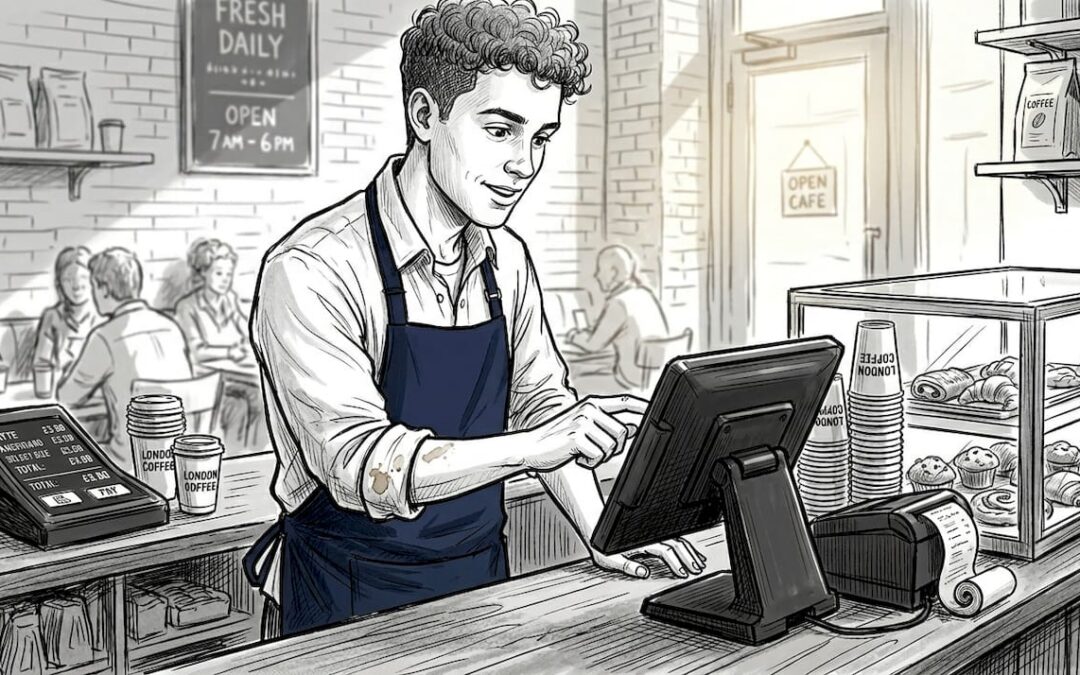
Hospitality venues operate across a spectrum of service styles, and your POS must match that diversity. Counter service POS in UK hospitality excels in high-traffic environments where speed matters most. Customers queue, order, pay, and collect within minutes. This mode suits cafés, bakeries, and quick-service restaurants where transaction volume outweighs order complexity.
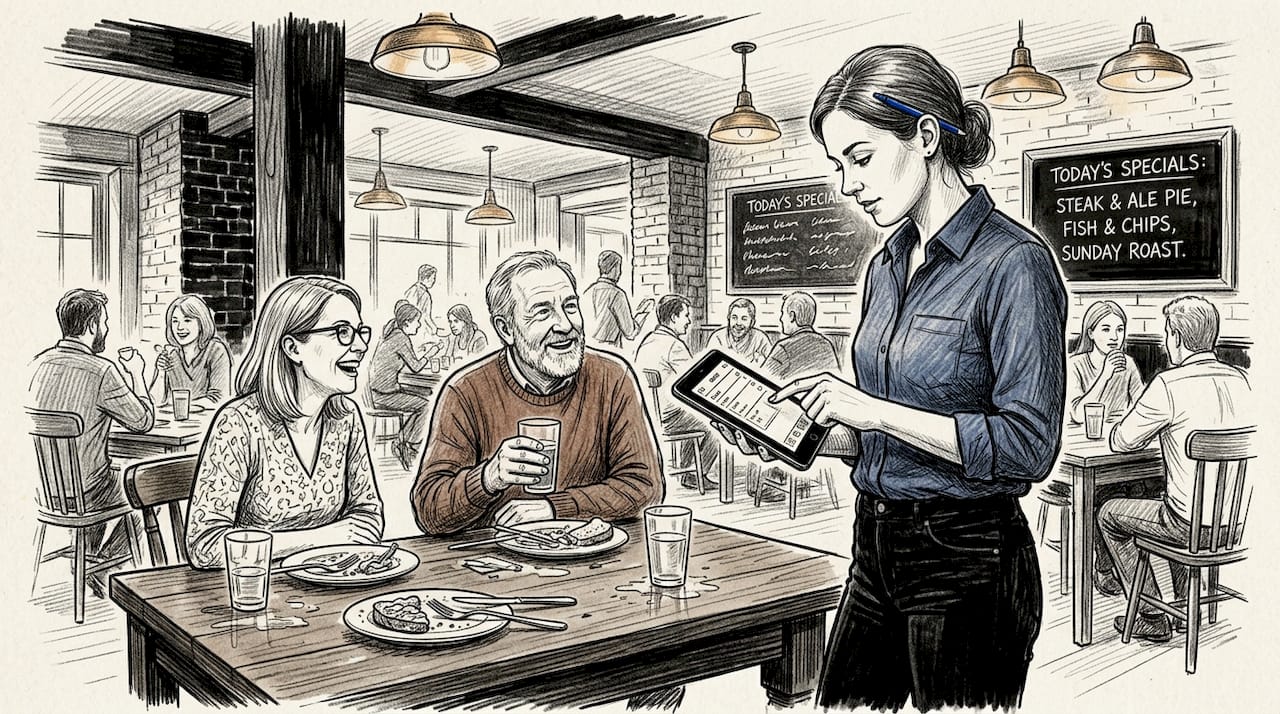
Table service POS takes a different approach. Servers use mobile or stationary terminals to capture orders tableside, transmitting them instantly to the kitchen. This mode prioritises customer interaction and order accuracy over raw speed. Full-service restaurants, gastro pubs, and fine dining venues rely on table service POS to manage complex orders, dietary preferences, and multi-course meals.
Quick service POS focuses purely on throughput. Self-service kiosks let customers browse menus, customise orders, and pay without staff intervention. This reduces queue lengths and frees team members for food preparation and delivery. Fast-casual chains and food courts increasingly adopt kiosks to handle peak demand without proportional staffing increases.
Mobile POS in UK hospitality extends beyond traditional terminals. Tablet-based systems enable servers to take orders anywhere in the venue, process payments tableside, and update inventory in real time. Mobile catering operations, outdoor events, and pop-up venues benefit from portable POS devices that eliminate fixed checkout points.
Cloud-based POS integrates all these modes into a unified platform. Whether orders arrive via counter, table, kiosk, or online, cloud systems centralise data for seamless reporting and inventory management. Common POS service modes now include multi-channel capabilities, supporting dine-in, takeaway, and delivery through a single interface.
Key characteristics of each mode:
- Counter service prioritises transaction speed and queue management
- Table service emphasises order detail and customer engagement
- Self-service kiosks reduce labour costs and handle predictable menus
- Mobile POS adds flexibility for tableside payments and outdoor venues
- Cloud systems unify data across all service channels and locations
Efficiency benchmarks and POS impact on operations
Measuring POS effectiveness requires tracking specific operational metrics. Table turnover rate, sales per square foot, and occupancy costs reveal how well your service mode aligns with business goals. Restaurants typically aim for occupancy costs between 6-10% of sales, whilst table turnover rates vary by service style from 1.5 turns per shift in fine dining to 4+ in quick service.
Your POS system directly influences these benchmarks. Real-time order transmission cuts kitchen ticket times, faster payment processing increases table turnover, and accurate inventory tracking reduces waste. Venues using modern POS report 15-20% improvements in order accuracy and 10-15% reductions in food waste through better portion control and stock management.
| Benchmark | Typical range | POS impact |
|---|---|---|
| Table turnover rate | 1.5-4 turns/shift | Faster payments increase by 20-30% |
| Sales per square foot | £200-£400/month | Order accuracy boosts by 15% |
| Occupancy cost % | 6-10% of sales | Real-time data optimises space use |
| Food cost % | 28-35% of sales | Inventory tracking cuts waste 10-15% |
| Labour cost % | 25-35% of sales | Efficient POS reduces staffing needs |
Inventory management in hospitality becomes precise when POS systems track every ingredient used. Recipe costing, portion control, and automatic reorder alerts prevent stockouts and overstocking. This granular data helps you identify which menu items deliver the strongest margins and which drain profitability.
POS modes influence staff allocation differently. Counter service requires fewer servers but more kitchen staff to maintain speed. Table service demands higher front-of-house staffing but allows smaller kitchen teams due to staggered order timing. Self-service kiosks shift labour from order-taking to food preparation and customer support.
Pro tip: Track your venue’s table turnover, sales per square foot, and waste percentages weekly using your POS reporting. Compare these against industry benchmarks to identify bottlenecks early, then adjust service modes or staffing patterns accordingly.
Benefits of cloud POS extend beyond single-venue operations. Multi-site operators access consolidated reporting, standardised pricing, and centralised menu updates. Cloud systems also enable remote management, letting owners monitor sales, inventory, and staff performance from anywhere.
Contrasting POS service modes: stationary vs mobile vs self-service
Each POS mode carries distinct trade-offs. Traditional stationary terminals offer reliability and robustness for high-volume counters but lack flexibility. Fixed checkout points create bottlenecks during peak hours and limit where transactions occur. However, stationary systems rarely suffer battery failures or connectivity issues, making them dependable for venues with predictable traffic patterns.
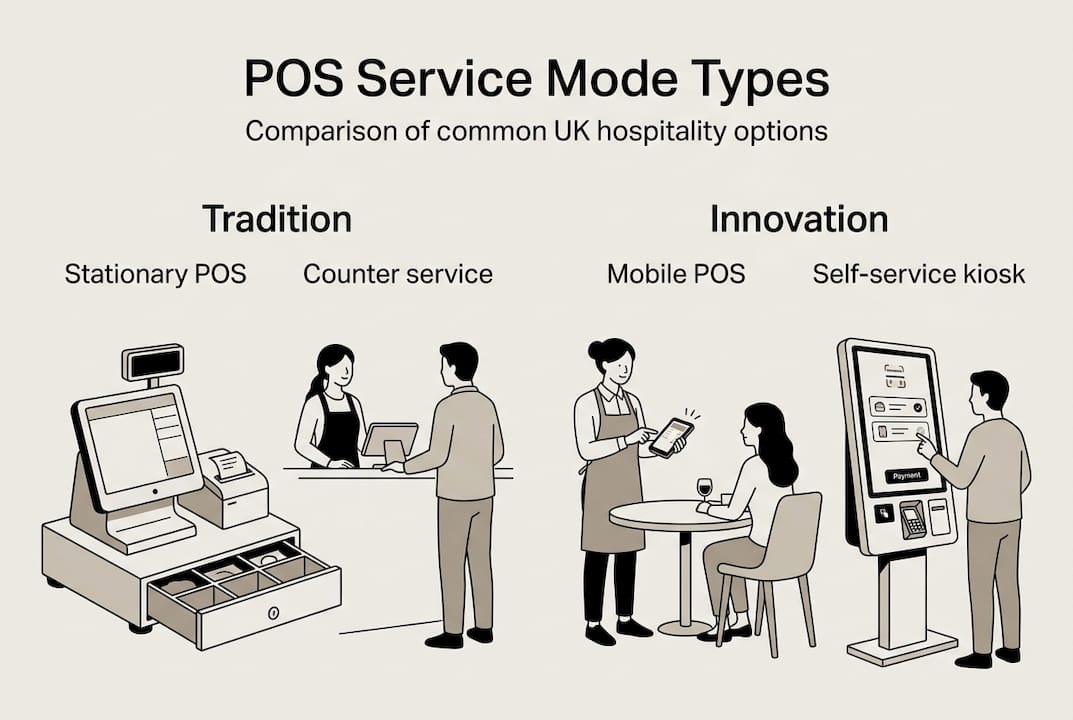
Mobile POS transforms table service by bringing payment processing directly to customers. Servers take orders, split bills, and process cards tableside, eliminating trips to fixed terminals. This speeds service and improves customer satisfaction. Yet mobile devices require battery management, regular charging, and wireless network stability. Venues must balance the convenience of mobility against the logistics of device maintenance.
Self-service kiosks reduce staff workload by transferring order entry to customers. Intuitive interfaces guide users through menu selection, customisation, and payment. Kiosks handle peak demand without additional labour costs and often increase average transaction values through strategic upselling prompts. The downside: kiosks need user-friendly design and regular maintenance, and some customers prefer human interaction.
| Feature | Stationary POS | Mobile POS | Self-service kiosks |
|---|---|---|---|
| Flexibility | Low | High | Medium |
| Reliability | Very high | Medium | High |
| Staff workload | Medium | Low | Very low |
| Customer experience | Standard | Personalised | Convenient |
| Setup cost | Low | Medium | High |
| Maintenance needs | Low | Medium | Medium |
Choosing the right mode depends on several factors:
- Service style: fine dining suits mobile, quick service favours kiosks
- Customer demographics: tech-savvy guests embrace self-service, others prefer staff interaction
- Peak hour patterns: mobile POS handles surges better than fixed terminals
- Venue layout: large spaces benefit from mobile devices, compact venues suit stationary
- Budget constraints: stationary systems cost less upfront than kiosks
Types of mobile POS systems range from smartphone apps to dedicated tablets. Smartphone solutions offer portability and low cost but limited screen size. Tablets balance usability with mobility, whilst dedicated handheld devices provide ruggedness for outdoor or high-traffic environments.
Pro tip: Evaluate your venue’s busiest service periods and customer preferences before committing to a single POS mode. Many successful venues blend stationary terminals for backup reliability with mobile devices for peak flexibility.
“The most effective POS strategy combines multiple modes tailored to your specific service flow. Stationary terminals anchor counter operations whilst mobile devices enhance table service, creating a seamless customer journey from entry to payment.”
Table ordering versus counter service represents a fundamental operational choice. Table ordering increases average spend through personalised service but requires more staff. Counter service maximises throughput but limits customer interaction. Understanding these trade-offs helps you design a POS configuration that matches your venue’s positioning and profitability goals.
Applying multi-mode POS solutions for operational flexibility
Multi-mode POS supports operational flexibility by handling diverse service styles within a single platform. A venue might use counter service for breakfast, table service for dinner, and self-service kiosks during lunch rushes. This adaptability maximises efficiency across different dayparts without switching systems or retraining staff.
Implementing multi-mode POS requires methodical planning:
- Assess your venue’s service requirements across all dayparts and customer segments
- Select a unified platform that supports counter, table, mobile, and kiosk modes natively
- Configure each mode with appropriate menus, pricing, and workflow rules
- Train staff on all modes with emphasis on when to use each one
- Monitor performance metrics to identify which modes deliver the strongest results
- Adjust mode usage based on customer feedback and operational data
The benefits compound quickly. Order accuracy improves when servers input requests directly rather than handwriting tickets. Service speed increases when customers use kiosks during peak hours, freeing staff for complex orders. Customer personalisation becomes possible when mobile POS captures preferences and purchase history.
Benefits of unified POS platforms include seamless data flow between service modes. A customer might order via kiosk, add items through a server’s mobile device, then pay at a stationary terminal. The unified system tracks the entire transaction, maintaining accurate inventory and customer records regardless of touchpoints.
Pro tip: Leverage cloud-based unified platforms to simplify multi-mode management. Cloud systems centralise menu updates, pricing changes, and promotional campaigns, ensuring consistency across all service modes without manual synchronisation.
A practical example: a London gastropub uses counter service for morning coffee, mobile POS for lunch table service, and self-service kiosks for evening pre-orders. The unified platform tracks inventory in real time, preventing stockouts during dinner rushes. Staff switch between modes effortlessly, and customers appreciate the flexibility to order however suits their schedule.
Setting up mobile POS within a multi-mode environment requires attention to network infrastructure. Reliable WiFi coverage throughout the venue ensures mobile devices maintain connectivity. Backup battery packs and charging stations prevent service interruptions. Staff training emphasises troubleshooting common issues like lost connections or payment processing errors.
Multi-mode POS also supports emerging service models. Hybrid venues offering dine-in, takeaway, and delivery need systems that route orders to appropriate kitchen stations and track fulfilment separately. Ghost kitchens and virtual brands operate entirely through online ordering, relying on POS integration with delivery platforms.
The operational flexibility extends to staffing. During quiet periods, one person can manage counter and mobile POS. Peak hours justify dedicated staff for each mode. This scalability helps control labour costs whilst maintaining service quality, a critical advantage in the UK’s competitive hospitality market.
Explore tailored POS solutions for UK hospitality venues
Selecting the right POS service mode transforms your venue’s operational efficiency and customer experience. eZeePOS delivers comprehensive solutions designed specifically for UK hospitality, supporting counter service, table ordering, mobile POS, and self-service kiosks through a unified platform. The cloud-based architecture centralises data across all service modes, simplifying reporting, inventory management, and multi-location operations.

Whether you operate a bustling café, full-service restaurant, or mobile catering business, eZeePOS point of sale software adapts to your service style. The platform integrates seamlessly with kitchen screens, payment providers, and delivery platforms, ensuring smooth operations regardless of order source. Local UK installation and ongoing support from accredited providers mean you receive expert assistance when you need it.
“eZeePOS transformed our service speed and order accuracy. The unified platform handles our counter service, table orders, and takeaway seamlessly, giving us real-time visibility into every aspect of our operation.”
Explore how unified POS platforms benefits and cloud technology can streamline your venue’s operations. Visit eZeePOS to discover tailored solutions that match your specific service mode requirements and business goals.
Frequently asked questions
What are the most popular POS service modes in UK hospitality?
The most widely adopted modes include counter service for quick transactions, table service using mobile or stationary terminals, self-service kiosks for fast-casual venues, and mobile POS for outdoor or event catering. Many venues now implement multi-channel systems supporting dine-in, takeaway, and delivery simultaneously. Common POS service modes vary by venue type, with cafés favouring counter service whilst full-service restaurants prioritise table ordering.
How does mobile POS improve table service in restaurants?
Mobile POS allows servers to take orders and process payments directly at tables, eliminating trips to fixed terminals. This reduces wait times, improves order accuracy through immediate kitchen transmission, and enhances customer interaction by keeping servers tableside. Mobile POS for table-side enhances speed but requires battery management and reliable wireless connectivity. Many restaurants report 20-30% faster table turnover after implementing mobile solutions. Mobile POS uses examples demonstrate applications across various venue types.
What should I consider when choosing a POS service mode?
Evaluate your service style, customer volume, staff workflow, and technology integration needs. Counter service suits high-volume quick transactions, whilst table service works better for complex orders and customer interaction. Consider flexibility, ease of use, upfront costs, and ongoing maintenance requirements. Choosing POS service mode involves balancing operational efficiency with customer experience goals. Peak hour patterns and venue layout also influence which mode delivers optimal results.
Can using multiple POS service modes enhance customer experience?
Multi-mode POS significantly improves customer satisfaction by offering choice and convenience. Customers can order via kiosk during rushes, enjoy table service during quieter periods, or use mobile ordering for takeaway. Multi-mode POS supports operational flexibility and improves customer experience through speed and personalisation. The unified approach ensures consistent quality across all touchpoints whilst adapting to diverse customer preferences. Multi-mode POS benefits include seamless operation across dine-in, takeaway, and delivery channels.
Recent Comments