
The role of offline mode in POS systems
TL;DR:
- Offline mode allows POS systems to process transactions locally during internet outages and sync data later, preventing sales loss. Its reliability depends on true offline storage that survives reboots, conflict resolution, and prudent risk management of fraud and delays; thorough testing before purchase is essential. Proper staff training and deliberate policies ensure continuous service, while selecting a system with proven offline capabilities, like Ezeepos, enhances resilience, especially in unpredictable hospitality environments.
Internet outages are an inconvenient fact of life for UK hospitality venues. Whether you run a busy city-centre bar, a beachside café, or a fast-casual restaurant, connectivity can fail at the worst possible moment. Understanding the role of offline mode in POS systems is what separates venues that handle outages gracefully from those that grind to a halt, turn away customers, and haemorrhage revenue. This article covers exactly how offline mode works, what it protects, where its limits lie, and how to choose and operate a POS system that keeps you trading no matter what.
Table of Contents
- Key takeaways
- The role of offline mode in POS systems explained
- Offline mode benefits for hospitality venues
- Limitations and risks of offline POS mode
- Choosing a POS with reliable offline capabilities
- Applying offline mode effectively during outages
- My take on offline mode in UK hospitality POS
- How Ezeepos supports offline reliability for UK hospitality
- FAQ
Key takeaways
| Point | Details |
|---|---|
| Offline mode prevents lost sales | Your POS can continue processing payments during outages by storing transactions locally and syncing them when connectivity returns. |
| Not all offline modes are equal | Some systems only cache data in memory, risking total data loss on reboot; true offline mode persists transactions through device restarts. |
| Risks must be managed | Offline payment acceptance carries fraud and declined transaction risks; prudent limits and staff training are non-negotiable. |
| Test before you buy | Live demos of offline functionality reveal far more than a sales presentation, so always test queue persistence and sync accuracy firsthand. |
| Preparation beats reaction | Staff who understand offline status indicators and reconciliation procedures keep service flowing without customer-facing disruption. |
The role of offline mode in POS systems explained
What is offline pos mode, exactly? At its core, offline mode is a state your POS system enters when it loses its connection to the internet or to a central server. Instead of refusing transactions, the system switches to a local data store on the device itself, queues sales and payments, and then synchronises everything automatically once connectivity is restored.
The technical architecture matters more than most venue owners realise. When Microsoft Dynamics 365 Store Commerce loses access to the Commerce Scale Unit, it automatically switches databases, moving from the channel database to a local offline database, with configurable timeouts controlling exactly when and how reconnection is attempted. That is true offline mode. The POS does not miss a beat.
How offline mode works in POS systems at the payment level is equally important. Encrypted card details are captured locally and held in a transaction queue. Once the connection returns, those transactions are batch-processed with online authorisation. The customer experience during the sale looks almost identical to a normal transaction.
Here is the distinction you need to pay attention to. True offline mode stores transactions in a way that survives a device restart. Many systems that claim offline capability only hold data in active memory, so a crash or reboot wipes the queue entirely. That is a meaningful difference when your tablet reboots mid-service.
Pro Tip: Ask any POS vendor to demonstrate what happens to the transaction queue if the device is powered off during offline mode. If the queue survives a reboot intact, the offline mode is genuine. If it does not, the vendor is overstating the feature.
The sync process itself requires conflict resolution logic. If a product price changed on the server while the POS was offline, the system needs a clear rule for which data wins. Correct transaction syncing and conflict management is what offline-first reliability actually hinges on. Caching data temporarily is the easy part.
Offline mode benefits for hospitality venues
The offline mode benefits in POS are most visible precisely when connectivity fails at peak trading times. A Saturday night dinner service or a festival-season queue at the bar is not the moment to be apologising to customers because your card machine is offline.
The most direct benefit is revenue protection. Offline mode prevents lost sales during internet outages by keeping payment processing active. For a venue turning over hundreds of transactions per hour, even a 20-minute outage without offline capability could mean thousands of pounds in missed sales.
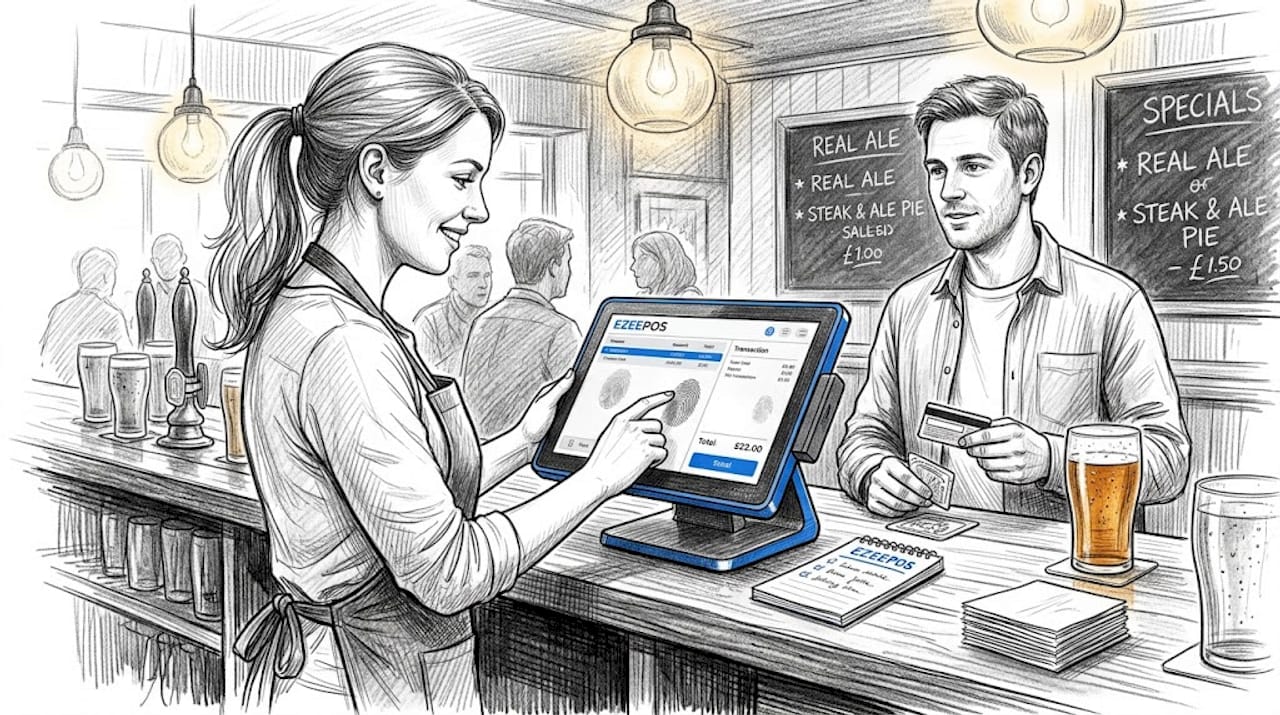
Beyond revenue, there is a significant customer experience argument. Offline POS prevents checkout delays and the frustration that comes with them. A customer who cannot pay and is turned away rarely comes back. A customer who pays normally, with no visible disruption, has no idea an outage even occurred.
There is also a staff confidence dimension that managers often overlook. When front-of-house staff know the system will keep working regardless of connectivity, they stop second-guessing transactions and focus on service. That calm translates directly into faster throughput and better guest experience.
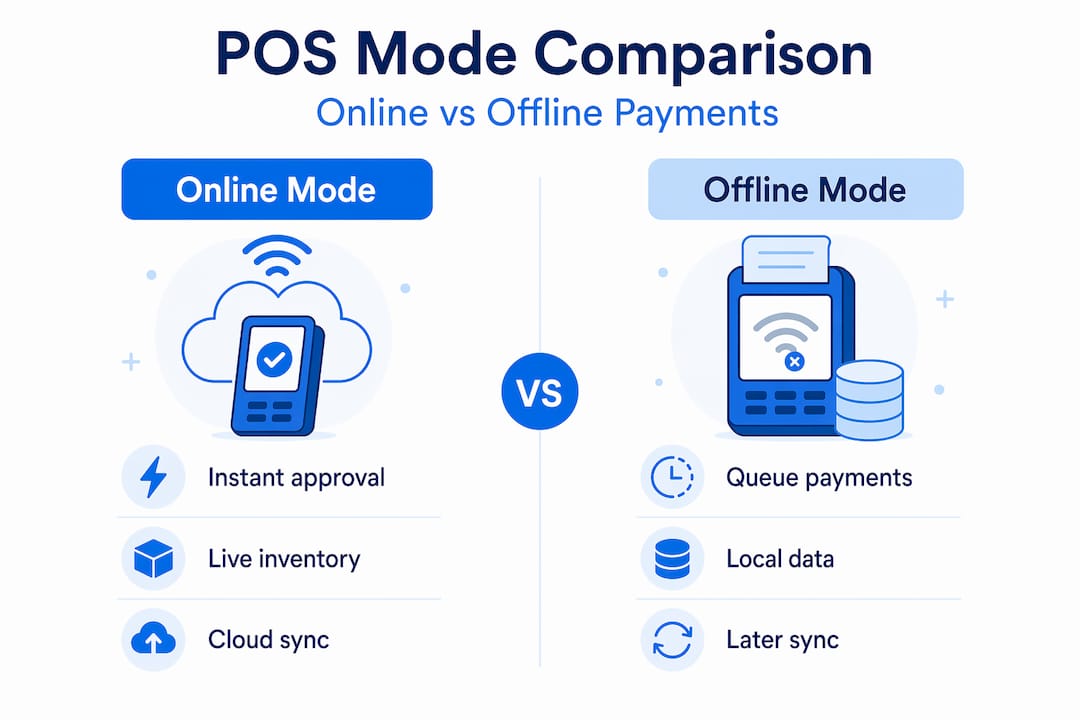
| Feature | Online POS mode | Offline POS mode |
|---|---|---|
| Payment processing | Real-time authorisation | Queued and batch-processed post-reconnection |
| Fraud detection | Immediate and active | Limited; deferred to reconnection |
| Inventory sync | Live and accurate | Updated upon reconnection |
| Transaction limits | None typically | Often enforced by processor or system |
| Settlement speed | Standard (1 to 2 days) | 24 to 48 hours after reconnection |
| Staff experience | Normal workflow | Near-normal with minor awareness required |
Pro Tip: Check whether your offline POS mode integrates with kitchen display screens and inventory management. If orders still reach the kitchen and stock levels still decrement during an outage, your whole operation runs smoothly rather than just your till.
Understanding the service modes your POS supports is equally important here. A table-service restaurant and a quick-service counter have different offline mode requirements, and your system should handle both without compromise.
Limitations and risks of offline POS mode
The importance of offline POS systems does not mean the feature is without risk. Understanding those risks is what allows you to use it confidently rather than naively.
-
Payment type restrictions. Not all cards and issuers permit offline authorisation. Some cards disallow offline payment entirely or restrict the amounts that can be accepted without live verification. American Express cards, certain prepaid cards, and high-limit corporate cards are the most common culprits. Your offline mode policy needs to account for this.
-
Transaction limits. Offline mode typically enforces a ceiling on individual transaction values. This is intentional. Without real-time verification, the risk of accepting a payment from a stolen or cancelled card increases, so processors impose limits to contain that exposure.
-
Delayed settlement and cash flow impact. Offline transactions take 24 to 48 hours to settle after reconnection. For venues operating on tight cash flow, a prolonged outage followed by a batch of delayed settlements can create genuine financial strain.
-
Fraud and chargeback exposure. Oracle Payment Cloud stores card and transaction data locally when real-time authorisation is unavailable, but online transactions receive processing priority on reconnection. This creates a window during which fraudulent cards accepted offline may result in chargebacks that the venue absorbs.
-
Reconciliation complexity. Post-outage reconciliation requires matching offline transactions against the batch settlement report. Without clear procedures, discrepancies are easy to miss and harder to resolve after the fact.
The key takeaway here is that offline card acceptance involves inherent financial risk. That risk is manageable. It is not grounds for dismissing offline mode as a feature, but it does require deliberate policies rather than leaving it to chance.
Choosing a POS with reliable offline capabilities
Cloud-based POS systems are the standard for multi-site hospitality operations, but they must be paired with genuine offline capability to be reliable in practice. Here is what to evaluate when assessing POS systems with offline capabilities.
- Offline duration and queue persistence. How long can the system operate in offline mode? Minutes, hours, or indefinitely? Can the queue survive a device restart? Industry experts recommend live demos specifically focused on these points, not slide decks.
- Synchronisation accuracy. When connectivity returns, does the sync handle conflicts intelligently? Ask the vendor to demonstrate a scenario where data changed server-side during an offline period.
- Payment processor compatibility. Your acquirer or payment gateway may have its own rules about offline transactions. Confirm that your POS and payment processor are aligned before assuming offline payments will always clear.
- Manual override capability. Some systems allow staff to manually switch between online and offline modes. Manual override features provide operational flexibility, but they require staff training and clear escalation procedures to use safely.
- Inventory and reporting integration. Does the system update stock levels and sales reports accurately once it reconnects? Gaps here create operational headaches that outlast the outage itself.
- Local support availability. When an offline issue needs troubleshooting, remote ticket systems are not enough. Local POS support makes a real difference when you are in the middle of a service period and need help quickly.
Pro Tip: When evaluating a POS, disconnect it from the internet mid-demo and attempt several transactions including a high-value card payment. Then reboot the device. Then reconnect. Watch exactly what happens at each stage. This single test tells you more than an hour of feature discussion.
Also consider whether the system’s offline mode covers your integrated payment processing. Some venues assume their payment terminal handles offline independently when in fact it depends on a live connection to the POS software to function at all.
Applying offline mode effectively during outages
Having offline capability and using it well are two different things. Here is how to operationalise it properly.
-
Train staff to identify offline mode status. Your POS should display a clear visual indicator when it switches to offline mode. Ensure every team member knows what that indicator looks like and what it means for their workflow.
-
Set offline transaction limits that reflect your risk appetite. Work with your payment processor to establish a sensible floor. A £50 limit may suit a café; a £150 limit may be appropriate for a restaurant. Do not leave this as a default you have never reviewed.
-
Communicate honestly with customers when necessary. For transactions that cannot proceed offline, such as certain card types, have a brief and rehearsed explanation ready. Most customers understand; what they do not forgive is confusion or silence.
-
Monitor and reconcile immediately post-outage. As soon as connectivity returns and the sync completes, pull a reconciliation report. Cross-reference offline transaction totals against the batch settlement to catch any discrepancies before end of day.
-
Use technology to reduce outage frequency. Battery backups for networking hardware, 4G failover routers, and local network redundancy all reduce how often offline mode is needed in the first place. The best outage is the one that does not happen.
-
Keep a manual transaction log as a backstop. For high-value transactions processed offline, a brief manual note of the amount, card type, and time provides a reconciliation anchor if anything goes wrong in the sync process.
The best payment options for hospitality venues now increasingly factor in offline resilience as a baseline requirement rather than a luxury add-on.
My take on offline mode in UK hospitality POS
I have worked with enough hospitality venues to know that offline mode is almost always treated as a secondary feature during POS evaluation. Managers ask about reports, menu management, and integrations. Offline mode gets a cursory nod. That is a mistake I have seen cost venues real money.
The venues that handle outages best are not the ones with the most advanced systems. They are the ones that tested offline mode properly before purchase, trained their teams to respond calmly, and set up their risk parameters deliberately. The technology works when you understand it.
What I find genuinely underappreciated is the fraud risk dimension. Most venue owners assume that if a payment goes through offline, it will clear later. That is not always true. Certain cards will decline post-reconnection, and the venue absorbs the loss. I would rather see every venue owner ask their payment processor exactly which card types are excluded from offline authorisation before they need to find out the hard way.
My honest recommendation: make offline mode a first-tier evaluation criterion, not an afterthought. Simulate an outage during your demo. Push the vendor on conflict resolution. Ask about chargeback liability for offline transactions. The right POS system handles all of this gracefully, and that resilience is worth every pound you invest in getting it right.
— John
How Ezeepos supports offline reliability for UK hospitality
If offline resilience belongs at the top of your POS evaluation list, Ezeepos gives you a platform built specifically for the pressure of UK hospitality service. The Ezeepos Android-based POS system is designed for venues where downtime is simply not an option, from fast-casual counters to multi-room restaurants.

Ezeepos combines offline transaction handling with a cloud-based back office, so your data stays accurate whether you are online or not. The system covers table ordering, counter service, self-service kiosks, and kitchen display screens within a single platform, and every feature is available without tiered pricing restrictions. For pub and bar operators, the Ezeepos pub POS solution is built around the speed and volume of busy bar service, with offline capability that keeps queues moving regardless of connectivity. Backed by local UK installation and ongoing human support, Ezeepos ensures that when you need help, you speak to a real person who knows your system.
FAQ
What does offline mode mean in a POS system?
Offline mode is the state a POS system enters when it loses internet or server connectivity. It switches to local data storage to continue processing sales and payments, then synchronises all transactions automatically when the connection returns.
Can a POS take card payments without internet?
Yes, provided the system has genuine offline capability. Encrypted card details are stored locally and batch-processed once connectivity is restored, though transaction limits and card-type restrictions may apply.
How long do offline POS transactions take to settle?
Offline transactions typically take 24 to 48 hours to settle after reconnection. This delayed timeline requires venues to monitor cash flow and reconcile transaction records carefully following any outage.
What are the main risks of offline POS payments?
The primary risks include declined transactions post-reconnection for certain card types, potential chargebacks on fraudulent cards, delayed cash flow from batch settlement, and reconciliation errors if post-outage reporting is not reviewed promptly.
How do I know if a POS system’s offline mode is reliable?
Test offline mode live during the demo by disconnecting the system, processing transactions, rebooting the device, and then reconnecting to confirm the transaction queue survives and syncs accurately.
Recent Comments