
TL;DR:
- Efficient order management relies on proper tools, clear roles, and regular process reviews.
- Using a digital POS system reduces errors, speeds up service, and improves customer experience.
- Continuous team feedback and process adjustments are essential for optimizing food truck operations.
Running a food truck during a lunch rush feels manageable until three orders get mixed up, a customer walks away frustrated, and your kitchen team loses track of what’s next. Missed orders and avoidable delays cost you repeat business fast, and with UK street food culture growing more competitive every year, customers expect speed and accuracy every single time. This guide walks you through the exact preparation, steps, and review methods that turn a chaotic service into a smooth, repeatable operation.
Table of Contents
- What you need before getting started
- Step-by-step guide to order management
- Common mistakes and troubleshooting tips
- Verifying and optimising your process
- What most food truck guides won’t tell you about order management
- Take your food truck’s order process to the next level
- Frequently asked questions
Key Takeaways
| Point | Details |
|---|---|
| Direct order control | Using direct order channels preserves food quality and ensures faster service. |
| Modern POS benefits | Adopting a POS system increases order accuracy and reduces customer wait times. |
| Consistent process review | Regularly checking your order management process helps catch errors and drive improvements. |
| Staff preparation | Staff training and clear roles are essential for smooth and efficient order flow. |
What you need before getting started
Now that we’ve covered why food truck order chaos matters, let’s see what you need in place to tackle it confidently.
Before you rethink your order flow, you need the right foundations in place. Jumping straight into process changes without the correct tools and trained staff is like cooking without mise en place (French for having everything prepared and ready). You’ll spend more time fixing problems than serving customers.
Essential components every food truck needs:
- A reliable point of sale (POS) system with an Android tablet or countertop unit
- Stable mobile internet connectivity (4G or a portable Wi-Fi router as backup)
- Clearly defined staff roles: one person on orders, one on payment, and one on food preparation at minimum
- A dedicated order collection zone with numbered tickets or digital notifications
- Printed or digital order slips as a backup during tech outages
- Good inventory management for food trucks so you never sell items you’ve already run out of
Here’s a quick overview of how each tool fits into your order flow:
| Tool | Primary function | Impact on order flow |
|---|---|---|
| POS system | Records and tracks orders | Reduces manual errors and speeds up handover |
| Kitchen display screen | Shows orders to prep team | Eliminates paper slip confusion |
| Mobile payment terminal | Processes card and contactless payments | Speeds up transaction time |
| Order management app | Queues and prioritises orders | Reduces bottlenecks during peak hours |
| Inventory system | Tracks stock in real time | Prevents selling unavailable items |
One thing worth addressing early is the temptation to rely on third-party delivery platforms for order intake. While these apps bring visibility, multi-order grouping causes 22 to 37% longer transit times, meaning food arrives colder, soggier, and less impressive. Whenever possible, prioritise direct customer ordering at your window for full quality control.
Staff preparation checklist:
- Brief your team on roles before every service
- Test your POS connection and hardware 15 minutes before opening
- Confirm your menu is up to date and item availability is accurate
- Run a five-minute mock order drill to check communication between till and kitchen
Pro Tip: Set up a clearly marked order collection space, ideally separate from your payment point. Even a small physical barrier or a sign reduces the crowding and confusion that slows down handover.
Step-by-step guide to order management
With your tools ready, let’s break down the order management process into easy, actionable steps.
A well-designed mobile catering order process is built on clarity and repetition. Every member of your team should be able to recite the steps without thinking, because during a rush, there’s no time to pause and remember.
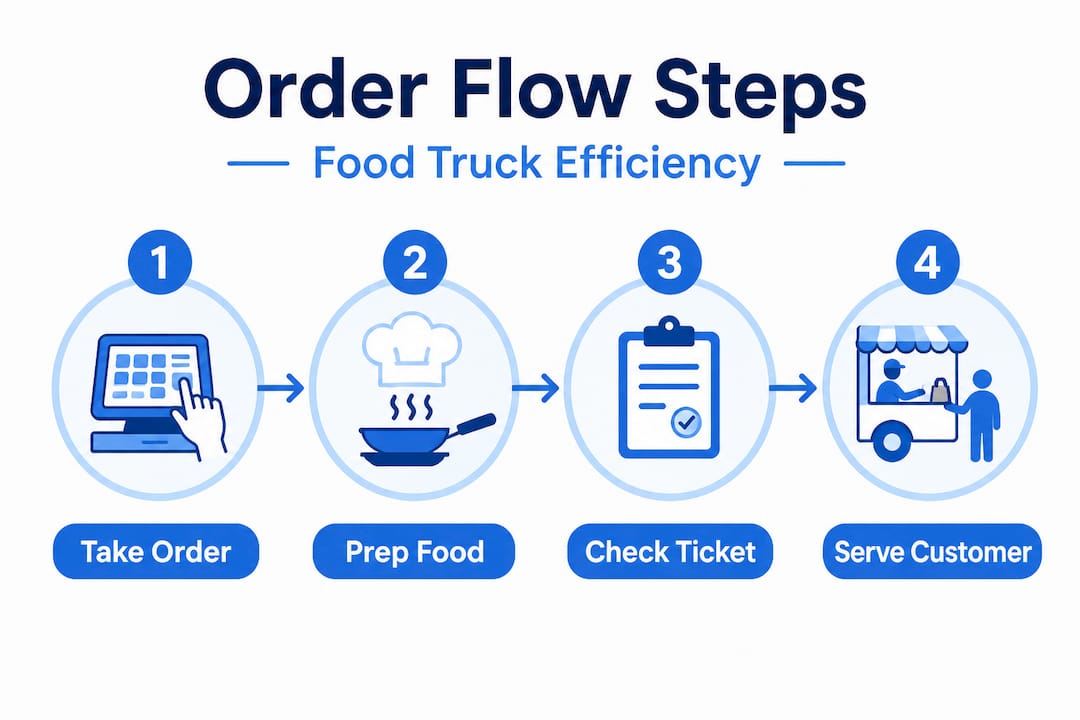
The core order management sequence:
- Greet and take the order clearly, repeating it back to the customer to confirm accuracy before entering anything into the system.
- Record the order immediately via your POS terminal. Never hold orders in your head or scribble on scrap paper. Digital entry creates a time-stamped record.
- Assign a ticket number or name to each order so the kitchen team and customer both have a clear reference point.
- Transfer to the kitchen via a kitchen display screen or printed ticket. The kitchen team acknowledges receipt, which reduces the chance of items being skipped.
- Track progress against average prep times. If an order is running behind, flag it before the customer has to ask.
- Notify the customer when the order is ready, either by calling their name or ticket number, or through a digital notification if you use an app.
- Verify the order before handing it over. A five-second visual check against the ticket prevents wrong item complaints.
This sequence works whether you run a completely manual setup or use a fully digital system. The difference, however, is significant.
| Aspect | Manual process | POS-driven process |
|---|---|---|
| Order recording | Hand-written slips | Digital entry, time-stamped |
| Kitchen handover | Physical ticket, easy to lose | Instant display on kitchen screen |
| Order tracking | Memory-based, unreliable | Real-time queue visibility |
| Customer notification | Verbal calling | Digital or audible alert |
| Error rate | Higher during busy periods | Significantly reduced |
| Speed during peak hours | Slows as volume increases | Maintains consistent pace |
The case for using POS for food trucks isn’t just about looking modern. It’s about removing the weak points in your chain. Every manual step is a potential failure point, and during a lunch rush, those failure points compound quickly.
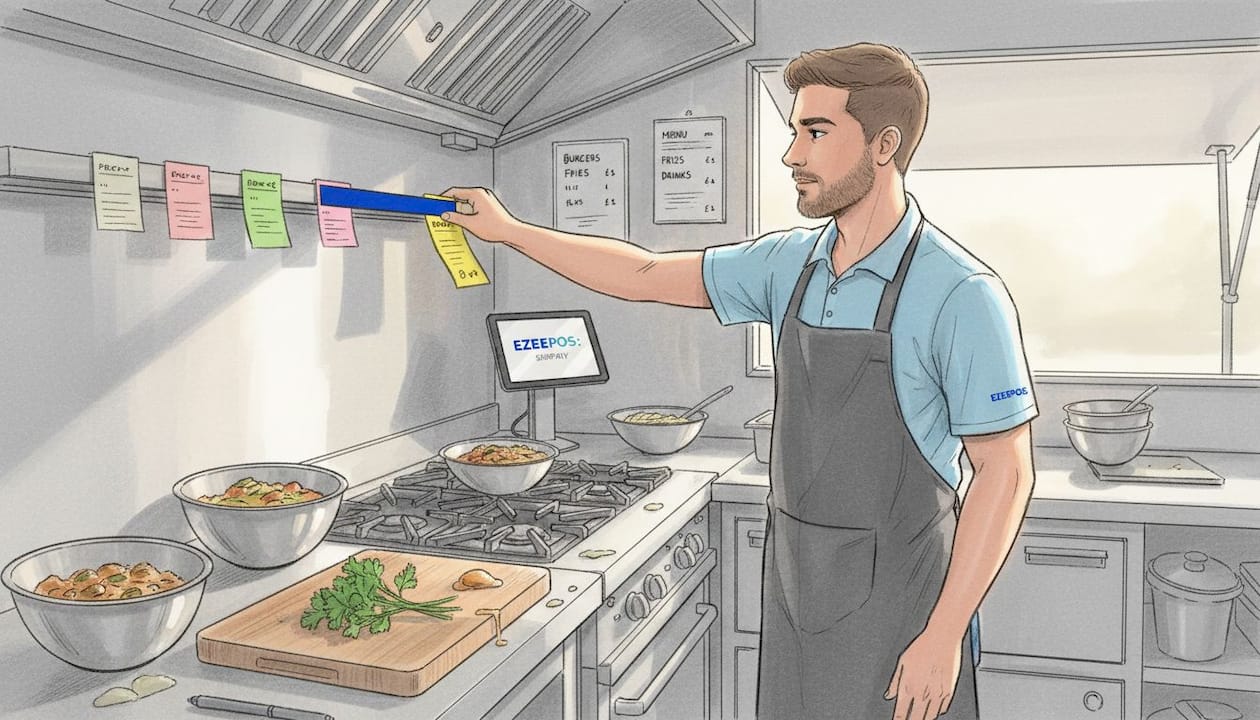
Pro Tip: Colour-code your orders by expected prep time. Items that take under three minutes get one colour; longer items get another. Your kitchen team can then sequence their work more efficiently, reducing unnecessary waiting and overlap.
Common mistakes and troubleshooting tips
With the process in hand, it’s smart to recognise and address common pitfalls before they become costly habits.
Even operators with good intentions make avoidable mistakes. Often, these errors creep in gradually and only become visible once they’ve already damaged customer experience or staff morale.
The most frequent order management errors on food trucks:
- Slow handover between the till and kitchen, especially when staff are multitasking
- Double-recording orders (entering the same order twice during a busy spell), which wastes food and confuses the queue
- Failing to notify customers promptly when orders are ready, causing them to wander off or assume something went wrong
- Ignoring low-stock alerts until it’s too late, resulting in embarrassing menu voids mid-service
- Over-relying on memory rather than recorded data during quieter periods, which creates bad habits that carry into busy ones
Warning: If you use third-party delivery platforms alongside your direct service, be aware that multi-order grouping results in 22 to 37% longer delivery transit times. This harms food quality even before it reaches the customer, and your brand takes the hit regardless of whose fault it is. Treat direct orders as your primary channel, and set clear expectations for any delivery fulfilment you do offer.
When it comes to troubleshooting, speed matters. The worst thing you can do during a tech issue is freeze. Have a quick-fix checklist ready:
- POS goes offline: Revert to pre-printed order slips immediately. Assign one person to manually track the queue. Never stop taking orders.
- Kitchen display screen stops working: Use verbal communication with a clear protocol. Shout orders once, confirm with a thumbs-up, and use a whiteboard for tracking.
- Payment terminal fails: Display a card-only or cash-only sign immediately and redirect customers without drama. Having both options available at all times reduces the impact.
Investing in reducing food truck wait times also means staying on top of compliance and operational standards. Hospitality compliance tools help operators keep documentation, hygiene records, and licencing paperwork in order, which frees mental bandwidth for service quality.
Run a brief team debrief after every service, even just five minutes. Ask what slowed things down, what went well, and what one change could make tomorrow smoother. This habit compounds over time into a significantly stronger operation.
Verifying and optimising your process
Even a well-run process needs ongoing checks. Let’s make sure yours stays ahead of the curve.
Getting your order management system in place is only the first step. The operators who consistently outperform their competition are the ones who regularly review their own processes and act on what they find. Good data tells you exactly where to improve.
A straightforward review cycle for food truck operators:
- Monitor weekly: Track average order completion time, peak period error rates, and customer complaint frequency. Your POS system should be able to generate this data automatically.
- Survey customers: A simple two-question feedback card or QR code survey asks how long they waited and whether their order was correct. Even ten responses per week give you meaningful patterns.
- Adjust and retest: Change one variable at a time. If you alter your kitchen handover method and your order times improve, you’ve identified a genuine fix. Changing multiple things at once makes it harder to know what worked.
Key data points to monitor consistently:
- Average time from order placed to order ready
- Number of incorrect orders per service (track as a percentage)
- Customer return rate (how many faces do you recognise week to week?)
- Peak period throughput (orders per hour during your busiest window)
- Stock waste percentage linked to over-ordering or cancelled items
Tying this review process into your track inventory for food trucks system gives you a complete picture. When order accuracy improves and stock waste drops simultaneously, you’re running a genuinely efficient operation.
Staff feedback is often underused here. Your team sees things you don’t from behind the till. A monthly five-minute check-in where everyone can flag workflow friction pays dividends. Small tweaks like repositioning packaging, changing how tickets are printed, or adjusting who handles payment versus order-taking can shave minutes off your average service time.
For food trucks operating at events or festivals where hospitality compliance adds complexity, building review cycles into your regular routine also keeps your documentation accurate and your team accountable.
What most food truck guides won’t tell you about order management
Most guides focus almost entirely on technology. Get the best POS, automate everything, and your problems disappear. The reality on a busy food truck is considerably messier.
Technology is only as effective as the people using it. We’ve seen operators invest in sophisticated systems and watch their service times get worse in the first two weeks because staff weren’t trained properly and felt overwhelmed. The tool created confusion rather than clarity. The problem wasn’t the software. It was the rollout.
The uncomfortable truth is that staff buy-in matters more than the system you choose. If your team doesn’t understand why a change is happening or feel ownership over the new process, they’ll quietly revert to old habits the moment you’re not watching. The fix isn’t more technology. It’s clearer communication before you change anything.
Difficult customers and unpredictable rushes are actually best handled not by complex systems but by simple, clear roles. When everyone on your team knows exactly what they’re responsible for and nothing else, decisions happen faster and errors drop. Complexity is the enemy of speed in a mobile catering environment.
The best-run food trucks we’ve worked with through POS for food truck success share one trait: they review their process honestly and regularly. Not just when something breaks. Every few weeks. They treat their order system as a living process, not a fixed setup.
Pro Tip: Schedule a ten-minute team check-in every two weeks. Ask one question: what’s slowing us down right now? The answers will consistently point to small, fixable issues that, left unaddressed, compound into bigger problems.
Take your food truck’s order process to the next level
With your process optimised, you may be ready to dig deeper or invest in tools that scale results further.
If you’ve worked through this guide and want to move from theory into practice, the right tools make that transition significantly easier. At ezeepos.co.uk, we specialise in POS solutions built specifically for the UK hospitality industry, including mobile catering and food truck operators who need reliable, simple, and powerful systems that work in fast-moving environments.

Whether you’re exploring mobile POS systems that suit your specific setup, or you want a detailed walkthrough of order management for mobile catering, our resources and local UK support team are built to help you move faster and serve better. No tiered pricing. No complicated onboarding. Just the features you need from day one, backed by people who understand the food truck environment.
Frequently asked questions
What is the best way to manage multiple orders during peak hours on a food truck?
The most effective approach is a digital POS system that tracks and queues orders in real time, giving both kitchen staff and customers a clear, live picture of where each order stands.
How do delivery platforms impact food quality for food trucks?
Third-party platforms frequently group multiple orders together, causing 22 to 37% longer transit times that result in food cooling, sogginess, and a poorer customer experience that reflects on your brand.
How can I check if my current order process is effective?
Monitor order completion times, error rates, and customer feedback on a weekly basis, then adjust one process variable at a time to identify what genuinely improves your results.
What’s the advantage of direct customer order channels over third-party delivery apps?
Direct orders give you full control over timing and presentation, whereas multi-order grouping on delivery platforms introduces delays and quality risks that you cannot manage from your truck.
Recommended
- Streamline mobile catering: order management in 5 steps
- How to Set Up Food Truck POS: Cut Wait Times by 30% in UK
- Café order management guide: Boost efficiency by 50%
- Why use POS for food trucks: boost sales and efficiency
- Streamline your restaurant marketing workflow for results | Sorbey Blog | Sorbey
Recent Comments