
TL;DR:
- Effective POS training enhances order accuracy, speeds up service, and reduces costly errors in food trucks. Preparation, scenario-based practice, and ongoing assessments ensure staff confidence, efficiency, and adaptability during busy operations. Choosing user-friendly, reliable systems like eZeepos supports seamless onboarding and continuous improvement.
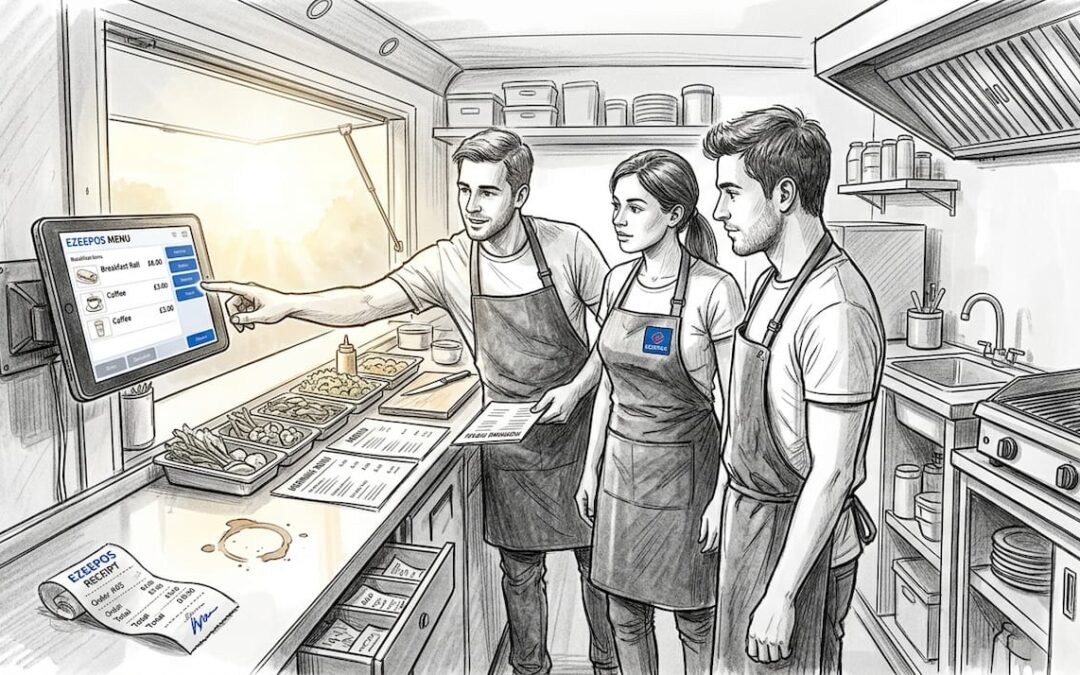
Staff turnover in mobile catering is relentless. You might have a reliable team one Saturday and an entirely new face behind the counter the next. When your point of sale (POS) system, the device that handles every order, payment, and receipt, sits unused or is operated incorrectly during a lunch rush, the cost shows up fast: long queues, wrong orders, and frustrated customers walking away. This guide gives you a practical, step-by-step framework to prepare, deliver, and verify POS training so every member of your food truck team can operate with confidence from day one.
Table of Contents
- Understanding the role of POS in food truck efficiency
- Preparing for successful POS staff training
- Step-by-step training process for POS proficiency
- Troubleshooting and common mistakes in staff POS training
- Measuring progress and ongoing training improvements
- A new approach to POS staff training for food trucks
- Streamline your food truck with the right POS solution
- Frequently asked questions
Key Takeaways
| Point | Details |
|---|---|
| Preparation is key | Organising materials and scheduling dedicated sessions minimises confusion and accelerates POS training. |
| Hands-on practice works best | Staff learn faster and retain more with scenario-based training on the actual equipment. |
| Ongoing feedback matters | Regular troubleshooting, feedback, and refresher sessions prevent costly POS errors. |
| Measure and adapt | Monitor staff skills and update training as POS systems—and your menu—evolve. |
Understanding the role of POS in food truck efficiency
With the challenge clear, let’s look at why the POS system is the backbone of your operation.
A POS system is far more than a till. On a food truck, it manages your entire service flow: taking orders, processing card and contactless payments, updating inventory, printing kitchen tickets, and generating end-of-day reports. When staff know the system well, the whole vehicle runs smoothly. When they don’t, every transaction carries risk.
Here are the core functions your POS handles during a typical food truck shift:
- Order entry and modification: Staff input customer choices quickly, apply extras or substitutions, and update orders in real time.
- Payment processing: Accepting contactless, chip-and-PIN, and mobile wallet payments without hesitation keeps queues moving.
- Inventory tracking: Each item sold automatically updates stock levels, alerting you when ingredients run low.
- Kitchen communication: Orders fire directly to kitchen screens or printers, eliminating verbal miscommunication.
- Sales reporting: End-of-day summaries show your best sellers, busiest periods, and total revenue.
POS benefits for food trucks include the fact that POS systems directly impact order accuracy and customer wait times. A single mis-keyed order during a busy festival can trigger a chain reaction: the kitchen prepares the wrong item, the customer waits longer, the queue builds, and you lose the revenue you should have earned from customers further back in the line.
“A well-trained team using a capable POS can cut average wait times significantly and reduce costly order errors that erode both your margin and your reputation.”
The business outcomes of strong POS knowledge are concrete. Faster service means more covers per hour. Accurate orders mean fewer refunds and remakes. Confident staff mean fewer escalations to you as the manager when a simple void or discount needs applying. Treating POS training as a priority investment, rather than an afterthought, is the clearest competitive advantage available to any food truck operator.
Preparing for successful POS staff training
Once you understand the impact of the POS, solid preparation is the next essential step.
Good training doesn’t happen by accident. Preparation reduces onboarding time and makes the process far more effective for both trainers and new staff. Before you gather your team around the terminal, make sure you have everything in place.
| Training resource | Why you need it | Notes |
|---|---|---|
| Spare device or training mode | Allows practice without live data | Check your POS provider offers a sandbox |
| Staff login credentials | Each user needs their own PIN or profile | Set up via staff management in POS |
| Printed quick-reference guide | A one-page cheat sheet for common tasks | Laminate it for the truck environment |
| Sample menu loaded in the system | Staff practice with real items | Mirrors the actual service experience |
| FAQs document | Answers the ten most common questions | Compile from past training sessions |
Once your resources are assembled, think about how to organise the training itself:
- Assign a training lead. This person owns the process and is the first point of contact when staff have questions during and after training.
- Schedule short, focused sessions. One hour of focused practice beats three hours of passive observation. Aim for two or three sessions spread across a working week.
- Prepare a list of common FAQs. Questions like “how do I void an item?” or “what happens if the payment terminal disconnects?” come up repeatedly. Having answers ready saves time and builds trainer credibility.
- Set clear expectations upfront. Tell staff what they’ll be able to do by the end of training. Clear goals make learning purposeful.
Using a dedicated setup guide for food truck POS helps you confirm the system itself is configured correctly before training begins, so staff aren’t learning against a poorly set-up menu or misconfigured payment flow.
Pro Tip: Run a “practice shift” before the first real service. Load the system with your full menu, give staff a handful of fictional orders to process, and let them make mistakes in a safe environment. This low-pressure rehearsal builds muscle memory far faster than watching a demonstration.
Step-by-step training process for POS proficiency
With everything ready, you’re set to deliver effective, step-by-step training.
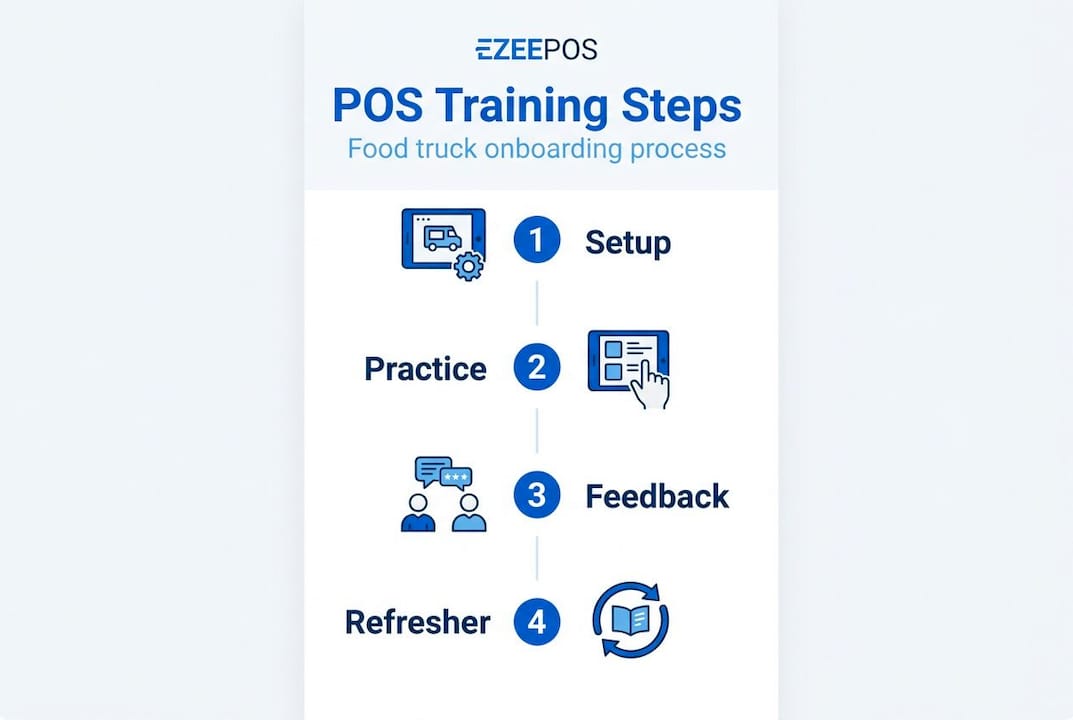
A repeatable training structure removes the guesswork and ensures every staff member, whether they’re joining mid-season or covering a one-off event, receives the same quality of instruction.
- Introduce the system. Walk staff through the physical hardware: the screen, card reader, receipt printer, and any kitchen-facing display. Explain what happens when they take an order and why accuracy matters at every step.
- Basic transactions. Have staff process a simple two-item order from start to payment. Repeat this with cash, contactless, and card payments. Repetition here is essential because payment handling needs to become automatic under pressure.
- Modifications and special requests. Demonstrate how to add extras, remove ingredients, and apply discounts or promotional codes. These are the moments most likely to trip up inexperienced staff during a real service.
- Handling errors. Cover voiding an item, cancelling an order, splitting a bill, and applying a refund. Staff who know how to correct mistakes calmly are worth their weight in gold during a busy rush.
- Daily close procedures. Run through end-of-day processes: reconciling payments, printing closing reports, and logging out correctly. Skipping this step is one of the most common causes of discrepancies in daily takings.
Hands-on, scenario-based training improves retention significantly over passive methods. The comparison below illustrates why.
| Training method | Strengths | Weaknesses |
|---|---|---|
| Traditional demo then Q&A | Quick to deliver, good for large groups | Low engagement, poor retention under pressure |
| Scenario-based hands-on training | Mirrors real service, builds confidence | Takes more preparation and time upfront |
Scenario-based training wins every time for food truck environments. You can base scenarios on real events your truck has faced: a customer changing their order mid-entry, a payment terminal timing out, or a queue of ten people arriving at once. Mobile POS examples in hospitality show how flexible, scenario-led approaches translate directly into faster, more confident service across a wide range of mobile catering settings.
You can also look at tips for efficient POS operations to layer in best-practice habits from the start, rather than having to correct bad habits later.
Pro Tip: Pair new staff with a “POS buddy” during their first working week. This experienced colleague provides real-time guidance without removing responsibility from the new starter. It’s faster than formal follow-up sessions and builds team cohesion at the same time.
Troubleshooting and common mistakes in staff POS training
After training delivery, ongoing troubleshooting ensures knowledge sticks and errors are fixed proactively.
Even well-trained staff make mistakes. The goal isn’t a zero-error environment; it’s a team that catches errors quickly, corrects them calmly, and learns from them. Regular troubleshooting and feedback loops are essential for ongoing staff competency, particularly in the high-pressure, unpredictable setting of a food truck.
The most frequent rookie mistakes include:
- Skipping end-of-day procedures. Staff who finish their shift and leave without closing the system properly create discrepancies that take significant management time to resolve.
- Mis-keying items. Tapping a similar-looking item by mistake is common on touch-screen interfaces, especially when the menu is large or categories are poorly organised.
- Failing to save or confirm orders. Some staff assume tapping an item adds it to the order automatically; they don’t realise they need to confirm before sending to the kitchen.
- Ignoring low stock alerts. POS systems often flag when a menu item is running low, but undertrained staff dismiss or don’t notice these warnings, leading to awkward out-of-stock moments mid-service.
- Not logging out between shifts. When one staff member’s login is used by another, your sales tracking and accountability data becomes unreliable.
Encouraging staff to report problems early is a cultural decision as much as a technical one. Create a simple process: a shared notes section, a messaging group, or even a paper log in the truck where staff record anything unusual they encountered with the system. This creates a feedback loop that managers can act on before small issues become service failures.
“One mistake can cost an entire lunch rush. Regular troubleshooting keeps service running smoothly and protects the revenue your team has worked hard to generate.”
When giving corrective feedback, focus on the system behaviour rather than the individual. Instead of “you made a mistake,” say “let’s look at how the void function works so we can handle that faster next time.” This staff management tips approach keeps morale high and makes staff more likely to flag issues rather than hide them.
Measuring progress and ongoing training improvements
Once initial training is complete, it’s vital to keep skills up-to-date and verify improvement over time.
Training is not a one-off event. Menus change, POS software receives updates, and new features are added. Staff who were confident six months ago may be unfamiliar with a new promotional module or an updated payment flow. Structured assessments ensure long-term POS proficiency and keep your whole team operating at their best.
Here are practical methods for tracking and improving staff competency:
- Spot-check quizzes. A quick five-question verbal quiz before a shift takes under two minutes and immediately reveals any gaps. Ask about void procedures, discount application, and end-of-day steps.
- Shift shadowing. Stand alongside a staff member during a busy period once a month. Watch how they handle payment errors, order modifications, and queue pressure. Take notes rather than intervening unless necessary.
- Error tracking logs. Record order errors, voids, and refunds by staff member over time. A gradual increase in voids from one individual signals a training need before it becomes a service problem.
- Quarterly refresher sessions. Schedule a 30-minute session every three months to cover any system updates, review common errors from the preceding period, and reinforce correct procedures.
- Peer feedback rounds. Ask experienced staff to share one thing they’ve recently learned about the system with the wider team. This encourages knowledge sharing and reinforces a culture of continuous improvement.
Keeping up with setting up mobile POS updates from your provider means you’re always aware of new features before they roll out to your terminals. Nothing undermines staff confidence faster than a system change they weren’t warned about mid-service.
A new approach to POS staff training for food trucks
Most food truck operators treat POS training as a box to tick during induction. Show the new starter the basics, hand over the device, and hope for the best. We’d argue that mindset is one of the most expensive habits in mobile catering.
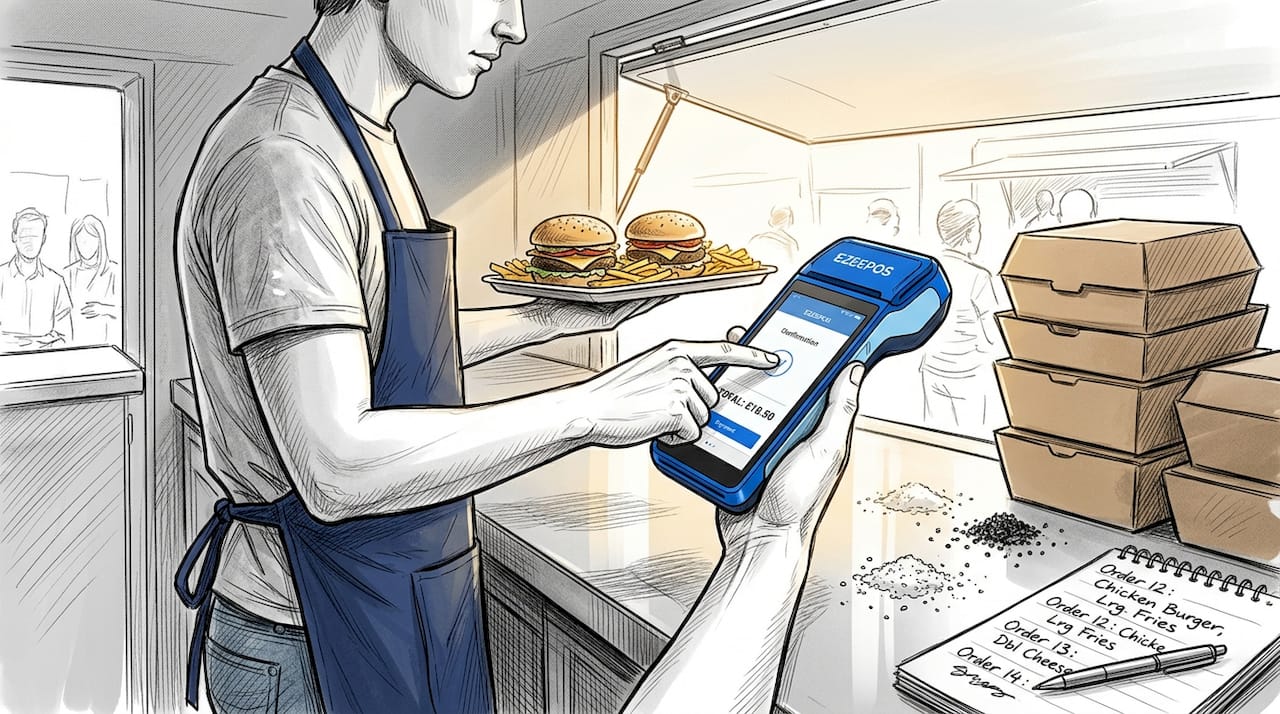
Food trucks face operational pressures that fixed restaurants simply don’t: variable weather, unpredictable crowd sizes, tight physical spaces, and staff who might be working their first hospitality shift. These conditions demand a team that isn’t just trained once but is continuously practised, confident, and adaptable.
The operators who consistently deliver fast, accurate service aren’t just using better POS systems. They’ve built a culture where the technology is understood at every level, from the newest recruit to the manager reviewing end-of-day reports on their phone. POS impact on sales is well documented, but the human side of that equation, staff who genuinely know the system and feel confident using it, is what makes the difference in practice.
Brief, regular refreshers are far more effective than annual retraining marathons. A ten-minute run-through of a new feature the morning before a big event is worth more than a two-hour session held six weeks later. Equally, operators who welcome feedback from their team about system frustrations tend to identify and fix problems faster, creating a virtuous cycle of improvement.
Think of your POS training programme not as an onboarding checkbox but as a living document that grows alongside your business, your menu, and your team.
Streamline your food truck with the right POS solution
If you’re ready to make staff training seamless, here’s how to get started with solutions built for mobile catering.
eZeepos is designed with exactly the kind of busy, fast-moving environment your food truck operates in. The platform is built for simplicity without sacrificing power, meaning new staff can get up to speed quickly while experienced operators benefit from a full suite of features. From the moment you explore the POS system benefits, you’ll see why operators across the UK choose a system that prioritises usability, reliability, and local support.

Whether you’re looking for efficient POS tips to share with your team or need guidance on how to set up food truck POS correctly from day one, eZeepos gives you the tools, resources, and hands-on UK support to make every service run smoothly. Training becomes faster, errors become fewer, and your whole team gains confidence at the counter.
Frequently asked questions
How long does it take to train staff on a food truck POS system?
With a structured approach, most staff can learn POS basics within a single session and reach full proficiency in three to five shifts. Preparation reduces onboarding time considerably when training materials and practice modes are ready before the first session begins.
What are the top mistakes staff make when learning a new POS?
The most common errors are mis-keying items, forgetting to complete end-of-day procedures, and skipping mandatory training steps. Addressing these early with scenario-based practice reduces their frequency significantly, as ongoing staff competency depends on consistent feedback and correction.
How can I check if staff are competent with POS technology?
Use spot-check quizzes, track order error rates, and observe real service scenarios to verify staff proficiency. Structured assessments give you reliable data on where additional support is needed before gaps become costly service failures.
What features should a POS training programme include for food trucks?
It should cover device basics, order entry, error handling, end-of-day routines, and hands-on practice in realistic scenarios. Scenario-based training improves retention far more effectively than passive demonstrations, so build in practice time from the very first session.
Recent Comments