
Order management workflow for hospitality venues
TL;DR:
- An efficient hospitality order management system requires thorough process mapping and integration of all channels to reduce errors and improve workflow. Implementing and training staff on real-time digital tools like KDS can streamline kitchen operations, especially during peak times. Continuous performance tracking and adjusting based on data help venues refine their system for better service and staff satisfaction.
Missed orders, confused kitchen staff, and a growing pile of delivery tablets on the pass: these are the signs of an order management workflow that has outgrown its setup. For hospitality venues handling dine-in, takeaway, and third-party delivery simultaneously, the gap between a chaotic process and a controlled one is not a matter of working harder. It is a matter of building the right system. This guide walks you through auditing your current process, implementing workflow automation, training your team, and measuring performance so your venue runs with precision at every service.
Table of Contents
- Key takeaways
- Assessing your current order management workflow
- Implementing an automated order management workflow
- Optimising kitchen workflow and staff training
- Tracking performance and continuous improvement
- My perspective on getting this right
- How Ezeepos supports your order workflow
- FAQ
Key takeaways
| Point | Details |
|---|---|
| Audit before you automate | Map every manual handoff point in your current process before introducing any new technology. |
| Unify all order channels | Consolidating delivery platforms into one order processing system cuts error rates from up to 18% down to around 3%. |
| Use KDS for real-time routing | Kitchen Display Systems replace paper tickets and route orders to the correct station automatically. |
| Train staff alongside technology | Even the best digital workflow fails without thorough staff training and clearly defined kitchen roles. |
| Integrate inventory and scheduling | Linking order management to inventory and staff scheduling delivers significantly higher ROI than standalone tools. |
Assessing your current order management workflow
Before you change anything, you need to see everything. This sounds obvious, but process visibility is the step most venues skip entirely, and it is precisely why so many automation projects fail. You cannot fix what you cannot measure, and you cannot measure what you have never mapped.
Mapping the order-to-kitchen journey
Start by following a single order from the moment it is placed to the moment it reaches the customer. Do this across every channel you operate: table ordering, counter service, your website, and any third-party delivery platforms. Write down every touchpoint, every person who handles the order, and every device involved. You will almost certainly find steps that exist purely out of habit rather than necessity.
Pay particular attention to manual handoff points. These are the moments where a person transcribes, relays, or re-enters information from one system into another. Each one is a potential error. Each one adds time. A server calling out a modification to a chef, a manager manually updating a menu on three separate tablets, a kitchen porter writing ticket times on a whiteboard: all of these are symptoms of a workflow that needs attention.
Identifying error hotspots and channel inconsistencies
One of the most damaging patterns in hospitality order management is the multi-tablet problem. When venues manage third-party delivery platforms through separate devices, managing multiple delivery tablets creates error rates of 12 to 18%, increases labour costs, and actively loses revenue. Consolidating everything into a single order processing system brings that error rate down to 3 to 5%.
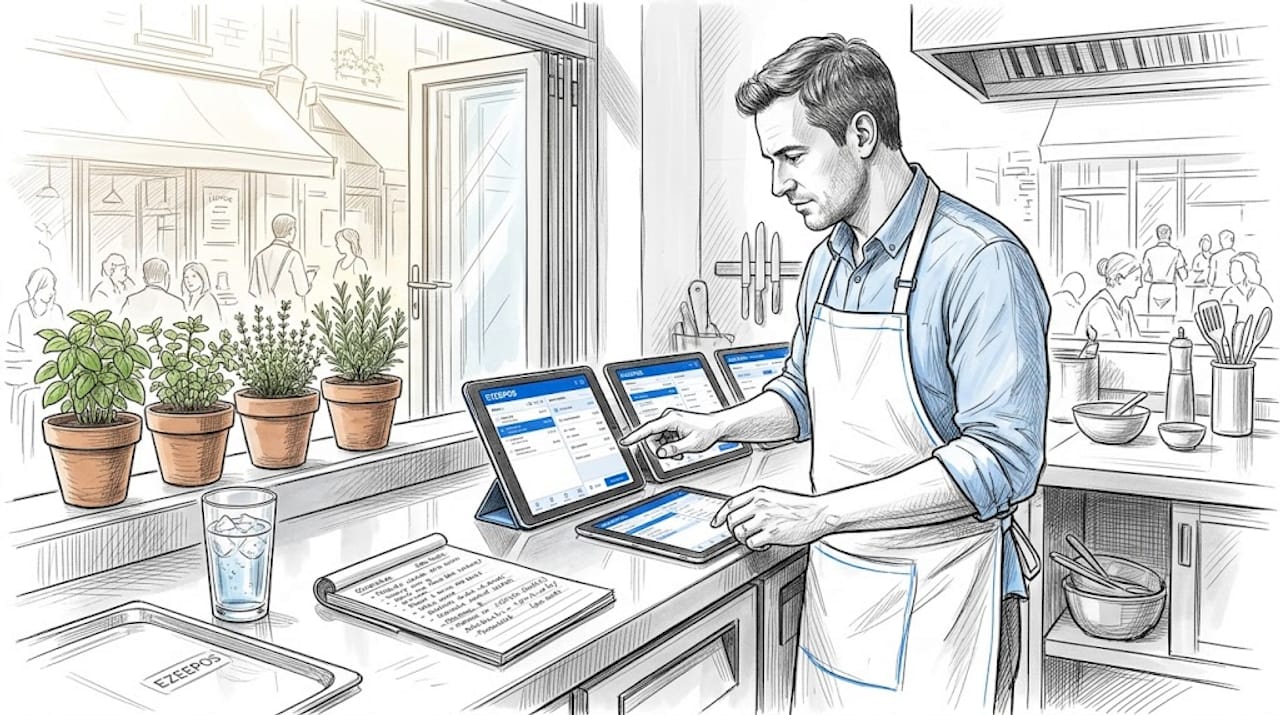
Check whether your menu is consistent across all channels. Prices, modifiers, allergen information, and item availability should be identical everywhere a customer can order. Discrepancies here are a direct cause of remakes, complaints, and wasted food.
Pro Tip: Create a simple table listing every order channel you operate, the device it runs on, who manages it, and how it connects to your kitchen. This single document will reveal more about your workflow inefficiencies than any software audit.
| Channel | Device | Managed by | Kitchen connection |
|---|---|---|---|
| Dine-in (table) | POS terminal | Floor staff | Direct to KDS |
| Counter service | POS terminal | Counter staff | Direct to KDS |
| Website orders | Separate tablet | Manager | Manual relay |
| Third-party delivery | Multiple tablets | Various | Manual relay |
If your table looks anything like the bottom two rows above, you have found your first priority.
Implementing an automated order management workflow
Once you have a clear picture of your current process, you are ready to build something better. A structured approach works best here. Automating restaurant order management follows a four-phase process that can be completed in approximately 30 days.
-
Phase 1: Audit and prepare. Complete your process map, standardise your menu across all channels, and confirm your POS system can integrate with your delivery platforms and kitchen display hardware. Remove any devices or processes that will become redundant once the new system is live.
-
Phase 2: Set up. Connect all order channels through your POS integration. Configure your Kitchen Display System with routing rules that reflect your actual kitchen layout. Assign orders to the correct stations: grill, fry, cold prep, bar. Custom kitchen routing mapped to your real production flow is far more effective than default routing, which rarely matches how your kitchen actually operates.
-
Phase 3: Launch and validate. Go live during a quieter service period and test every order channel. Confirm that orders appear correctly on the right KDS screens, that modifications route accurately, and that ticket times are being recorded. Run a full peak-hour simulation before relying on the system during your busiest periods.
-
Phase 4: Optimise and scale. Once the system is stable, set up automated menu synchronisation so changes made in your back office update across all channels instantly. Configure financial reporting to pull from your order data automatically. Begin planning integration with your inventory management workflow and staff scheduling tools.
Pro Tip: Do not remove your old devices on day one. Run the new system in parallel for the first three to five services, then decommission redundant tablets once you are confident the new workflow is handling everything correctly.
Optimising kitchen workflow and staff training
Technology sets the conditions for efficiency. Your team determines whether those conditions are met. Treating the kitchen as a production line rather than a reactive environment is the mindset shift that makes digital order management work. Every station has a role. Every role has a sequence. When that structure is clear, the technology amplifies it. When it is not clear, the technology simply makes the chaos faster.
Getting the most from your KDS
Kitchen Display Systems replace paper tickets with live order queues, and the difference in back-of-house coordination is significant. Orders appear the moment they are placed, stations are synchronised to finish items at the same time, and front-of-house staff are notified automatically when a table is ready. This removes the need for verbal relay between kitchen and floor, which is one of the most common sources of error and frustration in busy services.
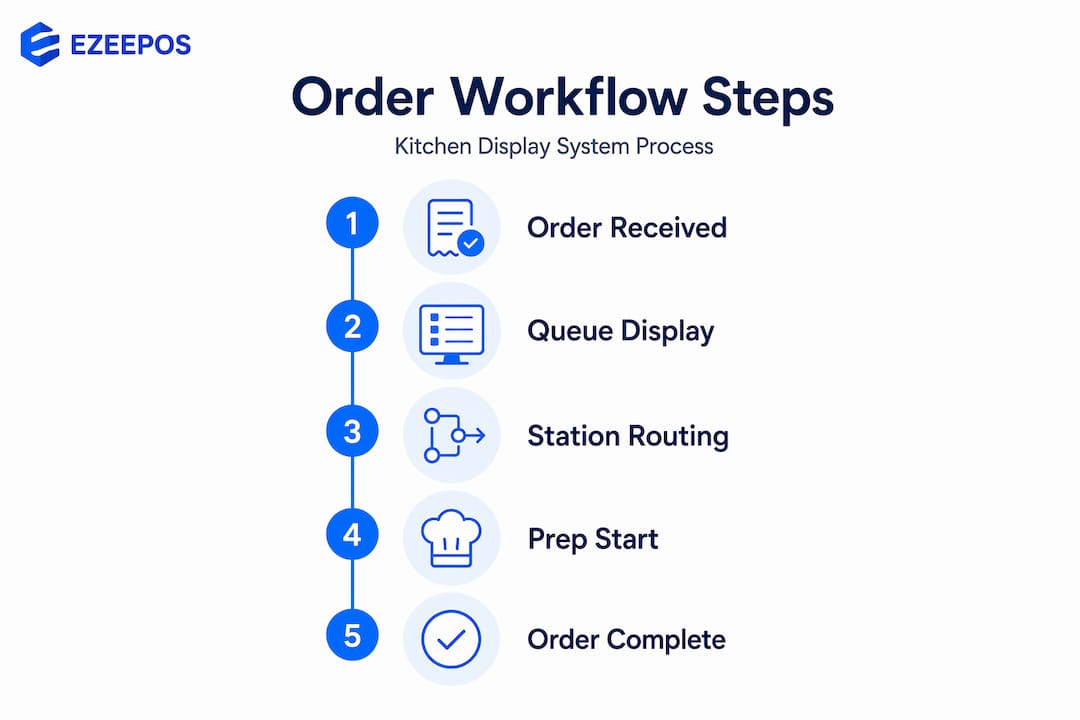
Custom routing rules are where the real gains come from. Map each menu category to the station responsible for it. Burgers to the grill screen, sides to the fry screen, desserts to cold prep. When a complex order comes in, each station sees only its relevant items. No one is reading a full ticket and mentally filtering out the parts that do not apply to them.
Managing peak volume without losing quality
Order throttling via KDS is one of the most underused features in hospitality. When order volume spikes, the system dynamically extends promised delivery and collection times rather than allowing the kitchen to become overloaded. Think of it as a pressure valve. It prevents the cascade of rushed cooking, remakes, and poor reviews that follow when a kitchen tries to absorb too many orders at once.
“Staff training is crucial to prevent failure even with the best technology.” This is not a caveat. It is the central fact of any digital workflow implementation.
- Brief all staff on the new system before go-live, not during the first service
- Assign a designated KDS champion per shift who can troubleshoot minor issues
- Define clear roles for each station so no one is waiting for direction mid-service
- Cross-train at least two staff members per station to cover absences without disruption
- Review the first week of ticket times together as a team to identify friction points early
For venues with high staff turnover, structured onboarding programmes that incorporate digital workflow training from day one make a measurable difference to adoption speed and staff confidence.
Tracking performance and continuous improvement
A well-built order management workflow is not a one-time project. It is a system you refine over time as your menu, team, and service volumes change. The data your system generates is the foundation for that refinement.
Using ticket time data effectively
Ticket time tracking gives you objective performance data at the station level rather than a vague sense of whether the kitchen felt busy. Instead of knowing that Saturday lunch was “slow,” you can see that the grill station averaged 14 minutes per ticket between 12:30 and 13:30, while the fry station averaged 6 minutes. That tells you exactly where to focus your attention.
Use this data to run monthly reviews with your kitchen team. Show them the numbers, not as a performance management exercise, but as a shared problem-solving tool. Staff who understand the data are far more likely to engage with process changes than those who are simply told what to do differently.
| Metric | What it tells you | How to act on it |
|---|---|---|
| Average ticket time per station | Where bottlenecks occur in production | Adjust staffing or routing at that station |
| Order error rate by channel | Which channels generate the most remakes | Review menu configuration or routing rules |
| Peak volume vs. promised times | Whether throttling settings are calibrated correctly | Adjust KDS throttling thresholds |
| Inventory depletion rate | Whether stock aligns with order volumes | Tighten par levels and reorder triggers |
Integrating inventory and scheduling
Linking order management to inventory and staff scheduling delivers 2.3 times higher total ROI compared to running standalone systems. When your order data feeds directly into stock depletion tracking, you stop running out of key ingredients mid-service. When it connects to your scheduling tool, you can align staffing levels with your actual order patterns rather than guessing based on last week’s feeling.
Plan a formal workflow review every quarter. Look at your error rates, ticket times, and inventory variance together. Small, data-led adjustments made regularly will outperform any single large overhaul.
My perspective on getting this right
I have seen venues invest in excellent technology and still struggle because they automated a broken process rather than fixing it first. The order management transformations that actually stick share one characteristic: the operator spent time understanding their real workflow before touching a single setting.
The multi-tablet problem is a perfect example. I have walked into kitchens where staff were managing five separate delivery tablets alongside a POS system, and everyone had quietly accepted this as normal. The technology was not the issue. The process was. Once those channels were consolidated, the improvement was immediate and obvious.
Default routing is another trap I see constantly. A KDS installed with factory settings will route everything to a single screen or split orders in ways that bear no relation to how the kitchen actually works. Mapping routing to real station roles takes an hour to configure and saves hours of confusion every week.
What I find most rewarding about well-implemented digital workflows is the effect on staff. Burnout in hospitality kitchens is real, and a significant part of it comes from the cognitive load of managing unclear, reactive processes. When roles are defined, orders are routed correctly, and the system handles the communication, the kitchen becomes a calmer, more professional place to work. That is not a soft benefit. It reduces turnover, improves food quality, and directly affects your bottom line.
— John
How Ezeepos supports your order workflow

Ezeepos is built specifically for the demands of UK hospitality venues, from busy cafés and bars to fast-casual restaurants and mobile catering operations. If the process improvements in this article resonate with you, the Ezeepos platform is designed to make them practical rather than theoretical.
The Ezeepos kitchen order display connects directly to your POS system, routing orders to the correct station in real time with no manual relay required. Custom routing rules, order throttling, and ticket time tracking are all built in. For café and counter service venues, the Ezeepos POS system unifies all order channels into a single interface, removing the multi-tablet problem entirely. Local UK installation, full feature access without tiered pricing, and ongoing human support mean you are not left to figure it out alone. Get in touch with Ezeepos to discuss a setup tailored to your venue.
FAQ
What is an order management workflow in hospitality?
An order management workflow is the end-to-end process by which a customer order is received, communicated to the kitchen, prepared, and delivered. In hospitality, this spans multiple channels including dine-in, counter service, and third-party delivery platforms.
How does a KDS improve order processing?
A KDS replaces paper tickets with real-time digital order queues, synchronising kitchen stations and automatically notifying front-of-house staff when orders are ready. This reduces verbal relay errors and speeds up production.
Why should I consolidate delivery platforms into one system?
Managing orders across multiple separate tablets generates error rates of 12 to 18%. Consolidating into a single order processing system reduces that to 3 to 5%, cuts labour costs, and prevents lost revenue from missed or incorrect orders.
How do I measure whether my order workflow is improving?
Track ticket times per station, order error rates by channel, and inventory depletion against order volumes. Monthly reviews of this data will reveal specific bottlenecks and show whether changes are having the intended effect.
What is order throttling and when should I use it?
Order throttling is a KDS feature that dynamically extends promised delivery or collection times during peak volume periods. Use it whenever your kitchen is at risk of being overwhelmed, as it prevents rushed cooking, remakes, and quality drops.
Recent Comments