
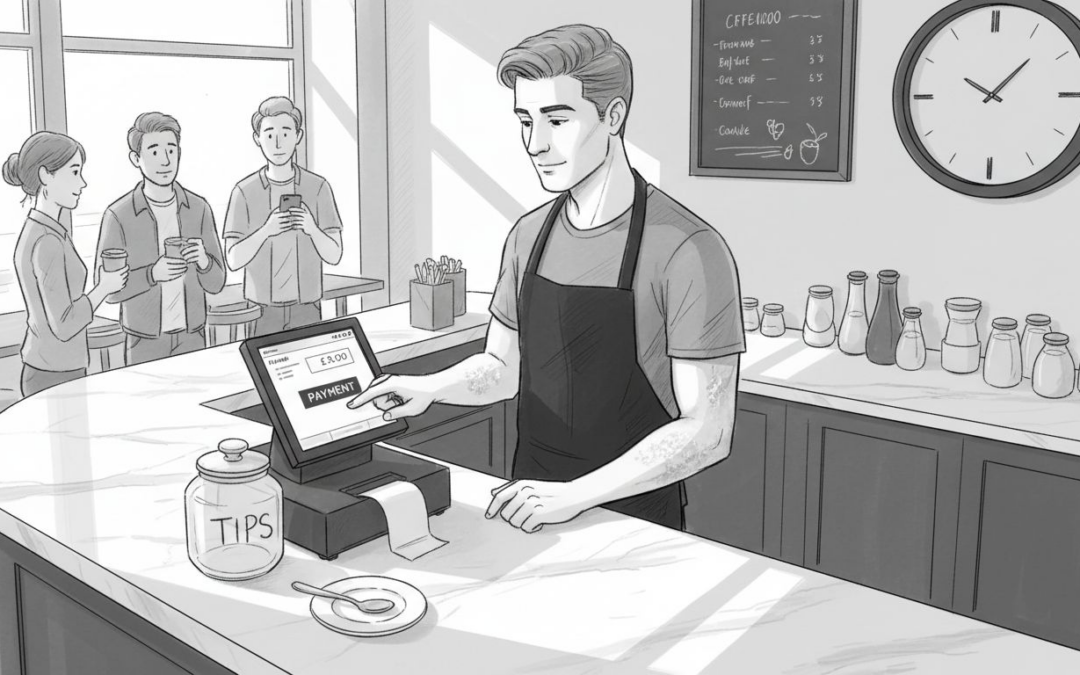
If you run a café or restaurant, slow ordering and payment processes can frustrate both customers and staff. With so many options and features in modern point of sale systems, it is difficult to know how to make the most of your setup. The right mix of training, technology, and good management makes the difference between chaos and smooth-running service.
This guide reveals practical steps and proven advice that help British hospitality venues get the best results from their POS system. You will learn specific methods that boost speed, accuracy, and confidence, while drawing on insights from real operations and trusted industry sources. Discover clear strategies for empowering your team, organising your menu, integrating payments, and more—all designed to solve the challenges you face every day.
Table of Contents
- 1. Train Your Team for Confident POS Use
- 2. Optimise Menu Layout for Faster Ordering
- 3. Use Integrated Payment Methods for Speed
- 4. Leverage Real-Time Reporting for Decisions
- 5. Implement Reliable Inventory Tracking
- 6. Simplify Promotions and Discounts Setup
- 7. Provide Ongoing Support and Updates
Quick Summary
| Key Message | Explanation |
|---|---|
| 1. Provide Comprehensive Training | Tailor training to staff roles to enhance confidence and reduce errors in using the POS system. Continuous practice builds genuine skills. |
| 2. Optimise Menu Layout | Arrange menu items logically to streamline ordering processes, reducing mistakes and wait times. Regular reviews ensure alignment with customer preferences. |
| 3. Use Integrated Payment Methods | Connect your POS with payment systems for faster, seamless transactions, minimising errors and improving customer satisfaction during busy periods. |
| 4. Leverage Real-Time Reporting | Access live data on sales and staff performance to make informed, immediate operational decisions, rather than waiting for outdated reports. |
| 5. Implement Reliable Inventory Tracking | Ensure accurate inventory management by connecting your POS to stock levels, preventing waste and optimising orders based on actual consumption data. |
1. Train Your Team for Confident POS Use
Your staff will never feel completely at ease using your point of sale system until they’ve received proper training. When your team understands how to navigate your POS platform, they work faster, make fewer errors, and deliver better customer service. This foundational step determines whether your system becomes an asset or a source of daily frustration.
Many café and restaurant owners underestimate how much training their staff actually need. A quick ten-minute walkthrough isn’t enough. Your team members come from different backgrounds with varying comfort levels around technology. Some staff have used multiple POS systems before, whilst others may be encountering their first one. The goal of training is to build genuine confidence, not just surface-level familiarity.
Research into effective team development shows that practising skills safely and learning from peers creates the strongest foundation for confidence in using digital tools. This means creating an environment where staff feel comfortable asking questions and making mistakes during training sessions without worrying about disrupting customers.
Start by identifying who needs what level of training. Your head chef needs different knowledge than your front-of-house staff. Kitchen personnel focus on how orders arrive at their screens and how to mark items complete. Servers need to understand table management, payment processing, and refunds. Bar staff might prioritise speed and accuracy with drink orders. Rather than delivering one generic training session, tailor your approach to these specific roles.
Structure your training in phases. Begin with basic navigation during a quiet period before your venue opens. Show staff how to log in, access their core functions, and perform essential tasks like entering orders or processing payments. Let them practise these actions repeatedly until the movements feel natural. Then move on to problem-solving scenarios. What happens if a customer wants to modify their order after it’s been sent to the kitchen? How do they void an item? How do they contact management if something goes wrong?
For restaurants and cafés managing multiple shifts, consider appointing POS champions on each shift. These are trusted, tech-confident staff members who receive deeper training and become your go-to support people. When a newer team member struggles with something, they can turn to their shift champion rather than hunting for a manager. This peer-to-peer support accelerates the learning process and builds team unity around using your system effectively.
Document your training process. Create simple, visual guides showing step-by-step procedures for common tasks. Laminate these guides and place them near workstations as quick reference materials. Your POS provider should supply training resources too. Take advantage of any video tutorials, user manuals, or online resources they offer. When you get new staff, you can onboard them more quickly without repeating your own training from scratch.
Set expectations about ongoing learning. Technology changes, you’ll add new features, and your processes will evolve. Regular refresher training sessions every few months keep everyone sharp and ensure no one develops bad habits. These don’t need to be lengthy. A fifteen-minute staff meeting where you review one particular process or demonstrate a new function keeps your team engaged.
Watch your team during their first week using the system in real transactions. You’ll spot where they’re struggling and where your training fell short. Maybe they’re slow at processing card payments, or they’re not using a particular feature because they don’t fully understand when to use it. Use these observations to refine your training approach for future staff. This feedback loop continuously improves how you onboard people.
Professional tip: Schedule your training sessions during your quietest periods, and pair each new team member with an experienced staff member for their first few shifts using the system in live service conditions.
2. Optimise Menu Layout for Faster Ordering
How your menu appears on your POS screen directly affects how quickly your staff can take orders and how often they make mistakes. A poorly organised menu forces your team to hunt for items, creating bottlenecks during busy service. When your menu layout is optimised, orders flow smoothly and your customers experience faster service.
Think about how your customers actually order. During a morning rush at your café, people want their coffee and pastry in seconds. At lunch, customers scan quickly for sandwiches and salads. In the evening, they might browse more leisurely for dinner options. Your menu organisation should reflect these real ordering patterns rather than forcing staff to navigate through unnecessary layers and categories.
The physical arrangement of menu items matters more than you might think. Items your customers order most frequently should be positioned where staff can access them with minimal taps or scrolls. If your bestselling coffee drinks appear three screens deep in your system, every single order becomes slower. High-volume items deserve prime real estate on your POS display.
Grouping items logically reduces decision time for both staff and customers. If you operate a café, keep hot beverages together, cold drinks together, and food items in their own sections. Within each category, arrange items by size, strength, or type. Someone ordering an espresso-based drink shouldn’t have to look past herbal teas to find what they want. Logical grouping cuts ordering time significantly.
Consider using modifiers and add-ons effectively within your POS. When a customer orders a latte, your system should immediately prompt staff to ask about milk alternatives, extra shots, or flavour additions. Rather than staff having to remember all possible customisations, your system guides them through options systematically. This reduces mistakes like forgotten special requests and speeds up the ordering conversation.
Visual hierarchy makes a real difference. Your most important items, bestsellers, and seasonal specials should stand out visually on your POS. Use colours, larger text, or positioning to draw attention. Staff naturally focus on what’s prominent, so if you want certain items to be ordered more frequently, make them visually obvious. This subtle guidance influences ordering patterns positively.
When optimising menu layout, consider your kitchen’s perspective too. Kitchen order screens receive information directly from your POS, so how you name items and arrange them upstream affects how quickly kitchen staff can interpret and execute orders. If your POS calls an item “Chicken Club Triple Stack” but your kitchen refers to it as “Triple Club,” confusion slows everything down. Consistent naming conventions between your front-of-house menu and kitchen workflow prevent delays.
Test your menu layout during actual service before making it permanent. Watch how your staff navigate it when taking orders from real customers. Do they hesitate? Do they tap multiple times to find common items? Are they missing modifier options that should be visible? Real-world testing reveals problems that theory alone never will.
Review your menu layout quarterly. Customer preferences change, seasonal items rotate in and out, and you may introduce new offerings. Regular reviews ensure your menu stays optimised for current ordering patterns. When you notice certain items never get ordered despite being profitable, move them to less prominent positions. When a new item becomes unexpectedly popular, give it better placement.
Remember that reducing customer waiting times improves the overall ordering flow in your venue. Every second saved per transaction compounds across hundreds of orders daily, directly impacting customer satisfaction and throughput during peak times.
Professional tip: Print out your current POS menu layout and annotate it with which items get ordered most frequently during different dayparts, then reorganise based on actual demand patterns rather than assumptions.
3. Use Integrated Payment Methods for Speed
Payment processing is often where transaction times slow down most noticeably. When your POS system integrates directly with payment methods rather than requiring manual steps, every transaction becomes faster and more reliable. This integration eliminates the gap between taking an order and completing payment, keeping your operation flowing smoothly during busy periods.
Many cafés and restaurants still operate with disconnected payment systems. Staff take an order on their POS, total it up, then manually key the amount into a separate payment terminal. The customer waits whilst the payment processes. Only then does the system confirm the transaction is complete. Each of these steps creates delay and opportunity for error. Integrated payment processing removes these friction points entirely.
When your POS connects directly to payment providers, several things happen automatically. The payment amount transfers instantly to the payment terminal without manual re-entry. Authorisation happens in seconds rather than minutes. Customer receipts print immediately. Staff can move to the next customer without standing around waiting for technology to catch up. These seconds add up dramatically when you process hundreds of transactions daily.
Using authorised payment service providers ensures your transactions remain secure and compliant with UK financial regulations. Your POS system should connect exclusively to regulated payment providers rather than experimental or unverified services. This protects both your business and your customers whilst maintaining the speed you need.
Contactless payments have become increasingly important since the pandemic. When your POS integrates with contactless payment methods, customers can tap their card or mobile device and payment completes instantly. No fumbling with chip readers, no waiting for PIN entry on high value transactions. Your customers appreciate the speed and convenience. More importantly, your staff spends less time per transaction, allowing them to serve more people during peak hours.
Consider which payment methods your customers actually use. In the UK, card payments dominate most hospitality venues. Contactless cards and mobile wallets like Apple Pay and Google Pay are standard expectations now. Some venues accept digital payment apps like PayPal or Klarna. Rather than supporting every possible payment method, focus on integrating the ones your specific customer base uses most frequently. This keeps your system streamlined and your staff trained on the most common payment flows.
The regulatory framework for faster payments and payment integration requires systems to be reliable and secure, ensuring your customers’ transactions process correctly every time. When you choose a POS provider with proper payment integration, you inherit these regulatory protections automatically rather than managing compliance yourself.
Integrated payment systems also simplify reconciliation. When your POS talks directly to your payment provider, transaction records sync automatically. You don’t need to manually match up POS records with payment terminal records at the end of the day. This accuracy saves time during closing procedures and reduces errors in your financial reporting.
Different payment scenarios benefit from integration in different ways. A customer at a table waiting for their bill moves through payment faster when your server can process the transaction right there using a mobile card reader connected to your POS. A customer at a counter making an impulse purchase gets served faster when payment processing is instant. A customer ordering ahead via your system can tap contactless and walk away without waiting at all.
When evaluating POS systems, payment integration should be a primary consideration, not an afterthought. Ask your provider specifically how payments are processed. Is it integrated or manual? Which payment methods are supported? How many seconds does a typical transaction take from tendering to receipt? Some systems advertise themselves as modern but still require manual payment steps. These aren’t truly integrated.
Professional tip: Prioritise contactless and mobile payment integration first, then add card and cash payment methods, since contactless transactions typically process fastest and align with customer expectations in modern UK hospitality venues.
4. Leverage Real-Time Reporting for Decisions
Most restaurant and café managers make decisions based on information that’s already hours or days old. You count your till at the end of the day and discover what happened. Real-time reporting flips this completely. When your POS system delivers live data as transactions occur, you can respond to what’s actually happening right now, not what happened yesterday.
Real-time reporting means you see sales figures, popular items, and staff performance as they happen. You don’t have to wait until close of business to learn that you ran out of a bestselling item at 2pm or that a particular staff member’s transactions have unusual patterns. This information reaches you instantly, allowing you to adjust operations before problems compound.
Consider a practical scenario. It’s a busy lunch service and you notice through your live reports that a particular sandwich is selling three times faster than normal. You can immediately alert your kitchen to prep more ingredients or adjust your ordering for tomorrow. Without real-time visibility, you might discover this pattern too late to respond effectively. By tomorrow, you could have disappointed customers because you ran out.
Another common situation is identifying staffing issues as they emerge. If your real-time reports show that one server has significantly slower transaction times than others, you can observe their technique during service and provide immediate coaching. You might notice they’re not using a particular feature that would speed them up. Real-time feedback allows you to correct these issues during the shift rather than waiting until a performance review weeks later.
Regular and efficient reporting maintains operational oversight and supports timely decision-making across all aspects of your business. Your POS system should give you the visibility you need to manage effectively without overwhelming you with excessive data.
Payment performance becomes much clearer with real-time reporting. You can see immediately if your payment processing system is experiencing delays. If transactions are taking longer than normal to authorise, you’ll know within minutes rather than hearing about frustrated customers at the end of the day. This allows you to contact your payment provider quickly or switch to backup methods if needed.
Inventory management improves dramatically with real-time visibility. As items sell, your system records each transaction. You can set up alerts for when stock levels drop below certain thresholds. Rather than discovering at the start of service that you’re out of a key ingredient, you know proactively and can plan accordingly. This reduces both waste and stockouts.
Cash flow visibility is another significant advantage. You see exactly how much money you’ve processed by hour, by day, or by payment method. This matters especially for venues that operate on thin margins. If your Monday lunch is traditionally slow, real-time reports confirm this, allowing you to adjust staffing accordingly. If an unexpected surge occurs, you can bring in additional staff immediately.
Good reporting systems let you drill down into details. You can view overall sales, then zoom into specific categories, then examine individual items, then see which staff member rang them up and when. This layered approach helps you identify exactly where to focus your attention. You’re not drowning in data but rather accessing precisely what you need to answer specific questions.
Set up key metrics you want to monitor daily. For most cafés and restaurants, these include total sales, average transaction value, bestselling items by category, staff productivity metrics, and payment method breakdown. Don’t try to track everything. Focus on the numbers that actually influence your business decisions and operational efficiency.
Use your reporting data to identify trends. Maybe breakfast items sell better on weekends. Maybe afternoon coffee sales peak between 2pm and 3pm. Maybe certain menu items have much higher margins than others. These patterns, invisible when looking at isolated days, become obvious when you examine real-time data across weeks and months. Understanding these trends helps you optimise scheduling, purchasing, and menu strategy.
Professional tip: Set aside 10 minutes at the end of each shift to review key real-time reports from your POS system and note one specific observation you can act on the following day.
5. Implement Reliable Inventory Tracking
Inventory waste is silent profit loss. If you cannot see what you have in stock, you cannot manage it effectively. Reliable inventory tracking through your POS system transforms guesswork into precision, revealing exactly where your stock goes and where money is being wasted.
Many café and restaurant owners operate with a rough idea of their inventory. They know approximately how much coffee they ordered last week and roughly remember using several bottles of milk. At stocktake time, discrepancies appear. Stock doesn’t match records. Money unaccounted for. Most of the time, no one knows why because they never tracked it properly in the first place.
When your POS connects to your inventory system, every transaction automatically updates your stock levels. A customer orders a cappuccino, the system deducts milk and espresso from your inventory. A staff member makes a mistake and voids an order, those ingredients go back into stock. Over hours and days, you build an accurate picture of what you actually have. No guesswork. No surprises at stocktake.
The financial impact is substantial. Accurate stock monitoring and process optimisation significantly reduce supply chain disruptions and waste. For a café serving 300 customers daily, losing just 5 per cent of stock to waste, theft, or mismanagement translates to thousands of pounds annually. Reliable tracking catches these losses immediately.
Real-time inventory visibility helps you order smarter. Instead of ordering based on what you think you need, you order based on actual consumption data. If your reports show you consistently use 20 litres of milk weekly but ordered 30 litres, you’re over-ordering by 33 per cent. That’s wasted money and potential spoilage. Conversely, if you’re running low faster than expected, you know to increase your next order before you run out.
Inventory tracking also supports better menu management. You can see which ingredients move quickly and which sit unused. A salad ingredient you thought would be popular might barely sell whilst something else becomes unexpectedly bestselling. These insights help you refine your menu, discontinue slow movers, and order more of what customers actually want.
Staff accountability improves with tracking. When inventory discrepancies occur, you can usually identify the time window and which staff member was working. This isn’t about blame but about identifying where training is needed. Maybe someone doesn’t understand proper portion sizes. Maybe they’re not ringing items correctly. Maybe there’s a process breakdown. Accurate tracking helps you diagnose and fix these issues.
Implementing reliable tracking requires connecting several components. Your POS system records every sale. Your inventory management module tracks stock levels. You need staff trained on accurate receiving procedures so incoming stock is recorded properly. You need processes for handling waste and spoilage so these don’t create mystery discrepancies. When all these elements work together, your inventory accuracy improves dramatically.
Starting inventory tracking can feel overwhelming, but you don’t need to track everything immediately. Begin with your highest cost or most frequently used items. Coffee, milk, and prime proteins matter more than napkins and condiments. Once you establish tracking for core items, expand to others gradually. This phased approach prevents overwhelming your staff whilst building the discipline required for full inventory management.
Set a regular schedule for physical counts. Many venues count daily at close of business, comparing their actual stock to what their system shows. If numbers match, confidence is high that your tracking is working. When discrepancies appear, investigate immediately rather than letting them accumulate. Was something recorded incorrectly? Was stock damaged? Did someone forget to ring something in? Quick investigation prevents patterns of loss from developing.
Use your inventory data strategically. Run reports showing which items have the highest waste, longest shelf life, and greatest spoilage risk. Prioritise reducing waste on expensive items. Maybe your fresh herbs spoil before use, suggesting you should order smaller quantities more frequently. Maybe your soft drinks sit unused, suggesting you should reduce shelf space for other items. Data drives smart decisions.
Professional tip: Start tracking just three high-value items for one week, then expand your system once you understand how it works and build staff confidence in the process.
6. Simplify Promotions and Discounts Setup
Promos and discounts are powerful sales tools, but only when they’re set up correctly and applied consistently. When your POS system makes promotions complicated, staff apply them inconsistently, discrepancies emerge, and you lose track of profitability. Simplifying how you set up and manage discounts puts you in control rather than letting ad-hoc decisions undermine your margins.
Think about what happens when promotions are manual. A staff member remembers that today is buy one get one free day, or sometimes they forget. A customer asks for a discount because they’re a regular, and the staff member either grants it or doesn’t depending on their mood or confidence level. By the end of the week, you’ve given away thousands in unmeasured discounts. You have no idea what you actually spent on promotions because they were never tracked systematically.
A simplified promotion setup means creating reusable discount templates in your POS that staff simply apply rather than calculate manually. Instead of a staff member trying to remember the exact discount, they select “Student Discount” from a menu and your system applies exactly 10 per cent every time. No variation. No mistakes. No guesswork about what you’re actually losing.
Administering promotions fairly and transparently ensures conditions are clear and rules are consistent, protecting both your business and your customers. When your POS manages promotions systematically, you document exactly what discount was applied, when, and why. This transparency is valuable if questions ever arise.
Create a promotion calendar. Plan your discounts monthly or quarterly rather than deciding them on the fly. Know which promotions run during which weeks or months. This planning allows you to set them up in your POS in advance, removing the guesswork during service. A planned “Coffee Tuesday” promotion where espresso drinks cost £1.50 on Tuesdays can be scheduled once and runs automatically every week without staff involvement.
Be specific about conditions. A discount that applies to “coffee” is vague. Does it include lattes with extra shots? Does it apply to flavoured versions? Does it apply to takeaway or dine in? Your POS should make these conditions precise. A well configured promotion might apply to “espresso-based drinks under 12 ounces, dine in only, before 10am on weekdays.” Staff don’t interpret. The system enforces.
Use your POS to track promotion effectiveness. If you offer 15 per cent off a particular item, you should see sales increase and be able to calculate whether the additional volume compensates for the margin lost. If you’ve run a promotion for weeks and seen no uplift, that data tells you something. Maybe the discount isn’t enough to drive behaviour change. Maybe you’re discounting something customers would buy anyway, meaning you’ve just reduced profit unnecessarily.
Time-limited promotions create urgency and help you control costs. Rather than running permanent discounts that gradually feel like your regular price, temporary promotions feel special. A “Friday Happy Hour” where coffee is discounted from 3pm to 5pm drives afternoon traffic during a typically slow period. Once the window closes, regular pricing resumes. This approach keeps your margins healthier than permanent discounts.
Consider who your promotions target. Loyalty programme members might get different discounts than casual customers. You might offer volume discounts for bulk orders. You might have staff discounts. Rather than managing these manually, set them up as separate promotion rules in your POS. When a loyalty customer checks out, their discount applies automatically.
Staff training on promotions becomes straightforward when the system handles the logic. Instead of teaching staff complex discount rules, you simply teach them which button to press. Does this customer qualify for the student discount? Press the student discount button. Does this order qualify for the bulk coffee discount? Press that button. Your POS enforces the rules, not staff memory.
Test promotions before you launch them. Set up a discount in your system during a quiet period and process a few test transactions. Verify the discount applies correctly. Verify it appears on the receipt clearly. Verify it impacts your inventory and financial reports as expected. A few minutes of testing prevents hours of chaos during actual service.
Review promotion performance regularly. If a promotion ran for a month, analyse the data. Did it drive the behaviour you wanted? Did volume increase enough to offset the discount given? Would running this promotion again be worth it? This analysis guides future decisions. You stop running promotions that don’t work and double down on winners.
Professional tip: Create three to five permanent promotion templates for common scenarios such as employee discount, loyalty member discount, and quantity discounts, then schedule time-based promotions around these foundations.
7. Provide Ongoing Support and Updates
Your POS system doesn’t become a “set it and forget it” investment once it’s installed. Technology evolves, your business changes, and your staff needs vary over time. Ongoing support and regular updates keep your system secure, functional, and aligned with your actual operational needs.
Many venue owners make the mistake of treating POS implementation as a one-time project. They train staff on day one, the system goes live, and they move on to other priorities. Six months later, a staff member discovers a feature they didn’t know existed. A security vulnerability emerges that nobody patches. A payment method changes and suddenly transactions fail. Without ongoing support, these problems pile up.
Regular updates serve multiple purposes. Security updates protect your customer data and your business from cyber threats. Feature updates add new capabilities that solve emerging problems. Bug fixes address issues that weren’t apparent during initial implementation. Performance updates keep your system running smoothly as your transaction volume grows. A POS system without updates gradually becomes less capable and less secure.
Think of ongoing support as your safety net. When something breaks during service, you need someone to call who understands your system and can help you quickly. When you want to change how something works, you need guidance on whether it’s possible and how to do it. When you need to add new products, menu items, or staff, you need support helping you configure these correctly. This support shouldn’t be an emergency line you dread calling. It should be a partnership.
Planned, responsive, and regular service reviews and updates maintain equipment and software reliability, ensuring your POS remains dependable. When your POS provider proactively reviews your system, they spot potential issues before they become problems. They identify configuration improvements tailored to your specific operation.
Schedule regular check-ins with your POS provider. Monthly or quarterly reviews work well depending on your venue size and complexity. During these reviews, discuss what’s working well and what frustrates your staff. Share your data showing usage patterns and pain points. Ask what new features or configurations might improve your operations. These conversations transform your provider from a vendor into a true business partner.
Staff training shouldn’t end after initial implementation. As your team changes, new people need training. As features are added through updates, existing staff need to learn new capabilities. Regular training sessions every quarter or when major updates roll out keeps your team current. This investment in training prevents your team from reverting to old, inefficient ways of working.
Request documentation of your system configuration. When you understand exactly how your promotions, inventory, payment processing, and reporting are set up, you can troubleshoot issues independently sometimes. You can explain your system to new staff more effectively. You have a reference when considering changes. Good documentation is invaluable when something goes wrong and you need to explain your setup to your support provider.
Choose a POS provider who emphasises local support. Time zone differences matter when something breaks during your service. A provider with UK based support means you can call when you need help and get someone who understands British hospitality operations and regulations. Remote support is fine for some issues, but critical problems sometimes need someone who understands your local context.
Understand what your support agreement actually includes. Is there a support fee or is it included? What hours are they available? Do they provide remote access to diagnose issues, or do they require on-site visits? What response time can you expect for critical issues versus minor questions? Understanding these details prevents surprises when you need help most.
Use your provider’s support resources proactively. Most modern POS providers offer knowledge bases, video tutorials, and webinars. Before submitting a support ticket, check these resources. Often you’ll find the answer immediately. This approach also helps you learn your system better, making you less dependent on support for routine questions.
Stay informed about payment industry changes. Payment processing regulations and standards change periodically. Your POS provider should keep you informed when these changes require action on your part. They should update your system automatically when possible. This vigilance prevents disruptions to your payment processing.
Plan for system scalability as your business grows. What happens if you add a second venue or expand to a larger space? Can your system grow with you? Will your provider help you configure additional locations? Understanding these possibilities now prevents painful migrations later.
Professional tip: Establish a monthly 30-minute call with your POS provider scheduled for your slowest business day, using this time to discuss any operational questions and review system performance data together.
| Main Areas | Key Actions | Benefits |
|---|---|---|
| Staff Training | Provide role-specific training, practice scenarios actively, and use instructional resources for reinforcement. | Increased staff confidence leading to faster service and fewer errors. |
| Menu Optimisation | Arrange frequently accessed items prominently and use visual aids or modifiers for efficiency. | Improved ordering speed and enhanced user experience. |
| Payment Integration | Implement POS-integrated payment methods focusing on contactless solutions. | Faster transactions and increased customer satisfaction. |
| Real-Time Reporting | Utilise live sales, stock, and performance data to inform immediate and strategic decisions. | Enhanced operational oversight and adaptability. |
| Inventory Tracking | Link sales data with stock levels in real time for detailed control and waste reduction. | Reduced costs and smarter replenishment planning. |
| Promotion Management | Standardise and schedule promotions using the POS system’s advanced features. | Consistency in discount application and measurable effectiveness. |
| Ongoing Support | Maintain regular software updates, training, and service reviews. | Secure, efficient, and scalable operations. |
Master Efficient POS Operations with EZEEPos Solutions
Managing a busy hospitality venue demands a POS system that supports your team through confident training, streamlined menu layouts, and integrated payment methods all while providing real-time reporting and reliable inventory tracking. If your current system causes delays or confusion during peak hours, EZEEPos offers a tailored Android-based platform designed specifically for cafés, restaurants, bars and fast-casual environments to help you overcome these challenges.

Discover how our flexible hardware options and fully featured software empower your staff to process orders quickly and accurately. Benefit from local UK support, continuous updates, and easy promotion management with our Add On Modules – EZEEPos Solution. Stay ahead of payment trends with seamless integration through our EFT Terminals – EZEEPos Solution. Ready to optimise your point of sale operations and enhance customer satisfaction? Visit https://ezeepos.co.uk to explore our complete hospitality POS solutions and take control of your business today.
Frequently Asked Questions
How can I effectively train my team for using the point of sale system?
Training your team involves tailored sessions based on their specific roles. Start with basic navigation during quiet periods, focus on essential tasks, and provide scenarios for problem-solving to build confidence over time.
What should I consider when optimising my menu layout on the POS?
Ensure that your menu reflects actual customer ordering patterns by logically grouping items and placing high-demand items for easier access. Regularly test the layout during live service and update it based on real customer behaviour.
How can integrated payment methods speed up transactions at the point of sale?
Integrated payment methods allow staff to process payments directly through the POS, eliminating manual entry errors and reducing wait times. Focus on integrating contactless payment options first to enhance speed during peak periods.
What benefits does real-time reporting provide for point of sale operations?
Real-time reporting gives you immediate insights into sales trends, inventory levels, and staff performance as they happen. Use this data to make quick adjustments during service, improving customer satisfaction and operational efficiency.
How can I implement effective inventory tracking through my POS?
Connect your POS system to your inventory management to automatically update stock levels with each transaction. Start tracking high-cost items and conduct regular physical counts to ensure accurate records and minimise waste.
What should I do to maintain ongoing support and updates for my POS system?
Schedule regular reviews with your POS provider to discuss system performance and necessary updates. Ensure that staff receive ongoing training on new features and keep documentation up to date for better operational control.
Recommended
- Employee Management Reporting – Samtouch Point of Sale
- 7 Essential Inventory Management Tips for UK Cafés and Restaurants
- Quick-Service POS: Streamlining Fast-Paced Hospitality
- 7 Examples of Hospitality Software for UK Cafés and Restaurants
- Retail Sign Placement Guide for Effective Business Impact –
- Barista Workflow Optimization for Fast, Consistent Espresso
Recent Comments