
Running a fast food restaurant in the United Kingdom brings constant demands for speed, precision, and customer satisfaction. With competitors just a click away, every step you take to improve efficiency and service matters. Setting up a fast food POS system becomes your foundation for legal compliance and operational control, ensuring you operate within local authority rules and support safer food management. Discover how integrated POS solutions deliver real advantages, from accurate order tracking to simplified compliance practices.
Table of Contents
- Step 1: Set Up Your Fast Food POS System
- Step 2: Customise Menu and Item Modifiers
- Step 3: Configure Service Modes and Staff Access
- Step 4: Streamline Order Taking and Processing
- Step 5: Verify Transactions and Manage Order Fulfilment
Quick Summary
| Key Point | Explanation |
|---|---|
| 1. Register Your Food Business | Complete registration at least 28 days before opening to ensure legal compliance and avoid complications. |
| 2. Customise Your Menu Effectively | Develop a dynamic menu with allergen tracking and clear ingredient options to enhance customer experience and safety. |
| 3. Configure Staff Access Levels | Establish role-based permissions in your POS system to enhance security and operational control for your staff. |
| 4. Streamline Order Processing | Implement an intuitive order management system that minimises errors and boosts efficiency for better customer satisfaction. |
| 5. Verify Transactions Thoroughly | Ensure accurate transaction verification and order fulfilment to maintain operational integrity and build customer trust. |
Step 1: Set Up Your Fast Food POS System
Setting up a robust point of sale (POS) system is crucial for streamlining your fast food business operations. This guide will walk you through the essential steps to ensure your system is legally compliant and operationally efficient.
Before diving into technical setup, you’ll need to complete some critical preliminary tasks. First and foremost, register your food business with your local authority at least 28 days prior to commencing operations. This legal requirement ensures you meet all food safety regulations and can operate your POS system without potential legal complications.
When configuring your POS system, focus on these key implementation strategies:
- Legal Registration: Complete local authority food business registration
- System Configuration: Select a POS platform compatible with hospitality needs
- Compliance Integration: Ensure system supports food safety management procedures
- Hardware Selection: Choose appropriate terminals and interfaces
Your POS system should support multiple operational requirements, including order tracking, inventory management, and real-time reporting. Modern systems offer cloud-based solutions that enable seamless integration across your entire fast food venue.
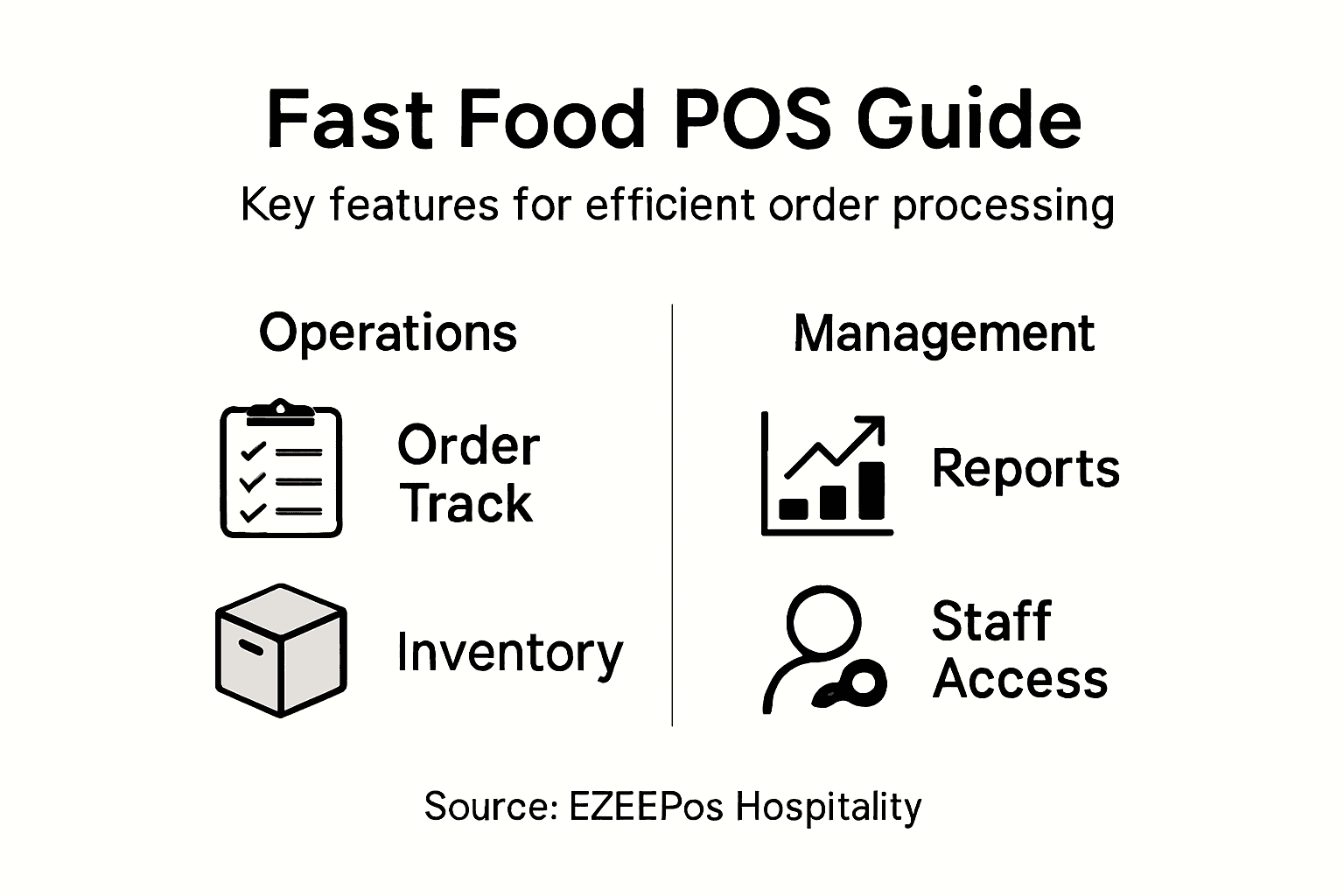
Here is a comparison of key POS system features and how they benefit fast food businesses:
| POS Feature | Operational Benefit | Business Impact |
|---|---|---|
| Real-time Reporting | Immediate sales and inventory data | Better decision-making |
| Cloud Integration | Unified data across locations | Simplified management |
| Modular Hardware | Adaptable to changing needs | Scalable operations |
| Compliance Support | Automated regulation adherence | Reduced legal risks |
| User Permissions | Tiered staff access | Enhanced security |
A well-configured POS system transforms restaurant operations from chaotic to controlled.
Pro tip: Invest time in comprehensive staff training to maximise your new POS system’s potential and minimise operational disruptions.
Step 2: Customise Menu and Item Modifiers
Customising your fast food menu and item modifiers is a critical process that ensures flexibility for customers while maintaining precise operational control. This step allows you to create a dynamic menu system that adapts to customer preferences and regulatory requirements.
When developing your menu configuration, pay close attention to allergen management guidelines to ensure comprehensive food safety. Your POS system should enable detailed customisation that supports clear communication of ingredient variations and potential allergen risks.
Consider these essential menu customisation strategies:
- Ingredient Flexibility: Create modular menu items with multiple customisation options
- Allergen Tracking: Implement detailed ingredient labelling and modification controls
- Price Adjustment: Configure automatic pricing for custom menu modifications
- Staff Training: Develop clear protocols for handling customised orders
Professional menu customisation involves more than just adding or removing ingredients. It requires a systematic approach that balances customer choice with operational efficiency and food safety standards.
The following table summarises best practices for managing menu customisation effectively:
| Best Practice | Customer Advantage | Operational Benefit |
|---|---|---|
| Allergen Flagging | Safer, informed meal choices | Compliance with legislation |
| Dynamic Price Updates | Transparent customised pricing | Accurate revenue management |
| Clear Ingredient Options | Personalised and flexible ordering | Reduced errors in preparation |
| Regular Menu Audits | Consistently fresh choices offered | Reduced menu redundancy |
Effective menu customisation transforms customer experience while maintaining strict safety protocols.
Pro tip: Regularly review and update your menu customisation options to reflect changing customer preferences and seasonal ingredient availability.
Step 3: Configure Service Modes and Staff Access
Configuring service modes and staff access is a critical step in establishing a robust and secure point of sale system for your fast food business. This process ensures that each team member has the appropriate level of system interaction while maintaining comprehensive operational control.
When setting up your access controls, follow food safety management guidelines to define clear role-based permissions. Your POS system should enable granular access levels that align with staff responsibilities and maintain strict security protocols.
Key considerations for configuring service modes and staff access include:
- Role Definition: Create specific access levels for different staff positions
- Permission Hierarchy: Establish clear boundaries for system interactions
- Security Protocols: Implement unique login credentials for each staff member
- Audit Trail: Enable comprehensive tracking of system interactions
Effective configuration requires a strategic approach that balances operational flexibility with digital service management principles. Your goal is to create a system that supports smooth workflow while preventing unauthorized system modifications.
Intelligent access configuration transforms your POS from a simple tool to a strategic operational asset.
Pro tip: Conduct regular access reviews and update permissions to reflect staff role changes and maintain optimal system security.
Step 4: Streamline Order Taking and Processing
Streamlining order taking and processing is crucial for maintaining efficiency and customer satisfaction in your fast food business. This step involves creating a seamless workflow that minimises errors and maximises speed across your entire ordering system.
Ensure your order management process follows food safety delivery guidelines to guarantee accurate and compliant order handling. Your POS system should enable rapid, error-free order capture that communicates precisely with kitchen staff and supports quick service delivery.
Key strategies for optimising order processing include:
- Digital Order Capture: Implement intuitive touchscreen interfaces
- Real-Time Synchronisation: Connect front-of-house and kitchen systems instantly
- Allergen Tracking: Automatically flag potential dietary restrictions
- Order Validation: Create automatic checks to prevent processing errors
Effective order processing relies on systematic production information reporting that ensures traceability and operational transparency. Your goal is to transform order taking from a potential bottleneck into a smooth, efficient operational sequence.
Precision in order processing separates exceptional fast food venues from average establishments.
Pro tip: Regularly train staff on new POS features and conduct monthly efficiency audits to continuously refine your order processing workflow.
Step 5: Verify Transactions and Manage Order Fulfilment
Verifying transactions and managing order fulfilment represents the final critical stage in ensuring customer satisfaction and operational excellence in your fast food business. This process involves meticulous attention to detail and systematic verification of every transaction from payment to delivery.
Adhere to transaction record-keeping requirements to maintain financial accuracy and regulatory compliance. Your POS system should provide comprehensive transaction verification features that automatically cross-reference order details, payment information, and fulfilment status.
Key strategies for effective transaction verification include:
- Payment Reconciliation: Automatically match transactions with bank records
- Order Accuracy Checks: Implement digital verification of order contents
- Customer Communication: Send real-time order confirmation and status updates
- Compliance Documentation: Maintain digital records for tax and regulatory purposes
Properly managing order fulfilment requires understanding food safety delivery standards that extend beyond transaction processing. Your approach must ensure food quality, packaging integrity, and timely delivery while maintaining precise documentation.
Transaction verification is the guardian of operational integrity and customer trust.
Pro tip: Implement automated reconciliation processes and conduct weekly transaction audits to identify and resolve potential discrepancies quickly.
Boost Fast Food Order Processing with EZEEPos Hospitality Solutions
Efficient order processing is the backbone of any successful fast food business. From precise menu customisation to seamless transaction verification, each step requires a reliable system designed to reduce errors and speed up service. The challenges highlighted in the article such as managing allergen information, configuring staff access, and synchronising kitchen communications demand a POS platform tailored to fast-paced hospitality environments.
EZEEPos answers these needs with its specialised Android-based Hospitality POS Solution, built specifically for quick-service restaurants. Featuring cloud-based reporting, adaptable hardware options, and integrated staff management, EZEEPos empowers you to streamline your order processing workflow and maintain compliance effortlessly. Combine this with secure payment capabilities found in our EFT Terminals and enhanced functionality through Add On Modules to create a complete system that grows with your business.

Take control of your fast food operations today with EZEEPos. Visit https://ezeepos.co.uk to explore how our advanced yet user-friendly platform can maximise efficiency, improve accuracy, and boost customer satisfaction. Do not wait to transform order processing into your strongest asset.
Frequently Asked Questions
How can I streamline order taking in my fast food business?
To streamline order taking, implement intuitive touchscreen interfaces that allow for quick and accurate data entry. Focus on training your staff to use these systems effectively, which can reduce order capture time by approximately 30%.
What should I consider for managing menu customisations using my POS system?
When managing menu customisations, ensure your POS system allows for flexibility in ingredient selection and automatic pricing for modifications. Regularly review and adjust these options to enhance customer satisfaction and operational efficiency.
How can I ensure accurate order fulfilment in my fast food operations?
Ensure accurate order fulfilment by implementing digital verification processes that cross-reference order details with payment and kitchen preparation. This approach can enhance order accuracy and minimise errors, leading to improved customer trust.
What are the best practices to configure staff access in a fast food POS system?
Best practices for configuring staff access include establishing clear role definitions and implementing unique login credentials for each employee. Regularly review access levels to reflect any changes in responsibilities, which can bolster system security and operational control.
How do I verify transactions effectively in my fast food business?
To verify transactions effectively, implement automated payment reconciliation processes that match transactions with financial records. Create a routine for conducting weekly audits to identify discrepancies early and maintain transaction integrity.
Recent Comments