
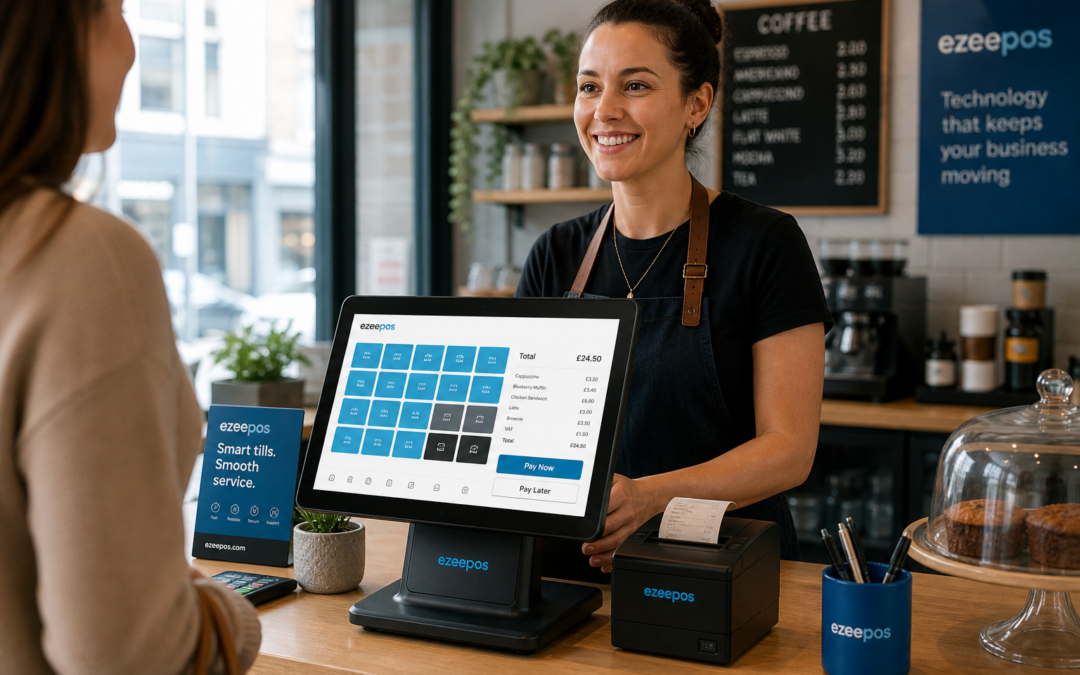
If your counter gets busy at peak times, the till you choose can make a noticeable difference to service speed, staff confidence and customer experience. A well-chosen touchscreen system can help keep queues moving, reduce mistakes and make day-to-day trading feel more organised.
For independent retailers, cafés, takeaways and small hospitality venues, the aim is not to buy the most complicated system. It is to choose a touchscreen till that fits the way your business actually works. If you want a practical UK EPOS option to explore, take a look at eZeePOS and the wider information on www.ezeepos.co.uk.
Why the right touchscreen till matters
A touchscreen till is more than just a modern-looking counter device. In a busy setting, it becomes part of the customer journey. Staff need to find items quickly, process sales accurately and keep service moving without stopping to work around an awkward interface.
That matters whether you run a high street shop, a café with a lunchtime rush or a takeaway where every second counts. The right setup can reduce pressure on staff and help the front counter feel more manageable when trade picks up.
What a busy counter usually needs
Most businesses do not need every possible feature. They need a system that is simple to learn, easy to read and quick to use under pressure. A useful touchscreen till should support:
- clear menu or product buttons that staff can recognise at a glance
- fast item entry for common sales
- simple correction options when something needs changing
- easy access to discounts, refunds or repeat items where relevant
- a layout that keeps the most used functions close at hand
These basics often matter more than extra features that rarely get used.
Think about the pace of your business
Different businesses place different demands on a till. A convenience store may need quick access to frequently sold items and a simple checkout flow. A café may need table orders, modifiers and smooth handling during lunch. A takeaway may need a fast way to build orders accurately, even when the phone is ringing and customers are waiting in person.
Before choosing a system, consider your busiest half hour. What slows your team down? Is it searching for items, processing payments, correcting mistakes or dealing with a cluttered counter? The best touchscreen till should solve those real problems rather than add extra steps.
Ease of use for new and part-time staff
Many UK businesses rely on seasonal, part-time or changing teams. A till that is easy to pick up can reduce training time and help new staff feel confident sooner. This is especially valuable in hospitality, where the counter can get busy suddenly and there may not be time for long explanations.
Look for a straightforward screen layout, clear labels and a system that does not rely on complicated button paths for everyday selling. The easier the till is to learn, the more consistent your service is likely to be.
Look at the counter space you have available
Busy counters are often short on space. The right touchscreen till should fit the area without creating clutter. That means thinking about the screen size, customer flow and what else needs to sit on the counter, such as a receipt printer, cash drawer, barcode scanner or card terminal.
A compact but well-planned setup can help staff move naturally between tasks. If the counter is cramped, even a good system can slow people down. A tidy layout makes the whole point of the touchscreen till more effective.
Practical layout choices
When planning the space, ask:
- Can staff reach the screen comfortably?
- Is the display easy to read in bright light?
- Will the till fit alongside printer and payment equipment?
- Can customers still be served without crowding the counter?
These details may sound small, but they affect daily service more than many businesses realise.
Choose features that help service, not just reporting
Good reporting matters, but a busy counter needs front-of-house tools first. Your touchscreen till should help staff complete sales quickly, not force them through unnecessary screens.
That said, useful back-office visibility can still help owners understand what is selling, when trade peaks and where service gets slow. eZeePOS supports practical reporting for UK businesses, which can help you make better decisions without making the till itself complicated.
If you are comparing different setup options, it is worth checking how the software handles everyday tasks such as product search, menu changes, staff access and end-of-day checks. These features often have a bigger impact on service than surface-level design.
Hospitality and retail need different priorities
A touchscreen till for a shop is not always the same as one for a café or takeaway. Retail businesses often need product lookup, barcode scanning and quick checkout flow. Hospitality businesses often need speed, item changes and a clear order process.
That is why it helps to choose a system that matches your sector rather than treating every till as the same. eZeePOS is designed for both retail and hospitality businesses, so it can be shaped around the way your operation works.
Retail use cases
In retail, a good touchscreen till can help staff deal with busy periods, customer questions and mixed product ranges without slowing down the queue. The key is quick item selection and an interface that makes sense at the counter.
Hospitality use cases
In cafés, restaurants and takeaways, the right setup can help staff take orders more calmly, reduce errors and keep service moving when the room or collection point gets busy.
Do not overlook support and setup
Even the best touchscreen till needs a sensible setup and reliable support. A system that is easy to configure and backed by practical help can save time when you are opening, training staff or making changes later on.
For many independent businesses, that local, responsive support is just as valuable as the software itself. When the counter is busy, you want a system that is straightforward to use and a provider that understands UK retail and hospitality.
Final thoughts
Choosing the right touchscreen till for a busy counter is really about making service easier. Focus on speed, clarity, space, and the day-to-day needs of your team. If your till helps staff stay calm and keep customers moving, it has done its job well.
If you are reviewing your current setup or planning a new one, eZeePOS is a practical UK option worth exploring. Visit www.ezeepos.co.uk to learn more about the software and how it can support your business.
Contact YCR Distribution at sales@ezeepos.co.uk or call 01924 438238.
Recent Comments