
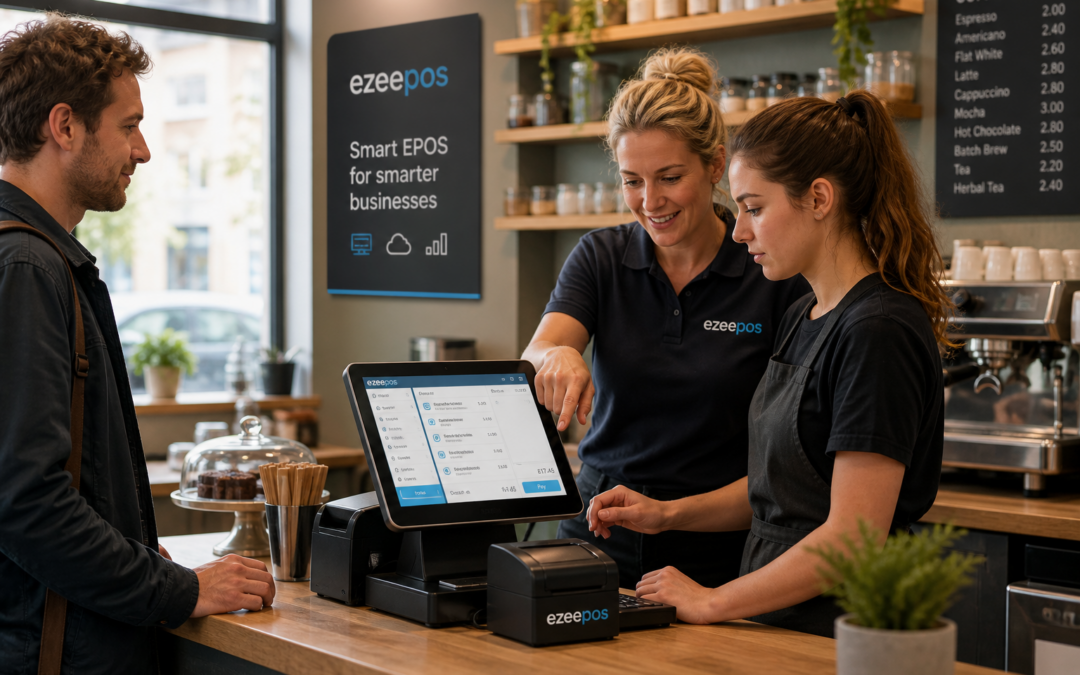
Rolling out a new EPOS system is a practical change for any business, but the software itself is only part of the story. If staff do not feel confident using it, even the best setup can slow service, create mistakes and cause frustration during busy periods. That is why staff training should be planned from the start, not left until after installation.
Whether you run a shop, cafe, restaurant, bar or takeaway, the right training helps your team use the system consistently. It also makes it easier for owners and managers to introduce new processes without disrupting daily trade. At eZeePOS, the focus is on helping UK businesses use EPOS in a practical way, so the system supports the team rather than getting in the way.
Why EPOS training matters so much
A modern touchscreen till can simplify day-to-day tasks, but only if staff know where to find what they need. Training gives team members the confidence to take orders, process sales, handle refunds, apply discounts and deal with common situations without second-guessing themselves.
When training is handled well, businesses usually see fewer errors, better consistency and smoother service. That matters in retail, but it is especially important in hospitality, where staff may need to serve customers quickly while juggling tables, counters or delivery orders.
Confidence at the till
Many businesses find that staff are less nervous when they understand the system properly. A clear introduction to the main screens, menus and common tasks can make a noticeable difference. It helps new starters settle in faster and reduces the need for constant supervision.
Fewer avoidable mistakes
Training also helps reduce simple errors such as selecting the wrong item, forgetting to apply the right discount or missing a note for the kitchen. These mistakes may seem small, but they can affect speed, cashing up and customer satisfaction.
What good EPOS training should cover
Every business is different, but there are several areas that are worth covering whenever a new system is introduced. The aim should be to make the most common tasks simple and repeatable.
- Logging in and out securely
- Taking sales at the counter or table
- Using product or menu buttons correctly
- Applying discounts and promotions properly
- Processing refunds and voids
- Handling split payments or special requests where relevant
- Printing receipts or sending orders to the right station
- Checking end-of-shift or end-of-day totals
For many teams, it also helps to have a short written guide beside the till. A simple step-by-step sheet can be useful during the first few weeks, especially when staff are still building confidence.
Training for retail and hospitality teams should feel different
Although the same EPOS system may be used across different business types, the way staff use it will vary. Retail teams often need to move quickly through product lookup, barcode scanning and customer discounts. Hospitality teams may need to focus more on order flow, table handling, kitchen communication and busy service periods.
Retail staff need quick item handling
In shops, training should focus on speed and accuracy at the checkout. That includes scanning items, finding products manually when needed and dealing with common customer queries without slowing the queue. A well-trained retail team can move smoothly from one transaction to the next and keep the till area organised.
Hospitality staff need clear service routines
In cafes, restaurants and takeaways, staff often need to manage orders while speaking to customers at the same time. Training should cover how to keep orders clear, how to handle changes politely and how to keep the service moving during busy periods. This is where a reliable workflow matters as much as the screen layout itself.
How to make training easier for the whole team
Good training does not need to be complicated. In fact, the most effective approach is usually the simplest one. Businesses that perform best often break training into short, practical sessions rather than trying to cover everything in one go.
Start with the most common tasks
Rather than demonstrating every feature on day one, focus first on the jobs staff will use most often. Once those are comfortable, more advanced features can be introduced later. This keeps the learning curve manageable and helps the team feel successful early on.
Use real examples from your business
Staff learn faster when the examples match their actual work. A cafe team should practise a breakfast order, a takeaway request and a table service example. A retailer should practise barcode scanning, returns and discount handling. This makes training feel relevant instead of theoretical.
Assign a few confident users
It can help to name one or two team members as go-to users on each shift. They do not need to know every setting, but they should understand the everyday process well enough to help colleagues when needed. This can reduce pressure on managers and keep service running more smoothly.
Why training should continue after launch
Some businesses treat training as a one-off event, but that approach can leave gaps. New staff join, menus change, promotions are introduced and procedures are updated. Ongoing refresher training keeps the team aligned and helps the EPOS system continue to work well over time.
It is also worth reviewing how the system is being used after the first few busy weeks. Staff may discover shortcuts, awkward steps or areas where the layout could be improved. Small adjustments at this stage can make everyday use much easier.
How eZeePOS supports a smoother rollout
A good EPOS setup should be straightforward to learn and practical to use. That is especially important for independent UK businesses that need staff to get up to speed quickly without losing service time. If you are planning a new till system or replacing an older setup, eZeePOS can help you think through the software side in a sensible way and support a more confident rollout.
For businesses wanting to plan their next step, it is worth visiting www.ezeepos.co.uk to see how the platform is positioned for UK retail and hospitality use. A well-planned introduction, combined with clear training, can make the switch far easier for the whole team.
Contact YCR Distribution at sales@ezeepos.co.uk or call 01924 438238.
If you are preparing for a new till rollout, the best results usually come from combining the right software with practical staff training from the start. That way, the system becomes part of the team rather than another thing to manage.
Recent Comments