
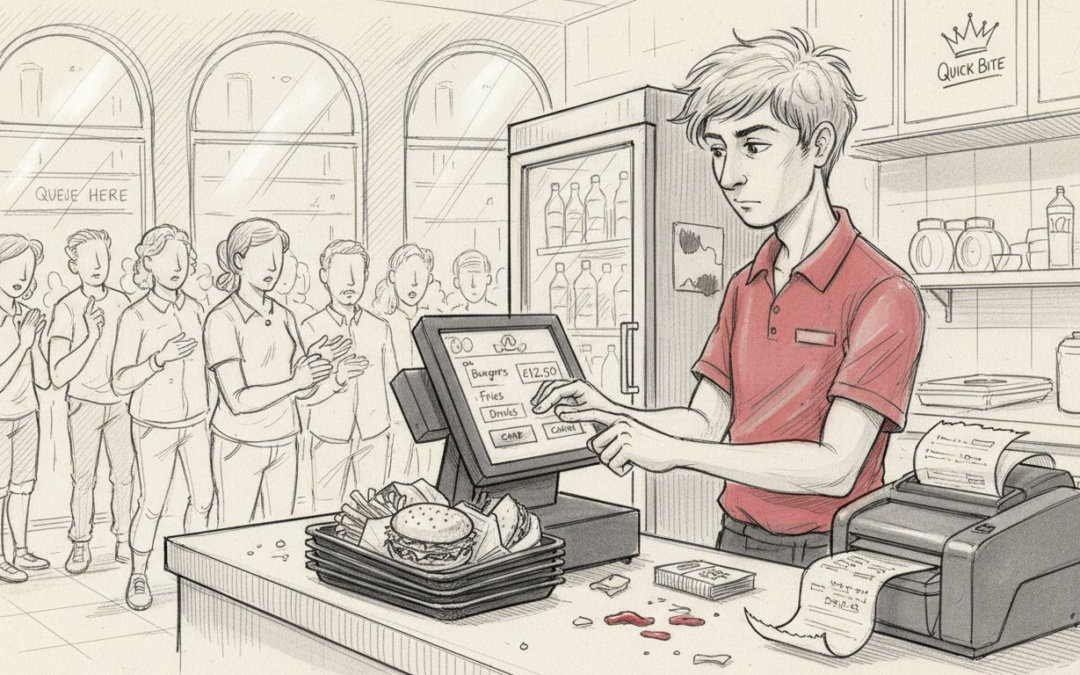
Running a busy fast food restaurant means dealing with crowded queues, rushed staff, and the constant risk of mistakes during peak hours. When orders go missing or inventory unexpectedly runs low, both customers and teams feel the strain. Tackling these problems head-on isn’t just about working harder—it’s about working smarter.
A modern POS system offers targeted solutions to real issues like order accuracy, staff training, inventory control, and speedy payments. You’ll discover ways to cut confusion, reduce waste, and boost productivity. The actionable tips ahead reveal how to bring clarity and efficiency to your fast food operation, transforming chaos into a smooth-running business.
Table of Contents
- 1. Streamlining Order Processing For Faster Service
- 2. Improving Inventory Management And Stock Control
- 3. Enhancing Staff Training And Operational Efficiency
- 4. Boosting Customer Experience Through Quick Payment
- 5. Reliable Reporting For Informed Business Decisions
- 6. Seamless Integration With Multiple Service Modes
Quick Summary
| Takeaway | Explanation |
|---|---|
| 1. Automate Order Processing | Implementing a unified POS system reduces manual order handling and speeds up food preparation, enhancing customer satisfaction. |
| 2. Real-time Inventory Management | Use a POS system for instant updates on stock levels, helping to avoid overordering and waste, ensuring key items are available. |
| 3. Accelerate Staff Training | An intuitive POS system allows new employees to start taking orders within hours, reducing the time spent on training and improving service consistency. |
| 4. Enhance Payment Speed | Modern payment solutions integrated into a POS system decrease transaction times, reducing queues and enhancing customer experience. |
| 5. Leverage Data for Better Decisions | Real-time reporting from a POS system allows for informed decision-making, helping to identify sales trends and optimise staffing and inventory. |
1. Streamlining Order Processing for Faster Service
Fast food restaurants thrive on speed. When orders pile up and kitchen staff scramble to keep pace, customer satisfaction drops and revenue stalls. A modern POS system transforms this chaos into organised efficiency.
How order automation works
When you connect self-service kiosks, counter terminals, and kitchen screens through a unified POS system, something remarkable happens: orders flow automatically to the kitchen without manual intervention. Staff no longer need to shout orders across the kitchen or handle messy handwritten tickets.
Automated order processing reduces the workload on staff and improves accuracy simultaneously. Customers order at the kiosk or counter, the system sends the order directly to kitchen screens, and preparation begins instantly. No delays. No confusion. No mistakes.
A unified POS system that connects front-of-house to kitchen operations can dramatically reduce order processing time and improve staff efficiency during peak hours.
Why this matters for your restaurant
Consider a lunch rush: you’re serving 300 customers in two hours. Without automation, your staff handles:
- Manual order taking at the till
- Writing or calling out orders to the kitchen
- Coordinating between multiple stations
- Managing order tracking and timing
With POS automation, that workload drops significantly. Staff focus on customer service rather than order management.
Real benefits you’ll notice
Faster order completion times mean customers spend less time waiting and more time enjoying their meals. Staff experience reduced stress when orders flow smoothly through the system. Kitchen teams know exactly what to prepare, in what order, without confusion. Payment processing also speeds up, freeing till staff to greet the next customer.
Your throughput improves measurably. During peak times, you can serve more customers per hour without adding more staff or expanding your space.
Getting started with automation
The implementation is straightforward:
- Install counter terminals or self-service kiosks at your ordering point
- Connect kitchen display screens throughout your prep area
- Configure your menu items and modifiers in the POS system
- Train staff on the new workflow (typically just a few hours)
- Monitor performance during the first week and adjust as needed
Most restaurants see noticeable improvements within the first few days of going live.
Pro tip: Start by automating your busiest service period first, rather than rolling out across all dayparts at once, so your team can learn the system with less pressure.
2. Improving Inventory Management and Stock Control
Inventory management can make or break your fast food operation. Running out of burger buns mid-service costs you sales. Overordering lettuce leads to waste and spoilage. A POS system with built-in inventory features transforms stock control from guesswork into precision.
Real-time visibility of your stock
Traditional inventory management relies on manual counts, clipboards, and memory. Staff estimate how much they used, managers check stock occasionally, and by then valuable products have already spoiled. Modern POS systems eliminate this lag entirely.
Real-time updates on ingredient levels mean you know exactly what you have in stock at any moment. Every time someone rings through a burger, the system automatically deducts the ingredients. You see usage patterns instantly, not days later.
Automated inventory tracking removes the guesswork from stock management and gives you immediate visibility into what you actually have on hand.
How this saves money
Waste reduction becomes automatic. You’ll avoid the costly cycle of overordering, which leads to spoilage. Instead, your data shows exactly how much tomato, cheese, and sauce you use each day. You order what you need, nothing more.
Running out of key items during busy periods also stops happening. When your system alerts you that chicken stock is low, you can reorder before the rush begins. No more turning away customers because you’ve run out.
Practical benefits for your team
Your staff experience real improvements:
- No more frantic stock checks during service
- Clear visibility of ingredient availability
- Reduced waste means less guilt about throwing food away
- Better communication between kitchen and ordering staff
- Faster decision-making when you’re low on items
Managers spend less time doing manual inventory counts and more time running the business.
Setting up your system
Implementation begins with mapping your menu items to ingredients. You specify that a chicken burger requires one fillet, one bun, lettuce, and tomato. As orders process, the system tracks usage automatically.
Many POS systems also set minimum stock thresholds. When chicken falls below your minimum, the system alerts you to reorder. This prevents stock-outs and keeps your operation running smoothly throughout service.
Pro tip: Review your inventory reports weekly to identify your fastest-moving items and slowest movers, then adjust your ordering quantities based on actual usage patterns rather than supplier minimums.
3. Enhancing Staff Training and Operational Efficiency
Fast food restaurants face a brutal reality: staff turnover runs high. New team members arrive regularly, and training them properly takes time away from service. An intuitive POS system cuts training time dramatically and keeps your operation running smoothly despite constant staff changes.
Why training speed matters
In traditional restaurants, training a new cashier might take days of shadowing and practice. They need to memorise menu items, learn how to ring through orders, understand modifiers, and handle payments. Mistakes happen during this learning period, and service suffers.
Intuitive POS interfaces designed for quick learning change everything. New staff can start taking orders within hours instead of days. The system guides them through each step, minimising confusion and errors.
A user-friendly POS system reduces training time significantly, allowing new staff to contribute productively on their first shift.
Operational consistency despite turnover
High staff turnover creates inconsistency. One person rings orders slightly differently. Another forgets to upsell drinks. Your customer experience becomes unpredictable.
When your POS system enforces consistent processes, every team member follows the same workflow. The system guides them towards best practices. They can’t accidentally skip steps or handle orders in ways that disrupt kitchen operations.
This consistency extends to quality. Customers receive the same service experience whether they’re served by your longest-serving team member or someone hired last week.
Practical benefits you’ll see immediately
Your managers spend less time training and more time managing. New staff become productive faster. Service disruptions during peak periods decrease because your team knows exactly what to do. Customer complaints about order accuracy or service drop noticeably.
Making training even easier
You can optimise the process further:
- Create simple training checklists that guide new staff through the system step by step
- Use the first few shifts to focus on high-volume items rather than the entire menu
- Pair new staff with experienced team members during their initial shifts
- Celebrate early wins to build confidence
- Review common mistakes weekly and address them with the team
Pro tip: Record a short video walkthrough of your POS system showing the most common daily tasks, then have new staff watch it before their first shift so they arrive with basic familiarity.
4. Boosting Customer Experience Through Quick Payment
Customers queue impatiently for their order. The food arrives hot and ready. Then they wait again at the till while payment processes slowly. That final friction point damages your reputation, even though everything else went perfectly. Modern POS systems eliminate this pain with rapid, secure payment processing.
Why payment speed matters to customers
In fast food, speed defines the entire experience. Customers expect to order, pay, and leave within minutes. A slow payment process contradicts everything your restaurant promises. They feel frustrated, even if the food was excellent.
Quick payment also reduces queue anxiety. When customers see the till moving fast, they feel confident they’ll get served promptly. This perception becomes reality because efficient payment frees staff to greet the next customer immediately.
Modern payment technology at work
Contactless and mobile payment technologies integrated into POS systems transform the checkout experience. Customers tap their card or phone, the payment completes instantly, and they’re done. No fumbling for cash. No waiting for change. No signature screens.
Integrated payment systems reduce waiting times dramatically and create the frictionless experience fast food customers now expect.
Security meets speed
Modern payment systems handle security automatically. PCI compliance, data encryption, and fraud protection happen silently in the background. Your staff doesn’t need to manage this complexity. They simply process payments and move to the next customer.
Customers feel safer using contactless methods they trust. Your business stays protected by enterprise-level security systems.
Real benefits for your operation
Quicker payment processing creates multiple advantages:
- Shorter customer queues mean higher perceived quality
- More transactions per hour increase revenue potential
- Reduced till errors improve financial accuracy
- Better customer perception drives repeat visits
- Staff experience less stress during busy periods
- Payment data integrates seamlessly with your accounting
Implementing payment technology
Most modern POS systems arrive pre-configured for multiple payment methods. You simply connect your hardware terminal, train staff briefly, and you’re ready. Testing with a few transactions ensures everything works smoothly.
Many restaurants also discover they can reduce tills needed. Fast payment processing means one terminal handles more transactions than previously possible.
Pro tip: Display your payment method logos prominently at the till point so customers immediately see that contactless, mobile, and card payments are all welcome, which builds confidence and reduces hesitation.
5. Reliable Reporting for Informed Business Decisions
Most fast food managers make decisions based on gut feeling and memory. Which items sell best? When are your busiest periods? Is your pricing competitive? Without data, you’re essentially guessing. A POS system transforms raw transaction data into actionable business intelligence.
The power of real-time reporting
Traditional restaurants relied on spreadsheets updated weekly or monthly. By then, opportunities had passed. Modern POS systems provide reports that update instantly. You check your sales dashboard and see exactly what happened during today’s lunch service.
Real-time reporting helps track peak hours, popular dishes, and sales performance throughout your day. You see which burger sold 47 times, which salad barely moved, and when your tills were busiest. This clarity enables smarter decisions immediately.
Data-driven insights replace guesswork and let you respond quickly to what’s actually happening in your business.
What insights matter most
Your POS system reveals patterns that inform critical business decisions. Popular dishes show you what customers love. Slow sellers reveal menu items worth reconsidering. Peak hour data helps you staff appropriately and forecast labour costs accurately.
Price sensitivity becomes visible too. When you adjust a burger price by 20p, your reports show the impact on sales volume. You learn whether customers accept the increase or shift to competitors.
Making decisions with confidence
Consider menu updates. Rather than guessing which items to add or remove, your data shows exactly which dishes drive profit. You can retire underperforming items confidently because numbers justify the decision.
Staffing decisions also improve dramatically. If your reports show 11am to 1pm consistently generates 60% of daily transactions, you schedule more staff during those hours. This reduces queues and labour waste simultaneously.
Practical reporting benefits
You gain advantages across your entire operation:
- Identify your most profitable menu items
- Discover seasonal trends and plan promotions accordingly
- Monitor staff performance and identify training needs
- Track waste and spoilage patterns
- Compare performance week over week and year over year
- Make pricing adjustments based on actual demand data
- Forecast cash flow accurately
Pro tip: Set aside 30 minutes every Friday to review your weekly reports and identify one actionable change for the following week, then measure the impact in your next report.
6. Seamless Integration with Multiple Service Modes
Customers today expect options. Some want to order at the counter. Others prefer kiosks. Many use delivery apps from home. Your fast food restaurant must handle all these channels without friction. A modern POS system unifies every service mode into one coherent operation.
Why multiple service modes matter
The fast food landscape has fragmented. Customers no longer accept a single ordering method. Younger demographics expect mobile and delivery options. Traditionalists still want counter service. Businesses that support only one channel lose sales to competitors offering flexibility.
Integrating these channels properly matters enormously. Without proper integration, orders get lost, inventory conflicts occur, and kitchen staff become confused about priorities.
How integration works across channels
POS systems designed for seamless integration with delivery apps, online ordering, and multiple device types synchronise all orders into one kitchen queue. A customer orders through an app. Their order appears on kitchen screens instantly, alongside counter orders and kiosk orders. Staff prepare everything in logical sequence without switching between systems.
Unified order management across all channels prevents confusion, reduces errors, and ensures consistent quality regardless of how customers order.
Real-world integration scenarios
Imagine a Friday evening. Your counter handles walk-in customers. A self-service kiosk processes orders near the door. A delivery app sends orders constantly. Without integration, three separate queues exist, priorities conflict, and orders get forgotten.
With proper integration, one unified kitchen queue exists. Orders appear with clear labels showing their source and delivery method. Your team works through them systematically.
Service modes your system should support
Modern POS systems handle multiple approaches:
- Counter service with till-based ordering
- Self-service kiosks for customer-initiated orders
- Mobile POS for table or counter service
- Online ordering with payment collected digitally
- Third-party delivery app integrations
- Kitchen display screens showing all orders
- Mobile apps for loyalty and pre-ordering
Each channel feeds into the same system, creating unified management.
Benefits across your operation
Integrated service modes expand your revenue potential significantly. You capture sales from customers preferring delivery who previously couldn’t order from you. Kiosks reduce staff workload during peak hours. Online pre-ordering smooths out demand spikes.
Inventory management becomes simpler too. Your system tracks stock deductions regardless of ordering channel, preventing overselling.
Pro tip: Start by integrating your most important channels first (perhaps counter plus your biggest delivery app partner), then add additional channels once staff feel confident with the basic workflow.
Below is a comprehensive table summarising the strategies and benefits of implementing modern POS systems in fast food restaurants as discussed in the article.
| Topic | Description | Benefits |
|---|---|---|
| Streamlining Order Processing | Utilising automation to connect kiosks, counter terminals, and kitchen screens for seamless order flow. | Improved accuracy, reduced staff workload, increased efficiency, and faster order completion. |
| Inventory Management | Employing real-time stock monitoring and automated tracking. | Reduced waste, minimised stock-outs, optimised ordering, and improved communication. |
| Staff Training | Implementing user-friendly POS systems to facilitate quick training for new staff. | Reduced training duration, enhanced operational consistency, and increased customer service reliability. |
| Expedited Payments | Integrating speedy payment methods such as contactless options. | Faster queues, improved customer satisfaction, enhanced turnover rate, and better transaction security. |
| Intelligent Reporting | Analysing real-time data for informed decision-making. | Data-driven insights, increased menu optimisation, precise staffing schedules, and enhanced operational transparency. |
| Multi-Channel Integration | Synchronising customer orders across counter, kiosk, and delivery platforms. | Unified order management, expanded customer reach, reduced staff workload, and improved order accuracy. |
Unlock Seamless Fast Food Operations with EZEEPos Solutions
Managing fast food restaurants efficiently means overcoming challenges like slow order processing, inventory mismanagement, and high staff turnover. This article highlights key pain points such as the need for unified order automation, real-time stock control, rapid staff training, and faster payments to enhance customer satisfaction and boost profitability. EZEEPos addresses these challenges directly with an Android-based POS platform designed for the UK hospitality industry. Our system integrates counter terminals, self-service kiosks, kitchen display screens, and multiple payment options, all under one easy-to-use interface to simplify your daily operations.
Experience enterprise-level functionality without complexity. Our solution supports multiple service modes—table ordering, counter service, mobile POS, and online ordering—helping you reduce order errors, optimise stock levels, and accelerate payment processing. Plus, our Add On Modules – EZEEPos Solution extend your system’s capabilities while EFT Terminals – EZEEPos Solution enable secure, contactless payments that keep queues moving swiftly.

Ready to transform your fast food restaurant into a model of efficiency and customer satisfaction? Visit EZEEPos today to discover how our tailored POS platform can streamline your service, elevate your staff training, and deliver reliable reporting for informed decisions. Act now to stay ahead in the fast-paced hospitality market and delight your customers every time.
Frequently Asked Questions
What are the main benefits of using a POS system in fast food restaurants?
A POS system streamlines order processing, improves inventory management, enhances staff training, accelerates payment speeds, provides reliable reporting, and integrates multiple service modes. Implement a POS system to experience increased efficiency and customer satisfaction within the first few days.
How does a POS system improve order processing speed in fast food restaurants?
A POS system automates order flow from customer to kitchen, eliminating manual tracking and reducing errors. By connecting self-service kiosks and kitchen displays, you can cut order processing time by nearly 30% during peak hours.
Can a POS system help reduce food waste in my restaurant?
Yes, a POS system offers real-time inventory tracking that informs you of ingredient usage and alerts you when stock is low. This precision helps minimise waste and ensures you order only what you need, potentially reducing food waste by around 15%.
How quickly can staff be trained on a new POS system?
Most staff can learn to use an intuitive POS system within just a few hours, allowing them to start taking orders immediately. Streamline your training process with simple checklists and video walkthroughs to enhance efficiency.
What kind of reporting features does a POS system provide?
A POS system offers real-time reporting that helps you track sales, customer preferences, and peak periods effectively. Utilise these insights to make informed decisions and optimise your menu and staffing schedules regularly.
How can I integrate multiple service modes using a POS system?
A modern POS system allows seamless integration of counter service, kiosks, and online ordering into one operational flow. Implement unified order management to ensure accuracy and enhance the customer experience across all channels.
Recent Comments