
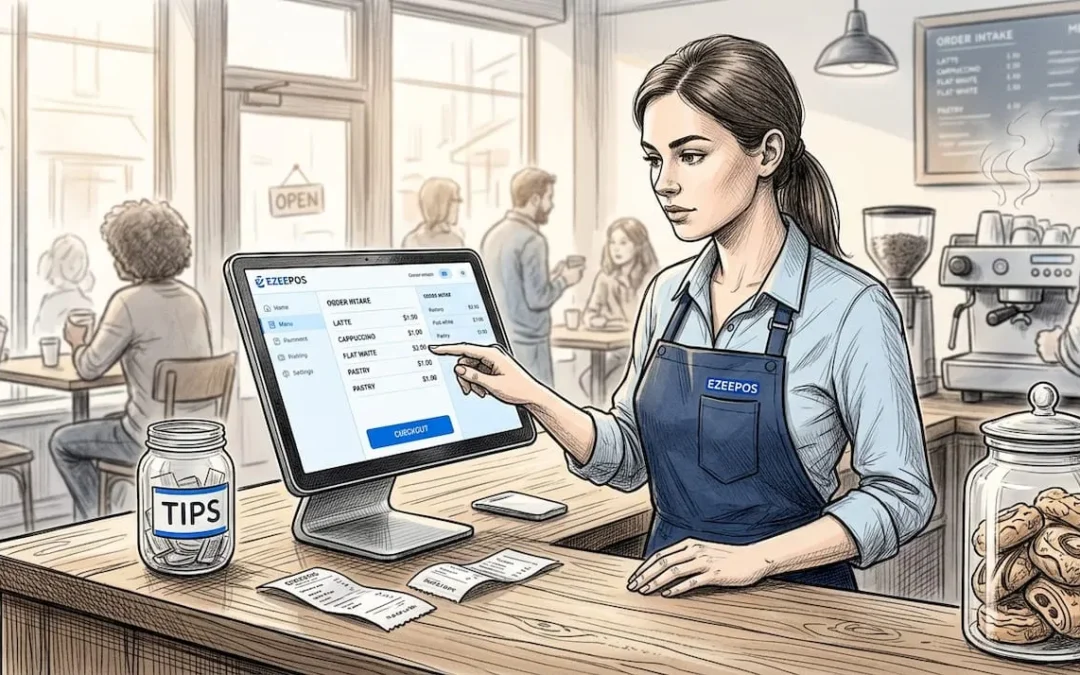
Running an independent coffee shop in the UK means fighting for every margin. Between fluctuating dairy prices, business rates, rising commercial rents, and the relentless morning rush, your electronic point of sale (EPOS) system cannot afford to be a bottleneck. Choosing the right hardware and software setup is a high-stakes operational decision. A poorly optimized POS wastes crucial seconds during peak service, loses transaction data when Wi-Fi flickers, and leaves you blind to true item-level margins.
When evaluating options for your café, bakery, or bistro, you must look past sleek marketing brochures and focus entirely on speed, offline resilience, and robust inventory control. Here is the pragmatic blueprint for selecting, testing, and implementing a cafe POS system tailored to the UK market.
1. Speed and Counter Workflow: The Morning Rush Test
During a peak morning commuter rush, your bottleneck is never the espresso machine group head: it is the speed of data entry and payment processing at the counter. If your staff have to tap through four sub-menus to add oat milk, an extra shot, and a specific syrup, you are losing valuable pounds per hour.
Fast checkout capability is non-negotiable. A high-performing café POS should allow a cashier to build a complex custom drink order in three taps or fewer. Furthermore, modifier management must be intuitive. Modifiers should populate automatically when an item is selected, prompting staff for milk choices, temperatures, and takeaway or dine-in statuses without manual workarounds.
+-------------------------------------------------------------+
|               PEAK SERVICE EFFICIENCY CHECKLIST             |
+-------------------------------------------------------------+
| • Maximum 3 taps from menu selection to payment prompt      |
| • Automatic modifier prompts (milk type, syrups, extras)    |
| • Instant kitchen/barista ticket routing by station         |
| • Integrated contactless payments with sub-second response  |
+-------------------------------------------------------------+
Kitchen and Barista Ticket Routing
Your POS must communicate instantly with your preparation stations. Drinks orders need to fire directly to the barista screen or receipt printer on the bar, while food orders (such as sourdough toasties or pastries) must route separately to the kitchen or counter staging area. Cross-contamination of tickets between the coffee bar and the kitchen creates severe service errors during a Saturday brunch rush.
2. Hardware and Software Costs: Avoiding the Proprietary Trap
Many legacy POS providers lock independent operators into expensive, proprietary terminals tied to rigid, long-term merchant processing agreements. This is a mistake. Modern, flexible platforms run seamlessly on standard Android or iOS hardware, giving you the freedom to scale or pivot without replacing your entire capital investment.
| Solution Category | Typical UK Software Cost | Hardware Investment | Best Suited For |
|---|---|---|---|
| Basic / Free Tiers | £0 / month (limited features) | £30 – £150 (Card reader / tablet) | Single-site counter service, simple menus |
| Mid-Range Hospitality | £29 – £69 / month | £300 – £600 (Tablet, stand, printer) | Independent cafés, table service, robust reporting |
| Enterprise / Multi-Site | £100 – £250+ / month | Custom hardware bundles | Multi-site operators, complex inventory |
Pro Tip: Always calculate the total cost of ownership over a 36-month period, factoring in monthly software subscriptions, PCI compliance fees, gateway fees, and transaction processing percentages. A system with a slightly higher software fee often beats a "free" plan if its lower card processing rates save you thousands annually on high-volume turnover.
3. Essential Inventory Control and Margin Protection
Coffee shops operate on notoriously tight prime costs (coffee beans, dairy, alternative milks, packaging, and wastage). If your POS only tracks top-line daily revenue, you are flying blind.

You need recipe-level inventory tracking. When a large iced latte with oat milk and vanilla syrup is sold, the system should automatically deduct 18g of espresso beans, 350ml of oat milk, 15ml of syrup, and one takeaway cup from your inventory counts. Without this level of automated stock reconciliation, shrinkage and stockouts will silently erode your net profits.
My Take: I have seen independent operators spend hours every Monday morning manually counting milk cartons and coffee bags because their EPOS couldn't handle fractional stock deductions. Modern systems: such as those integrated within professional eZeepos hospitality solutions: automate this back-office burden entirely, freeing owners to focus on customer experience and venue growth.
4. UK Regulatory Compliance and Accounting Integration
Operating a food service business in the United Kingdom requires strict adherence to legal and financial frameworks. Your POS must support:
- Natasha’s Law Compliance: Pre-packed for direct sale (PPDS) food items must display full ingredient and allergen labeling clearly. Your POS should store and print these item specifications effortlessly.
- Making Tax Digital (MTD) VAT Compliance: Seamless digital record-keeping that simplifies quarterly HMRC submissions.
- Accounting Sync: Direct, automated integrations with bookkeeping platforms like Xero or QuickBooks. Daily takings, cash adjustments, tips, and card processing fees should post to your ledger automatically, eliminating manual bookkeeping errors.
5. How to Stress-Test a POS Before You Buy
Never purchase an EPOS system based solely on a sales presentation. Vendors will always show you the system running under ideal conditions. You must put the hardware and software through rigorous real-world tests before signing any agreement.

Pro Tip Testing Methods
- The Internet Drop Test: Mid-demo, ask the representative to disconnect the Wi-Fi router. Then, attempt to process a card transaction and ring up a sale. If the system freezes or refuses to take offline card payments, walk away. Reliable offline mode is non-refundable when your broadband drops on a busy Tuesday morning.
- The Chaos Test: Simulate a complex transaction: a split bill across three cards, a refunded pastry, a modified drink with a custom discount, and a split tip. Time how many taps it takes your staff to execute this without supervisor overrides.
- The Peak Volume Test: Load the menu with 200+ items and modifiers, then hammer the touchscreen rapidly to check for latency or response lag.
6. Payment Processing and Offline Resilience
Card payments now account for upwards of 85% of all transactions in urban UK coffee shops. Your point of sale and card terminal must operate as a unified ecosystem. Avoid decoupled setups where cashiers must manually type the transaction amount into a standalone card reader; this introduces transposition errors and doubles your queue times.
Furthermore, ensure your provider guarantees offline card processing. While funds cannot be fully authorized without an internet connection, a robust POS stores encrypted transaction tokens locally and settles them automatically the moment network connectivity is restored, protecting you from walk-outs and lost revenue.
Summary of Key Buying Criteria
When compiling your final shortlist of cafe POS providers, grade each system against these four non-negotiable pillars:
- Speed of Service: Can a new hire learn the UI in 15 minutes and process orders instantly during a rush?
- Resilience: Does it feature seamless offline mode for card and cash transactions?
- Ecosystem Integration: Does it connect directly with your accounting software, receipt printers, and kitchen displays?
- UK-Based Support: Can you reach a knowledgeable technician on a Saturday morning when your equipment encounters an unexpected glitch?
Frequently Asked Questions
Do I need a specialized hospitality POS, or will a generic retail till work?
You must use a hospitality-specific POS. Retail tills lack essential coffee shop features such as complex drink modifiers (milk types, extra shots, syrups), table/tab management, split billing, and kitchen ticket routing.
What happens if my internet connection drops during service?
A reliable café POS features an offline mode. It allows you to continue ringing up orders and processing card payments locally. The system securely caches the transaction data and syncs automatically with the cloud as soon as your broadband connection is restored.
Are "free" POS software plans actually free?
Software providers offering £0/month plans typically monetize transactions through higher card processing rates (acquiring fees). Always calculate your total monthly expenditure: combining subscription costs and payment processing percentages: to determine which pricing model is genuinely most cost-effective for your turnover.
How important is local UK support?
Crucial. If your EPOS terminal fails on a busy Saturday morning, waiting 48 hours for an overseas call centre to email troubleshooting steps will cost you thousands in lost revenue. Always verify that your provider offers responsive, UK-based technical support and accredited local installation partners.
Recent Comments