
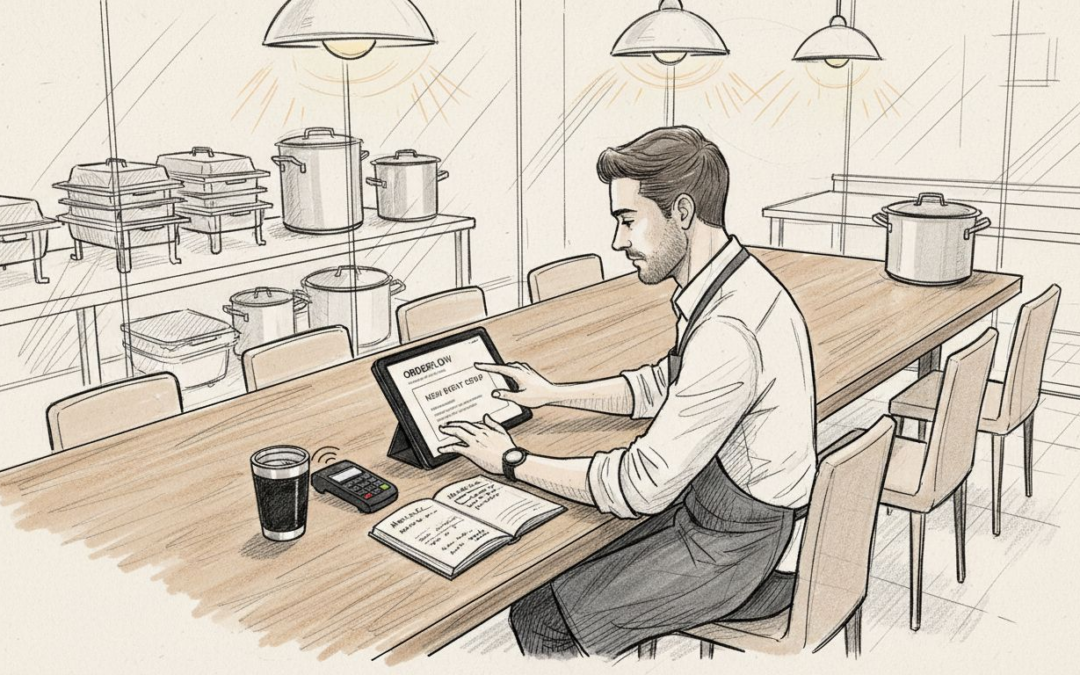
Managing catering for multiple UK client sites means juggling complex menus, diverse billing needs, and real-time kitchen coordination. Unlike traditional restaurants, contract caterers need a system that adapts to each unique environment without slowing service. A catering POS system is built for these exact challenges, connecting order-taking, inventory, payments, and client management into one seamless platform. If you want error-free operations that scale with your contracts, understanding how these systems work is your first step.
Table of Contents
- Defining Pos Systems In Contract Catering
- Types Of Pos Solutions For Uk Caterers
- Essential Features For Catering Operations
- Compliance, Training And Legal Implications
- Risks, Costs And Alternatives To Pos
Key Takeaways
| Point | Details |
|---|---|
| Specialised Catering POS Systems | Contract catering demands unique features that standard POS systems cannot provide, such as real-time inventory tracking and intricate billing management. |
| Integration and Efficiency | A well-integrated POS reduces manual work, directly linking order management, inventory, and client billing to enhance operational efficiency. |
| Flexibility in POS Types | Selecting the right type of POS, whether mobile, tablet, or kiosk, is crucial based on your operational model and client needs, ensuring adaptability across various service environments. |
| Compliance and Security | It’s essential to choose a POS system that meets regulatory requirements for data protection, payment security, and food safety to safeguard your business against legal risks. |
Defining POS Systems in Contract Catering
Contract catering operates differently from traditional restaurants. You manage multiple client sites, varying menus, diverse service styles, and complex billing arrangements. A POS (Point of Sale) system must handle this complexity seamlessly.
At its core, a catering POS system is specialised software and hardware built specifically for foodservice businesses. It’s not a generic retail till—it’s designed to manage the unique demands contract caterers face daily.
What a Catering POS Actually Does
Your system handles far more than just payments. Here’s what a proper setup covers:
- Order management across multiple service points and client locations
- Payment processing with support for various client billing methods
- Inventory tracking across different kitchen sites and stock locations
- Customer data and client-specific preferences and requirements
- Operational reporting to measure efficiency and profitability per contract
When you’re managing catering for a corporate office one day and a wedding venue the next, your POS must adapt instantly. Different menus, different headcounts, different payment terms—your system handles it all without missing a beat.
Why Contract Catering Needs Specialised Systems
A standard restaurant POS won’t cut it. Contract catering introduces complexities that generic systems simply don’t address.
You might operate from a central kitchen, satellite prep areas, and mobile serving stations simultaneously. Your POS must communicate across all these points in real time. When an order comes through from Site A’s serving counter, your main kitchen needs that information instantly to start food preparation.
Billing also differs dramatically. Restaurants charge customers at the till. Contract caterers invoice clients monthly, track cost codes per department, and manage complex pricing structures. Your POS must capture all this detail during service, then feed it into billing workflows automatically.
A specialised catering POS system connects order-taking, kitchen operations, inventory, and client billing into one unified platform designed for your specific business model.
The Three Essential Components
Any catering POS worth considering includes these elements:
- Front-of-house hardware – Tablets, counters, or kiosks where your team takes orders
- Kitchen display systems – Screens that show cooks exactly what to prepare and when
- Back-office software – Cloud-based tools for inventory, reporting, and client management
These work together. When your service staff input an order on a tablet, the kitchen display updates instantly. As you use ingredients, inventory depletes automatically. At month’s end, client reports generate without manual data entry.
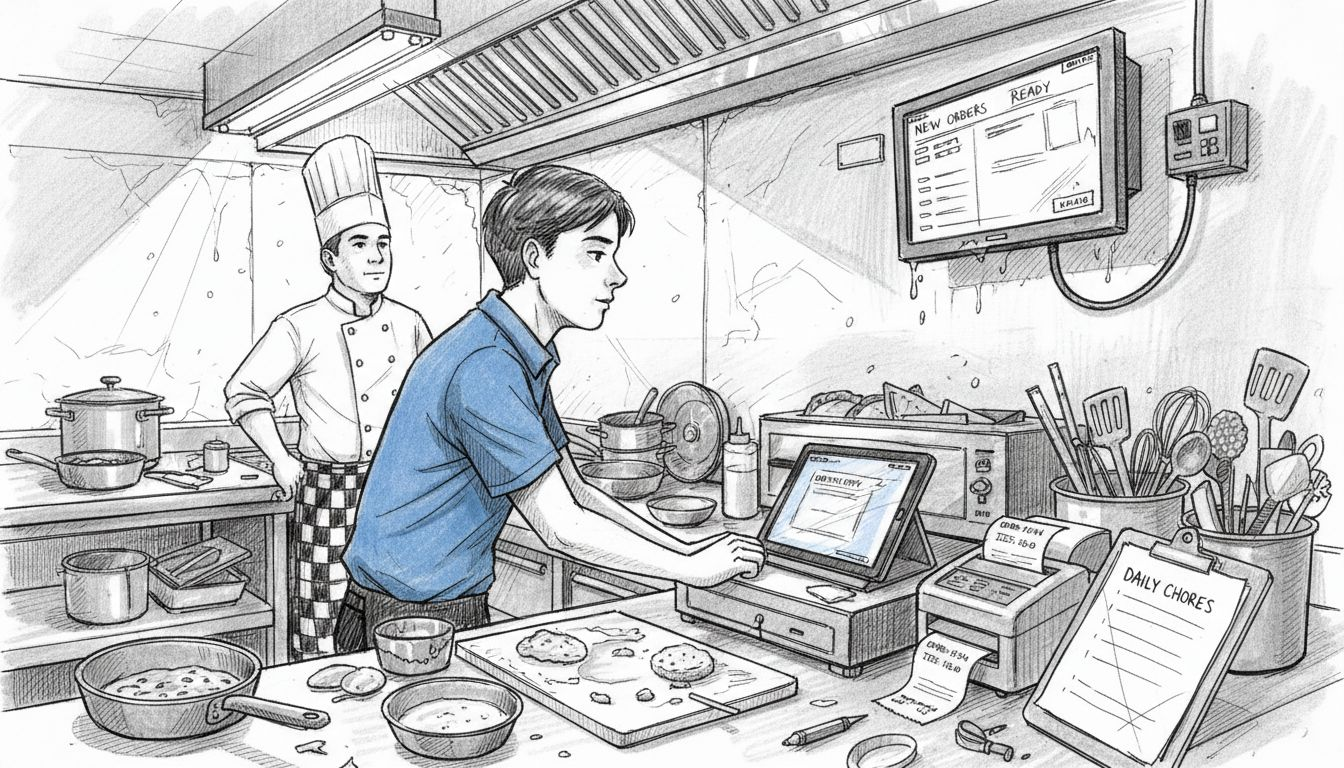
The beauty of a purpose-built catering POS is integration. Everything talks to everything else. No double-entry, no spreadsheets, no guesswork about what you actually served versus what you recorded.
Pro tip: When evaluating any POS, ask how it handles multi-site operations and client-specific billing—these are the features that truly separate catering systems from generic hospitality software.
Types of POS Solutions for UK Caterers
Not all POS systems are created equal. The UK contract catering sector requires flexibility, and that’s why multiple types of POS systems exist to match different operational styles and business sizes.
Your choice depends entirely on how you work. A mobile caterer serving events across the country has completely different needs than a contract catering company running fixed kitchen operations for corporate clients. Understanding your options helps you pick the right fit.
The Five Main POS Types for Contract Caterers
Each system type solves specific operational challenges. Here’s what’s available:
- Mobile POS – Tablet-based systems you carry to events and client sites
- Tablet POS – Fixed or semi-fixed systems using iPad or Android devices
- Terminal POS – Traditional countertop units with built-in screens and payment processors
- Online POS – Cloud-based ordering systems clients access directly
- Self-Service Kiosks – Interactive screens where customers place their own orders
Many contract caterers use a combination. You might deploy mobile POS at event sites whilst maintaining a tablet system in your central kitchen. Online ordering handles advance bookings. Kiosks work well for high-volume corporate lunch services.
To help you decide which POS type suits your needs, see how they compare below:
| POS Type | Ideal Use Case | Strengths | Limitations |
|---|---|---|---|
| Mobile POS | Off-site events and pop-ups | Highly portable, real-time syncing | Connectivity and battery dependent |
| Tablet POS | Flexible kitchens and service | Modern, easy to move, intuitive | Moderate setup cost |
| Terminal POS | Fixed, high-volume operations | Very robust, low downtime | Hard to relocate |
| Online POS | Clients pre-ordering remotely | Cloud-based, accessible anywhere | Needs stable internet |
| Self-Service Kiosk | High-traffic corporate catering | Reduces manual order taking | High hardware expense |
Mobile POS: Perfect for Event Caterers
If you travel to multiple venues, mobile POS changes everything. Your team uses lightweight tablets with portable card readers, taking orders and payments anywhere without needing a fixed till point.
This works brilliantly for weddings, conferences, and outdoor events. Your staff move with guests, accepting payments on the spot. Data syncs back to your central system instantly, updating inventory and client records in real time.
The downside? You depend on internet connectivity. Unreliable venues become frustrating. Battery management matters too—you need redundancy built in.
Fixed Terminal Systems for High-Volume Operations
Corporate contract catering with consistent daily service suits traditional POS terminals. You set them up in your serving area once, then they handle hundreds of transactions daily.
These systems integrate tightly with kitchen displays and back-office software. They’re durable, fast, and require minimal training. Downtime is rare because these units are battle-tested.
The trade-off is mobility. Once installed, moving them requires effort. For sites with fixed serving counters, this isn’t an issue.
Tablet and Kiosk Systems for Flexible Service
Tablet POS sits between mobile and fixed solutions. More stable than handheld devices, easier to move than terminals. Many caterers prefer tablets for client-facing ordering—they feel modern and responsive.
Kiosks work best where you want to reduce staff time taking orders. Corporate clients often appreciate the speed—employees queue at a screen, make selections, then collect meals minutes later.
The best POS type depends on your service model, venue consistency, and how much mobility you need across different contract sites.
Choosing Between Connectivity Models
Some systems demand constant cloud connectivity. Others work offline, syncing when connection returns. For contract catering, hybrid capability matters—you might have rock-solid WiFi at corporate clients but unreliable networks at external events.
Cloud-based systems (online POS) shine when all your clients have good connectivity and you want them accessing menus and placing advance orders independently. Local systems work better when you control the technology environment directly.
Pro tip: Before committing to any POS type, run a trial at your most challenging venue—the one with the worst WiFi, busiest service periods, or most complex menu—to ensure the system performs where it genuinely matters.
Essential Features for Catering Operations
Not every POS has what contract caterers actually need. A system built for retail won’t handle your inventory across multiple kitchens, your complex client billing, or your need to serve 500 people at one event then pivot to another site the next day.
The right features transform how you operate. They reduce manual work, prevent costly mistakes, and help you deliver what clients demand—consistently and profitably.
The Core Features You Cannot Compromise On
Essential POS capabilities for contract catering include inventory management, order processing, payment integration with contactless options, and menu building. Without these, you’re operating blind.
Here’s what each does for you:
- Inventory management tracks ingredients across kitchen sites in real time
- Order processing captures what you sold, to whom, and when
- Payment integration handles cash, cards, and contactless seamlessly
- Menu building lets you adjust pricing and offerings per client contract
- Reporting and analytics show you profitability per contract and per event
- Employee scheduling manages staff across multiple service locations
Without inventory tracking, you guess what you’ve used. Without order processing, you have no record of what happened during service. Without analytics, you cannot prove profitability to justify pricing.
Real-Time Inventory Across Multiple Sites
This is where contract catering differs from standard restaurants. You might prep at a central kitchen, store ingredients at a satellite location, and serve from a mobile unit. Ingredients move constantly.
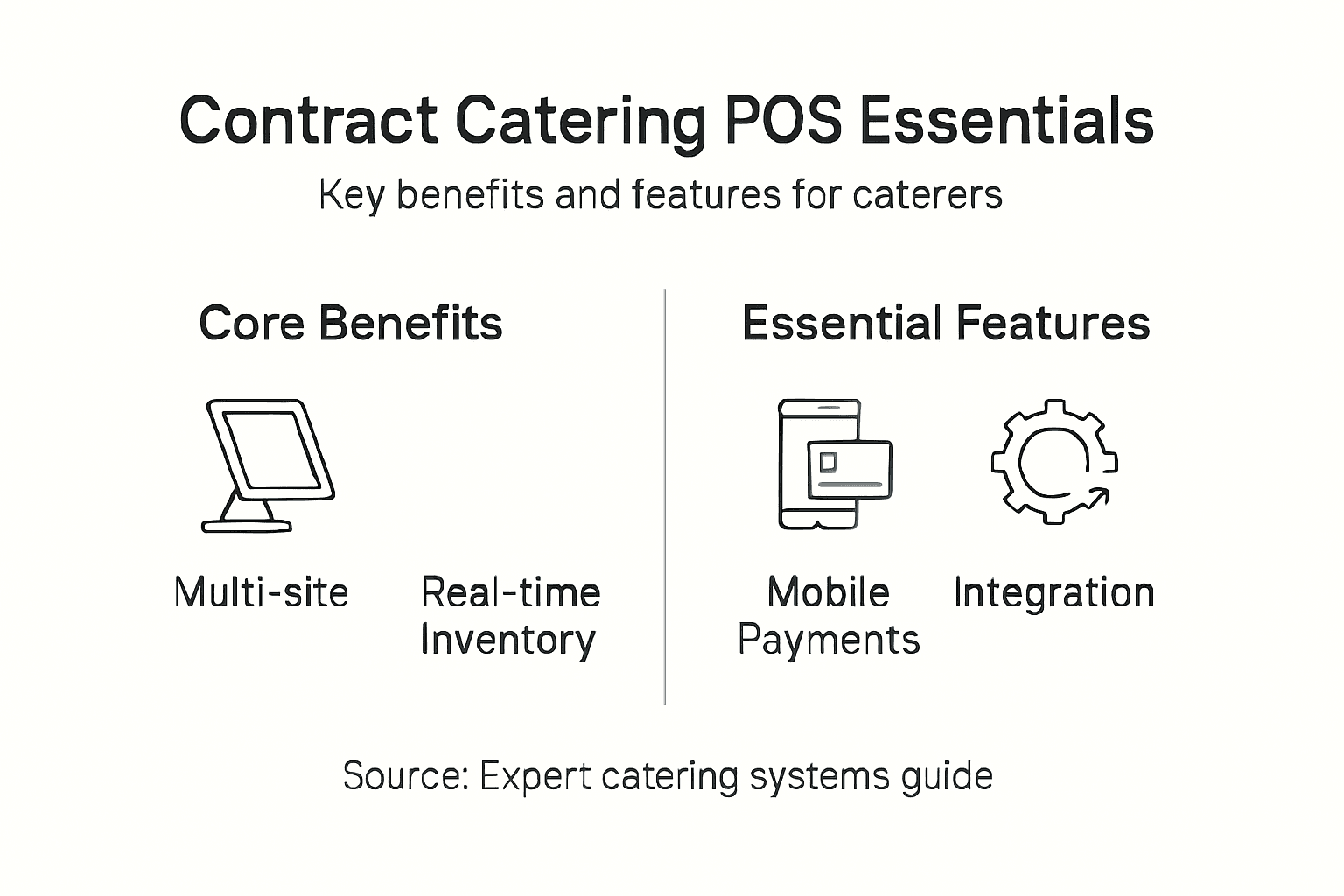
Your POS must track this movement automatically. When your team uses flour at Site A, inventory depletes across your system. When you transfer stock from your central store to an event, that movement records instantly. No spreadsheets. No guesswork.
This prevents over-ordering (wasted money) and under-ordering (failed service). You know exactly what you have available before confirming a booking.
Multi-Channel Payment Processing and Contactless Options
Your clients expect flexibility. Corporate clients might invoice monthly. Event attendees pay at the till. Some want contactless, others prefer chip and PIN. Multi-channel payment processing ensures you accept whatever method clients prefer.
Contactless matters more now than ever. Your POS should process it instantly without requiring internet connectivity—critical for those venues with patchy WiFi.
Integration with Accounting and CRM Systems
Manual data entry between your POS, accounting software, and client records creates errors and wastes hours weekly. Your POS should integrate directly with your accounting platform and CRM.
This means invoices generate automatically. Client records update in real time. Commission calculations happen without human input. Advanced systems do this seamlessly, eliminating the tedious back-office work that distracts from growing your business.
A POS without accounting integration forces your team to manually enter transaction data multiple times—creating errors, wasting time, and increasing costs significantly.
Employee Management and Scheduling
Contract catering requires flexible staffing across multiple sites. Your POS should schedule staff, track hours worked, and manage payroll integration. When you deploy teams to different venues on different days, this feature prevents scheduling conflicts and ensures compliance.
Loyalty programmes matter too. Track repeat clients, offer targeted promotions, and reward consistent business. This builds relationships and increases customer lifetime value.
Pro tip: When evaluating any POS, ask specifically how it handles inventory across multiple locations and whether it integrates with your existing accounting software—these two features alone will eliminate the most time-consuming manual processes in your operation.
Here’s a summary of essential POS system features and their impact on contract catering efficiency:
| Core Feature | Role in Catering Operations | Impact on Business |
|---|---|---|
| Inventory Management | Monitors stock across multiple sites | Reduces waste, saves cost |
| Multi-Channel Payments | Accepts varied payment methods | Improves client flexibility |
| Accounting Integration | Automates invoicing and cost calculation | Cuts admin errors |
| Scheduling & HR | Coordinates shift planning across sites | Prevents understaffing |
Compliance, Training and Legal Implications
Your POS system handles sensitive data. Customer payment information, client records, employee details, transaction history—it’s all there. Mishandle this, and you face fines, reputational damage, and lost contracts. Getting compliance right protects your business.
Compliance with food safety, data protection, and payment security regulations is non-negotiable in UK contract catering. Your POS system must support these obligations, not create new risks.
Understanding Your Legal Obligations
Three regulatory areas directly affect your POS operations:
- Food safety – Records of ingredients, suppliers, allergen information, and preparation dates
- Data protection – GDPR compliance for customer and employee information stored in your system
- Payment security – PCI DSS standards for handling payment card data securely
Ignoring any of these creates liability. You might face Food Standards Agency enforcement action. GDPR breaches carry fines up to £17.5 million or 4% of global turnover, whichever is higher. Payment fraud exposes you to financial loss and legal action from affected customers.
Food Safety and Traceability Requirements
When you’re catering for multiple clients, proving food safety compliance matters. Your POS should track ingredient batches, supplier information, and use-by dates automatically.
If a client reports food poisoning, you need immediate evidence. When did you purchase that ingredient? Which supplier? Which batch? Your POS should answer these questions in seconds, not hours. Without this traceability, you cannot prove you met your legal obligations.
Allergen management is equally critical. Your menu system should flag allergen information clearly, ensuring staff never accidentally serve allergen-containing dishes to clients with allergies. Document these interactions in your POS.
GDPR and Data Protection in Your POS
Every client name, email, phone number, and payment detail stored in your system falls under GDPR. You must protect this data, and you must be able to delete it on request.
Choose a POS provider who handles data protection seriously. Your system should encrypt data in transit and at rest. Access controls should limit who sees what information. Regular backups should exist, but you must be able to permanently delete customer records when legally required.
Your POS is not just a till—it’s a data processor storing sensitive information that requires active legal protection under GDPR and payment security regulations.
Payment Security and PCI DSS Compliance
If your POS processes payment cards, you must comply with Payment Card Industry Data Security Standards (PCI DSS). This means your system must use secure payment gateways, encrypt card data, and never store full card numbers.
When evaluating a POS, ask: Does it integrate with certified payment processors? Does it encrypt payment data? Can it process contactless and chip-and-PIN securely? Poorly configured payment processing exposes you to fraud liability.
Staff Training on POS and Compliance
Your team uses the POS daily. They need proper training, not just a 30-minute walkthrough on the first day. Training should cover:
- How to operate the system correctly
- Why data protection matters and how to avoid mistakes
- Allergen protocols and food safety requirements
- Payment security practices and what to do if something goes wrong
Document this training. If something goes wrong, you need evidence that staff received proper instruction. Poor training becomes a liability—it shows you were negligent.
Reducing Risk Through System Design
The best compliance protection comes from your POS design itself. Systems with automated allergen warnings prevent mistakes. Systems with access controls prevent unauthorised data viewing. Systems with audit trails create evidence that you operated correctly.
Choose a provider who takes compliance seriously. Ask about their security certifications, their data protection officer’s contact details, and their incident response process. When something goes wrong—and eventually something will—you want a partner who handles it professionally.
Pro tip: Before signing any POS contract, request their data processing agreement and security certification details in writing, and confirm they conduct regular security audits—this protects you legally if a breach occurs.
Risks, Costs and Alternatives to POS
Every business solution has downsides. POS systems bring tremendous benefits, but they’re not risk-free or cost-free. Understanding what can go wrong—and what alternatives exist—helps you make an informed decision for your contract catering business.
Equipment malfunctions, cybersecurity threats, and high costs create genuine challenges, particularly for smaller caterers. The key is weighing these risks against the inefficiencies of operating without one.
Real Costs Beyond the Initial Investment
A POS system requires upfront capital. Hardware, software licenses, installation, customisation. For a small contract catering operation, this might be £3,000 to £10,000 initially.
But ongoing costs matter more. Monthly subscriptions, payment processing fees, support contracts, staff training, system updates. These accumulate quickly. Budget £200 to £500 monthly for a mid-sized operation. Over three years, your total cost could exceed £15,000.
Smaller caterers feel this burden acutely. A business operating a single kitchen might genuinely question whether the investment justifies the return. This is a fair concern worth calculating specifically for your situation.
Operational Risks When Systems Fail
Your POS crashes during a major event. Your payment processor goes offline. Your internet connection dies mid-service. What happens then?
Poor POS systems leave you stranded. You cannot process payments. You cannot track orders. Your kitchen doesn’t know what to prepare. Staff panic because they’re trained only on the digital system.
Good systems build in redundancy. Offline mode lets you work without internet. Backup payment terminals ensure you still accept cards. Multiple internet connections prevent single points of failure. Ask potential providers specifically how they handle these scenarios.
Cybersecurity and Data Breach Risks
Your POS stores customer payment information and client data. A breach exposes you to liability. Hackers target hospitality systems specifically because they contain valuable data and payment information.
Poor security practices create unnecessary risk. Systems without encryption, outdated software, weak password policies—these invite trouble. Cybersecurity threats are real, and they cost time and money to remediate.
Choose providers with strong security practices. Ask about penetration testing, security certifications, and their incident response process. This isn’t optional—it’s essential.
Alternatives: Why They Fall Short
Some caterers still operate with manual systems. Handwritten tickets. Spreadsheets. Cash boxes. Paper for everything.
These approaches have benefits:
- Lower upfront cost – No hardware or software investment needed
- No technical dependencies – Equipment failures don’t stop service
- Familiar workflows – Staff need minimal training
But the hidden costs are brutal:
- Higher error rates – Manual systems breed mistakes in orders, billing, inventory
- Wasted management time – Hours weekly reconciling spreadsheets and chasing lost information
- No real-time insights – You cannot see what’s actually profitable until weeks later
- Compliance risks – Manual records fail food safety audits and GDPR checks
Hybrid approaches—combining manual and digital—sound appealing but create coordination problems. Data enters the system twice. Discrepancies arise. You get the complexity of both systems with the efficiency of neither.
Manual systems appear cheaper upfront but cost far more through errors, wasted time, and missed profitability than any POS investment returns in efficiency.
Comparing Real Total Cost of Ownership
Don’t just compare software subscription costs. Calculate your actual total cost:
- Hardware and installation
- Monthly software and support fees
- Payment processing charges (usually 1.5–2.5% per transaction)
- Staff training and retraining
- Time spent managing the system
- Downtime costs when systems fail
Then compare this against your current costs: time spent on spreadsheets, inventory shrinkage from poor tracking, billing errors, lost contracts from operational failures.
For most contract caterers, the POS investment pays for itself within 18 to 24 months through improved efficiency and error reduction. Smaller operations might take longer, but the math usually works in the POS’s favour.
Pro tip: Calculate your exact current costs of operating manually (staff hours on admin, inventory losses, billing errors, failed contracts) and compare this figure directly against POS costs—this forces an honest financial comparison rather than just looking at the headline expense.
Discover the Power of a Tailored POS System for Contract Catering
Managing multiple sites, complex billing, and diverse service styles creates real challenges for contract caterers. The article highlights struggles like tracking inventory across kitchens, ensuring smooth order management, and handling client-specific payment terms with precision. EZEEPos understands these concerns and offers a specialised, Android-based Point Of Sale platform that unifies every aspect of your catering operation — from mobile POS for events to kitchen display screens and cloud-based back-office management.

Take control of your contract catering business today with a flexible system designed for your unique needs. Benefit from seamless inventory tracking, integrated payment solutions including secure EFT terminals, and comprehensive staff scheduling all supported by local UK installation and expert human support. Explore how EZEEPos can transform your service efficiency and client satisfaction by visiting Hospitality – EZEEPos Solution or start now at https://ezeepos.co.uk. Make the switch now for flawless multi-site catering operations that keep your business ahead.
Frequently Asked Questions
What are the main features of a catering POS system?
A catering POS system typically includes inventory management, order processing, payment integration, menu building, reporting and analytics, and employee scheduling to meet the unique needs of contract catering.
How does a POS system improve efficiency in contract catering?
A POS system streamlines operations by automating order management, tracking inventory in real-time across multiple sites, and simplifying billing processes, which reduces manual errors and saves time.
What types of POS systems are available for contract catering?
There are several types of POS systems suitable for contract catering, including mobile POS, tablet POS, terminal POS, online POS, and self-service kiosks, each designed for different operational needs.
Why is real-time inventory tracking important in contract catering?
Real-time inventory tracking is crucial in contract catering as it helps manage stock levels accurately, prevents over-ordering and under-ordering, and ensures that all locations are stocked with the necessary ingredients to fulfill client requirements.
Recent Comments