
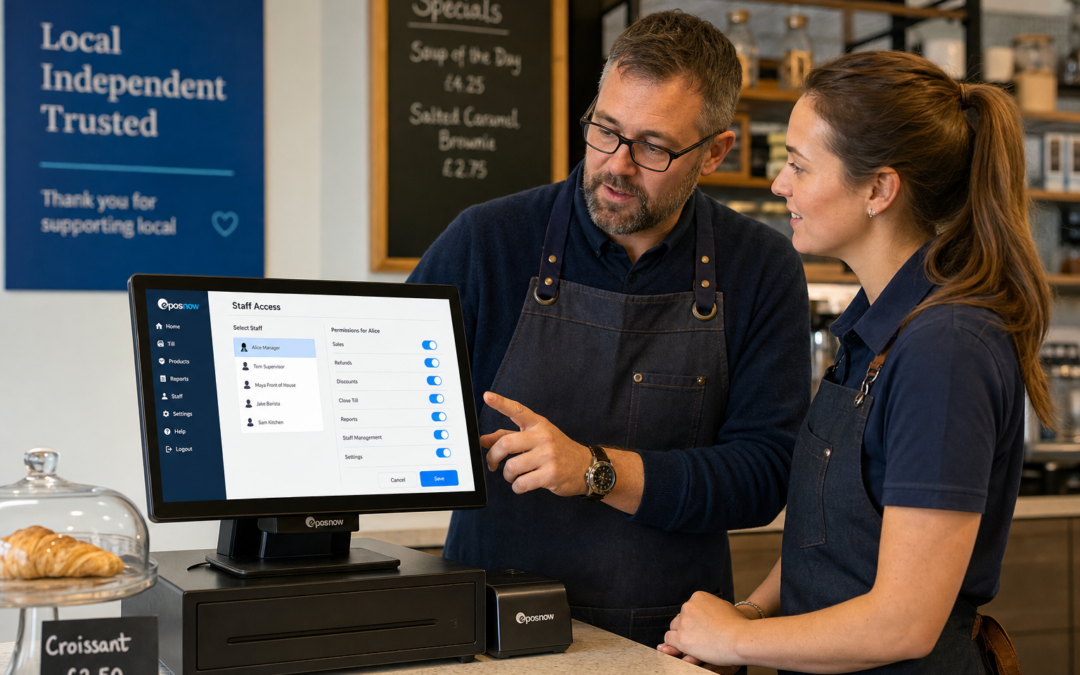
For many independent businesses, the till is used by several people every day. That might include owners, supervisors, part-time staff, seasonal workers or team members who only handle the counter during busy periods. When everyone needs access to the same system, staff permissions become an important part of keeping things organised.
If you are looking at a modern EPOS setup for your business, eZeePOS can help you think beyond the basics of taking payments and printing receipts. A well-planned permissions setup can make day-to-day trading smoother, improve accountability and reduce the chance of avoidable errors. Learn more at www.ezeepos.co.uk.
What staff permissions do in an EPOS system
Staff permissions control what each team member can see and do within the EPOS system. In practice, this means you can give different members of staff access to different functions, depending on their role.
For example, a new starter might only need access to basic sales functions, while a supervisor may also need to process refunds, apply discounts or check reports. Managers may need more detailed control, such as editing products, viewing takings or adjusting settings.
This approach is useful because not every user needs the same level of access. A sensible permissions structure keeps the system straightforward for front-line staff while protecting more sensitive functions from accidental use.
Why permissions matter for UK retail and hospitality businesses
For independent retailers, cafés, restaurants and takeaways, day-to-day trading often depends on speed and accuracy. Staff permissions help support both.
1. Reduce mistakes at the till
When staff can only use the parts of the system they need, there is less chance of accidental changes. That can be especially helpful in busy retail shops and hospitality settings where staff may be working quickly under pressure.
2. Keep control over refunds and discounts
Refunds and discounting are common areas where businesses benefit from tighter controls. With the right permissions in place, only the right people can approve certain actions. That can help protect margins and avoid confusion at the end of the day.
3. Make training easier
New staff often find a busy till environment overwhelming at first. A permissions-based setup can make training simpler by showing them only the features they need. This can be useful in cafés, garden centres, gift shops, pubs and takeaways where staff need to become productive quickly.
4. Support accountability
If more than one person uses the same EPOS terminal, permissions can help show who did what. That does not need to feel strict or complicated. In practice, it simply gives managers a clearer picture of how the till has been used during service.
How permissions work in a real business
A permissions system should fit naturally into the way your business works. For example:
- A till operator may be allowed to take orders, add items and complete sales.
- A supervisor may be able to authorise voids, discounts or refunds.
- A manager may be able to review reports, update user settings and make adjustments after closing.
That kind of structure helps businesses avoid giving too much access to every user. It also means the EPOS system can be adapted as your team changes throughout the week, across shifts or during seasonal trading periods.
Useful in both retail and hospitality
In retail, permissions are often used to control discounts, returns and price changes. In hospitality, they may be more relevant to order amendments, refunds, voids and end-of-day checks.
A small fashion shop, for example, may want to limit who can issue manual discounts. A busy takeaway may want only supervisors to approve order changes after tickets have been sent to the kitchen. A café may want managers to handle cash-up actions while front-of-house staff keep to basic sales functions.
In each case, the aim is the same: keep the system working for the team without making it harder to serve customers.
Why this matters more as businesses grow
When a business is very small, it can be tempting to give everyone the same access. That may feel easier at first, but it can become harder to manage as the team grows. More staff, more shifts and more responsibility usually mean more need for structure.
Staff permissions are one of the simplest ways to bring that structure into a modern EPOS setup. They help separate everyday tasks from management tasks and make the system easier to run in a consistent way.
That can be especially useful for independent businesses that do not want a complicated system, but do want better control than a basic till can offer.
Choosing an EPOS system with practical controls
When looking at EPOS software, it is worth asking what kind of permissions are available and how easy they are to manage. Some businesses only need very simple role-based access. Others need more flexible controls across multiple staff members, departments or locations.
It is also worth considering how permissions fit with the rest of the system. If your team is using touchscreen tills, barcode scanning, reporting tools or integrated workflows, permissions should support those day-to-day tasks without getting in the way.
eZeePOS is designed for UK retail and hospitality businesses that want a practical, easy-to-use system rather than an overcomplicated one. If you are reviewing how your team uses the till, staff permissions are a sensible place to start.
A simple way to improve control and reduce friction
Good permissions do not slow your team down. They help the right people do the right jobs quickly and confidently. That is why they can be so valuable for independent businesses that need a reliable EPOS system during busy trading.
Whether you run a retail shop, café, restaurant, bar or takeaway, staff permissions can help you keep trading organised without making the system harder to use. It is a small feature with a big practical impact.
If you are planning a new till setup or reviewing your existing one, it is worth thinking about who needs access to what. The answer can help shape a cleaner, safer and more efficient EPOS structure for your business.
For more information about eZeePOS and how it supports UK businesses, visit www.ezeepos.co.uk. Contact YCR Distribution at sales@ezeepos.co.uk or call 01924 438238.
Recent Comments