

What is team training in POS: a guide for hospitality
Team training in POS is defined as the structured preparation of hospitality staff to confidently use point of sale systems within their specific job roles. The industry term for this process is POS onboarding and competency training. For venue managers, it covers everything from setting up role-based permissions to running supervised live transactions. Done well, it cuts errors, speeds up service, and protects your revenue. Done poorly, it creates workarounds, messy data, and frustrated customers. This guide explains what effective POS team training looks like, why it matters, and how to get it right in a busy hospitality environment.
What does team training in POS systems involve?
POS team training is the process of teaching each staff member to use the point of sale system according to their specific role. A cashier needs different skills from a floor manager, and a kitchen operator needs different access from a front of house supervisor. Role-based training is not just a preference. One-size-fits-all approaches create security risks and inefficient learning that slow down the whole venue.
Effective POS training for hospitality staff typically covers these core areas:
- Role-specific modules: Cashiers learn transaction processing and split payments. Managers learn voids, refunds, and end-of-day reports. Kitchen staff learn order screen navigation.
- Sandbox practice: Staff work through realistic scenarios in a test environment before touching live transactions. Hands-on sandbox practice combined with supervised live sessions dramatically improves retention and confidence.
- Permission setup: Role permissions must be set before training begins. This controls access and tailors each learning path to the job function, preventing staff from accidentally accessing functions outside their remit.
- Measurable pass criteria: Each staff member should meet a defined competency standard before going live. Vague sign-offs produce uneven skill levels across the team.
- Microlearning sessions: Short, focused sessions work better than long training blocks. 10–15 minute daily sessions during the first week produce better retention than infrequent, lengthy training days.
Pro Tip: Build a short checklist for each role before training starts. List the five core tasks that role must complete confidently. Use it as your pass or fail benchmark on day one.
The importance of team training in POS goes beyond button-pressing. It shapes how staff interact with the system under pressure, which directly affects service speed and order accuracy during a busy Friday night service.

How does POS training improve efficiency and customer satisfaction?
Well-executed POS training produces measurable gains across the whole venue. Embedding training within POS workflows accelerates onboarding to baseline competence by 25–60% and reduces total onboarding time by 40%. That means new staff contribute to service faster, with less supervision required from senior team members.
The benefits of POS training extend well beyond speed. When staff know the system properly, transaction errors fall. Fewer voided sales, fewer incorrect orders sent to the kitchen, and fewer pricing mistakes all add up to cleaner data and protected margins. Training reduces errors, speeds up service, and safeguards revenue in cashier operations. That is not a soft benefit. It directly affects your end-of-day reconciliation and your ability to trust your own reports.
Customer experience improves too. A staff member who hesitates at the till, asks colleagues for help mid-transaction, or enters items incorrectly creates friction that customers notice. Confidence at the point of sale translates directly into faster service and fewer apologies. For venues where table turns and queue length determine revenue, this matters enormously.
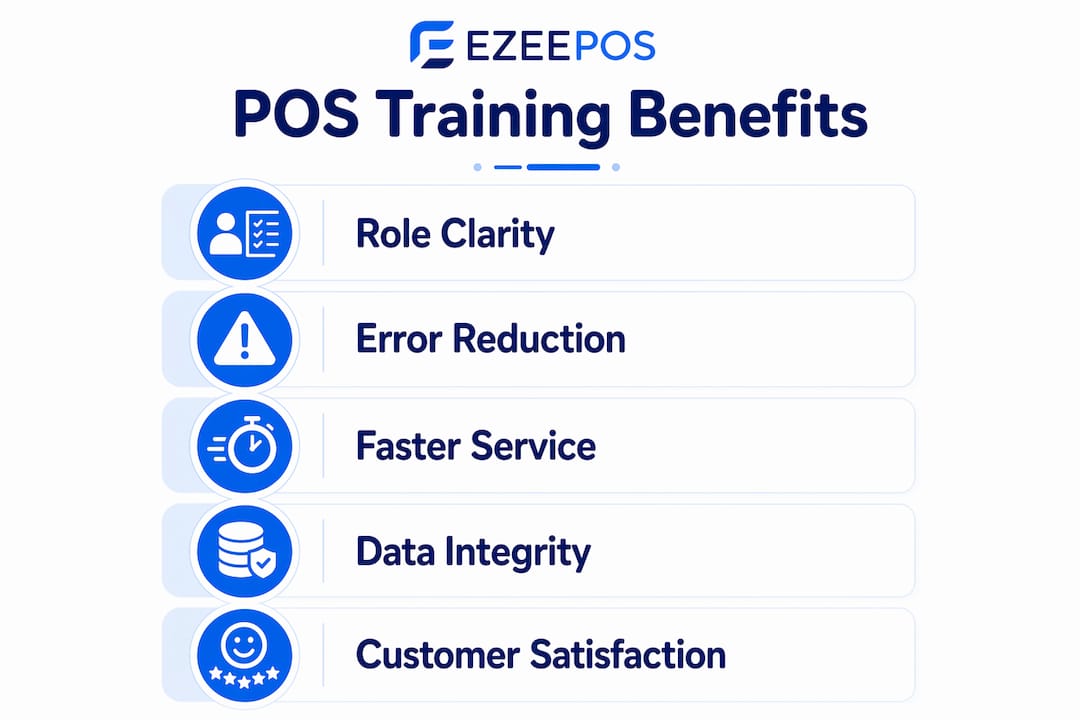
Data integrity is another underappreciated benefit. POS training integrated into changeover strategies protects data integrity, reduces workarounds, and improves operational efficiency. Clean sales data feeds accurate inventory counts, which feeds better purchasing decisions. The training investment pays back in stock control as much as in service speed. For managers looking to get more from their hospitality POS operations, this chain of benefits is the core argument for investing in structured training.
What are common mistakes in POS team training?
The most common mistake is treating POS training as a one-off event. Skills erode quickly without regular refreshers, and POS training is an ongoing system, not a single session. A new menu launch, a system update, or a change in service style all require the team to relearn parts of the workflow. Venues that skip refreshers end up with staff reverting to workarounds.
Other frequent pitfalls include:
- Mixing roles during training: When cashiers and managers train together on the same content, neither group gets what they need. Cashiers waste time on reporting functions they will never use. Managers miss the depth they need on permissions and overrides.
- Skipping sandbox time: Putting untrained staff straight onto live transactions is the fastest way to create bad habits. Staff without formal POS training often develop inefficient workarounds that cause messy data and lost business opportunities.
- No defined competency standard: If training ends when the session ends rather than when the staff member can demonstrate the skill, you have no way of knowing who is ready for live service.
- Ignoring seasonal staff: High turnover in hospitality means new starters arrive frequently. Without a repeatable training process, each new hire gets a different version of the training depending on who is available to show them.
Pro Tip: Schedule a 15-minute refresher session at the start of each new season or after any system update. Treat it the same as a food safety briefing. It takes almost no time and prevents months of compounding errors.
Treating training as a checkbox wastes resources and introduces risks. Role-specific preparation enhances security and workflow clarity. The venues that get this right are the ones that build training into their operating rhythm rather than bolting it on as an afterthought.
Best practices for training hospitality venue staff on POS systems
The most effective approach to POS team training follows a clear structure. Here are the steps that consistently produce the best results for hospitality venues:
- Map training to job roles first. Before writing a single training document, list every role that will use the POS system and identify the specific tasks each role performs. This becomes the foundation for all training content.
- Set permissions before training begins. Configure each staff member’s access level in the system before their first session. This prevents accidental access to sensitive functions and keeps each person focused on their own workflow.
- Assign a dedicated training lead. A dedicated training lead who manages sessions, tracks competency, and liaises with your POS provider greatly improves consistency and outcomes. This person does not need to be a manager. They need to know the system well and be able to explain it clearly.
- Run sandbox sessions before live practice. Give every staff member time in a test environment before they process a real transaction. Follow this with supervised live sessions where a senior colleague observes and corrects in real time.
- Use checklists and competency tracking. A simple checklist for each role, signed off when each task is demonstrated correctly, gives you a clear record of who is ready and who needs more support.
- Schedule regular refreshers. Build refresher sessions into the annual calendar. New menu items, promotions, and system updates all require brief retraining. For food truck and mobile catering teams, where staff often work in isolation, refreshers are especially critical.
The table below compares two common approaches to POS training in hospitality venues.
| Approach | Strengths | Weaknesses |
|---|---|---|
| Group training, single session | Fast to deliver, low cost | No role separation, poor retention, no competency check |
| Role-based, phased training | Higher retention, fewer errors, measurable outcomes | Requires more planning and a dedicated training lead |
The role-based, phased approach takes more effort to set up. It consistently produces better results in service speed, data accuracy, and staff confidence. For venues using a system like Ezeepos, which is built with staff management features and role-based permissions already embedded, the structure for this approach is already in place.
Key takeaways
Effective POS team training requires role-based modules, sandbox practice, measurable competency checks, and regular refreshers to deliver lasting gains in service speed, data accuracy, and staff confidence.
| Point | Details |
|---|---|
| Define training by role | Cashiers, managers, and kitchen staff each need separate, task-specific training content. |
| Set permissions before training | Configure access levels first to control learning paths and protect sensitive functions. |
| Use sandbox before live service | Practice in a test environment prevents bad habits from forming during real transactions. |
| Assign a training lead | One person responsible for tracking competency and consistency produces far better outcomes. |
| Treat training as ongoing | Schedule refreshers after system updates, menu changes, and at the start of each new season. |
Why I think most venues are still getting POS training wrong
The honest truth is that most hospitality venues treat POS training as something that happens once, on the day a new system goes live or a new staff member starts. I have seen this pattern repeatedly. A manager walks a new hire through the basics, hands them the till, and considers the job done. Six weeks later, that staff member has invented three workarounds, the sales data is unreliable, and nobody can explain why the end-of-day figures never quite match.
The problem is not the staff. The problem is that training was never designed as a system. It was designed as a conversation.
What actually works is treating POS training the same way a good kitchen treats food safety. You have documented procedures, role-specific responsibilities, a named person accountable for standards, and regular checks to confirm those standards are being met. That is not bureaucracy. That is how you protect service quality at scale.
The venues I have seen get this right share one habit: they never stop training. They run short refreshers before seasonal menu launches. They brief the whole team when a new promotion goes live on the system. They check in with new starters after two weeks, not just on day one. The result is a team that uses the POS system the way it was designed to be used, which means cleaner data, faster service, and far fewer moments where a customer is kept waiting while a staff member figures out how to process a split payment.
If you manage a hospitality venue and you are reading this, the single most valuable thing you can do this week is assign one person to own your POS training process. Give them a checklist. Give them time. The return on that investment will show up in your reports within a month.
— John
How Ezeepos supports POS training for hospitality venues
Ezeepos is built specifically for hospitality venues, and the system is designed with training in mind from the ground up. Role-based permissions are embedded directly into the platform, so you can configure exactly what each staff member sees and accesses before their first session begins.

The Ezeepos interface is designed to be intuitive for front of house staff, kitchen teams, and managers alike, which shortens the time from first login to confident live use. For venues running cafés, bars, quick-service counters, or mobile catering, Ezeepos offers POS solutions for cafés and wider hospitality environments with local UK installation and ongoing human support from accredited providers. If you want to see how the system fits your venue’s training needs, contact the Ezeepos team to arrange a demonstration.
FAQ
What is team training in POS?
Team training in POS is the structured process of preparing hospitality staff to use a point of sale system confidently within their specific job roles. It includes role-based modules, hands-on practice, and ongoing refreshers to maintain competency.
How long does POS training take for hospitality staff?
The time varies by role and system complexity, but microlearning sessions of 10–15 minutes daily during the first week produce better retention than longer, infrequent training blocks. Most staff reach baseline competence within the first week when training is structured correctly.
Why is role-based training important for POS systems?
Role-based training prevents staff from accessing functions outside their remit and keeps learning focused on the tasks they actually perform. Role permissions set before training control access and tailor each learning path to the job function, reducing confusion and security risks.
What happens if POS training is skipped or rushed?
Staff without proper training develop inefficient workarounds that corrupt sales data and create lost business opportunities. Untrained staff frequently produce messy records that undermine inventory management and end-of-day reporting.
How often should POS training be refreshed?
POS training should be refreshed after every system update, menu change, or new promotion, and at the start of each new season. POS training is an ongoing system, not a one-off event, and skills erode quickly without regular, brief reinforcement sessions.
Recent Comments