
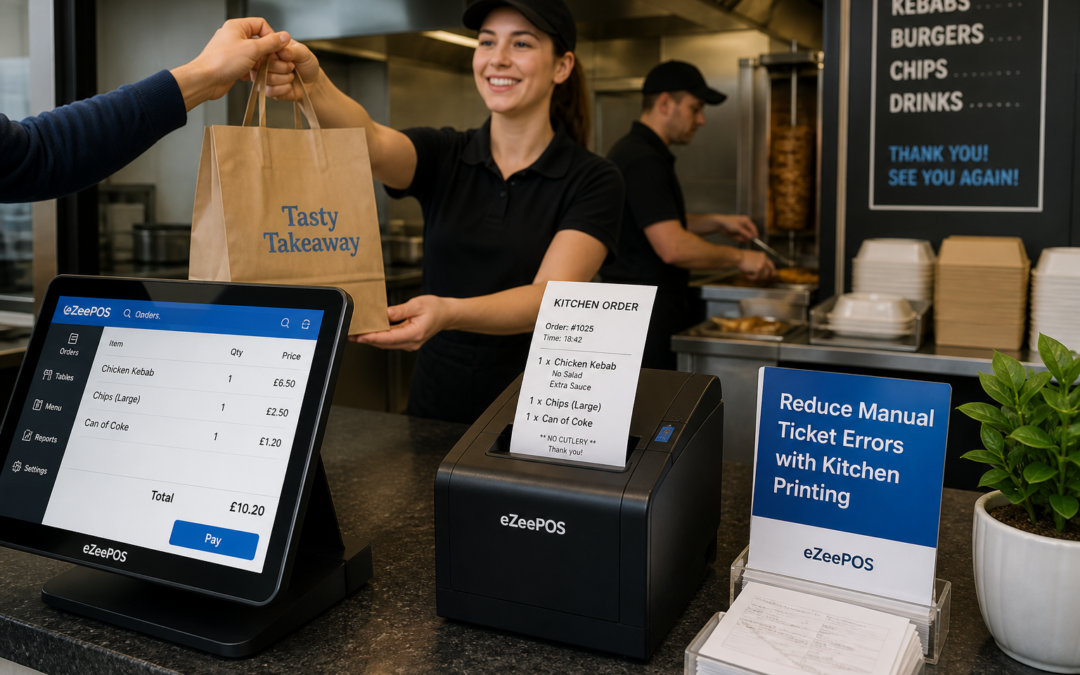
Why kitchen printing matters in a busy takeaway
Takeaways rely on speed, accuracy and clear communication. When orders are coming in quickly, even a small mistake can lead to delays, refunds and unhappy customers. That is why many UK takeaway businesses are looking closely at their EPOS setup, especially the way orders are passed to the kitchen.
A well-planned kitchen printing setup helps turn each order into a clear ticket that the team can read quickly. Instead of relying on handwritten notes or repeated verbal checks, staff can send orders straight from the till to the kitchen printer. This can make service feel calmer, reduce confusion and help the business cope better during busy periods.
If you are reviewing your current setup, eZeePOS is a practical UK option for takeaway businesses that want a more organised way to manage orders. You can find out more at www.ezeepos.co.uk.
Where manual ticket errors usually happen
Most takeaways do not need more effort from staff. They need better systems. Manual ticket errors often happen when the team is rushed, interrupted or trying to process several orders at once. Common problems include:
- missed items on a handwritten order
- incorrect sizes, extras or meal options
- orders being passed to the kitchen in the wrong sequence
- misread handwriting during peak service
- tickets getting lost between the counter and the prep area
These issues can be frustrating for staff as well as customers. The right EPOS process can reduce the amount of copying messages between tills, paper notes and kitchen staff, which is often where avoidable mistakes start.
How kitchen printing supports clearer service
Kitchen printing gives your team a simple, structured way to move orders from the front counter to the preparation area. In a takeaway, that means the order details can be printed in a format the kitchen understands straight away.
Clear tickets are easier to work from
Printed tickets can show the key details of each order in a consistent layout. That helps the kitchen team focus on preparing food rather than trying to decode notes. It can also help when several orders arrive at once, because the tickets can be organised in the order they were taken.
Less re-checking at busy times
When orders are printed clearly, staff do not need to keep confirming the same details again and again. That can help reduce bottlenecks at the counter and free up the team to serve the next customer.
Better communication between counter and kitchen
In a busy takeaway, the front-of-house team and the kitchen team need the same information. Kitchen printing helps both sides work from the same order record, which can make the whole service run more smoothly.
Why this is especially useful for takeaways
Takeaways often deal with a high volume of repeat orders, custom requests and quick collection times. Unlike some other hospitality businesses, the pressure is not just on one order at a time. It is on the whole queue.
Kitchen printing can be especially useful when you are handling:
- telephone orders
- walk-in collection orders
- delivery orders
- meal customisation requests
- busy weekend trade and meal rushes
A dependable takeaway EPOS setup can help staff keep pace without relying on memory or handwritten shortcuts. That is often where simple but effective improvements make the biggest difference.
What to look for in a takeaway EPOS workflow
Not every business needs the same setup, but there are a few practical features that help with order handling and kitchen communication.
Simple order entry
Staff should be able to enter orders quickly using a touchscreen till or POS terminal. A clear menu layout can save time and reduce the chance of selecting the wrong item.
Easy modifiers and notes
Takeaway orders often include extras, spice levels, sauces or special instructions. Your EPOS should make these easy to add so the kitchen gets the full picture first time.
Printable order routing
Different order types may need to go to different preparation areas. For example, hot food, drinks or sides might be split across separate tickets if that suits the business. That kind of ordering structure can help staff stay organised during peak times.
Readable ticket formatting
It sounds simple, but a clear layout matters. If the ticket is easy to read, the kitchen can work faster and with less interruption.
How kitchen printing helps staff during peak hours
During a rush, time pressure can turn small problems into bigger ones. A kitchen printer does not just print paper. It helps create a more predictable flow for the team.
For example, when a customer places a large order at the counter, the till operator can send it straight through instead of repeating it to the kitchen. If a second order comes in immediately afterwards, the team already has the first ticket printed and ready to work from. That keeps the service moving and reduces the risk of confusion.
It also helps new staff. Clear printed orders are easier to follow than verbal instructions, which can make training simpler in a busy takeaway environment.
Supporting the right hardware and setup
Kitchen printing works best when it is part of a sensible overall EPOS setup. In a takeaway, that may include a touchscreen till at the counter, a reliable printer in the prep area and a straightforward layout that suits the way the business operates.
If you are planning a wider upgrade, it is worth thinking about the whole counter flow rather than one device in isolation. The aim is to keep the front counter, kitchen and collection area working together with less friction. That is where modern takeaway EPOS systems can offer real day-to-day value.
Choosing software that suits busy food service
When looking at EPOS software for a takeaway, focus on practical details rather than complicated promises. The best system for your business is the one that helps staff take orders efficiently, send them clearly to the kitchen and keep service consistent throughout the day.
At eZeePOS, the focus is on helping UK retail and hospitality businesses manage daily trading more smoothly. For takeaways, that includes ways to support better order handling, clearer kitchen communication and a more organised checkout process. If you are also considering payment integration options such as Teya or Dojo Payments, it is sensible to discuss those requirements directly with YCR Distribution so you can decide what suits your setup.
Final thoughts
Kitchen printing is one of those improvements that can quietly make a big difference. By reducing manual ticket errors, it helps takeaway teams work more confidently, communicate more clearly and keep orders moving during the busiest parts of the day.
If your takeaway is still relying on handwritten notes or clunky manual processes, it may be time to look at a more practical EPOS setup. A better workflow at the counter can lead to fewer mistakes in the kitchen and a better experience for your customers.
To learn more about eZeePOS and how it can support your takeaway or hospitality business, visit www.ezeepos.co.uk.
Contact YCR Distribution at sales@ezeepos.co.uk or call 01924 438238.
Recent Comments