
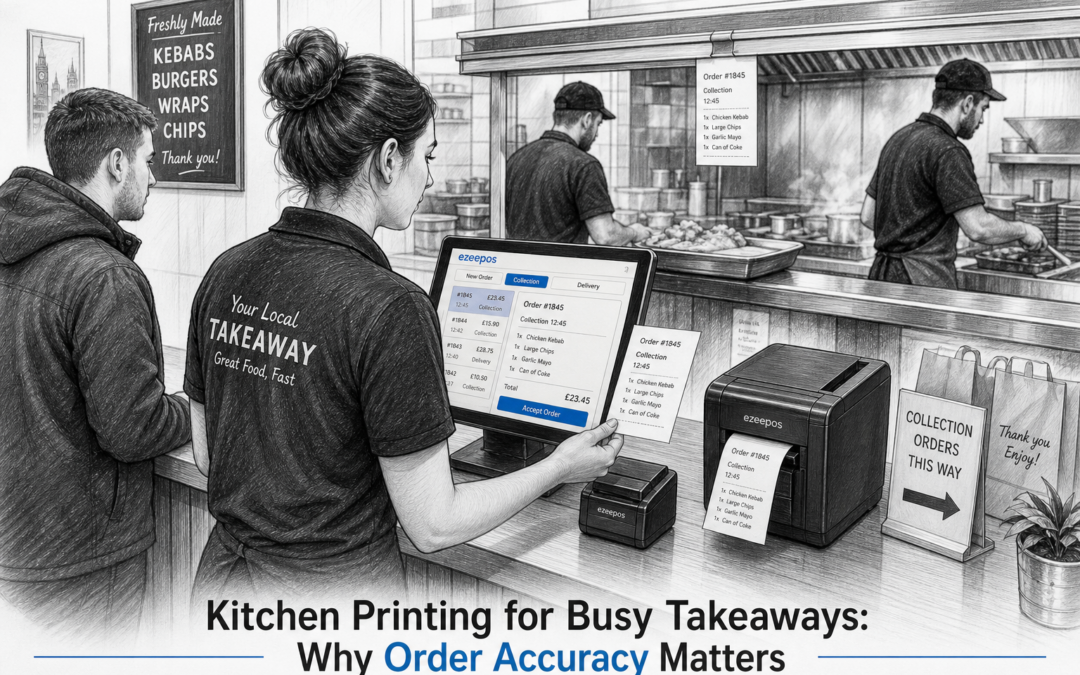
Busy takeaways depend on clear communication. When orders are coming in from the counter, phone calls, online channels and delivery platforms, it only takes one missed detail to slow everything down. That is why kitchen printing remains such a practical feature for many food businesses. It gives the kitchen a clear, readable order ticket and helps staff move quickly without relying on memory or handwritten notes.
For takeaway owners looking at a modern eZeePOS setup, kitchen printing is one of those features that can quietly improve the whole service flow. It is not flashy, but it is often one of the easiest ways to support order accuracy, reduce confusion and keep pace during busy periods. If you want to explore the wider system, visit www.ezeepos.co.uk.
Why kitchen printing matters in a busy takeaway
In a takeaway environment, speed matters, but accuracy matters just as much. A customer may be happy to wait a few extra minutes if they receive the correct order. They are far less forgiving if a burger is missing, a side is forgotten or a spice request is overlooked.
A good kitchen printer helps bridge the gap between the person taking the order and the team preparing it. Instead of passing instructions verbally or writing them on scraps of paper, the EPOS system prints a clean ticket with the items, modifiers and special instructions the kitchen needs.
Common problems it helps reduce
- Orders being misheard during a busy rush
- Handwritten ticket errors or unclear notes
- Missed extras, sides or drink requests
- Confusion when multiple staff are serving at once
- Delays caused by asking the counter team to repeat an order
For takeaways that operate at pace, that level of clarity can make the difference between a smooth service and a frustrating one.
How kitchen printing supports order flow
Kitchen printing works best when it fits naturally into the service process. An order is entered at the till or touchscreen POS terminal, then sent straight to the kitchen printer. The result is a printed ticket that can be read at a glance.
This simple step can help staff stay organised during peak trade. The front counter does not have to stop to re-explain every order, and the kitchen team can work from a shared reference point. In many busy takeaways, that is especially useful when there are several items in one order, customer requests for changes, or a mix of collection and delivery orders.
It also helps create a more consistent handover between staff members. If a team changes during service, the printed ticket still shows exactly what needs to be prepared. That is a practical advantage for businesses where shifts overlap or several people share the same counter.
What to look for in a takeaway kitchen printing setup
Not every takeaway works in the same way, so the right setup depends on the size of the operation, the menu and the layout of the kitchen. When thinking about kitchen printing as part of an EPOS system, it helps to focus on practical details rather than just the hardware itself.
Things that matter in day-to-day use
- Clear ticket layout: Orders should be easy to read quickly, even in a hot and busy kitchen.
- Reliable printing: Tickets need to appear when expected, without staff having to chase them.
- Simple order routing: Some businesses need different tickets for different prep areas.
- Space-saving hardware: Many takeaway counters and kitchens are compact, so neat placement matters.
- Easy training: New staff should be able to understand how the system works without a long learning curve.
For smaller businesses, a straightforward setup may be enough. Larger takeaways or venues with separate preparation areas may need a more structured arrangement so orders reach the right place at the right time.
Better accuracy during peak service
Most takeaway owners know that the toughest moments are often not the quiet periods, but the sudden rushes. Friday evenings, weekend peaks, match days and bad-weather trade can all create pressure very quickly. In those moments, a clear printed ticket is more than a convenience. It becomes part of how the business stays under control.
Kitchen printing helps reduce the risk of important information getting lost in the noise. It can also support staff confidence, because the team knows they are working from the same order information rather than relying on memory. That can lead to fewer remakes, fewer customer complaints and less wasted time.
When combined with a well-organised EPOS setup, it becomes easier to keep the front counter and the kitchen moving together. That is particularly useful for takeaways serving a mix of quick snack orders and more complex meals.
How it fits with takeaway EPOS software
Kitchen printing is not usually a standalone feature. It works best as part of a wider takeaway EPOS system that keeps orders, payments and reporting in one place. That makes it easier to see what has been sold, what has been sent to the kitchen and what still needs to be prepared.
For many businesses, that joined-up approach is what makes modern EPOS software more practical than a basic till or a mix of separate tools. A good setup can help the team serve faster without making the system harder to manage.
eZeePOS is designed to support practical daily trading for UK food businesses, including takeaways that need a cleaner and more reliable way to handle orders. If kitchen printing is something your business needs, it is worth looking at how it fits into the wider till and workflow setup rather than treating it as an isolated add-on.
Choosing a setup that suits your business
The best kitchen printing setup is the one that matches how your takeaway actually works. A small counter serving a simple menu may only need one printer and a basic order flow. A busier operation with deliveries, collections and a large menu may benefit from a more structured arrangement.
It is worth asking a few practical questions before you choose:
- How many orders does the kitchen need to handle at once?
- Do you need one printer or more than one prep point?
- Will the team need to separate collection and delivery orders?
- Is the printer easy for staff to reach and check during service?
- Does the ticket layout suit your menu and working style?
Getting those basics right can save time later and make training much simpler.
Final thoughts
Kitchen printing may seem like a small part of takeaway service, but it can play a big role in keeping orders accurate and the kitchen organised. For busy UK takeaways, especially those working through peak evening trade, it is one of the most useful ways to support faster, clearer service.
If you are reviewing your current setup or planning a new takeaway EPOS system, see how eZeePOS could fit your workflow at www.ezeepos.co.uk. Contact YCR Distribution at sales@ezeepos.co.uk or call 01924 438238.
Recent Comments