
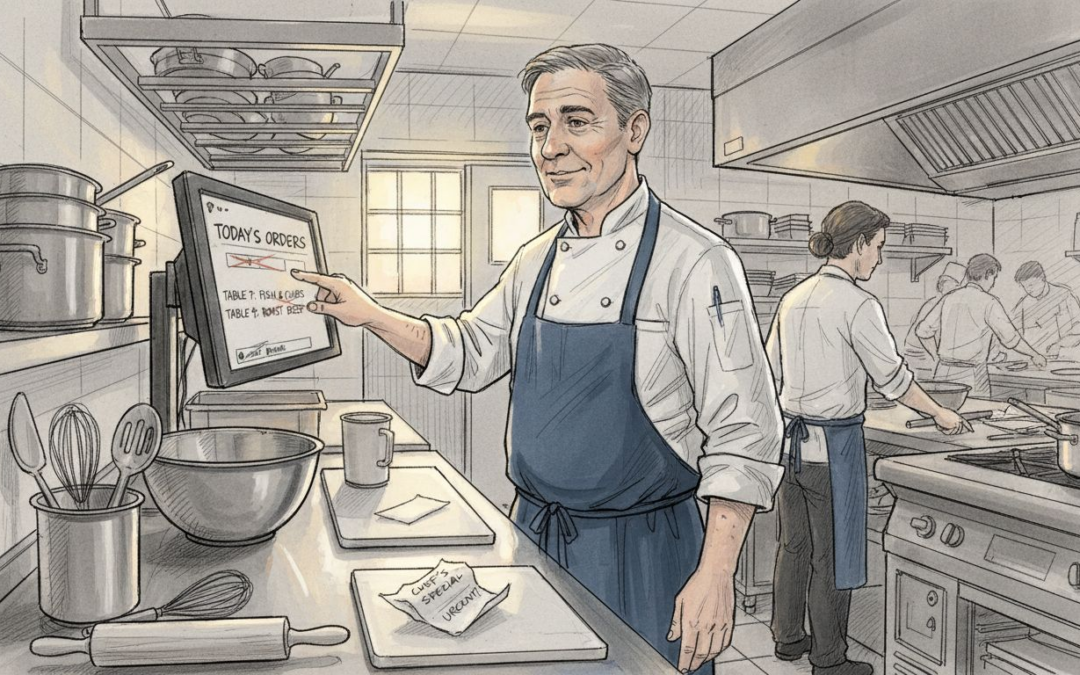
Struggling to keep orders accurate and kitchens running smoothly is a daily reality for many British hospitality teams. The pressure mounts when handwritten tickets go missing or staff scramble to remember complicated orders during peak service. Kitchen display systems provide a modern, practical answer by offering digital tools that communicate order information, instantly reducing confusion and wasted time. This article dispels common myths about these systems and shows how adopting smart order displays helps venues deliver efficient, stress-free service—even on the busiest nights.
Table of Contents
- Kitchen Display Systems Defined And Common Myths
- Key Types Of Kitchen Display Screen Setups
- How Kitchen Display Systems Streamline Orders
- Practical Advantages For Busy UK Hospitality Venues
- Cost, Pitfalls And Comparing To Paper Tickets
Key Takeaways
| Point | Details |
|---|---|
| Kitchen Display Systems Improve Efficiency | KDS enhances communication in the kitchen by displaying orders in real-time, reducing errors and wait times. |
| Debunked Myths Encourage Adoption | Common misconceptions about KDS, such as complexity and cost, are unfounded; most staff can adapt quickly and generate savings through improved efficiency. |
| Streamlined Operations Enhance Satisfaction | KDS enables better order tracking and prioritisation, leading to higher customer satisfaction and increased table turnover. |
| Investment Justifies Long-term Savings | While KDS requires an upfront investment, its long-term operational savings often outweigh the costs of traditional paper ticket systems. |
Kitchen display systems defined and common myths
A kitchen display system (KDS) is far simpler than it sounds. Rather than a complicated tech overhaul, a KDS is essentially a digital screen (or several screens) that displays incoming orders to your kitchen team in real-time. Instead of shouting orders across a busy kitchen or relying on printed tickets that easily get lost, your chefs see order details instantly on a monitor mounted where they need it most. Digital tools that communicate order information eliminate the chaos of traditional paper-based workflows and give your team exactly what they need to work efficiently.
When an order comes through from your front-of-house system, it appears on the KDS screen with key information displayed clearly:
- Customer name or table number
- Items ordered with any special dietary requirements or modifications
- Time the order was placed
- Estimated preparation time
- Current status (ready, being prepared, delayed)
Unlike traditional paper tickets, modern KDS shows your team the prioritisation of orders based on preparation time or recipe complexity. Your fastest dishes appear first, allowing staff to manage their workflow strategically. Real-time updates mean everyone knows instantly when an order is complete, reducing the likelihood of dishes sitting under heat lamps getting cold.
Debunking the myths
Plenty of restaurant and café managers hesitate to adopt KDS because of misconceptions. Let’s address the most common ones.
Myth 1: “It’s too complicated for my staff to use”
This couldn’t be further from the truth. Your kitchen team doesn’t need to navigate menus or enter data. They simply look at the screen and cook. Bar staff might tap “order complete” to mark a drink as ready, but that’s about it. Most systems require minimal training, and your team becomes comfortable within hours, not weeks.
Myth 2: “It’s prohibitively expensive”
The actual cost varies depending on your setup, but many venues find that KDS pays for itself within months through improved efficiency and reduced waste. Fewer remakes, faster table turnover, and happier customers all contribute to better margins. When you calculate the cost of replacing lost or damaged paper tickets and the time spent managing order confusion, digital systems often represent genuine savings.
Myth 3: “We’ve always done it with paper tickets, so why change?”
This is understandable, but consider what happens during your busy service. Paper tickets get lost. Kitchen staff might prepare dishes out of order. Customers complain about wait times because nobody knows which orders are actually ready. A busy Saturday night in your restaurant is precisely where KDS makes the biggest difference, reducing stress and preventing the bottlenecks that frustrate both staff and customers.
Myth 4: “It won’t work with our current POS system”
Modern KDS solutions integrate seamlessly with most reputable POS platforms. If you’re using a contemporary system, compatibility is rarely an issue. Even if integration requires a small setup, the operational gains justify the effort.
A kitchen display system transforms how your team communicates during service, turning potential chaos into organised, predictable workflow that genuinely reduces wait times and remakes.
The bottom line: KDS isn’t about flashy technology or impressing customers. It’s about giving your kitchen team the tools they need to work smarter and faster. When your staff can see exactly what to cook, in what order, and with what special requirements, everything moves more smoothly. Orders get prepared correctly the first time. Customers receive their meals faster. Your team finishes service less stressed.
Pro tip: Start with a single screen in your kitchen during your busiest service period. Observe how your team naturally uses it, gather feedback, and expand from there. This phased approach reduces disruption and lets you prove the value before investing in additional screens.
To clarify the business impact of kitchen display systems, here is a summary table:
| Benefit | How KDS Delivers | Impact on Venue |
|---|---|---|
| Order Accuracy | Clear, real-time screens | Fewer remakes, safer service |
| Speed | Automated prioritisation | Faster food, higher table turnover |
| Workflow Clarity | Instant order routing | Less stress, improved teamwork |
| Data Integration | POS system connectivity | Unified multi-channel management |
Key types of kitchen display screen setups
Not all kitchen display systems look the same, and that’s by design. Your venue’s layout, kitchen size, and workflow all determine what type of screen setup makes sense. The hardware you choose ranges dramatically—from compact tablets tucked on a prep station to large wall-mounted touchscreens commanding attention across your entire kitchen. Commercial kitchen display systems come in various sizes and durability specifications, each suited to different operational needs. Understanding your options prevents costly mistakes and ensures you pick equipment that actually fits how your team works.
Screen size options
Kitchen display screens come in sizes ranging from 7 inches to 65 inches, and choosing the right dimensions depends on several factors. A small tablet works well for a tiny café or bar where one or two people manage orders. However, if your kitchen has multiple stations—one for hot food, one for plating, another for drinks—a larger screen becomes essential so everyone can see order status simultaneously.
Consider these size scenarios:
- 7-15 inch tablets: Ideal for small kitchens, coffee shops, or as supplementary screens at individual stations
- 22-32 inch screens: Standard for mid-sized restaurants and cafés; visible from across a typical kitchen without overwhelming the space
- 43-55 inch screens: Larger venues with multiple kitchen stations benefit from these, allowing the whole team to track orders at once
- 65 inch screens: Large kitchens with complex workflows or open-concept layouts where visibility matters most
Larger screens reduce the chance of missed orders and allow staff to work strategically rather than constantly asking “what’s next?” However, size alone doesn’t determine effectiveness—screen placement and content prioritisation matter equally.
Durability and kitchen-specific features
Your kitchen environment is harsh. Heat, grease, steam, and constant cleaning demand hardware built to withstand punishment. Standard computer monitors fail quickly in kitchens. Purpose-built KDS screens include grease resistance, heat tolerance, and easy-clean designs that protect against the wear and tear of daily service.
Key durability features to look for:
- Protective glass or coatings that resist grease buildup without affecting visibility
- Sealed connectors preventing water and grease from entering cable ports
- Heat-resistant materials for kitchens with active cooking stations nearby
- Anti-glare surfaces reducing reflection from overhead lighting or open flames
- Touchscreen resilience if you choose interactive models (some staff accidentally touch screens with wet or greasy hands)
Durable equipment costs more upfront but lasts years instead of months. Cheap monitors fail and create downtime when you need the system most.
Mounting flexibility
How you position your screen affects whether your team actually uses it. Most KDS screens offer wall, ceiling, or workstation mounting, giving you options based on your kitchen layout.
Wall mounting works for most venues—position the screen at staff eye level so no one has to crane their neck. Ceiling mounting suits open kitchens where wall space is limited, though it requires careful positioning so screens remain visible. Workstation mounts place screens directly at prep areas, ideal for dedicated stations where one or two chefs focus on specific tasks.
Mounting also determines whether you need electrician involvement. Some venues can position screens away from prep surfaces to reduce grease exposure. Others mount above stations where chefs naturally glance up between tasks.
The right screen setup feels invisible to your team—they never struggle to see orders, never question whether they’re looking at current information, and never have to interrupt workflow to check status.
Integration with your existing system
Your KDS must sync seamlessly with your point-of-sale system and order management software. Orders from table ordering, counter service, self-service kiosks, and mobile POS all route to the same kitchen screens in the correct sequence. Poor integration creates duplicated work or missed orders entirely.
When selecting hardware, confirm it works with your current POS platform. Many venues use integrated solutions where the POS and KDS communicate automatically—an order sent from a server’s tablet appears on kitchen screens instantly with zero manual input.
The best systems handle orders from multiple sales channels without confusion. A table order, a takeaway order from a kiosk, and a delivery app order all appear in the kitchen queue with clear prioritisation, preventing your team from accidentally preparing something out of sequence.
Pro tip: Before committing to full deployment, rent or borrow a single screen and run it through a complete service period. Have your kitchen team use it naturally, gather their feedback, and address any concerns before rolling out additional screens.
How kitchen display systems streamline orders
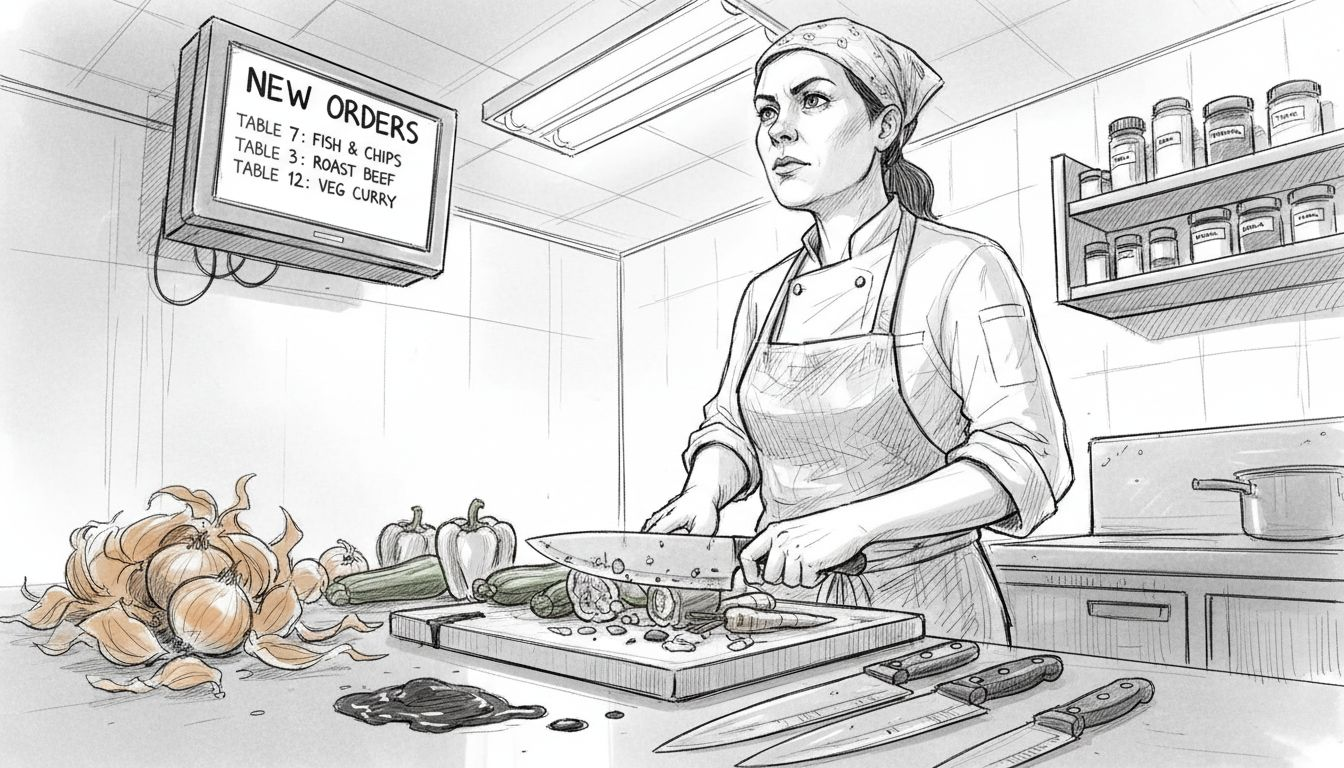
Paper tickets have a fatal flaw: they get lost, misread, or forgotten on a busy Saturday night. A kitchen display system eliminates this chaos entirely by replacing physical tickets with digital screens that show incoming orders in real time. Orders route automatically to the correct kitchen station, eliminating the need for kitchen staff to shout across the kitchen asking what needs cooking next. Digital screens that display incoming orders transform how your team processes work, allowing them to focus on cooking rather than searching for instructions.
When an order arrives, it appears instantly on your KDS screens with complete information displayed clearly. No squinting at handwriting. No trying to remember whether a dish needs gluten-free bread. The system shows exactly what each customer ordered, highlights modifiers and special requests in bold or contrasting colours, and routes the order to the relevant station automatically. A pizza order goes to the pizza station. A salad order appears at the salad prep area. Drinks orders route to the bar or beverage station. Your team knows instantly what belongs in their domain and can prioritise accordingly.
Accuracy and error reduction
Misread tickets cause remakes. A 9 looks like a 3 on hastily written orders. A sauce substitution gets missed entirely. Staff forget half-way through service whether a dish needed extra spice. These small errors multiply across a busy service, frustrating customers and wasting ingredients.
KDS eliminates this category of mistake entirely. The system displays information clearly and consistently every time. No handwriting interpretation required. Modifications appear highlighted so nobody overlooks them.
Consider the practical impact:
- A customer orders a burger without onions. On paper, this easy-to-miss note might disappear in the rush. On a KDS screen, “No onions” appears in a bright colour that’s impossible to ignore
- A dietary requirement like vegan or halal doesn’t get forgotten midway through service. It remains visible throughout preparation
- Allergies and intolerances display prominently, reducing the risk of serving something that could harm a customer
- Complex orders with multiple modifications show clearly on screens, preventing confusion about what goes where
A single remade dish costs money and wastes time. Eliminating remakes through accurate order display pays for a KDS system within months.
Speed and workflow efficiency
KDS accelerates kitchen workflow by removing decision-making delays. Your team no longer spends time searching for the next ticket or asking what should cook first. The system manages prioritisation automatically. Dishes that take longer to prepare appear first in the queue. Quick items appear after. This allows your team to track preparation times with timers and manage their pace strategically.
A KDS screen shows not just what to cook, but how long each dish has been waiting. If a steak has been in the kitchen for 8 minutes and normally takes 10, your chefs know it’s nearly ready. If a side dish was sent back to the kitchen 2 minutes ago, they know to prioritise it so the customer’s full order leaves together.
This visibility prevents the scenario where some plates sit under heat lamps getting cold whilst others are still being plated. Your team coordinates intuitively because everyone sees the same information.
Real-time status updates
Traditional tickets create communication problems. Front-of-house staff don’t know when an order will be ready. A server asks the kitchen “How long on table 12?” The head chef guesses “Five minutes.” It takes seven. The customer grows impatient.
With KDS, order statuses update automatically. The kitchen marks an order as “being prepared” or “nearly ready” on the screen. Front-of-house staff see this instantly and can tell customers “Your meal will be out in about two minutes.” No guessing. No miscommunication. Everyone works from the same information.
This also prevents duplicate orders. A server sees on the screen that table 12’s order is already in the kitchen being prepared. They don’t accidentally enter it again, creating confusion and wasted work.
Stress reduction for your team
Kitchens under pressure make mistakes. Staff shout. Orders get missed. Tempers fray. A system that removes uncertainty and shows clear, manageable task lists changes the atmosphere entirely. Your team knows exactly what needs cooking, in what order, and how long each item takes. No surprises. No scrambling. Just methodical, organised work.
This translates to better staff retention, fewer errors, and faster service during peak times. A well-organised kitchen is a happier kitchen.
Pro tip: During your first week using KDS, have the head chef or kitchen manager monitor how different staff members interact with the screens and adjust station placement or display settings based on their feedback. Small adjustments early on prevent bigger workflow problems later.
Practical advantages for busy UK hospitality venues
Running a busy restaurant, café, or bar in the UK means juggling countless demands simultaneously. Peak service times test every system you have—your POS, your kitchen coordination, your staff communication. A kitchen display system tackles one of your most critical operational challenges: transforming kitchen chaos into streamlined, predictable workflow. For venues operating under pressure, KDS delivers concrete, measurable advantages that directly impact your bottom line and staff morale.
Consider what happens during a typical Friday night in a busy UK hospitality venue. Orders flood in from multiple sources simultaneously—table servers, takeaway counters, delivery apps, self-service terminals. Without proper coordination, your kitchen becomes reactive rather than proactive. Staff shout across workstations. Orders get prepared out of sequence. Customers wait longer than necessary. Your team finishes service exhausted and frustrated. A well-implemented POS system integrated with kitchen displays connects all these order sources into a single, manageable workflow that your kitchen can actually control.
Increased table turnover and revenue
Faster order preparation directly increases covers per service. When your kitchen operates efficiently, customers receive meals quicker. Tables turn faster. You seat more customers during the same service window. This translates to higher revenue without needing more staff or longer opening hours.
Consider the mathematics. If a typical table takes 75 minutes (including ordering, waiting, eating, settling up), you might serve 4 covers per table during a 5-hour dinner service. If KDS reduces average waiting time by 10 minutes—a realistic improvement through better coordination—each table now takes 65 minutes. You’re suddenly serving 4.6 covers instead of 4. Over a weekend with 10 tables, that’s approximately 6 additional covers. At an average spend of £25 per cover, you’ve just added £150 in Friday and Saturday revenue weekly. Multiply across a year, and a modest improvement in kitchen efficiency generates meaningful additional income.
This isn’t about rushing customers. It’s about eliminating unnecessary delays—waiting for kitchen staff to find tickets, remakes caused by misread orders, plates sitting under heat lamps getting cold. Your customers leave happier because they’re eating warm food in reasonable time.
Reduced food waste and remake costs
Misread orders and forgotten modifiers force remakes. A chef cooks a steak medium-well when the order specified rare. A customer requested no croutons, but the salad arrives with them. The dish goes back to the kitchen, ingredients are wasted, and your food cost percentage climbs.
KDS eliminates this waste category. Clear digital displays reduce remakes significantly:
- Dietary requirements stay visible throughout preparation
- Special requests don’t get forgotten halfway through service
- Complex modifications appear highlighted, preventing mistakes
- Allergies and intolerances are impossible to overlook
Even a small venue might waste £50–£100 weekly on remakes. A larger restaurant could waste £300–£500. KDS typically reduces remakes by 40–60%, paying for itself within months through ingredient savings alone.
A reduction in remakes directly improves both your profit margins and your customer satisfaction scores—two outcomes rarely achieved simultaneously.
Better staff retention and workplace culture
Kitchens are stressful environments. Shouting. Pressure. Uncertainty about what to cook next. Staff turnover in UK hospitality averages 30–40% annually, creating constant recruitment and training costs. A system that removes stress and brings order to chaos improves workplace culture measurably.
Your kitchen team arrives knowing:
- Exactly what they’ll be cooking each service
- The order in which dishes should be prepared
- How long each dish typically takes
- Current progress on every order
This predictability reduces stress and gives staff autonomy to work methodically rather than reactively. Happier staff stay longer, reducing recruitment and training costs.
Improved customer satisfaction and online reviews
Customers notice when food arrives promptly and correctly. Positive experiences become online reviews. Reviews drive bookings. In 2024, most restaurant discovery happens through Google reviews, TripAdvisor, and social media. A system that consistently delivers accurate meals in reasonable time strengthens your reputation directly.
Conversely, long waits and incorrect orders generate negative reviews that damage future business. KDS helps you avoid this scenario entirely.
Pro tip: Track your current average order times and remake rates for two weeks before implementing KDS, then measure the same metrics again after four weeks of use. Quantified improvement creates buy-in from sceptical staff and justifies the investment to ownership.
Cost, pitfalls and comparing to paper tickets
Paper tickets are cheap upfront. A ream of order pads costs a few pounds. Pens are even cheaper. So why would you spend thousands on a kitchen display system? The answer becomes clear when you examine the true cost of paper-based operations over time. Kitchen display systems compared to printed tickets reveal significant long-term savings, but only if you understand both the initial investment and the ongoing operational costs of each approach.
Let’s start with reality: KDS has a higher upfront cost. You’re purchasing hardware—screens, mounting brackets, possibly tablets for individual stations. You’re paying for software licensing. Installation and network setup require specialist input. A typical mid-sized UK restaurant might invest £3,000–£8,000 for a complete KDS implementation. For a small café, costs might be £1,500–£3,000. That’s substantial money, and understandably, many operators hesitate.
But paper-based systems have hidden recurring costs that most managers don’t track:
- Paper and printing supplies: A busy restaurant uses 5–10 pads of order tickets weekly. Over a year, that’s £200–£400
- Printer maintenance and repairs: Thermal printers malfunction regularly. Repairs cost £100–£300 per incident
- Staff time managing tickets: Someone constantly hunts for lost tickets, rewrites illegible orders, or clarifies ambiguous notes. This represents 2–5 hours weekly of untracked labour cost
- Remakes from misread orders: As discussed earlier, this costs £50–£500 weekly depending on venue size
- Inefficiency from lack of prioritisation: Without clear order sequencing, preparation time extends unnecessarily
Calculate these costs annually. A small venue might spend £2,000–£3,000 yearly on paper system inefficiencies. A larger restaurant could spend £5,000–£10,000 or more. Over three years, the paper system’s true cost often matches or exceeds the KDS investment—except the KDS system produces better outcomes.
The real cost breakdown
Initial KDS investment typically includes:
- Hardware (screens, tablets, mounting): £1,500–£6,000
- Software licensing (annual): £500–£2,000
- Installation and network setup: £500–£1,500
- Staff training: £200–£500 (often included with system providers)
Ongoing KDS costs:
- Software subscription: £40–£200 monthly
- Maintenance and support: £50–£150 monthly
- Replacement hardware over time: Minimal if systems are properly installed
Compare this to ongoing paper costs, and the KDS investment pays for itself within 18–36 months for most venues. After that, you’re operating at lower cost with better results.
Comparing paper ticket systems and kitchen display systems for UK venues:
| Factor | Paper Tickets | Kitchen Display System |
|---|---|---|
| Upfront Cost | Low (£10–£50) | High (£1,500–£8,000) |
| Recurring Expense | High (annual waste) | Lower over time |
| Error Rate | Frequent mistakes | Errors minimised |
| Staff Experience | Stressful and chaotic | Organised and predictable |
The cheapest option upfront rarely turns out to be the cheapest option over time. Paper tickets look inexpensive until you account for all the hidden costs they generate.
Common pitfalls to avoid
Not every KDS implementation succeeds. Several pitfalls can undermine your investment if you’re not careful.
Inadequate staff training tops the list. Your team needs to understand how to use the system—not just technically, but conceptually. They need to know why orders appear in a certain sequence, how to mark items complete, and what to do if something goes wrong. Rushing training or assuming staff will “figure it out” guarantees frustration and low adoption.
Poor network infrastructure causes constant problems. KDS systems rely on reliable internet connectivity and robust wireless networks throughout your kitchen. If your WiFi drops regularly or your internet is slow, your screens lag and orders don’t sync properly. Before implementing KDS, audit your network. Invest in upgraded infrastructure if necessary—this is non-negotiable.
Insufficient screen placement means staff miss orders or can’t see them clearly. A single screen in a large kitchen forces staff to gather around it. Multiple strategically positioned screens ensure everyone sees their relevant orders instantly.
Incomplete integration with your POS system creates duplicate work. Orders should flow automatically from your front-of-house system to kitchen screens. If staff manually enter orders twice, you’ve negated most efficiency gains.
Resistance to change from kitchen staff is real. Experienced chefs comfortable with paper systems might resent digital disruption. Address this by involving kitchen leadership early, demonstrating benefits clearly, and providing genuine support during the transition.
Scenario comparison: Paper versus KDS
Consider a typical Friday night at a 50-seat restaurant. With paper tickets, this happens:
- Orders arrive as handwritten tickets. Some are illegible
- Staff member spends 30 minutes searching for tickets, dealing with lost slips
- Three remakes occur due to misread orders (cost: £45 in ingredients)
- One customer complains about wait time; staff can’t accurately predict when food will be ready
- Service takes 85 minutes per table on average
With KDS, the same Friday night proceeds differently:
- Orders appear on screens instantly and clearly
- All staff know immediately what’s being cooked and in what order
- One remake occurs (misread special request still happens occasionally)
- Front-of-house staff can tell customers accurately when meals will be ready
- Service takes 72 minutes per table on average
- Kitchen team finishes less stressed
The KDS scenario serves more customers, reduces waste, and creates a better experience for everyone.
Pro tip: Before deciding on KDS, spend one week logging your actual costs: paper supplies, printer maintenance, staff time spent managing orders, and approximate remake costs. This data justifies the investment to any sceptical business partner and clarifies whether KDS makes sense for your specific operation.
Boost Your Kitchen Efficiency with EZEEPos Kitchen Display Solutions
Managing a busy UK kitchen demands clear communication, accurate order display, and seamless workflow to reduce wait times and stress for your team. The article highlights common challenges including lost paper tickets, order mistakes, and inefficient prioritisation that slow down service and cause frustration. EZEEPos addresses these pain points by offering a fully integrated kitchen display system tailored for hospitality venues across the UK. Our Android-based platform supports multiple kitchen screens and tablets designed for durability and visibility, ensuring your staff can see orders instantly and prepare meals correctly the first time.
Experience the benefits of real-time order updates, automatic queue management, and multiple service modes combined in one unified system. Backed by local UK support and easy team training, EZEEPos helps you reduce costly remakes, speed up table turnover, and improve staff morale. Discover how our add on modules can enhance your existing setup with powerful features that transform kitchen chaos into organised, predictable workflow. Explore Add On Modules – EZEEPos Solution to see how you can customise your POS system.

Ready to elevate your kitchen operations and delight your customers with faster, more accurate service? Visit EZEEPos Solution now to learn more about our specialised hospitality POS platform and schedule a demo to see kitchen display systems in action. Take control of your kitchen workflow today and transform pressure into productivity. For details on our full range of solutions, check out our Uncategorised – EZEEPos Solution page.
Frequently Asked Questions
What exactly is a kitchen display system (KDS)?
A kitchen display system (KDS) is a digital screen or screens that shows incoming orders to kitchen staff in real time, allowing for a more organised and efficient workflow compared to traditional paper tickets.
How does a KDS improve order accuracy in a kitchen?
A KDS displays orders clearly and highlights special requests and dietary requirements, significantly reducing the chances of miscommunication and errors that often occur with handwritten tickets.
What are the key benefits of using a kitchen display system?
Key benefits include improved order accuracy, faster preparation times, enhanced workflow efficiency, reduced food waste due to fewer remakes, and lower stress levels for kitchen staff.
Is it difficult to train staff to use a kitchen display system?
No, most KDS solutions require minimal training. Kitchen staff typically need only to learn basic interactions, such as marking orders complete. They usually become comfortable with the system within hours, not weeks.
Recent Comments