
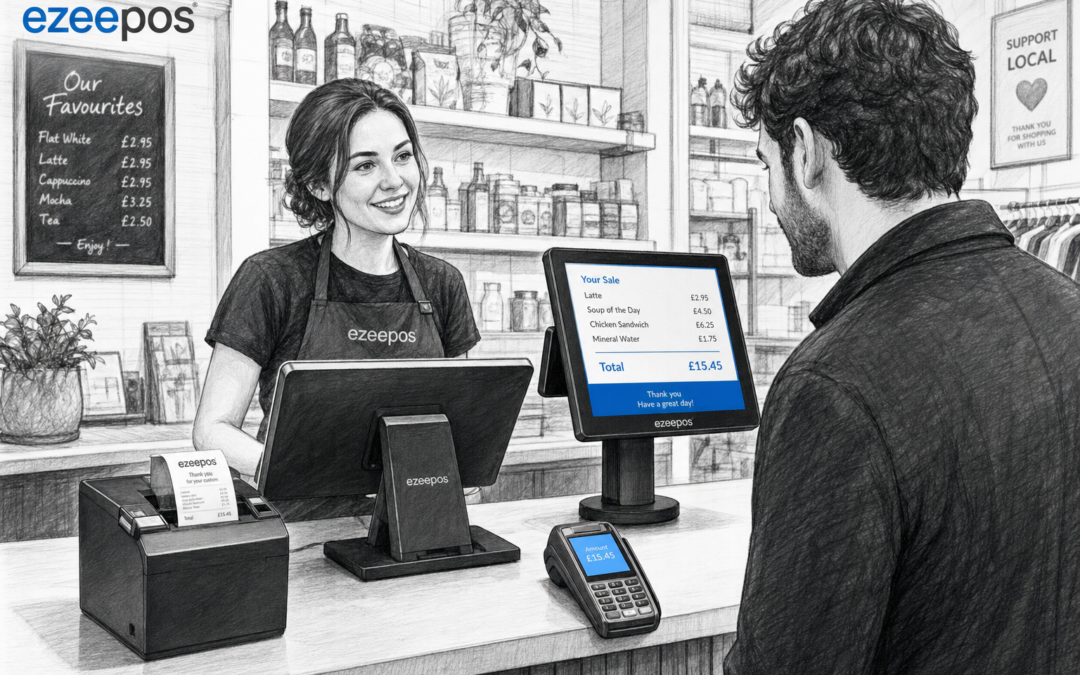
For many independent businesses, the till is more than a place to take payment. It is where customers check their order, staff confirm items and small mistakes can either be caught early or become a delay. A customer-facing display can help make that moment much clearer.
If you are reviewing your checkout setup, eZeePOS at www.ezeepos.co.uk offers a practical way to think about the full till experience, not just the transaction itself. A well-placed display can support speed, accuracy and better communication at the counter.
What a customer-facing display does
A customer-facing display is a screen that shows the customer what is being entered at the till. That can include item names, prices, discounts, totals and payment prompts. In a retail shop, it gives the customer a clearer view of the basket as it builds. In a cafe, restaurant or takeaway, it can help show the order before payment is taken.
That extra visibility may seem simple, but it can make a real difference. Customers are less likely to wonder what has been scanned. Staff can spot an error before it becomes a refund. And in busy periods, the checkout feels more open and organised.
Why checkout clarity matters in busy businesses
When service is fast, misunderstandings can happen easily. A customer may not hear the total clearly. A staff member may accidentally enter the wrong item. A confusion over a discount, modifier or special request can slow the queue and create avoidable tension.
A customer-facing display helps reduce that friction by showing the details as the sale happens. That is useful in a wide range of settings:
- Retail counters with mixed item baskets
- Cafes and bakeries with custom orders
- Restaurants and pubs with add-ons, sides or changes
- Takeaways where order accuracy really matters
For businesses trying to keep service calm and professional, clearer checkout information is one of the most practical improvements you can make.
How it helps staff and customers
Fewer mistakes at the point of sale
When customers can see what is being entered, they can flag errors immediately. That is especially helpful where products look similar, prices change often or menu options need careful selection. Catching a problem before payment is much easier than correcting it after the customer has left.
More confidence during transactions
A visible total builds trust. Customers know what they are being charged and can follow the order as it is keyed in. In hospitality settings, this can be particularly useful when several items are added one after another, such as drinks, sides or extra toppings.
Smoother conversations at the counter
Instead of asking staff to repeat totals or explain every entry, customers can see the information for themselves. That can make the interaction feel shorter, clearer and more professional, especially during a rush.
Useful in both retail and hospitality
Customer-facing displays are not limited to one sector. In retail, they can help when staff are scanning multiple products or applying promotions. In hospitality, they can support order accuracy when customers are making changes to items or paying for a table bill.
For example, a coffee shop customer can see each drink and snack added to the sale. A clothing shop customer can check that the right size or item has been entered. A takeaway customer can follow the order before it is sent through to the kitchen or completed at the counter.
In each case, the display is about clarity. It helps the person serving and the person buying stay aligned.
Where a customer-facing display fits in a modern EPOS setup
A customer-facing display works best as part of a broader, well-planned EPOS system. That may include a touchscreen till, receipt printer, card payment setup and other front-of-house hardware depending on the business.
If you are building or upgrading a till area, it is worth thinking about the full layout:
- Can the customer see the display easily without leaning over the counter?
- Is the main till screen positioned for the staff member to work quickly?
- Are receipts, payment terminals and other hardware placed in a tidy, practical way?
- Does the setup suit both busy periods and quieter trading times?
The goal is not to add clutter. It is to make the counter easier to use for everyone.
When a customer-facing display is most valuable
Some businesses benefit more than others, but the display becomes especially useful when transactions are frequent, detailed or fast-moving. That includes places with:
- Regular queue pressure
- Frequent menu changes or modifiers
- Promotions and discounts that need clear presentation
- Mixed baskets or multi-item orders
- New staff who need an extra layer of support
It is also useful where customer confidence matters. If people can see exactly what they are paying for, it removes unnecessary doubt and gives the checkout a more professional feel.
Choosing the right setup for your counter
Not every business needs the same hardware layout. A compact cafe counter will have different space considerations from a larger retail till or a busy takeaway. That is why it helps to look at customer-facing displays as part of the whole POS design rather than a standalone device.
Think about visibility, screen size, counter space and the kind of information you want the customer to see. Some businesses need only the basics. Others want enough detail to show itemised orders, totals and payment prompts clearly. A good EPOS supplier can help you weigh up those practical choices without overcomplicating the setup.
A simple way to improve the checkout experience
If your current checkout feels busy, rushed or prone to small misunderstandings, a customer-facing display could be a straightforward improvement. It does not replace good staff training or a well-organised EPOS system, but it can support both by making the transaction easier to follow.
For UK retailers, cafes, restaurants and takeaways, that extra clarity can improve service without changing how the business works day to day. It is a small feature that can have a noticeable effect on the customer experience.
To explore practical EPOS options for your business, visit eZeePOS and see how a more organised checkout setup can support clearer service. Contact YCR Distribution at sales@ezeepos.co.uk or call 01924 438238.
Recent Comments