
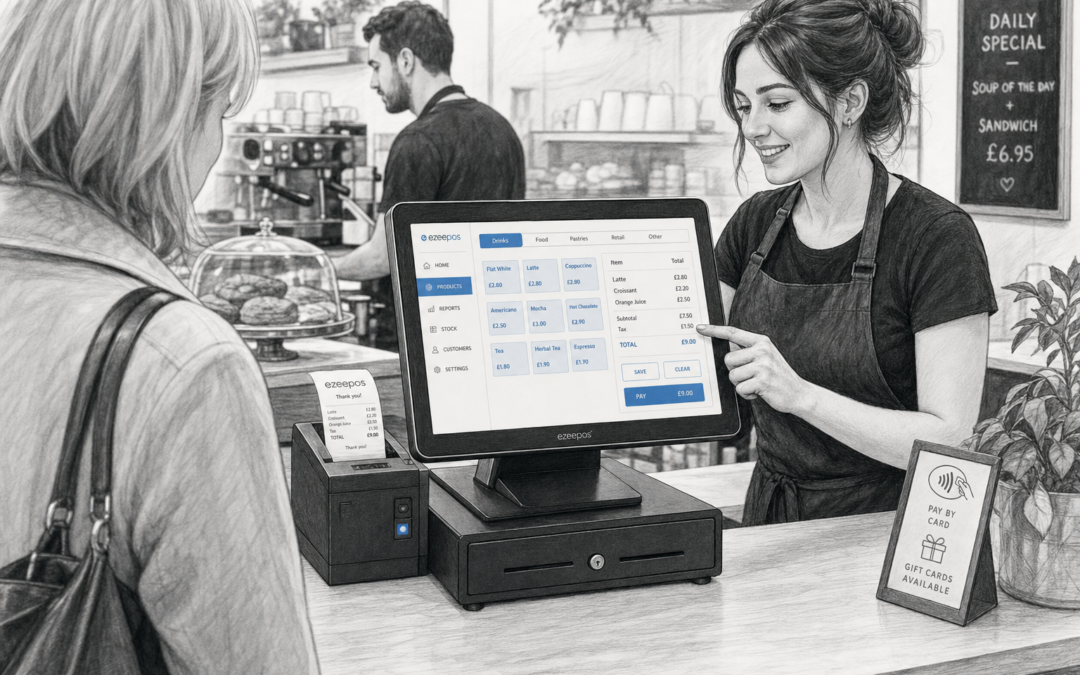
For many UK shops, cafes, takeaways and other busy counter-led businesses, the till is the centre of the operation. It is where customers are served, orders are checked, payments are taken and day-to-day decisions often begin. That is why choosing the right touchscreen till matters more than it first appears.
If you are looking at options for your business, eZeePOS offers a practical UK EPOS approach designed for independent retailers and hospitality businesses that want a tidy, dependable and easy-to-use counter setup. The right system should help staff move confidently through each sale, rather than creating extra steps.
Why a touchscreen till suits busy businesses
A touchscreen till is designed to make common tasks quicker to reach. Instead of working through a traditional keyboard-heavy setup or a basic cash register, staff can use clear buttons and straightforward menus to find items, take orders and complete transactions with less fuss.
That can make a real difference during peak periods. In a cafe at lunchtime, a takeaway during the evening rush or a retail shop on a busy weekend, staff need to focus on service, not on repeatedly searching for functions. A well-planned touchscreen till keeps the most-used actions close at hand.
Useful for both retail and hospitality
One of the biggest strengths of touchscreen tills is flexibility. Retail businesses may need fast item selection, product lookup or simple department buttons. Hospitality businesses may need menu navigation, table service tools or quick access to modifiers and order options. The same general hardware style can suit different businesses, provided the layout is set up sensibly.
For independent operators, that practical flexibility often matters more than having a long list of features on paper. The aim is to make the till fit the way the business actually works.
What to look for in a touchscreen till setup
When choosing a touchscreen till, it helps to think beyond the screen itself. The most useful system is usually the one that fits your counter, your team and your daily workflow.
- Simple layout: Staff should be able to learn it quickly and find common actions without confusion.
- Good screen size: The display should be large enough to read clearly, but not so large that it dominates the counter.
- Responsive touch controls: Tills need to keep up with fast, repeated use throughout the day.
- Flexible menus: Retail and hospitality businesses often benefit from the ability to organise buttons in a way that makes sense to them.
- Space-saving design: A tidy counter helps keep service organised and avoids clutter.
If you are setting up a new site or replacing an older system, it is worth thinking about how the till will sit alongside other essentials such as a receipt printer, cash drawer or card terminal. A good counter arrangement can save time and reduce mistakes.
How a touchscreen till supports faster service
Speed is not only about taking payments quickly. It is also about reducing hesitation, avoiding unnecessary steps and helping staff stay focused. A touchscreen till can support that in several ways.
Clear buttons and a well-organised menu can help staff find products or orders more quickly. Fewer input steps can reduce errors. And when the till is easy to use, new staff members may feel more confident sooner, which is especially useful for seasonal trading or businesses with regular staff changes.
In hospitality, that can help during busy breakfast, lunch or evening periods. In retail, it can keep queues moving when customers are making smaller, frequent purchases. In both cases, the goal is the same: a smoother counter experience.
Practical benefits for staff and owners
The best EPOS setups do more than make the till look modern. They help the business run more consistently.
For staff
Touchscreen tills can make training easier because the process is more visual and less dependent on memorising codes or navigating a complicated interface. That can be especially helpful in businesses where several team members share the same counter during the week.
For owners
Owners often appreciate being able to keep the front counter organised without making the system harder to manage. A clear till layout can support better day-to-day control, while still leaving room for reports, admin and other useful EPOS functions behind the scenes.
Thinking about the wider EPOS setup
A touchscreen till should not be considered in isolation. It is usually part of a wider EPOS setup that may include payment handling, receipt printing, kitchen printing, reporting or loyalty tools. If the goal is to improve counter efficiency, all of those pieces need to work sensibly together.
For example, a busy cafe may want a touchscreen till at the counter, a kitchen printer at the back and clear payment handling at the point of sale. A small retail shop may value a compact till, a swift barcode or product entry workflow and a clean setup that does not take up too much room. The right arrangement depends on the business, but the principle is the same: keep the process simple and practical.
Why independent businesses benefit from a considered choice
Independent businesses do not always need the biggest or most complex system. They usually need the one that suits their pace of trade, their team and their available counter space. That is where a carefully chosen touchscreen till can make a real difference.
Instead of working around a till that feels awkward or overcomplicated, you can choose a setup that supports your service style from the start. For some businesses, that means a compact counter system. For others, it means a larger touchscreen with clearer menu organisation and room for future growth.
If you are comparing options, it is worth thinking about the day-to-day reality of your business rather than just the specification sheet. The best touchscreen till is the one that helps your staff serve customers properly, especially when the counter is busy.
eZeePOS for a practical touchscreen till setup
At www.ezeepos.co.uk, eZeePOS is positioned as a practical UK EPOS option for retailers and hospitality businesses that want clear, usable software alongside modern touchscreen till hardware. If you are planning a new system or upgrading from a more basic setup, it is worth looking at how the software, hardware and counter layout will work together in real life.
For businesses that may also need integrated payments, eZeePOS can form part of a wider discussion around payment integration options, including providers such as Teya and Dojo Payments. The main point is to choose a setup that supports fast, accurate service without making the till harder to use.
Contact YCR Distribution at sales@ezeepos.co.uk or call 01924 438238.
If you are ready to explore a better counter setup, visit www.ezeepos.co.uk to learn more about eZeePOS and the options available for your business.
Recent Comments