
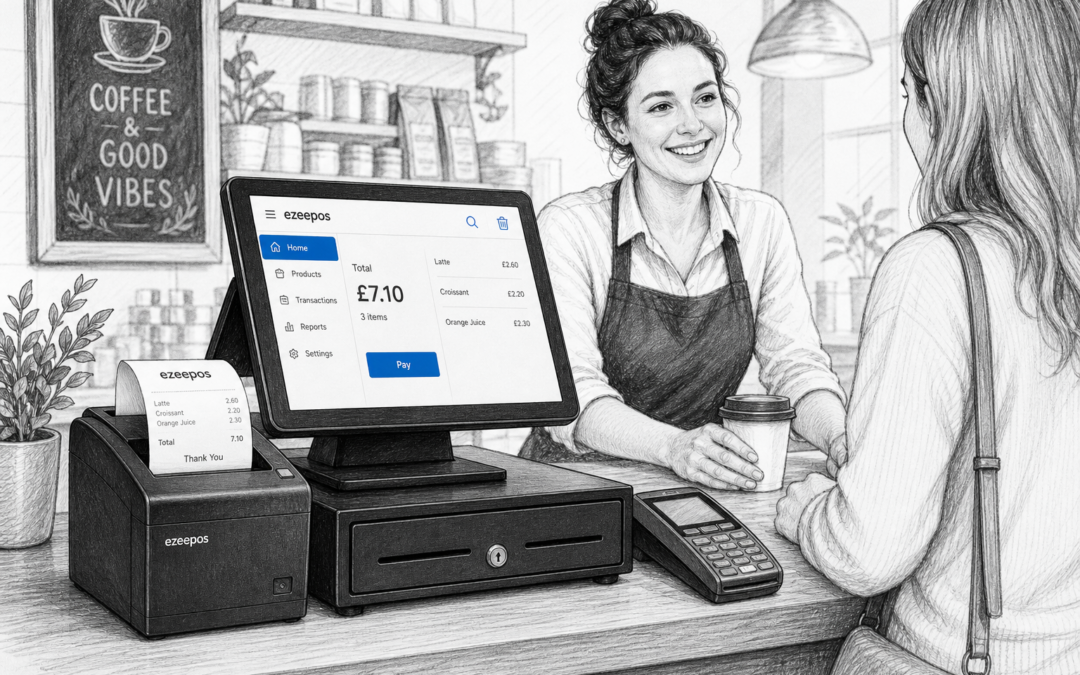
The receipt printer is easy to overlook when planning a till system, but it plays a bigger role than many business owners expect. In a busy shop, cafe, takeaway or restaurant, the right printer can help service feel quicker, reduce confusion at the counter and support a smoother day for staff and customers.
If you are reviewing your EPOS setup, it is worth thinking beyond the till screen itself. At eZeePOS, the focus is on building practical UK EPOS and POS solutions that suit real businesses, whether you are running a compact counter or a busy service point. A receipt printer may only be one part of that setup, but the right choice can make a noticeable difference.
Why receipt printers still matter
Even with digital options becoming more common, printed receipts remain useful in many retail and hospitality settings. Customers may want proof of purchase, order details, VAT information or a simple paper record they can keep in a wallet, bag or till drawer.
For staff, a reliable printer can also help transactions feel more complete. In hospitality, it can support order tickets at the counter, kitchen handovers or customer receipts after payment. In retail, it can keep the checkout moving by producing clear, easy-to-read receipts without delays.
What to consider before you choose
There is no single receipt printer that suits every business. The best choice depends on your counter space, service style and how your team works during the day. Before you buy, it helps to think through the following points.
1. Print speed
In a busy environment, speed matters. A printer that produces receipts quickly helps reduce the time each customer spends at the till. That can be especially useful during lunch rushes, weekend peaks or seasonal trading periods when every extra second adds up.
2. Print quality
Receipts should be clear and easy to read. A faded or poorly printed receipt can frustrate customers and make it harder for staff to refer back to order details. Good print quality is especially important for itemised sales, returns and customer records.
3. Paper roll access
Changing paper should be quick and simple. In a busy business, staff do not want to wrestle with a printer during a rush. Front-loading or easy-access paper design can save time and reduce disruption, particularly where several team members use the same till.
4. Connection type
Receipt printers may connect in different ways depending on the setup. Some businesses want a compact counter layout, while others need the printer placed out of the way for easier workflow. The right connection approach should fit the hardware and layout you are already planning, rather than forcing you to redesign the counter around the printer.
5. Space at the counter
For small shops, cafes and kiosks, counter space is often at a premium. A bulky printer can make the till area feel crowded and harder to manage. A compact receipt printer can help keep the counter cleaner, simpler and easier for staff to use during service.
Receipt printers in retail settings
In retail, the receipt printer is often part of the customer’s final impression of the checkout. If the queue is moving well, the receipt prints clearly and the handover is fast, the whole experience feels smoother.
Shops that process a mix of small, regular transactions and occasional larger baskets may benefit from a printer that keeps pace without becoming a distraction. That includes convenience stores, gift shops, pet shops and other independent retailers where speed and clarity are both important.
A receipt printer can also support returns and exchanges by giving customers a clear record of purchase. When staff can print and hand over a receipt quickly, it makes the checkout feel more organised and helps avoid unnecessary delays.
Receipt printers in hospitality settings
For cafes, restaurants and takeaways, the receipt printer often does more than simply print customer receipts. It may also support order tickets, payment slips or other parts of the service flow. That makes reliability especially important during busy periods.
In a takeaway, a printer can help keep orders accurate and visible. In a cafe or restaurant, it can support the handover between front-of-house and payment processing. The key is to choose a printer that fits the way your team actually works, not just the way you expect the business to run on paper.
Hospitality counters can be hectic, so a printer that is quick, straightforward and easy to reload can reduce stress during service. That helps staff stay focused on customers rather than on technical interruptions.
How receipt printers fit into a modern EPOS setup
A receipt printer should work as part of a broader, practical EPOS setup. The software, terminal, payment setup and printer all need to support the same goal: helping staff take orders or payments without unnecessary friction.
If you are thinking about a full till upgrade, it is worth looking at the rest of the counter too. A well-chosen touchscreen terminal, cash drawer and printer can create a more organised workspace and make training easier for new staff. That is where a flexible system like eZeePOS can be useful for UK businesses that want a straightforward setup without unnecessary complexity.
When to think about integrated payments too
If your receipt printer is part of a faster checkout or payment workflow, it may be sensible to review your card payment setup at the same time. Businesses that want to reduce manual typing at the till or keep service moving more smoothly may also want to discuss payment integration options such as Teya and Dojo Payments with YCR Distribution. That conversation should be based on your actual business needs, existing hardware and day-to-day working style.
Keeping the choice practical
The best receipt printer is usually the one that fits your business without causing extra work. That means considering print speed, reliability, counter space, paper handling and how the printer supports your wider till workflow.
For independent UK retailers and hospitality businesses, a sensible setup is often better than an overly complicated one. When your printer is right for the job, staff can work more confidently and customers get a clearer, quicker service.
If you are planning a new EPOS setup or reviewing your current till hardware, take a look at www.ezeepos.co.uk to see how eZeePOS can support a practical, modern system for your business.
Contact YCR Distribution at sales@ezeepos.co.uk or call 01924 438238.
Recent Comments