
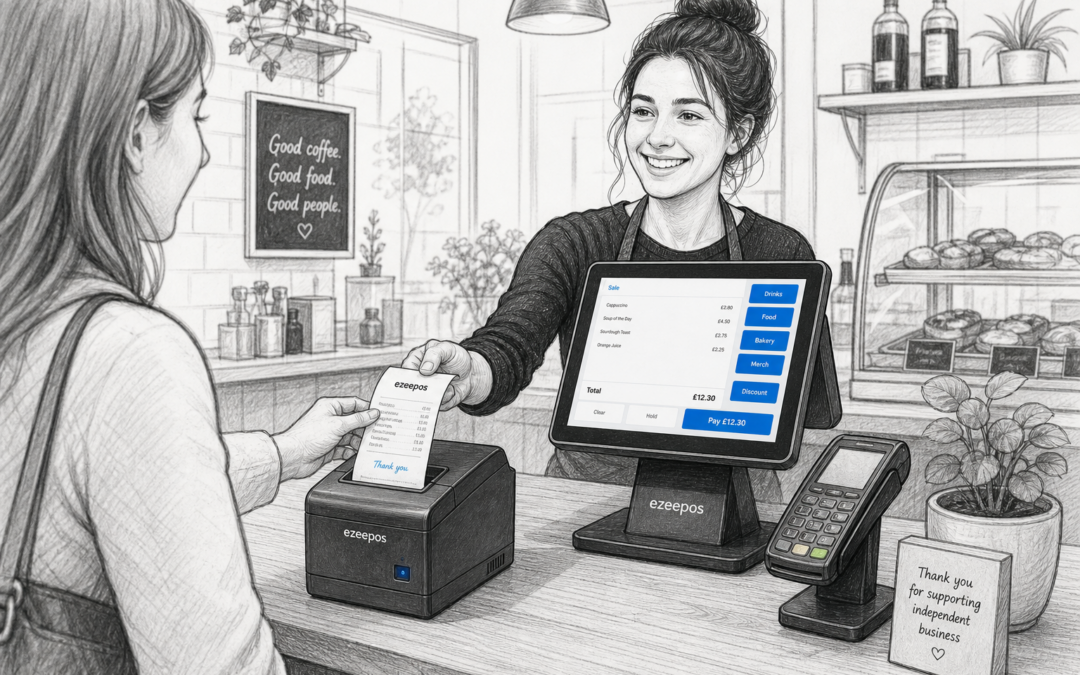
Why the receipt printer matters more than you might think
When businesses look at EPOS, the focus often falls on the touchscreen till, reporting or card payments. But the receipt printer is still one of the most practical parts of the setup. It is the point where orders, payments and customer information turn into something staff and customers can actually use.
For independent retailers, cafes, restaurants, takeaways and other busy counters, a good printer supports smoother service and fewer interruptions. If you are reviewing your current setup or planning a new one, eZeePOS can help you think through the wider system as well as the hardware that sits alongside it.
What a receipt printer does in day-to-day trading
A receipt printer has a simple job, but that job can affect the flow of the whole counter. It can produce customer receipts, kitchen dockets, payment confirmations, order tickets and internal records depending on how your EPOS is set up.
In retail, a printer helps provide a clear proof of purchase and a tidy checkout experience. In hospitality, it can support order handling, kitchen communication and faster service at the till. The right printer should fit naturally into the way your team already works, rather than slowing them down.
Choosing a printer for your business type
Retail shops
For shops, the main priorities are usually speed, reliability and a neat counter layout. A printer that works consistently during busy periods helps keep queues moving and reduces frustration at the till. If you run a place such as a convenience store, gift shop, farm shop or fashion boutique, a compact printer can be a practical choice where counter space is limited.
Cafes, restaurants and takeaways
In hospitality, receipt printing often needs to do more than produce a customer bill. It may also support kitchen tickets, counter dockets or order tickets for different parts of service. That means your printing setup should match the way your venue operates, especially during peak times when orders are coming in quickly.
For takeaways and quick-service counters, speed and clarity matter just as much as print quality. Staff need slips that are easy to read, and customers need receipts that are clear and professional.
Practical things to think about before buying
There are a few simple questions worth asking before choosing a receipt printer:
- Will it be used for customer receipts only, or also for kitchen or order tickets?
- How much counter space do you have?
- Will staff need a fast printer for busy trading periods?
- Do you need a wired or more flexible setup?
- How easy will it be for staff to load paper and keep things running?
These details sound small, but they matter when your business is busy. A printer that is awkward to load or slow to respond can interrupt the flow of service at exactly the wrong time.
Paper rolls, print speed and reliability
Paper size and roll type should be chosen with everyday use in mind. If your business prints a high volume of receipts, quick roll changes can save time and reduce stress. Print speed also matters, especially when queues are building or kitchen tickets need to be produced without delay.
Reliability is just as important as speed. A printer is not something staff should have to think about all day. The best setup is one that quietly does its job in the background, so the team can stay focused on customers.
How receipt printing supports better customer service
A clear receipt gives customers confidence. It helps them check what they have bought, what they have paid and what they need to keep for returns or records. In hospitality, a printed bill can also make the handover at the table or counter feel more organised and professional.
For businesses using a modern touchscreen till system, receipt printing can be part of a smoother service flow rather than a separate task. When the till, printer and payment process work well together, staff spend less time waiting and more time serving.
Receipt printers and payment workflow
Receipt printing can also play a useful role in how payments are handled at the counter. In a busy retail or hospitality business, staff may need a printed customer receipt to match a card payment, confirm a table bill or keep an orderly record at the end of the day.
If you are also thinking about integrated card payments, it can be sensible to look at the wider payment setup at the same time. Businesses may wish to discuss payment integration options such as Teya and Dojo Payments with YCR Distribution, especially where the aim is to keep checkout work simple and reduce unnecessary manual steps. The key point is not to add complexity, but to make the till area easier to run.
Keeping the counter simple and organised
A receipt printer should support the layout of the counter, not clutter it. In smaller shops and cafes, a compact device can help keep the till area tidy. In busier hospitality venues, the right placement can make it easier for staff to move between taking orders, printing tickets and completing payments without crossing paths too often.
This is where a joined-up EPOS setup becomes useful. When hardware is chosen with the business in mind, rather than in isolation, the whole counter tends to feel calmer and easier to manage.
Why the right EPOS partner matters
Choosing a receipt printer is not just about the machine itself. It is also about how it fits into your software, your counter space and your day-to-day routines. That is why many UK businesses prefer working with a supplier that understands both retail and hospitality needs.
eZeePOS is designed for practical business use, whether you are running a shop, cafe, restaurant or takeaway. If you are planning a new EPOS setup or reviewing the hardware you already use, it helps to think about the whole workflow rather than one item on its own.
Final thoughts
A receipt printer may not be the most visible part of your EPOS system, but it can have a real effect on service speed, customer clarity and staff confidence. The best choice is one that suits your space, your trading style and the way your team works every day.
If you are improving your till setup, it is worth reviewing the printer alongside your software, payments and counter layout. A small upgrade in the right place can make the whole checkout feel more organised.
Contact YCR Distribution at sales@ezeepos.co.uk or call 01924 438238.
To learn more about eZeePOS and how it can support your business, visit www.ezeepos.co.uk.
Recent Comments