
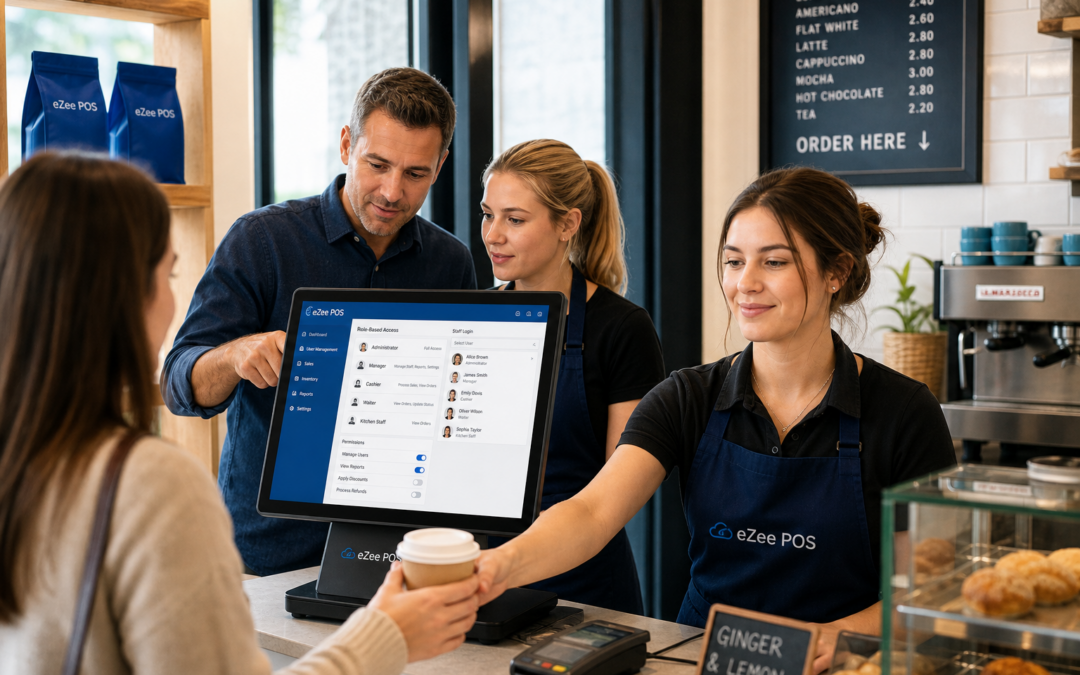
For many independent businesses, the till is not just where sales happen. It is also where refunds are approved, discounts are applied, cash movements are recorded and sensitive settings can be changed. That is why staff permissions are such a useful feature in a modern EPOS system.
If you are reviewing your setup on www.ezeepos.co.uk, the right permissions structure can help you keep control without slowing your team down. In busy retail and hospitality environments, it can reduce avoidable mistakes, protect key functions and make it much clearer who did what, and when.
What staff permissions actually do
Staff permissions let you decide which users can carry out certain actions on the EPOS system. Rather than giving every member of staff the same access, you can separate everyday duties from more sensitive tasks.
That might mean one team member can take sales and print receipts, while a supervisor can process refunds or void transactions. A manager might be able to change pricing, view detailed reports or edit user settings, while newer staff can focus on serving customers and learning the basics.
This does not need to feel restrictive. In practice, it often makes the till easier to use because each person only sees the functions that matter to their role.
Why permissions matter in retail and hospitality
In a small business, it can be tempting to give everyone full access so that nothing gets in the way during service. But as the team grows, that approach can lead to confusion, inconsistent processes and avoidable errors.
Clear permissions can help with:
- reducing unauthorised refunds or discounts
- limiting accidental changes to product or pricing settings
- protecting end-of-day figures from casual edits
- making responsibilities clearer for supervisors and managers
- creating better accountability across the team
For retail businesses, this is especially useful when several people share the same till across different shifts. For cafés, restaurants and takeaways, it is helpful when front-of-house teams need to stay fast while managers retain control over the more sensitive functions.
How staff permissions support a busy checkout
1. They keep service moving
Well-planned permissions do not have to slow staff down. In fact, they can make training easier because the interface is simpler for each role. A new starter at the counter does not need to navigate tools they will not use, which can make them more confident sooner.
2. They reduce costly mistakes
Some of the most common till errors happen when the wrong action is available to the wrong person. A misplaced discount, an accidental void or an unapproved refund can affect both the customer experience and your records. Limiting access to those functions can reduce the chance of problems before they happen.
3. They improve accountability
When staff log in with their own user details, it becomes much easier to understand who carried out a transaction or changed a setting. That can help with internal reviews, shift handovers and resolving disputes if a query comes up later.
Examples by business type
Retail shops
In a clothing shop, gift shop or convenience store, staff permissions can help keep pricing and refunds under control. You may want any till operator to process a standard sale, but only a supervisor to approve returns over a certain value or adjust a discount.
Cafés and restaurants
In hospitality, speed matters, but so does accuracy. Permissions can allow waiting staff to place orders quickly while restricting access to menu changes, voids or end-of-day functions. That balance helps the team focus on service without losing control behind the scenes.
Takeaways and quick-service businesses
For takeaways and quick-service venues, permissions can help during peak periods when the queue is building. Staff can take orders and payments without having to manage functions that should remain with a supervisor, which keeps the counter more organised.
What to look for in a permissions setup
If you are comparing EPOS options, look for a system that lets you set permissions in a practical way. The best setup is not the most complicated one; it is the one that matches how your team really works.
Useful questions to ask include:
- Can permissions be set by role, not just by individual user?
- Can managers approve sensitive actions such as refunds or voids?
- Can you track actions using PINs or logins for each staff member?
- Can permissions be changed quickly as the business grows?
- Can access levels be tailored for different locations or departments?
At eZeePOS, staff permissions are one of the features that can help UK businesses build a more organised till process without adding unnecessary complexity.
Permissions and reporting work well together
Staff permissions become even more useful when they are paired with clear reporting. If a manager can see which staff member processed a refund, applied a discount or deleted an item from the order, it becomes much easier to review sales activity and spot patterns.
That connection is valuable for businesses that want better day-to-day control without relying on memory or paper notes. It also supports fairer staff management, because decisions are based on actual transaction records rather than assumptions.
Getting the balance right
The aim is not to create barriers. It is to make the EPOS system work in a way that supports your business. Good permissions should feel natural, not heavy-handed. Staff should still be able to do their jobs quickly, while managers keep visibility over the actions that matter most.
If your current till setup feels too open, or if you have started to notice more mistakes as your team grows, staff permissions may be one of the simplest improvements you can make.
For a practical UK EPOS/POS solution for retail and hospitality businesses, visit www.ezeepos.co.uk to learn more about how eZeePOS can support day-to-day control, clearer processes and easier team management.
Contact YCR Distribution at sales@ezeepos.co.uk or call 01924 438238.
Recent Comments