
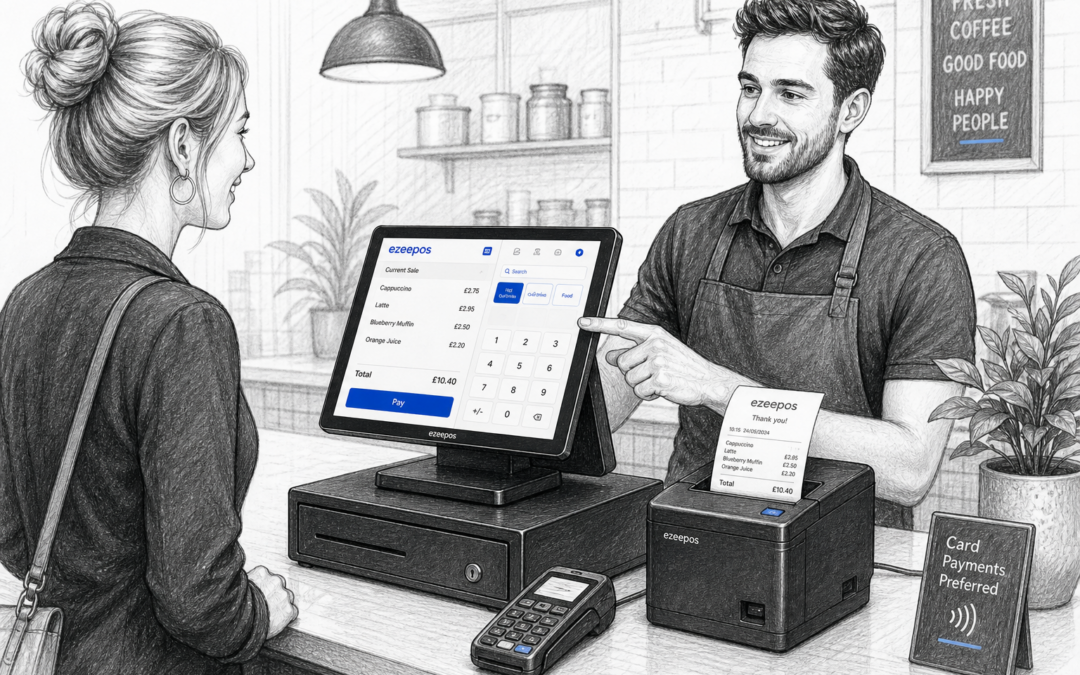
Why the right receipt printer matters
For many UK shops, cafes, restaurants and takeaways, the receipt printer is one of the most heavily used parts of the till setup. It is easy to overlook because it sits quietly beside the main touchscreen till, but when it is slow, unreliable or awkward to use, staff notice it straight away.
If your business is reviewing its EPOS setup, it is worth thinking beyond the screen and card terminal. The right printer can help keep queues moving, reduce confusion at the counter and make everyday trading feel more organised. On www.ezeepos.co.uk, eZeePOS is positioned as a practical UK EPOS option for businesses that want a setup that works well in real service conditions, not just on paper.
What a receipt printer does in day-to-day service
A receipt printer has a straightforward role: it produces customer receipts, order slips and other printed records quickly and clearly. In practice, though, that simple function supports several parts of the business at once.
- It gives customers proof of purchase.
- It helps staff hand over orders clearly and consistently.
- It supports refunds, returns and record keeping.
- It can improve the flow at the counter during busy periods.
In hospitality settings, the printer may do even more than that. A cafe or takeaway might use it to print order tickets, while a restaurant may rely on it to keep front-of-house and back-of-house communication clear. In retail, it can help make the checkout experience feel quicker and more professional.
Think about your business type first
Retail counters
For a shop, the main priorities are usually speed, reliability and a compact footprint. A printer that works neatly beside a touchscreen till can help staff serve customers without unnecessary movement or delay. Independent retailers often need hardware that is simple to train on and easy to maintain.
Cafes, takeaways and restaurants
In hospitality, printing needs can change quickly during service. A busy lunch rush may create a lot of orders in a short space of time, so the printer needs to cope without becoming a bottleneck. Clear, readable tickets are important for accuracy, especially when different items, extras or special requests need to be passed on properly.
Bars and pubs
In bars and pubs, receipt printers often need to support fast counter service where speed matters just as much as clarity. Staff may be dealing with repeated transactions, split orders or table-related service, so a dependable print setup can help reduce interruptions.
Key things to consider before choosing one
Print speed and reliability
A printer does not need to be flashy, but it does need to keep up with trade. If your business has busy periods, look for a setup that can handle repeated printing without constant delays. A slow printer can create pressure at the till and make staff feel less confident during service.
Receipt size and clarity
Printed receipts should be easy to read at a glance. For customers, that means clear totals and item details. For staff, it means order tickets that are practical to work from. In a busy kitchen or stock room, readability matters more than you might think.
Counter space
Small counters can become cluttered quickly, especially in independent businesses where every inch matters. A compact printer can help keep the till area tidy and reduce the chance of the setup feeling cramped. This is especially useful in cafes, mobile catering units and smaller retail spaces.
How it fits into the full EPOS setup
The best printer is not necessarily the most advanced one, but the one that fits smoothly with the rest of the system. That includes the touchscreen till, cash drawer, card terminal and any other hardware you use day to day. A well-planned layout helps staff work naturally without reaching across the counter or switching between too many devices.
Customer experience still matters
Receipt printing is often part of the final moment a customer spends at the counter. If the printer is fast and tidy, that last step feels smooth. If it is slow, noisy or unreliable, it can leave a poor final impression even if the rest of the service was fine.
For some customers, a receipt is also useful for returns, expenses or records. Others may prefer a digital alternative, but many still value having a printed copy available. A good EPOS setup should give you a straightforward way to support both sensible record keeping and a tidy checkout experience.
When receipt printers are part of a wider payment setup
In businesses where the till, printer and payment terminal all work together, the checkout process becomes easier to manage. That can reduce awkward double entry and cut down on avoidable mistakes. If your business is also reviewing card payment options, it may be worth discussing payment integration choices with YCR Distribution, including providers such as Teya and Dojo Payments, depending on what suits your setup and service style.
The important point is not to add more technology for its own sake. It is to make sure the printer, EPOS software and payment flow all support each other and keep the counter running smoothly.
A practical choice for growing businesses
If you are starting with a basic till, upgrading to a touchscreen system or replacing older hardware, a receipt printer is worth choosing carefully. The cheapest option is not always the best fit if it is likely to slow service or create more work for staff later.
At eZeePOS, the focus is on helping UK businesses build a practical setup that suits their counter, their team and their customers. That might mean a compact retail till, a hospitality counter with order printing, or a more complete EPOS arrangement for a busier site. You can explore more at www.ezeepos.co.uk.
Final thoughts
A receipt printer is a small piece of hardware with a surprisingly big job. When it is chosen well, it supports speed, accuracy and a better customer experience. When it is not, it can become a daily frustration. For independent UK businesses, that makes it worth treating as an important part of the till setup, not an afterthought.
Contact YCR Distribution at sales@ezeepos.co.uk or call 01924 438238.
If you are planning a new EPOS setup or reviewing your current hardware, visit www.ezeepos.co.uk to learn more about eZeePOS and the options available for your business.
Recent Comments