
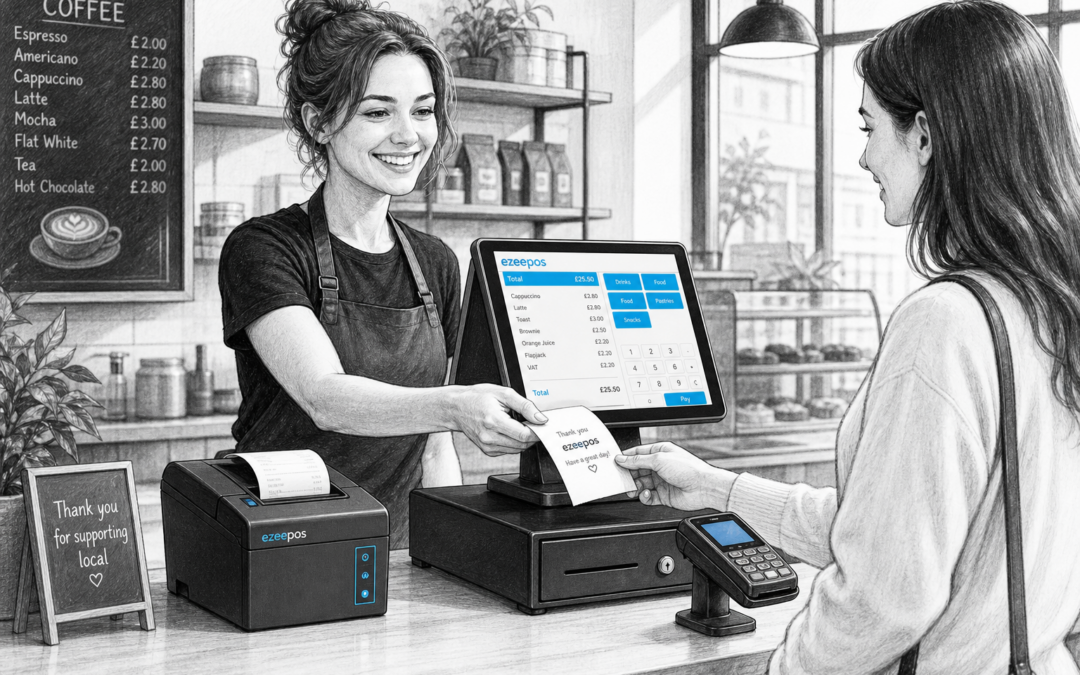
When businesses look at new EPOS systems, the focus often falls on the touchscreen till, reporting or card payments. But the receipt printer is still an important part of the day-to-day setup. For many UK retailers, cafes, restaurants and takeaways, it is the device that turns an order, payment or collection point into something clear and practical.
If you are reviewing your EPOS setup with eZeePOS, it is worth thinking about how receipt printing fits into your counter, your staff workflow and the type of customers you serve. The right printer can help service feel smoother, reduce confusion and keep transactions moving without adding extra steps at the till.
Why receipt printers still matter
In a busy business, a receipt is more than a piece of paper. It can be proof of purchase, a kitchen note, an order reference, a customer collection ticket or a simple way to keep the sale clear.
For retail businesses, receipts help customers check what they bought and make returns or exchanges easier to manage. For hospitality businesses, they can support table service, takeaway collections and accurate handovers between the counter and kitchen. A reliable printer gives staff one less thing to worry about when service gets busy.
Think about where the printer will be used
The first question is not usually which printer looks best, but where it needs to sit and what it needs to do.
Retail counters
For shops, gift stores, newsagents, pet shops and other retail environments, the printer often sits alongside a touchscreen till and card payment terminal. In these settings, speed and simplicity matter. Staff may need to print a customer receipt quickly without crossing the counter or interrupting the checkout flow.
Cafes, restaurants and takeaways
In hospitality, the printer may be used for customer receipts, order tickets or collection slips. Some businesses also need more than one printer: one at the counter and another in the kitchen or prep area. In a takeaway, for example, a receipt printer at the till can help keep customer communication clear while a kitchen printer supports order accuracy behind the scenes.
Connection type and layout
Receipt printers are not just about print speed. They also need to fit the layout of your counter and your EPOS hardware.
- Wired printers may suit fixed till points where everything stays in one place.
- Wireless or networked setups can be useful where the counter layout is more flexible.
- Compact printers matter if counter space is tight and you want a tidy setup.
If you are building a new EPOS setup, think about how the printer will sit alongside your touchscreen till, cash drawer and card machine. A crowded counter can slow staff down, while a cleaner layout can make training easier and service more comfortable.
Speed, reliability and paper handling
In busy trading periods, the biggest frustration is often not the sale itself but the delay caused by a printer that cannot keep up. A printer that is slow, jams often or needs constant attention can interrupt service and create pressure for staff.
That is why it helps to choose a printer that is suited to the pace of your business. A cafe during lunch service, a takeaway on a Friday evening and a shop during a seasonal rush all need dependable hardware. Staff should be able to print receipts quickly, replace paper easily and keep the queue moving.
It is also worth considering the style of receipt you want to give customers. Some businesses prefer a simple compact receipt, while others may need a little more detail. The printer should handle your usual transaction format without making the till area more complicated than it needs to be.
Matching the printer to your business type
Different businesses use receipt printers in different ways, so it helps to think practically rather than choosing the first model that appears suitable.
- Retail shops often need a dependable front-of-house printer for fast customer receipts.
- Cafes and restaurants may need both front counter and back-of-house printing.
- Takeaways and quick-service businesses benefit from easy-to-read order tickets and clear collection information.
- Mobile catering and pop-up setups may need a more compact, flexible arrangement.
If you are not sure what structure makes sense, it can help to map your service from order to payment to receipt. That is often where a practical EPOS discussion with eZeePOS or YCR Distribution can save time later.
Receipt printing and customer experience
It is easy to think of receipt printing as an internal process, but it also affects how customers experience your business. A clear, fast receipt handover can make a checkout feel more organised and professional. In hospitality, it can support table service, collection systems and customer confidence when orders are busy.
For some businesses, receipt printers also support a more modern working style. Staff can process a sale, print the required information and move straight on to the next customer without slowing down the counter. That matters when the aim is to keep service brisk and predictable.
How receipt printers fit with modern EPOS software
A good receipt printer should sit naturally within the wider EPOS setup rather than feeling like a separate device. When your till, reports and payments all work together, the printer becomes part of a smoother service flow.
With a system like eZeePOS, the aim is to make the till environment practical for everyday use. That means considering the printer alongside the wider setup, including the touchscreen terminal, payment terminal, cash drawer and any back-of-house hardware. The result is usually less clutter, fewer workarounds and a clearer process for staff.
Making a sensible choice
There is no single best receipt printer for every UK business. The right choice depends on what you sell, how busy you get, how your counter is arranged and whether you need customer receipts, kitchen tickets or both.
If you are replacing a basic till or updating an older checkout setup, a short review of your printing needs can make the whole system work better. A good printer will not transform the business on its own, but it can make daily trading feel more controlled, efficient and professional.
For a practical EPOS conversation and to explore the right setup for your business, visit www.ezeepos.co.uk. Contact YCR Distribution at sales@ezeepos.co.uk or call 01924 438238.
Recent Comments