
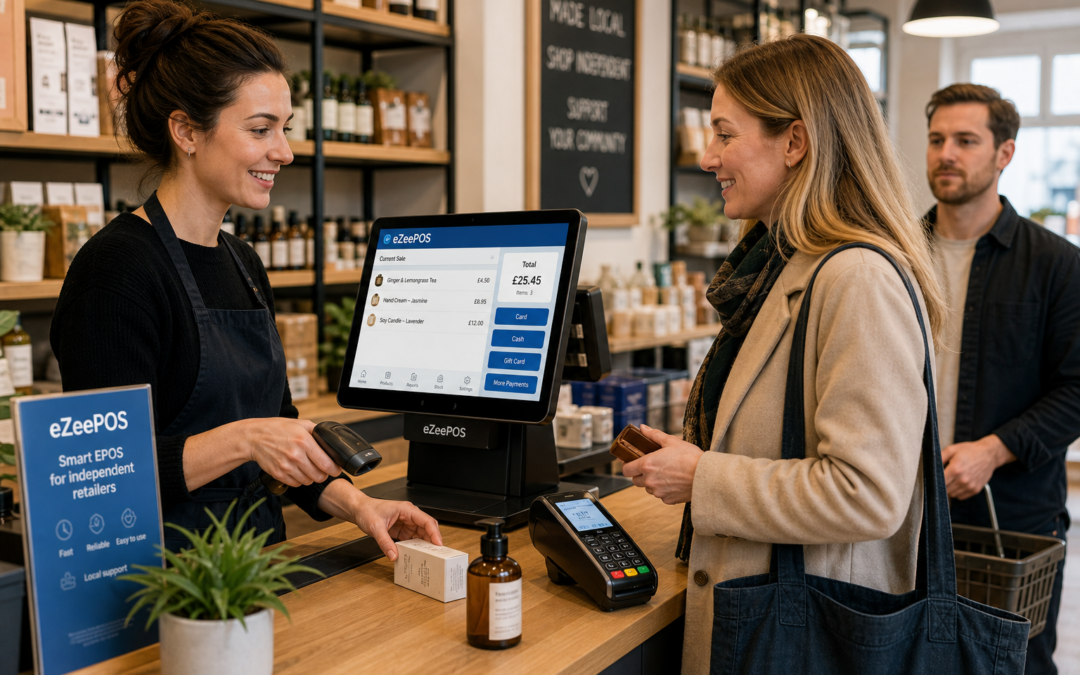
Long queues are one of the quickest ways to make a busy retail shop feel even busier. Customers can become impatient, staff can feel under pressure, and simple tasks at the till can start taking longer than they should.
For independent UK retailers, reducing queues is not just about being faster. It is about making the checkout easier to manage, easier to train on and easier to keep consistent when the shop gets busy. A practical EPOS setup can make a noticeable difference, especially when one person is juggling scanning, payment, queries and product lookups at the same counter.
At eZeePOS, the focus is on helping retail businesses run a more organised till process through straightforward EPOS software that suits everyday trading. Whether you run a convenience store, gift shop, fashion boutique or small multi-department shop, the aim is the same: keep customers moving without making the checkout feel rushed or chaotic.
Why checkout queues build up
Queue problems are often caused by small delays rather than one major issue. A few extra seconds here and there can add up quickly during lunch, after school, at the weekend or in seasonal trading periods.
Common reasons include:
- staff needing to search manually for products
- slow or unclear till screens
- too many steps to complete a sale
- cash handling taking longer than expected
- questions about prices, offers or item details
- new staff still learning the system
When these delays happen repeatedly, checkout speed suffers. A clear EPOS workflow helps reduce friction at the point of sale, so the queue moves in a steady way rather than stopping and starting.
Create a checkout flow that is easy to follow
A good queue-reduction strategy starts with the till layout itself. Staff should be able to understand what to do next without having to think through every step.
Keep common tasks close together
If a team member regularly scans items, checks prices, applies a discount and takes payment, those actions should feel natural in the system. The fewer screens and menu layers they need to work through, the quicker they can serve the customer.
Use a sensible product structure
Product groups, quick keys and clear departments can help staff find items faster. This is particularly useful in convenience stores, gift shops and fashion retailers where not every item is scanned the same way or where product names need to be checked quickly.
Make the till screen readable at a glance
Busy counters are not the place for cluttered menus. A clean screen layout helps new and experienced staff work more confidently, which in turn helps reduce hesitation when a queue starts building.
Use EPOS features that save seconds on every sale
Queue reduction usually comes from making many small improvements rather than one dramatic change. The right EPOS features can shave a few seconds off each transaction, and those seconds matter when people are waiting.
Product lookup for faster item checks
When a price label is unclear or a product is not instantly easy to scan, fast product lookup can keep the sale moving. This matters in shops with large ranges, mixed packaging or frequent price queries.
Barcode scanning for quicker item entry
Barcode scanning remains one of the most practical ways to speed up retail service. It reduces typing, improves accuracy and helps staff keep their attention on the customer instead of the keyboard.
Promotions that apply cleanly at the till
If the till handles offers clearly, staff do not have to stop and work out which discount should apply. That makes service smoother and lowers the chance of delays caused by offer confusion. For a busy checkout, simplicity is often more valuable than having too many complicated promo rules.
Staff permissions for smoother control
Not every till action should require a manager override. At the same time, the business still needs control over refunds, discounts and sensitive changes. Well-set staff permissions can keep service moving while protecting the parts of the system that need oversight.
Support customers before they reach the front of the queue
Reducing queues is not only about the till itself. In many retail businesses, a small amount of organisation elsewhere in the shop can help prevent bottlenecks at the counter.
Prepare common questions in advance
If customers often ask about opening times, return rules, product features or whether an item is available, staff can answer more quickly when that information is easy to access. That helps the conversation stay short and keeps the queue flowing.
Use clear shelf and product labels
When price labels and product names are easy to read, customers are less likely to query basic details at the till. That may seem minor, but repeated queries can slow a queue far more than most owners expect.
Keep the counter organised
A clutter-free counter gives staff space to work and helps customers see that the shop is under control. It also reduces the chance of delays caused by searching for bags, receipts or stationery.
What seasonal and peak trading periods demand
Queue issues often become most visible during busy periods, such as weekends, holidays, pay day trade or seasonal offers. At those times, the best retail setups are the ones that stay easy to use when pressure rises.
That is where a reliable EPOS system becomes especially useful. Instead of relying on manual notes or memory, staff can use a structured till process that remains consistent even when trade picks up. eZeePOS is designed to support that day-to-day stability, helping businesses keep service flowing without overcomplicating the counter.
When payment setup also affects queue speed
In some retail environments, queue delays are not caused by scanning or product lookup alone. Payment steps can also slow things down, especially if staff have to enter amounts manually or wait for separate processes to finish.
Businesses looking at integrated card payments may want to discuss options such as Teya and Dojo Payments with YCR Distribution, particularly where the aim is to keep checkout handling simple and reduce unnecessary manual steps. The practical point is straightforward: when payment and till work together more smoothly, customers can move through the queue with less delay.
How eZeePOS can help retail tills stay efficient
If your current setup feels slow at busy times, it may be worth reviewing the whole checkout process rather than just one part of it. The best EPOS setup is usually the one that helps staff complete everyday tasks quickly, accurately and without confusion.
For UK retailers, that can mean a cleaner till interface, better item lookup, smoother barcode scanning, clearer permissions and a more organised way to handle busy periods. The goal is not to make the checkout feel over-engineered. It is to make service feel natural.
If you are looking for a practical retail EPOS option, visit www.ezeepos.co.uk to learn more about eZeePOS and how it could support your shop counter.
Contact YCR Distribution at sales@ezeepos.co.uk or call 01924 438238.
Recent Comments