

What is multi-venue POS? A guide for hospitality operators

A multi-venue POS system is a centralised technology platform that connects sales, inventory, and staff operations across multiple hospitality locations through one unified interface. Unlike a standard single-site till, a multi-location POS system gives you live visibility across every venue you run, from a city-centre bar to a roadside café. Platforms built for this purpose, including those offered by Ezeepos, Bepoz, and FAVORPOS, go well beyond basic transaction processing. They consolidate reporting, enforce consistent policies, and still leave room for each venue to operate on its own terms.
What is multi-venue POS and how does it differ from single-site systems?
A multi-venue POS system is defined as a platform that centralises ticket-level sales, inventory, and staff data from all venues into one unified database. That single database is the critical difference. With a standard single-site system, each location holds its own records. Comparing performance across sites means exporting spreadsheets, reconciling formats, and hoping nothing was entered twice.
A multi-venue platform removes that friction entirely. Sales figures, stock movements, payment splits, and channel attribution all normalise automatically across locations. A head office manager can pull a report at 9am and see last night’s revenue from every site without making a single phone call. That shift in visibility changes how operators make decisions, set targets, and spot problems before they become costly.

The industry term for this category is “multi-location POS.” The phrase “multi-venue POS” is widely used in hospitality, particularly for operators running distinct branded venues rather than identical chain units. Both terms describe the same core architecture.
What are the main features of a multi-venue POS system?
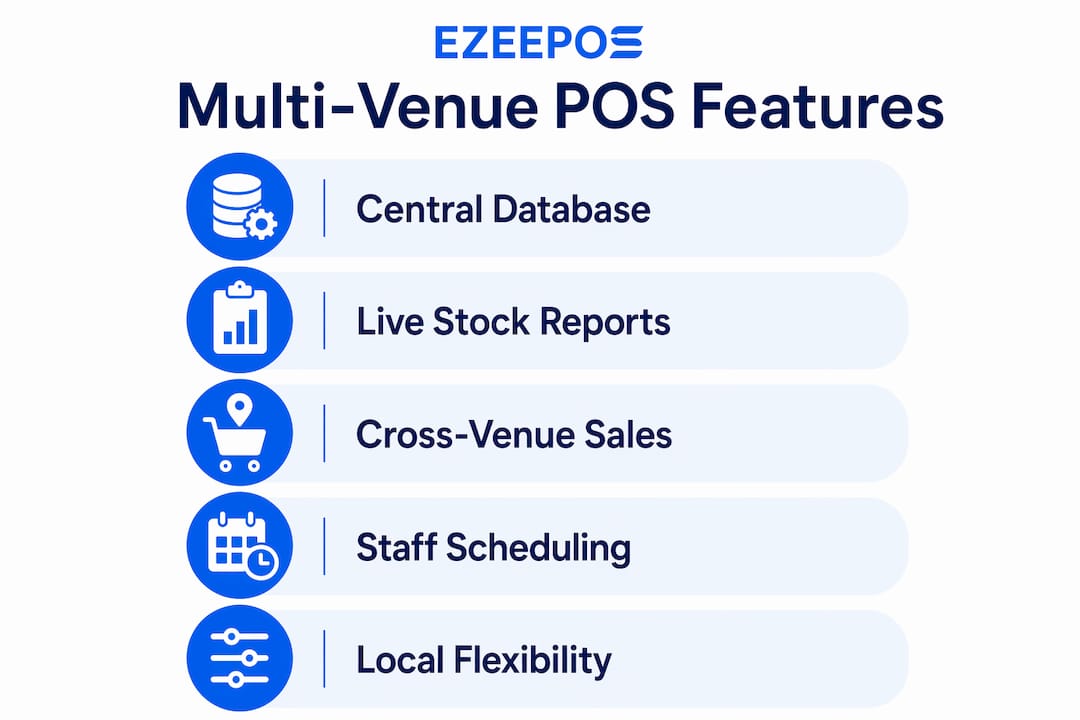
Multi-venue POS platforms share a set of capabilities that single-site systems simply cannot replicate at scale. The most significant are listed below.
- Centralised data syncing. Real-time visibility and consolidated operations are maintained without losing venue-specific detail. Every transaction posts to the central database the moment it occurs.
- Cross-venue reporting. Multi-site POS reports let operators compare site trends, profitability, and staff performance across venues. This supports data-driven benchmarking rather than gut-feel decisions.
- Consolidated inventory and menu management. Stock levels update centrally. Menu changes pushed from head office appear at every terminal simultaneously, removing the risk of a venue selling a discontinued item.
- Unified staff scheduling. Advanced systems model each location’s own labour pools and roster requirements while maintaining consistent seniority and scheduling rules. A senior member of staff at Venue A keeps their seniority status if they cover a shift at Venue B.
- Cross-event conflict detection. Conflict detection tools alert managers to resource clashes such as loading dock or equipment double-bookings across venues. Spreadsheets cannot catch these clashes in real time.
- Integrated client and contract management. Centralised venue management software links live availability calendars, client relationship records, contract generation, and automated invoicing so that an update in one area reflects across all connected modules immediately.
Pro Tip: Before committing to any platform, ask the vendor to demonstrate a live cross-venue stock report. If it takes more than three clicks to generate, the system is not built for genuine multi-venue operations.
Why does multi-venue management matter for hospitality operators?
Multi-venue management matters because fragmented systems create fragmented decisions. When each site runs its own POS with its own data, head office is always working from incomplete information. Pricing errors go unnoticed. High-performing staff at one venue are invisible to managers at another. Slow-moving stock sits unsold while a neighbouring site runs out of the same product.
Cloud-based multi-location POS solutions address this by allowing access from anywhere, supporting expansion without rebuilding infrastructure, and syncing data in real time. That matters most when you are opening a third or fourth venue and cannot physically be present at each one.
The operational benefits extend to brand consistency. Every venue should feel like part of the same family, even if each has its own character. A central platform enforces consistent pricing tiers, allergen labelling, and promotional rules without requiring a manager to manually update each site.
“Transitioning from one venue to multiple requires shifting from direct oversight to delegated, playbook-based management with empowered local managers.” — TicketFairy, 2026
That shift is the hardest part of scaling. The right POS platform makes it possible by giving local managers the tools they need to act independently, while giving central teams the data they need to hold everyone accountable.
How do multi-venue POS systems balance central control with local flexibility?
The fear most operators have when adopting a multi-venue platform is that it will flatten every venue into the same generic experience. That fear is understandable but largely unfounded when the platform is configured correctly. Effective multi-venue platforms prevent generic brand flattening and maintain venue autonomy by design.
The architecture works in layers. Central teams control the policies: pricing bands, approved suppliers, allergen flags, and reporting standards. Individual venues control the execution: daily specials, shift patterns, table layouts, and local promotions within the approved framework. Neither layer overrides the other unnecessarily.
Here is how that balance plays out in practice:
- Menu governance. Head office publishes the core menu centrally. Each venue can activate or deactivate items based on local demand, but cannot change prices outside approved bands without a central approval workflow.
- Staff scheduling. Seniority rules are set centrally and apply across all venues. Local managers build their own rosters within those rules, so a long-serving member of staff is never accidentally scheduled below their grade.
- Promotions. Central teams create promotional templates. Venue managers activate the ones relevant to their site and their customer base, rather than receiving a one-size-fits-all campaign.
- Reporting access. Local managers see their own venue’s data in full. Central teams see all venues simultaneously. Neither group is blocked from the information they need.
- Inventory thresholds. Minimum stock levels are set centrally. Reorder triggers fire automatically per venue, so a busy Friday night at one site does not drain stock that another site was relying on.
Pro Tip: Map out which decisions belong at head office and which belong at venue level before you configure the system. Operators who skip this step spend months undoing permission settings that made sense in theory but caused chaos in practice.
How should operators implement a multi-venue POS system successfully?
Implementation is where most multi-venue POS projects succeed or fail. A well-chosen platform installed badly will underperform a simpler system installed well. The steps below reflect best practice for hospitality operators moving from single-site or fragmented systems.
- Map your current operations first. List every venue, its service style, its labour pool, and its existing integrations. Identify where data currently lives and who owns it.
- Choose a platform built for multi-venue configurations. Not every POS system that claims multi-venue capability was designed for it. Look for native cross-venue reporting, not bolt-on exports.
- Start with a pilot venue. Run the new system at one site for four to six weeks before rolling out. Use that period to test reporting accuracy, staff training time, and integration behaviour with your payment provider and kitchen screens.
- Train staff at every level. Front-of-house staff need to know the terminal. Venue managers need to know the back office. Central teams need to know the reporting suite. Each group needs separate, focused training.
- Establish consistent policies before go-live. Seniority rules, pricing bands, and stock thresholds should be agreed and documented before the first venue goes live. Retrofitting policy into a live system is significantly harder.
- Monitor and iterate post-launch. Set a 90-day review point. Compare actual reporting outputs against what you expected. Adjust permission levels, menu structures, and scheduling rules based on real operational feedback.
For a detailed walkthrough of the setup process, the smooth POS setup guide from Ezeepos covers the practical steps specific to hospitality venues.
| Implementation phase | Key action | Common mistake to avoid |
|---|---|---|
| Discovery | Map all venues, labour pools, and data sources | Assuming all venues operate identically |
| Platform selection | Test native cross-venue reporting | Accepting bolt-on reporting as equivalent |
| Pilot | Run one venue for 4–6 weeks | Going live at all venues simultaneously |
| Training | Deliver role-specific sessions | Running one generic training for all staff |
| Review | Conduct a 90-day operational audit | Treating go-live as the finish line |
Key takeaways
A multi-venue POS system is the single most effective tool for hospitality operators who need consistent data, consistent brand standards, and the freedom to let each venue retain its own identity.
| Point | Details |
|---|---|
| Central database is the core | All sales, stock, and staff data from every venue feeds into one unified system. |
| Local autonomy is preserved | Venues control daily operations within centrally set policies and pricing bands. |
| Pilot before full rollout | Testing at one venue for 4–6 weeks prevents costly errors across the whole estate. |
| Staff scheduling spans venues | Seniority rules apply consistently, even when staff move between locations. |
| Conflict detection prevents waste | Cross-venue resource clash alerts catch double-bookings that spreadsheets miss. |
Why I think most operators underestimate the mindset shift
Running two venues is not the same as running one venue twice. I have spoken with operators who invested in excellent multi-venue POS technology and still struggled, not because the platform failed them, but because they kept managing the second site the way they managed the first. They were physically present, making every call, approving every order. The technology was there. The delegation was not.
The real value of a multi-location POS system only materialises when you trust your local managers to act on the data it surfaces. A venue manager who can see their own labour cost percentage in real time, compare it against last week, and adjust the rota without calling head office is worth more than any report you could generate centrally. The platform creates that capability. You have to create the culture that uses it.
The operators I have seen scale successfully treat their POS data as a coaching tool, not a surveillance tool. They use cross-venue comparisons to identify which venue is doing something well and then share that practice across the estate. That is the role of multi-venue management that rarely gets discussed: it is a knowledge-sharing infrastructure as much as a transactional one.
The next frontier is predictive. Platforms are beginning to flag likely stock shortages before they happen, suggest staffing adjustments based on weather and local events, and identify menu items that consistently underperform across all venues. Operators who have clean, centralised data today will be the ones who benefit most from those capabilities tomorrow.
— John
Ezeepos and multi-venue hospitality operations
Ezeepos is built specifically for UK hospitality venues, from single-site cafés to multi-location operators running bars, restaurants, and quick-service sites from one platform.

The Ezeepos Android-based platform gives central teams live visibility across all venues while letting each site manage its own service style, whether that is table ordering, counter service, or self-service kiosks. There are no tiered pricing restrictions on features, and every installation comes with local UK support from accredited providers. If you are weighing up your options, the UK hospitality POS guide covers the key benefits and what to look for before you commit. For operators running or planning quick-service chains across multiple sites, the quick service POS comparison is a practical starting point.
FAQ
What is a multi-venue POS system?
A multi-venue POS system is a centralised platform that connects sales, inventory, and staff data from multiple hospitality locations into one unified database. It gives operators real-time visibility across all sites from a single interface.
How does a multi-venue POS differ from a standard POS?
A standard POS manages transactions at one location. A multi-venue system normalises data across all sites simultaneously, enabling cross-venue reporting, consolidated stock management, and unified staff scheduling.
Can each venue still operate independently with a multi-venue POS?
Yes. Effective platforms give central teams visibility and policy control while individual venues retain control over daily operations, local promotions, and scheduling within agreed frameworks.
What is the biggest risk when implementing a multi-venue POS?
The most common failure point is going live at all venues simultaneously without a pilot phase. Testing at one site for 4–6 weeks before a full rollout prevents errors from multiplying across the entire estate.
Do multi-venue POS systems handle staff scheduling across locations?
Yes. Advanced systems model each venue’s own labour pool and apply consistent seniority rules across all sites, so staff who move between venues retain their grade and scheduling priority.
Recent Comments