
Running a café or restaurant means finding new ways to keep service sharp and your team connected, even during the busiest shifts. The right Android POS platform helps UK hospitality businesses tackle the demands of quick payment, clear order flow, and flexible service all at once. By focusing on speed and simplicity, alongside local support and strong payment security, you give your venue the edge it needs to improve both staff efficiency and customer satisfaction.
Table of Contents
- Defining Android POS Platforms For Hospitality
- Comparing Hardware Options And Integration
- Service Modes For Different Hospitality Venues
- Critical Features For UK Business Success
- Pricing Models And Support In The UK
- Legal Compliance And Data Security
Key Takeaways
| Point | Details |
|---|---|
| Flexibility of Android POS Systems | Android POS platforms offer adaptability across various service styles, allowing venues to choose hardware that best suits their operations. |
| Integration and Real-Time Reporting | Seamless integration with payment processing and real-time reporting helps optimise staffing, inventory management, and overall operations. |
| Importance of Compliance and Security | Adhering to PCI DSS and GDPR is essential for protecting customer data and maintaining business legitimacy, avoiding potential fines and legal issues. |
| Transparent Pricing and Local Support | Understanding pricing structures and ensuring local UK support can significantly affect the operational efficiency and overall cost-effectiveness of your POS system. |
Defining Android POS Platforms for Hospitality
An Android POS platform is a point-of-sale system built on Google’s Android operating system, designed specifically to power the day-to-day operations of hospitality venues. Unlike traditional fixed terminals, these systems run on flexible hardware like tablets, smartphones, and touchscreen devices, giving your team the freedom to process payments and manage orders from anywhere in your restaurant or café.
Think of it as the nervous system of your venue. It connects your payment processing, order management, kitchen communication, and inventory tracking into one unified system. When a customer orders at your counter, that information flows through the Android POS platform to the kitchen staff, the billing system, and your stock records simultaneously. No manual handwriting, no printed dockets getting lost, no gaps in communication.
Android POS platforms differ from traditional tills in one fundamental way: they’re built for modern hospitality. The system can handle multiple service styles without missing a beat. Your team might use table ordering on tablets for dine-in guests, a self-service kiosk at the counter, a kitchen order display system in the back, and mobile POS devices for catering events, all running on the same platform. This flexibility is what sets Android-based systems apart from older fixed-point solutions.
When considering the broader context, understanding what defines hospitality POS systems helps clarify how Android technology fits into your operational needs. Android platforms specifically leverage this technology to deliver enterprise-level functionality through accessible, tablet-based devices that your team can actually use without extensive training.
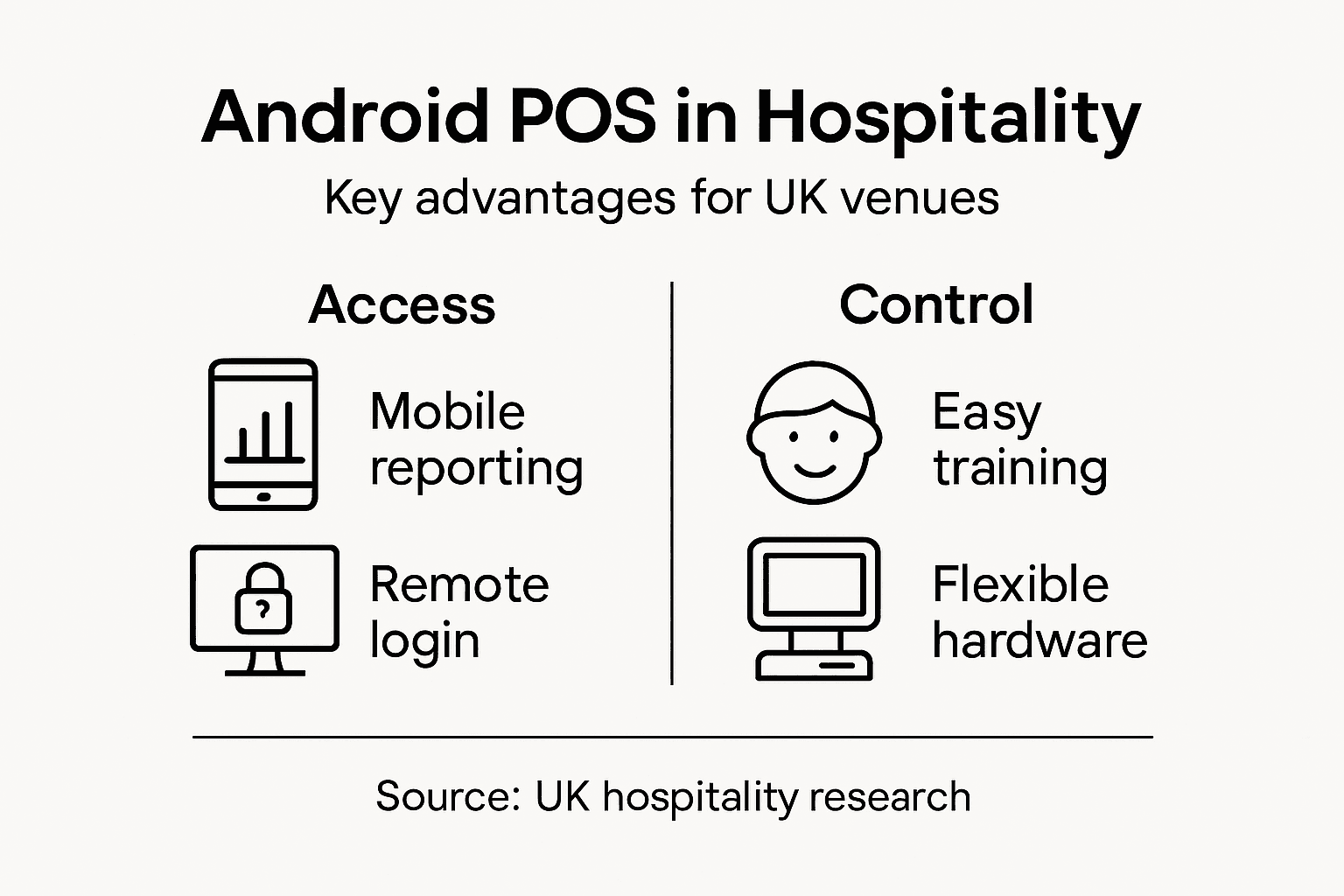
The real advantage comes down to accessibility and control. Your managers can pull reports from any device with internet access. Your staff can process transactions during peak service without queuing at a single till. You can update your menu, adjust pricing, or modify promotions remotely without waiting for a technician to visit your venue.
Pro tip: When evaluating an Android POS platform, prioritise vendors offering local UK support and easy team training, as these factors directly impact how quickly your staff can adapt to the system and how efficiently issues get resolved during service hours.
Comparing Hardware Options and Integration
Your hardware choices directly shape how efficiently your venue operates. Android POS platforms support multiple device types, so you’re not locked into a single setup. Tablets work brilliantly for table service where your team moves between tables taking orders. Countertop touchscreen terminals suit quick-service environments where customers queue at a single point. Kitchen display screens keep your preparation team informed without anyone shouting across the kitchen.
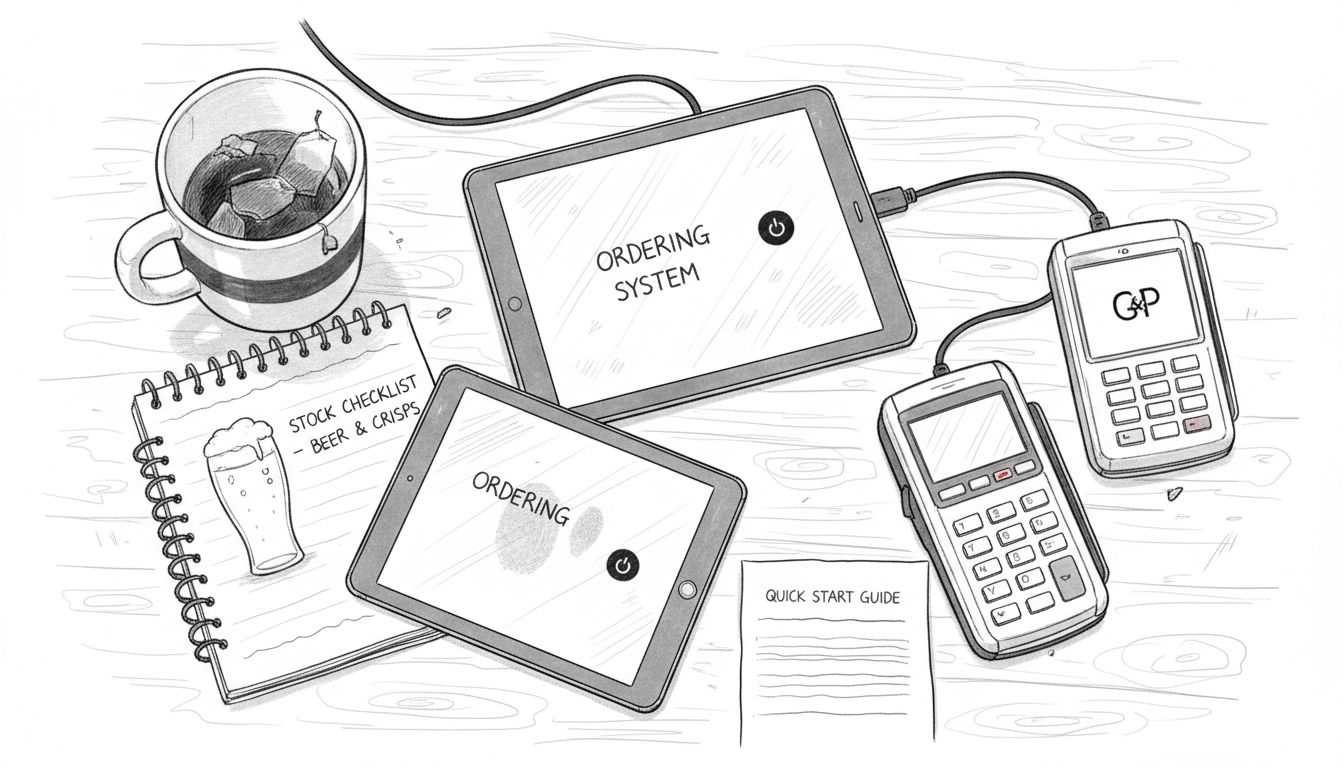
The beauty of Android-based systems lies in their flexibility. You might deploy a 10-inch tablet for your host stand, seven-inch devices for table service, a 15-inch countertop terminal at checkout, and a wall-mounted kitchen screen simultaneously. All these different devices pull from the same inventory, communicate with the same ordering system, and feed into identical reporting. That’s integration done right.
Consider your specific service model before choosing hardware. A busy café needs something different from a fine-dining restaurant. A café thrives with counter service terminals and mobile devices for till-point transactions. A restaurant benefits from table tablets and kitchen screens. Understanding what mobile POS systems offer helps clarify whether portable devices suit your operation alongside fixed hardware.
Payment processing integration matters equally. Your Android POS connects with major card payment providers, contactless payment systems, and digital wallets without requiring separate hardware or complex setup. When a customer taps their card, the transaction completes instantly within the system, updating your accounts automatically.
Network connectivity underpins everything. Most Android POS platforms work on standard WiFi or mobile data connections, meaning you don’t need specialist broadband installation. Your data synchronises to cloud-based systems, so you access reports, inventory figures, and staff metrics from anywhere. This architecture means better reliability than traditional till systems reliant on single fixed connections.
Scalability happens naturally as your business grows. Start with two tablets and a kitchen screen, then add devices to new areas without reinstalling anything. Your system expands with you.
Here’s a summary of essential hardware options for Android POS platforms in hospitality venues:
| Device Type | Typical Venue Use | Key Advantages |
|---|---|---|
| Tablet (7-10 inch) | Table service, catering | Mobility, rapid order entry |
| Countertop terminal | Quick-service cafés, deli | Centralised, high transaction volume |
| Kitchen screen | Back-of-house, restaurants | Clear real-time order display |
| Self-service kiosk | High-traffic venues | Reduces queueing, saves labour |
This overview helps select hardware suited to your hospitality service style.
Pro tip: Test hardware setups during off-peak hours before committing fully, ensuring your chosen devices feel natural for your team’s workflow and that positioning supports both efficiency and customer experience.
Service Modes for Different Hospitality Venues
Android POS platforms adapt to how your venue actually operates rather than forcing you into a single rigid structure. Whether you run a quick-service café, a table-service restaurant, or a catering operation, the system flexes to match your workflows. This adaptability is what separates modern Android POS systems from traditional till setups.
Table ordering works brilliantly for restaurants and gastropubs. Your team carries tablets to each table, takes orders directly into the system, and sends them instantly to the kitchen. Customers see their meals prepared faster because the kitchen receives clear, digital orders immediately rather than waiting for handwritten tickets. Payment processing happens at the table too, reducing wait times at checkout.
Counter service suits cafés, delis, and quick-service restaurants perfectly. Customers queue at a single point where staff process orders and payments on a countertop terminal. The system manages queue flow efficiently and tracks high-volume transactions without breaking a sweat. Understanding how quick-service POS systems streamline operations helps clarify why this mode works so well for venues with rapid customer turnover.
Self-service kiosks represent a growing trend for venues wanting to reduce queues and labour demands. Customers select items directly on the screen, pay independently, and your team focuses on preparation rather than till operation. This works particularly well during peak hours when traditional counter service creates bottlenecks.
Mobile POS devices extend service beyond fixed locations entirely. Catering companies, market traders, and pop-up venues use tablets and handheld devices to process transactions anywhere. Your team moves freely through an event or venue, taking payments on the move without fixed equipment tying them to one spot.
Kitchen display screens represent the final piece. Orders appear instantly on screens your preparation team can see clearly. No more shouting between stations, no more lost tickets, no confusion about priority or special requests.
Pro tip: Combine service modes strategically within a single venue, using countertop terminals for initial transactions, tablets for table service, and kitchen screens for order flow, so your team adapts to customer patterns rather than forcing customers into your operational structure.
Critical Features for UK Business Success
Not all Android POS systems deliver the same value. The difference between a system that merely processes transactions and one that genuinely transforms your business comes down to specific features. For UK hospitality venues competing in tight margins and demanding markets, certain capabilities separate success from mediocrity.
Speed matters more than you think. During a Saturday lunch rush, every second counts. Your system must process orders and payments without lag, keep customers moving, and prevent bottlenecks. Slow systems frustrate customers and stress your team. A responsive Android POS handles high transaction volumes without stuttering, keeping your operation flowing smoothly even when all four tills are running simultaneously.
Online ordering integration connects your physical venue to digital channels seamlessly. When customers order through your website or third-party platforms like Deliveroo or Just Eat, those orders sync directly into your kitchen system automatically. No manual entry needed. No missed orders. This capability has become essential for modern hospitality, and integrated online ordering and delivery support ensures your venue captures sales across multiple channels without operational chaos.
Real-time reporting transforms how you run your business. You see sales figures instantly, track staff performance, identify peak hours, and spot trends as they happen. Rather than waiting until month-end to understand your numbers, you make decisions daily based on actual data. This visibility helps you optimise staffing, adjust pricing, and respond to customer preferences immediately.
Multi-payment flexibility keeps customers happy. Modern customers expect contactless payments, mobile wallets, and card options without complications. Your system should handle every payment method smoothly, reducing friction at checkout and improving customer experience. This also protects your business against customers who only carry phones rather than cash or cards.
Staff training ease saves time and frustration. Complex systems create confusion and errors. Your team needs intuitive interfaces they understand quickly, minimising training time and reducing mistakes during service. Well-designed Android POS platforms feel natural to use, not like learning software.
Pro tip: Prioritise systems offering real-time inventory visibility and integrated online ordering when comparing options, as these two features alone typically deliver the fastest return on investment by preventing stock-outs and capturing orders across multiple channels simultaneously.
Pricing Models and Support in the UK
Android POS pricing varies dramatically across providers, and understanding your options prevents nasty surprises later. UK hospitality venues face different cost structures depending on which system they choose, and transparent pricing matters when managing tight budgets.
Subscription models dominate the market. Most providers charge monthly fees ranging from nothing up to £80 depending on features and functionality you need. Free entry-level plans sound attractive, but they often come with per-transaction fees that add up quickly during busy periods. A café processing 200 transactions daily on a pay-per-transaction model could pay considerably more than a flat monthly subscription.
Tiered pricing gives you flexibility. Start with basic features at lower cost, then add functionality as your business grows. You might begin with order processing and payments, then add inventory management, staff scheduling, and analytics later. This approach means you only pay for what you actually use initially.
Hidden fees create frustration. Some providers charge for hardware, software updates, customer support, training, or integration with payment processors. UK EPOS systems typically operate on transparent subscription models with contract flexibility to avoid unexpected charges. Always ask providers to itemise exactly what’s included and what costs extra before signing.
Local UK-based support transforms your experience. When your system crashes during Friday dinner service, you need someone answering the phone immediately, not a chatbot or overseas support centre. UK providers understand your local business environment, regulatory requirements, and can visit your venue if necessary. This support quality justifies higher costs because downtime costs far more than the support fee.
Training and customisation services vary significantly. Some providers include comprehensive staff training in their package. Others charge per team member. Some systems integrate seamlessly with your existing software and payment processors. Others require expensive custom development. Understanding these costs upfront prevents budget overruns.
Contract flexibility matters practically. Rather than multi-year commitments, look for providers offering month-to-month arrangements. This protects you if the system doesn’t suit your needs after testing it.
Pro tip: Request a detailed cost breakdown covering monthly fees, transaction charges, hardware costs, training, and support before committing, then compare total annual costs across providers rather than focusing only on advertised monthly rates.
Legal Compliance and Data Security
Running a hospitality venue means handling customer payment data daily. This responsibility comes with strict legal requirements that protect both your customers and your business. Ignoring compliance isn’t just risky legally, it damages trust and exposes you to hefty penalties.
Payment Card Industry Data Security Standard (PCI DSS) sets the baseline for protecting card data. This framework requires secure networks, encrypted data transmission, fraud prevention systems, and regular security audits. Your Android POS system must meet these standards to process card payments legally. Any system handling cardholder information without PCI DSS compliance leaves you vulnerable to fines reaching thousands of pounds.
GDPR (General Data Protection Regulation) governs how you collect, store, and use customer information. When someone provides their email for a loyalty programme or their phone number for a reservation, GDPR applies. Your POS system must allow customers to access, modify, or delete their personal data on request. Data breaches must be reported within 72 hours. Non-compliance carries fines up to £20 million or 4 percent of annual turnover, whichever is higher.
The Financial Conduct Authority (FCA) and Payment Services Regulation (PSR) oversee payment services in the UK. Payment compliance regulations for UK businesses include PCI DSS, FCA guidance, and GDPR frameworks protecting cardholder data and ensuring merchants operate legitimately. Your POS provider should demonstrate compliance with these regulations through certifications and regular audits.
Data encryption protects information in transit and at rest. When a customer’s card details travel from your terminal to the payment processor, encryption scrambles that data so only authorised parties can read it. Similarly, stored customer information should be encrypted, not sitting in plain text on your system.
Incident response plans prepare you for breaches. Despite best efforts, security incidents happen. You need documented procedures for identifying breaches, notifying affected parties, and reporting to authorities when required. Your POS provider should support this process with clear protocols.
The table below highlights foundational compliance requirements for UK hospitality POS systems:
| Compliance Area | What It Governs | Business Impact |
|---|---|---|
| PCI DSS | Card payment data protection | Avoids fines, ensures transaction safety |
| GDPR | Customer personal data handling | Protects privacy, maintains trust |
| FCA/PSR | Regulated payment operations | Legitimises business, reduces risk |
| Encryption | Secures data in transit and storage | Prevents data breaches and cyber threats |
Meeting these requirements is vital for legal and financial security.
Pro tip: Ask your POS provider for proof of current PCI DSS certification and a written data protection agreement outlining their compliance obligations, then document all compliance efforts annually to demonstrate due diligence to regulators if questions arise.
Discover How Android POS Platforms Can Revolutionise Your UK Hospitality Business
Managing fast-paced hospitality venues brings challenges such as streamlining table ordering, reducing queue times, and maintaining reliable kitchen communication alongside secure payment processing. The article highlights how Android POS systems provide seamless integration across tablets, kiosks, countertop terminals, and kitchen screens to tackle common pain points like order accuracy, staff training complexity, and real-time reporting needs.
If you are looking for a powerful, scalable, and easy-to-use solution that fits the unique demands of UK cafés, restaurants, and mobile caterers, then explore what EzeePOS offers. Our Android-based platform delivers full-featured functions without tiered pricing, backed by local UK support to get your team trained quickly and resolve issues without delay. From cloud inventory management to multi-channel payment integration, it helps you gain control, improve customer experience, and stay compliant without added stress.

Take action today by visiting EzeePOS to find out how a dedicated Android POS can transform your hospitality venue operations. Don’t wait until service bottlenecks or data issues impact your bottom line. Discover adaptable service modes, effortless hardware flexibility, and complete reporting in one place by learning more at https://ezeepos.co.uk. Start your journey towards faster, smarter, and fully supported hospitality technology now.
Frequently Asked Questions
What are the main advantages of using an Android POS platform in hospitality?
An Android POS platform offers flexibility, mobility, and real-time reporting. It allows staff to process payments and manage orders from various devices like tablets and smartphones, streamlining operations across different service styles.
How does an Android POS platform integrate with existing payment systems?
Android POS platforms can connect seamlessly with major card payment providers, contactless payment systems, and digital wallets, allowing for instant transactions without needing separate hardware or extensive setup.
What hardware options are available for Android POS systems?
Android POS systems support a range of devices, including tablets for table service, countertop terminals for quick-service environments, and kitchen display screens to aid kitchen staff. This diversity enables tailored setups based on your venue’s specific needs.
How does real-time reporting benefit my hospitality business using an Android POS?
Real-time reporting provides immediate access to sales figures, staff performances, and peak hours, enabling informed decision-making. This visibility helps optimise operations, adjust strategies quickly, and enhance overall efficiency.
Recent Comments