
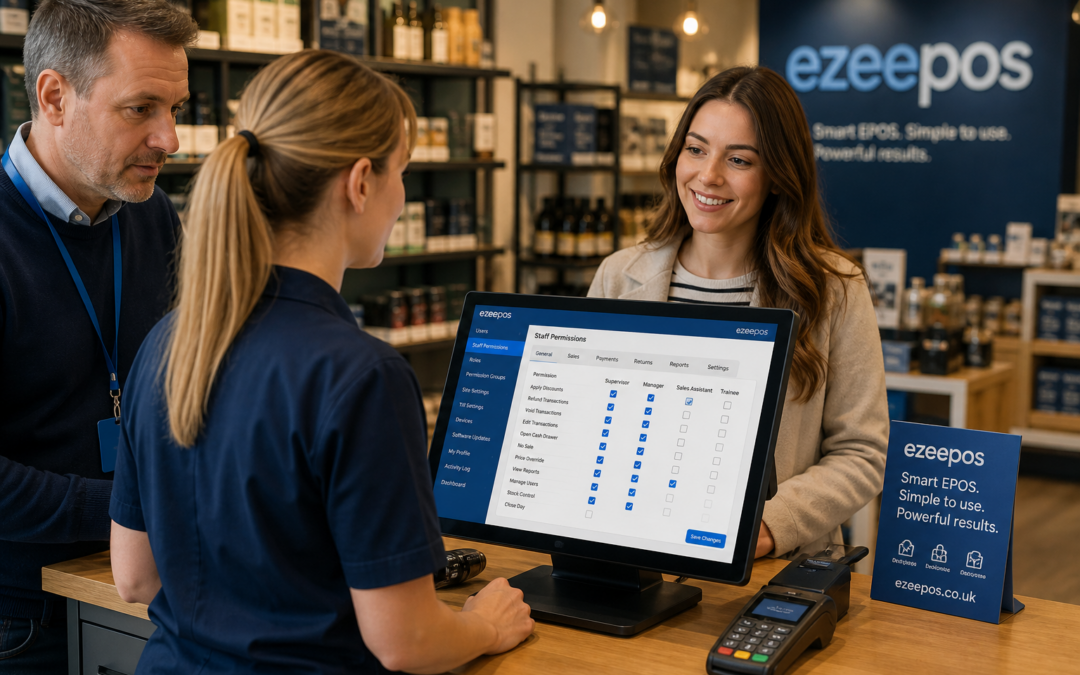
For many independent businesses, the till is used by several people throughout the day. That can work well, but only if the right controls are in place. Staff permissions in a modern EPOS system help you decide who can do what, from processing refunds to changing prices and accessing reports.
At eZeePOS, we work with UK retailers, cafés, restaurants and takeaways that want a simpler way to manage day-to-day trading. If you are looking at www.ezeepos.co.uk, one of the most practical features to consider is how your EPOS handles user access.
Why staff permissions matter
In a busy business, not every team member needs the same level of access. A new starter on the till may only need to take orders and process sales. A supervisor may need to handle voids, discounts or end-of-day checks. An owner or manager may need full access to reports, pricing and settings.
Without staff permissions, it is easy for small errors to become bigger problems. A simple price change can slip through unnoticed. A refund can be processed without a second check. Sensitive data may be visible to people who do not need it. Over time, that can create confusion, extra admin and avoidable losses.
What good EPOS permissions can help with
Staff permissions are not just about restriction. Used well, they support smoother service and clearer responsibility across the team. They can help with:
- limiting access to refunds, voids and price overrides
- protecting reports and back-office settings
- reducing accidental changes to products or menus
- separating day-to-day till use from manager functions
- making training easier for new starters
- supporting accountability when several people use the same system
For many businesses, that balance matters. Staff should be able to work quickly without being overcomplicated by unnecessary buttons, but managers still need control over the parts of the system that affect margin, records and customer service.
How permissions support different business types
Retail shops
In retail, permissions can be useful when you have a mix of experienced staff, part-timers and seasonal workers. A till user may need to serve customers, scan products and complete sales, while a supervisor controls discounts, overrides and refunds. That helps reduce mistakes at the counter and keeps pricing more consistent.
This can be especially useful in convenience stores, gift shops, fashion outlets and other independent retail environments where quick service matters but pricing still needs to stay under control.
Cafés, restaurants and takeaways
In hospitality, permissions can be just as important. A server may need to place orders and take payments, while a manager handles comps, bill adjustments or end-of-day checks. In a fast-moving shift, that separation can prevent accidental changes during a rush.
For cafés, restaurants and takeaways, staff permissions also help when different team members use the same touchscreen till. The interface can stay simple for front-of-house staff, while more sensitive functions remain available only to the right people.
Common permission settings to think about
If you are reviewing your EPOS setup, it is worth thinking beyond basic login details. A well-planned permission structure can make the system easier to run every day.
Refunds and voids
These are among the most common functions businesses restrict. Allowing only managers or supervisors to approve them helps protect margins and creates a clearer audit trail.
Discounts and offers
Special offers can help with sales, but they should usually be controlled. Staff permissions can limit how often discounts are used and who can apply them, which helps keep promotions consistent.
Price changes and product edits
In retail especially, you may want only senior staff to change prices, edit product information or adjust categories. That helps avoid accidental errors that can affect multiple transactions.
Reports and back-office access
Sales reports are useful, but not every team member needs to see them. Limiting report access can help protect commercial information while still giving managers the insight they need.
Permissions and staff training go hand in hand
A sensible permission setup can make training easier. New staff do not need to learn every part of the system on day one. They can begin with the functions they actually use, then gain more access as they become more confident.
This supports a calmer training process and can help reduce mistakes during busy periods. It also makes it easier for managers to spot where extra support is needed, because the system is set up around clear roles rather than everyone having the same access.
Keeping the till simple for the team
One of the best things about staff permissions is that they do not have to make the EPOS harder to use. In fact, the opposite is often true. When each user only sees the options relevant to their role, the till can feel more straightforward.
That matters in businesses where speed and confidence are important. A cleaner screen, fewer unnecessary options and clear access levels can help staff serve more smoothly and reduce hesitation when customers are waiting.
Better control without unnecessary complexity
For independent businesses, staff permissions are one of those EPOS features that can quietly make a big difference. They help you protect key settings, reduce errors and create a more consistent way of working across the team.
If you are comparing EPOS options, it is worth asking how permission levels are set up and whether they can suit your team structure. A practical system should help you stay in control without slowing service down.
eZeePOS is designed to support UK businesses that want a dependable and practical approach to day-to-day trading. If you are planning a new till setup or reviewing your current system, it is worth exploring how permissions can fit into the wider workflow.
Contact YCR Distribution at sales@ezeepos.co.uk or call 01924 438238.
To learn more, visit www.ezeepos.co.uk.
Recent Comments