
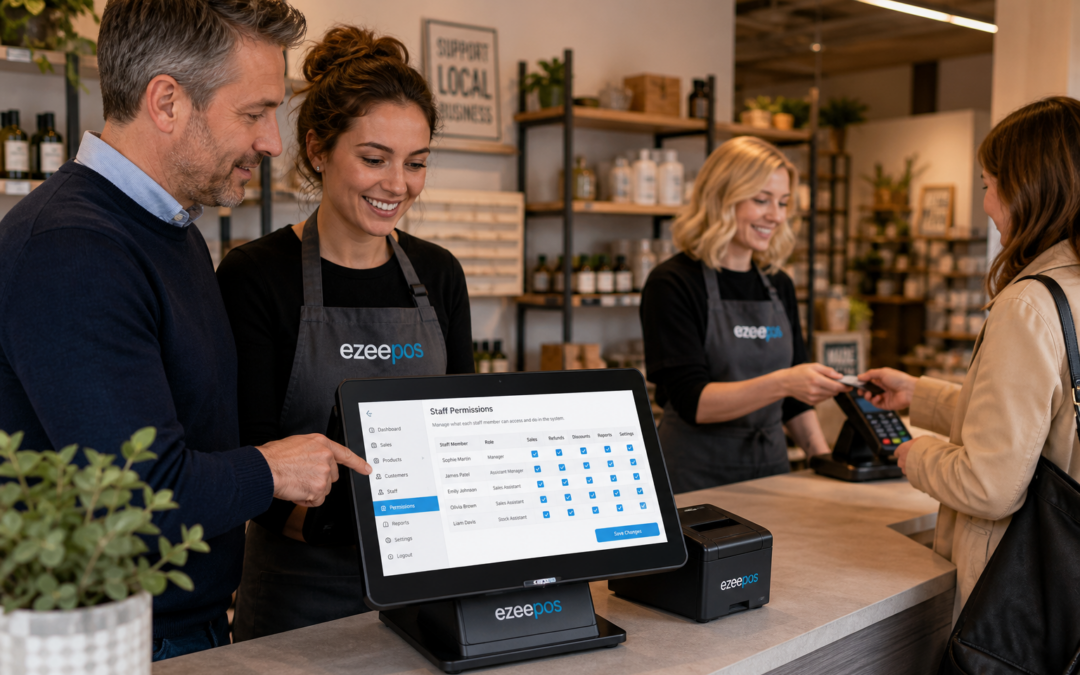
For independent retailers, a good EPOS system is not just about ringing up sales. It also needs to help the business stay organised, reduce avoidable mistakes and give owners better control over what happens at the till. One of the most useful features for achieving that is staff permissions.
At eZeePOS, we work with UK retail and hospitality businesses that need a practical till setup rather than a basic cash register. If you want to understand how the right permissions setup can support day-to-day trading, this guide explains why it matters and how it can make life easier for both managers and staff.
What are staff permissions in EPOS?
Staff permissions are the controls that decide what each team member can see or do on the till system. Instead of every user having the same access, the business can set different rules for different roles.
That might mean a sales assistant can process transactions and print receipts, while a supervisor can apply discounts or process refunds, and a manager can access reports or change settings. The aim is not to make the till complicated. It is to make it safer, clearer and more suitable for the way the business actually works.
Why permissions matter in busy retail shops
In an independent shop, especially one with a small team, it is easy to assume everyone can be trusted with every task. In practice, though, one simple mistake at the till can cause confusion for the rest of the day. Staff permissions help reduce that risk by limiting access to sensitive actions.
They help reduce unplanned discounts
If every staff member can apply discounts freely, it becomes harder to keep pricing consistent. With permissions in place, only the right people can approve reductions, special offers or manual adjustments. That helps protect margins and keeps pricing decisions under control.
They make refunds more manageable
Refunds often need a bit more oversight than a standard sale. Staff permissions can make sure only supervisors or managers handle them, which helps prevent accidental returns or incorrect cash movements. For shops that deal with exchanges, gifts or seasonal trading, that extra control can be very useful.
They support better accountability
When staff have different access levels, it is easier to understand who carried out a specific task. That makes it simpler to review activity if something looks unusual. It can also help managers coach newer staff because the till rules are clearer from the start.
How permissions improve day-to-day operations
Good staff permissions are not only about security. They also help the business run more smoothly. When each team member has access to the tools they need, but not to features they do not use, the till can feel easier to work with.
This can be especially helpful in retail environments where staff may rotate between tills, stockroom tasks and customer service. A sensible permissions setup helps keep the interface more focused and reduces the chance of someone changing a setting by mistake.
They can help with staff training
New starters often feel more confident when their access is limited to the actions they need first. A controlled setup can make training simpler because staff do not need to learn every function on day one. As they become more experienced, permissions can be expanded appropriately.
They support smoother manager oversight
Managers do not always have time to watch every transaction. Staff permissions help create a better structure around the till, so that approval-based tasks can be handled in a more consistent way. That leaves managers free to focus on service, staffing and the wider business.
Which businesses benefit most?
Staff permissions are useful across retail, but they matter especially in businesses where several people use the same EPOS system throughout the day. That includes:
- independent convenience stores
- fashion and clothing shops
- gift shops
- garden centres
- pet shops
- farm shops
They are also helpful in hospitality businesses where the till may need to support both front-of-house service and management tasks. Cafés, restaurants, takeaways and bars can all benefit from knowing which team members can access key functions.
What to look for in a staff permission setup
When choosing an EPOS system, it is worth thinking about how permission levels will work in practice, not just whether the feature exists. A sensible setup should be easy to manage and easy for staff to understand.
Role-based access
Look for the ability to set permissions by role, rather than building every rule from scratch. This makes it easier to manage teams with different responsibilities and reduces admin when staff join or leave.
Simple control over important actions
Useful categories often include refunds, discounts, voids, report access and settings changes. Not every member of staff needs access to every function, so a clear permission structure can keep the system tidier.
Easy updates when your team changes
Retail teams are rarely static. Sickness, holidays, seasonal staff and new starters can all affect day-to-day operations. The best EPOS setup is one that lets managers update permissions quickly without disrupting service.
Staff permissions and modern touchscreen tills
With modern touchscreen tills, staff permissions can be especially helpful because the interface is built for speed. That speed is valuable, but it also makes it important to control what users can do. If the wrong person can quickly approve a refund or change a setting, problems can spread faster.
A well-set-up retail EPOS system helps balance speed with control. Staff can serve customers efficiently, while managers keep a better grip on sensitive functions. That is one reason many businesses move away from basic tills and older systems that offer limited access control.
Keeping control without slowing service
The best staff permission setup should not get in the way of service. It should support it. When permissions are planned properly, staff still move quickly through sales, but the business keeps a stronger handle on key actions.
That balance is one of the strengths of a well-designed EPOS setup. It helps you keep the checkout process efficient while still protecting the areas that need more oversight. For many retailers, that combination is far more useful than a simple till with minimal controls.
How eZeePOS can help
If you are reviewing your current setup or planning a new checkout system, it may be worth considering how staff permissions fit into the bigger picture. eZeePOS is designed to support practical day-to-day use for UK retail and hospitality businesses, with features that help owners manage tills, staff and reporting more effectively.
To discuss options for your business, visit www.ezeepos.co.uk and explore how a better EPOS setup could fit your team.
Contact YCR Distribution at sales@ezeepos.co.uk or call 01924 438238.
Recent Comments