
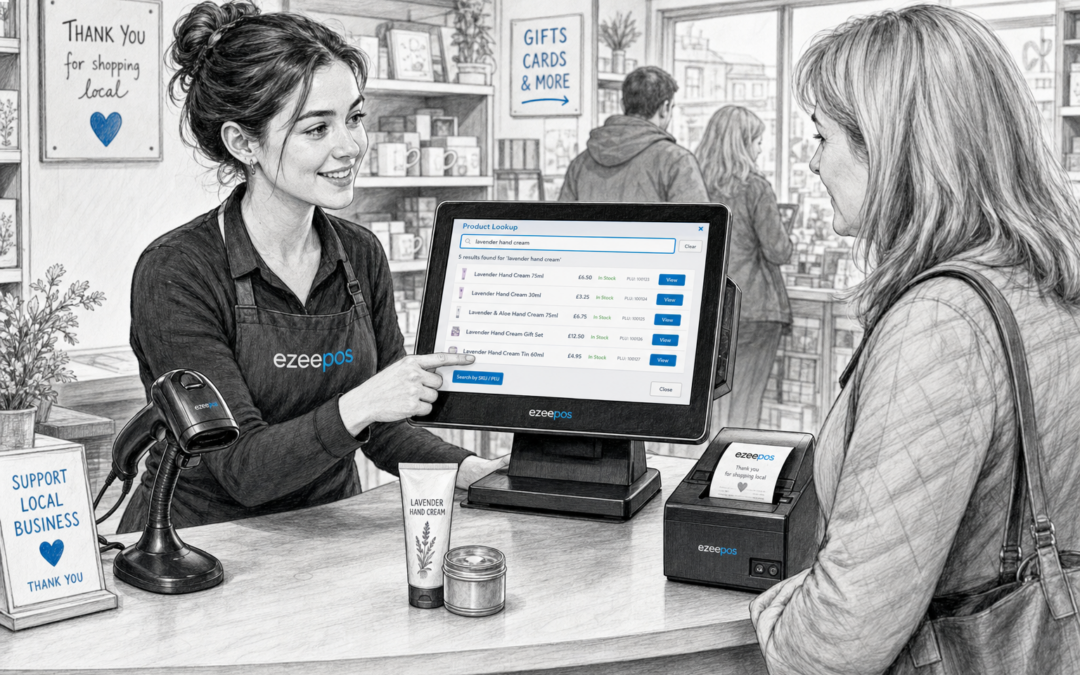
When the shop is busy, the till needs to do more than take payments. Staff need to find products quickly, check the right price, apply the correct tax or department, and move on to the next customer without creating delays. That is where product lookup becomes a quietly useful part of a modern retail EPOS setup.
For independent retailers, product lookup can make everyday service feel smoother and more confident. Instead of searching through shelves, relying on memory, or typing long product names by hand, team members can find items in a structured way at the till. If you are looking at a practical UK EPOS option such as eZeePOS, this is the kind of feature that can help a counter work better without making the system feel complicated.
What product lookup does at the till
Product lookup gives staff a way to search for items quickly when a barcode is missing, a label is unclear or a customer asks for something that is not immediately to hand. In a busy retail environment, that can save time and reduce hesitation at the till.
Rather than interrupting the sale, staff can use the EPOS screen to search by item name, category or another useful reference. Depending on how the system is set up, this can be especially helpful in shops with mixed ranges, seasonal stock or items that are often bought in different pack sizes.
Common situations where it helps
- A barcode is damaged or not scanning properly.
- A customer remembers part of a product name but not the exact item.
- Staff need to locate a variant such as size, flavour, colour or pack type.
- The shop sells items that are grouped by department rather than only by barcode.
- A new team member is still learning the range and needs a simple way to find products.
Why it matters in independent retail
Independent shops often work with smaller teams, tighter counters and a wider mix of products than larger chains. That means the till system has to support staff in real time. Product lookup helps reduce the pressure when a queue starts building, because the person serving does not have to stop and guess.
It is particularly useful in retail settings where products are not always scanned in the same way every time. Gift shops, convenience stores, pet shops, farm shops and hardware stores all benefit from a system that helps staff find items quickly without slowing the rest of the transaction.
For businesses using a touchscreen till, product lookup can feel even more practical. Clear on-screen navigation gives staff a straightforward way to move through categories and select the correct item, which helps keep the checkout process tidy and easier to train.
How it supports faster, more accurate service
Speed is only part of the benefit. Product lookup also improves accuracy. When staff can clearly identify the right item before adding it to the sale, there is less chance of charging the wrong price or choosing the wrong variant. That can make a real difference where margins matter.
It can also improve the customer experience. Nobody enjoys waiting while a till operator scrolls through an endless list or searches for the right code. A well-organised lookup function helps the interaction feel calmer and more professional, even when the shop is busy.
Practical benefits for the counter
- Less time spent searching for items manually.
- Fewer mistakes when barcode scanning is not possible.
- Better support for new staff learning a product range.
- More confidence when customers ask for specific products.
- A steadier checkout flow during busy periods.
Useful for mixed product ranges and seasonal trading
Product lookup becomes even more valuable when the stock range changes regularly. Shops that sell seasonal items, limited lines or mixed departments can find it difficult to rely on memory alone. A structured lookup tool helps staff keep up with the range without turning the till into a complicated search process.
This can be especially useful during holiday trading, weekend rushes or promotional periods when the same counter has to handle a wider variety of products and questions. Instead of slowing down service, the till can support it.
Product lookup alongside barcode scanning and till organisation
Product lookup does not replace barcode scanning, but it works well alongside it. Scanning is still the fastest way to process many items, yet not every product is easy to scan every time. That is why a modern retail EPOS system should give staff more than one way to identify a product efficiently.
When product lookup is set up properly, it also supports broader till organisation. Categories, departments and item naming all become part of a clearer structure, which can help with training and day-to-day operation. eZeePOS is designed to support practical retail workflows like this, helping independent businesses keep the counter simple while still handling a varied range of products.
What to think about when choosing the feature
If you are comparing EPOS systems, it is worth asking how product lookup works in real life. The feature should be quick enough for busy service, clear enough for staff to use confidently and flexible enough to suit your stock range.
Helpful questions to ask include:
- Can staff search by product name, category or description?
- Is the screen easy to read on a busy counter?
- Does it suit both experienced staff and new starters?
- Can the system handle different product varieties clearly?
- Does the lookup fit naturally with the rest of the checkout flow?
A small feature that makes a practical difference
Product lookup is not the flashiest part of an EPOS system, but it is often one of the most useful. It helps staff serve customers with less hesitation, handle awkward items more confidently and keep the checkout moving when the pressure is on.
For UK retailers looking for a straightforward way to improve till efficiency, it is a sensible feature to consider alongside barcode scanning, touchscreen operation and clear product setup. If your business wants a practical retail EPOS solution that supports everyday service, visit www.ezeepos.co.uk to see how eZeePOS could fit your counter.
Contact YCR Distribution at sales@ezeepos.co.uk or call 01924 438238.
Recent Comments