
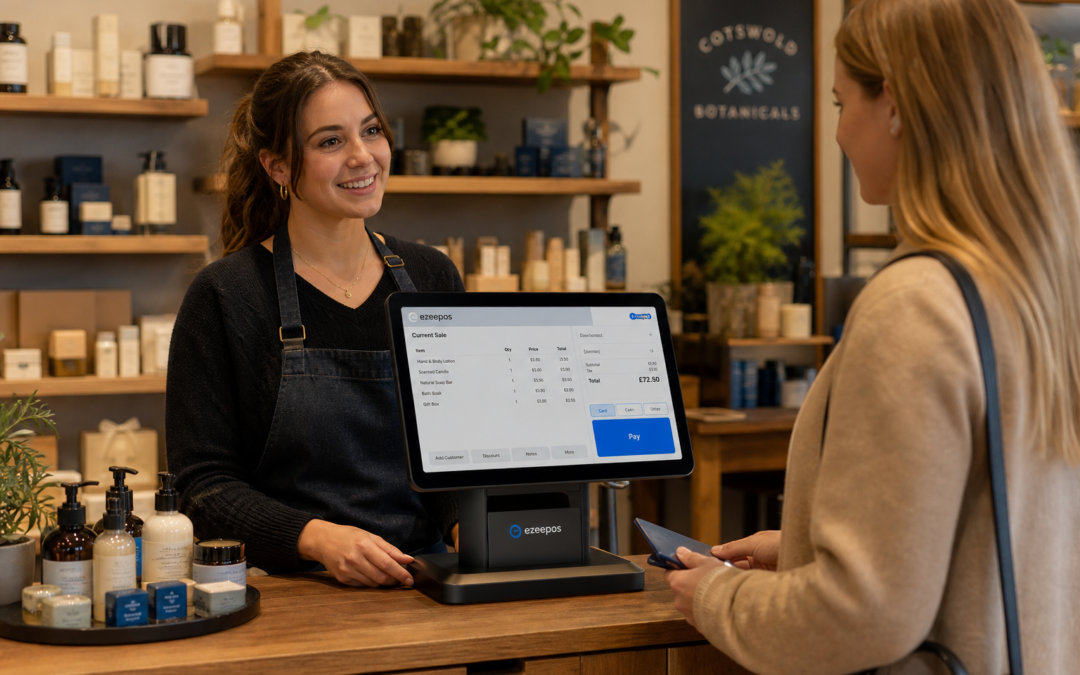
For many independent retailers, the till is still the busiest point in the business. It is where staff welcome customers, scan items, take payments and solve small problems quickly. A well-chosen touchscreen till can make that process faster and easier, especially when the counter is busy and every second matters. If you are reviewing your setup, eZeePOS at www.ezeepos.co.uk offers a practical place to start.
Unlike a basic cash register or a patchwork of separate devices, a touchscreen till brings the main sales tasks together in one place. That can help retailers reduce training time, stay organised and keep queues moving without making the counter feel complicated. The key is choosing a setup that fits the way you trade day to day.
Why the right touchscreen till matters
Retail work is rarely predictable. One minute the counter is quiet, and the next several customers may arrive at once. A touchscreen till should help staff respond calmly and confidently, rather than slowing them down with awkward menus or confusing steps.
For independent shops, a good setup can support:
- faster item entry at the till
- more consistent service during busy periods
- simpler staff training for new starters
- cleaner counter layouts with fewer separate devices
- better organisation for everyday retail tasks
That is why many businesses now look for a modern EPOS system instead of relying on old-fashioned till hardware. The aim is not just to replace a machine, but to improve the whole checkout experience.
What to look for in a retail touchscreen till
1. A screen that is easy to use quickly
At the counter, staff should be able to find products, complete sales and move through transactions without unnecessary tapping. Clear buttons, sensible menus and a responsive screen all help. If the interface feels simple, new staff can learn faster and experienced staff can work more naturally under pressure.
2. A setup that suits the size of your counter
Retail counters vary a lot. Some small shops have very little space, while larger stores may need a more permanent terminal with room for peripherals. The right touchscreen till should fit the available counter space without causing clutter. A compact layout can help keep the checkout area tidy and make serving customers feel smoother.
3. Reliable connection with other retail tools
A touchscreen till often works best when it can sit alongside other useful devices such as barcode scanners, receipt printers and cash drawers. Even if you do not need every accessory straight away, it helps to choose a setup that can grow with your business. That way, you are not forced into another change later because your trading pattern has changed.
4. A practical fit for your staff
The best till system is one that your team can use with confidence. If the screen is clear and the workflow makes sense, staff spend less time second-guessing the system and more time serving customers. This is especially useful in shops with part-time staff, seasonal help or regular turnover.
Retail situations where a touchscreen till helps most
Different shop types benefit in slightly different ways. In a convenience store, a touchscreen till can help staff move quickly through frequent, smaller transactions. In a gift shop, it can make product entry smoother when there are many varied items. In a pet shop or hardware store, a clear screen layout can help staff handle mixed product ranges without slowing the queue.
For shops with busier footfall, the real value is often speed and clarity. When staff can process the sale without hesitation, customers notice the difference. Good service at the till still matters, even when the rest of the business is running at a steady pace.
Touchscreen tills and checkout confidence
A retail till is not only about speed. It also affects confidence. Staff who trust the system are less likely to make avoidable mistakes, and that means fewer interruptions during service. Even small improvements in the checkout flow can make the whole shop feel more professional.
This is one reason why many retailers are moving away from older setups that rely on memory, manual workarounds or separate devices that do not feel connected. A modern touchscreen till gives a clearer routine at the counter and often makes day-to-day trading feel less stressful.
Where eZeePOS fits in
eZeePOS is designed for UK retail and hospitality businesses that want a practical EPOS setup without unnecessary complexity. If you are exploring touchscreen till options, eZeePOS can help you think through what your shop actually needs before you commit to hardware and software together. That can be especially useful for independent businesses that want a system built around everyday trading rather than unnecessary extras.
If your business also wants to discuss payment integration options, including providers such as Teya and Dojo Payments, it is sensible to raise those requirements early with YCR Distribution. A joined-up conversation can help you plan a checkout setup that matches your counter space, your service style and your payment workflow.
Making a sensible choice for the long term
When choosing a touchscreen till, it helps to think beyond the first day of use. A good system should be easy to train on, comfortable to work with and flexible enough to support the way your business may grow. Whether you run a small convenience store, a fashion shop or a busy independent retailer, the right setup should make trading feel smoother rather than more complicated.
If you want a practical starting point, take time to review how your team uses the till now, where delays happen and which tasks need to be quicker. That will help you choose a touchscreen till that genuinely supports the business, instead of simply filling space on the counter.
To explore a UK EPOS solution built for real retail environments, visit eZeePOS. Contact YCR Distribution at sales@ezeepos.co.uk or call 01924 438238.
Recent Comments