
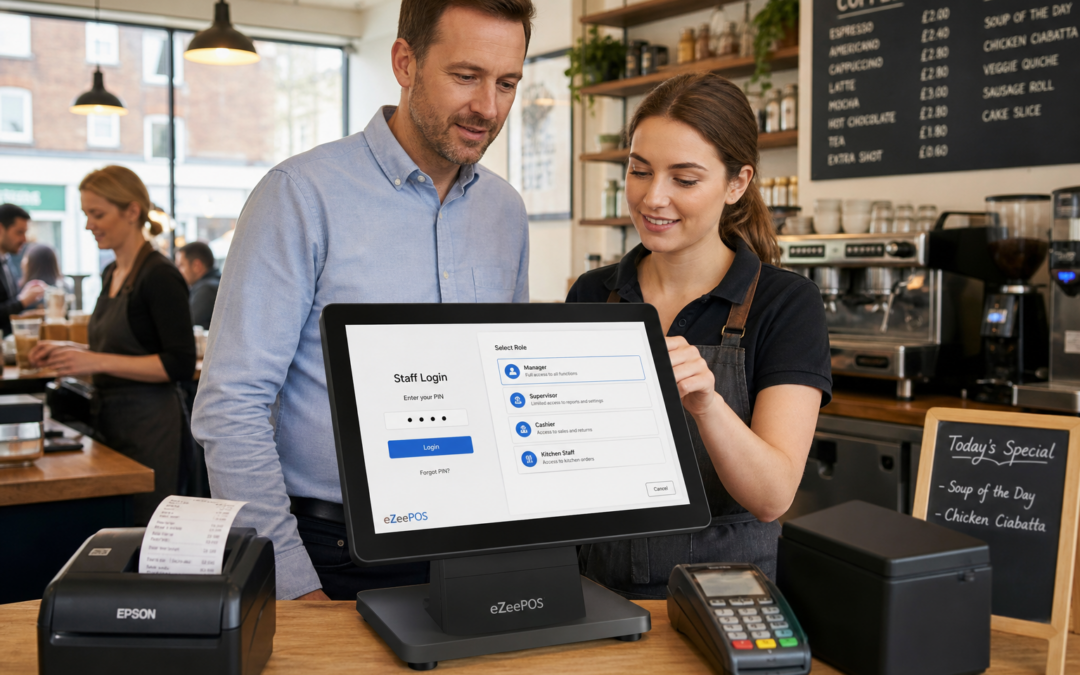
When a till is used by several people across a trading day, not every team member needs access to every function. That is where staff permissions come in. For many UK retailers, cafés, restaurants and takeaways, simple access controls can help keep the EPOS system organised, reduce errors and make day-to-day trading easier to supervise.
If you are reviewing your current setup, eZeePOS at www.ezeepos.co.uk is one example of a UK EPOS solution designed to support practical business needs, including user controls that fit the pace of independent retail and hospitality trading.
Why staff permissions are worth thinking about
In a small business, staff often wear several hats. The same person may serve customers, take payments, process refunds, print receipts or update a sale. That flexibility is useful, but it can also make mistakes more likely if everyone has full access to every function.
Staff permissions let owners and managers decide which actions each user can carry out. That might mean a new starter can ring sales through the till, but only a supervisor can void a transaction, issue a refund or alter sensitive settings. The result is a system that is easier to oversee without slowing the team down.
Reducing accidental mistakes
Many till errors are not caused by bad practice. They happen because the wrong person has access to the wrong function at the wrong time. A busy breakfast rush, a late-night close or a change of shift can all create situations where mistakes become more likely.
Limiting access can help reduce common issues such as:
- incorrect refunds
- unplanned voids or deletions
- changes to pricing or item setup
- unnecessary discounts being applied
- cash drawer access at the wrong point in service
For owners, this can mean fewer awkward questions at the end of the day. For staff, it can create clearer boundaries and more confidence in using the till correctly.
Helping managers keep control
Good EPOS permissions are not about mistrust. They are about making roles clearer. A manager or supervisor should be able to handle exceptions quickly, while front-line staff should have the tools they need to serve customers without being distracted by functions they do not use every day.
This is especially useful in businesses with shift patterns, seasonal staff or part-time teams. A café may have one permission structure for breakfast service and another for evening cover. A retail shop may want different access for weekend assistants, supervisors and owners. A well-planned setup keeps those differences tidy.
Where permissions make the biggest difference
Staff permissions are useful in almost any business, but they are particularly valuable where fast service and cash handling meet. That includes cafés, bars, pubs, takeaways, quick-service counters and independent retailers with a busy front of house.
Cafés, restaurants and takeaways
In hospitality, the pace of service can make it easy for small mistakes to pile up. If staff can only access the functions they need, it becomes simpler to keep orders consistent and reduce confusion during busy periods. Managers can keep control over discounts, removals, refunds and sensitive changes without interrupting service.
Retail shops
In retail, permissions can help protect pricing, promotions and returns handling. That matters in shops where multiple people may serve on the same day, or where a till is shared between staff members with different levels of experience.
It can also help with accountability. If an issue does come up, it is much easier to understand what happened when permission levels are set clearly from the start.
Permissions and reporting work well together
Staff permissions become even more useful when combined with clear reporting. If user activity is stored properly, managers can see which member of staff carried out a refund, discount or cancellation. That does not need to feel complicated. It simply gives the business a better picture of what happened during service.
For independent businesses, that kind of visibility can be valuable. It supports more confident training, clearer supervision and better decisions about who needs extra help or guidance.
Better training for new starters
Permissions can also support staff training. Instead of giving a new starter access to everything on day one, managers can begin with the core functions and then expand access as confidence grows. That approach can reduce pressure on both the trainee and the team around them.
This is particularly useful for seasonal staff, weekend cover and businesses with regular turnover. A structured setup makes it easier to bring people in quickly without handing over unnecessary control.
How to plan a sensible permission structure
There is no single perfect setup for every business. The right approach depends on the size of the team, the number of tills, the type of service and how much oversight the owner wants day to day. A useful rule is to keep the structure simple and practical.
Many businesses start by grouping users into a few broad categories:
- basic till staff for everyday sales
- supervisors who can approve exceptions
- managers who can handle refunds and reports
- owners or administrators who can access full settings
That is usually enough to cover most needs without making the system awkward to use. If the structure becomes too complex, staff may lose time trying to work out what they are allowed to do. Simplicity is usually the best fit for an independent business.
Choosing EPOS software that supports your team
When comparing systems, it is worth asking how staff permissions are managed in practice. Are they easy to set up? Can access be adjusted as roles change? Can the business keep a clear record of sensitive activity? These are the kinds of questions that matter when the system is part of daily trading.
With a practical UK EPOS solution such as eZeePOS, the aim is to keep control straightforward without making the till harder to use. That balance matters for busy retailers and hospitality teams that need to serve customers quickly while still keeping supervision in place.
If your current till setup feels too open, or if you are relying on manual checks to catch errors, staff permissions may be one of the simplest improvements to make. They can make the system easier to manage, help protect important functions and give your team a clearer way to work.
To learn more about modern EPOS options for independent businesses, visit www.ezeepos.co.uk.
Contact YCR Distribution at sales@ezeepos.co.uk or call 01924 438238.
Recent Comments