
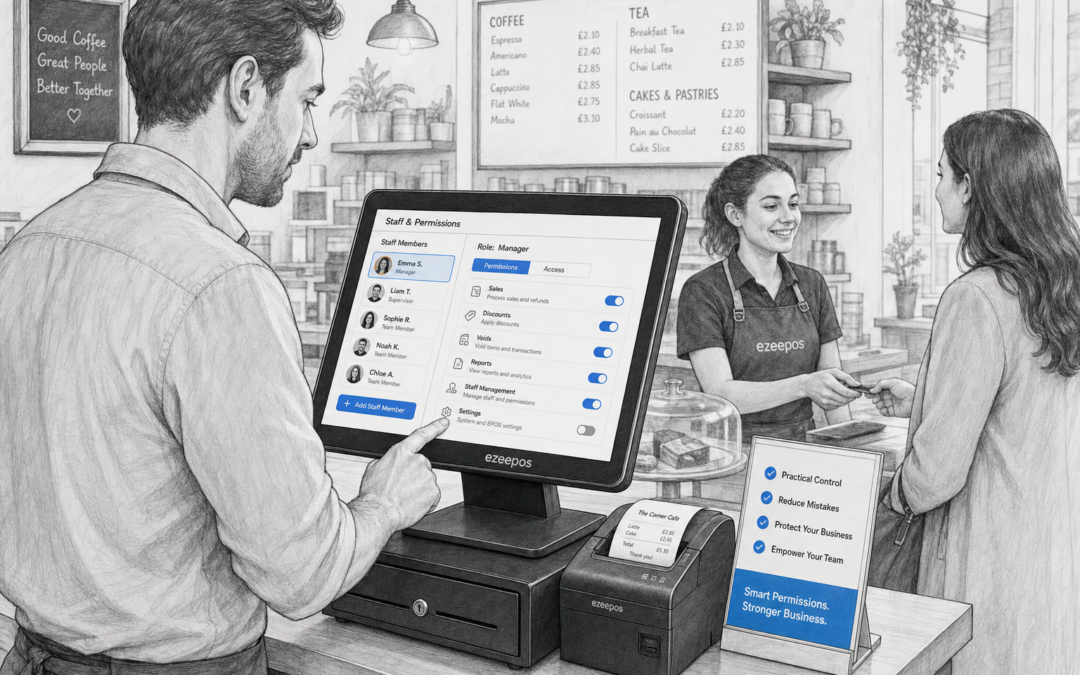
For many independent businesses, the till is where the pace of the day really shows. A busy counter needs quick service, but it also needs control. That is where staff permissions can make a real difference. By setting clear limits on what different team members can do, businesses can keep trading smoother, reduce avoidable mistakes and protect key decisions from being made too freely.
If you are looking at a modern EPOS setup for a shop, cafe, restaurant or takeaway, eZeePOS at www.ezeepos.co.uk is worth exploring as a practical UK option. Staff permissions are one of those features that may not seem exciting at first, but in day-to-day use they can save time, reduce risk and help the whole team work more confidently.
What staff permissions do in an EPOS system
Staff permissions control who can access specific functions at the till or back office. In simple terms, that means a business owner or manager can decide which team members can issue refunds, apply discounts, delete items, view reports or make other changes.
This matters because not every role needs the same level of access. A new starter on the checkout should be able to serve customers quickly, but they may not need access to end-of-day reports or the ability to override prices. A supervisor may need more flexibility, while the owner may want full control across the system.
Common permission areas
- Refunds and voids
- Discounts and price overrides
- Report viewing and cash-up information
- Stock or product changes
- Manager approvals for certain actions
- Access to settings and administration tools
Why it matters in retail
In retail settings, even small mistakes can quickly add up. A discount applied by mistake, a refunded item processed without approval or a price changed by the wrong person can all affect margins. Staff permissions help reduce those risks without making service less flexible.
For shops with mixed teams, such as convenience stores, gift shops, farm shops or fashion retailers, the control can be especially useful. Seasonal staff or part-time team members may only need a limited set of actions, while supervisors handle the more sensitive tasks. That keeps the checkout moving while helping owners feel more in control of trading.
Another benefit is consistency. When permissions are set properly, staff know exactly what they are allowed to do. That can reduce hesitation at the till and cut down on awkward situations where a team member needs to check every decision with a manager.
Why it matters in hospitality
In cafes, restaurants, bars and takeaways, the pressure is often higher because service is fast and mistakes are visible straight away. Staff permissions can help businesses manage that pace more effectively.
For example, a waiter may need to place orders and take payments, but only a supervisor should approve larger refunds or special discounts. In a takeaway, front counter staff may need quick access to order entry, while managers may need deeper control over reports and adjustments at the end of the night.
This kind of setup is not about slowing teams down. It is about making sure the right people can do the right jobs without overcomplicating the till. In a busy service period, that can help protect the business while still keeping customers happy.
How permissions can support better day-to-day control
One of the biggest advantages of staff permissions is that they make control part of the normal workflow. Instead of relying on memory, trust alone or a manager standing nearby all day, the EPOS system itself helps set boundaries.
That can be useful in a few practical ways:
- It reduces the chance of accidental discounts or refunds
- It helps managers spot unusual activity more easily
- It keeps reporting cleaner by limiting unauthorised changes
- It supports training by showing staff what they can and cannot do
- It gives new starters a simpler system to learn
For growing businesses, this is particularly valuable. As more staff join, or as different teams cover different shifts, permissions help keep the operation organised without needing a complicated process.
Helping with training and confidence
New staff often learn fastest when the system is clear. If an EPOS setup only shows the functions that a team member actually needs, there is less to remember and fewer chances to make costly mistakes. That can make onboarding easier for managers and less stressful for the person on the till.
For smaller businesses especially, that simplicity matters. Not every team has time for long system training, and not every role needs full access. A good permissions structure can create a more practical balance between flexibility and control.
When permissions are especially useful
Some businesses feel the benefit of permissions more than others. They are often particularly helpful when there are:
- Multiple staff members using the same till
- Seasonal or temporary workers
- Different roles such as cashier, supervisor and manager
- Busy peak trading periods
- High-value products or sensitive refund processes
- Business owners who want tighter control over reporting and changes
In these situations, staff permissions are less of a nice extra and more of a sensible operational feature. They help maintain oversight without forcing every transaction to be handled manually.
Choosing an EPOS system with sensible controls
When reviewing EPOS options, it is worth looking beyond the till screen itself. The best system for your business should also help you manage people confidently. Staff permissions are one of the features that can make a simple setup work better in the real world.
If you are comparing retail EPOS or hospitality EPOS systems, think about how your team actually works. Who needs access to discounts? Who should approve refunds? Which managers need report access? The answers will help you choose a system that suits your business rather than forcing your business to fit the software.
eZeePOS is designed as a practical UK EPOS option for independent retailers, cafes, restaurants and takeaways. If you want to find out more about how a modern till setup can support your team, visit www.ezeepos.co.uk and take a closer look at the available features.
Contact YCR Distribution at sales@ezeepos.co.uk or call 01924 438238.
Final thoughts
Staff permissions may seem like a background feature, but they can have a real impact on daily trade. From reducing mistakes to improving training and helping managers stay in control, they make an EPOS system more practical for busy UK businesses.
If your current till setup depends too much on trust, memory or manual checks, it may be time to look at a smarter approach. For many businesses, the right permission settings are a simple step towards better control and smoother service.
Visit eZeePOS online to learn more about a UK EPOS setup that can support your staff, your counters and your day-to-day operations.
Recent Comments