
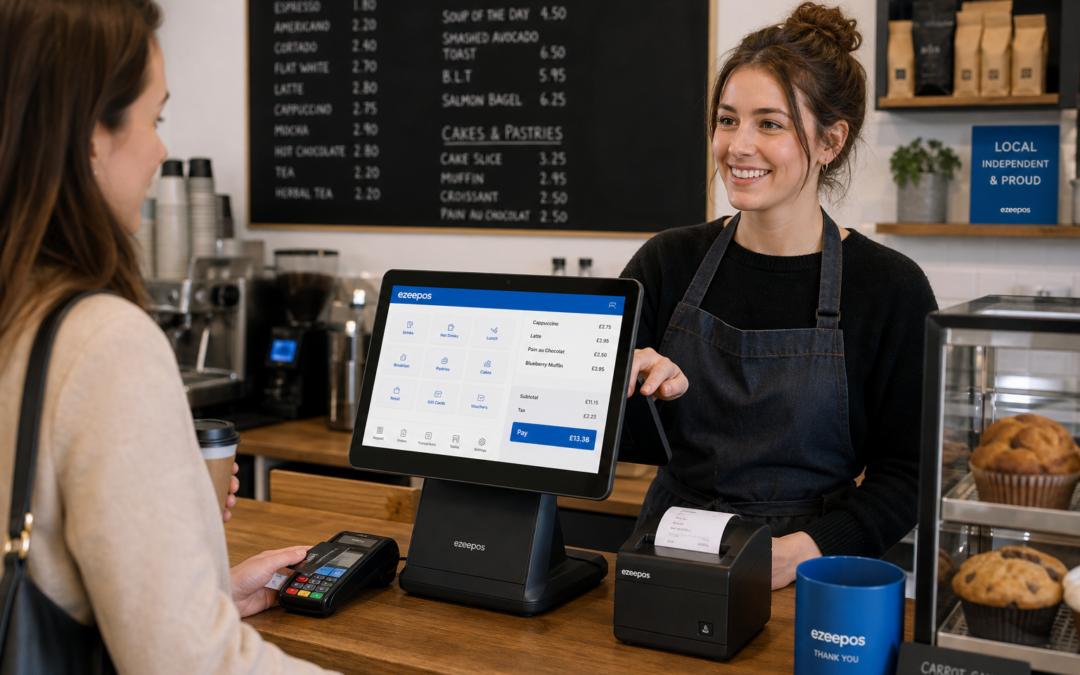
A touchscreen till can do much more than replace a basic cash register. For UK retailers, cafés, restaurants, bars and takeaways, it can become the main point of control for serving customers, managing transactions and keeping day-to-day operations in order.
If you are comparing options for your business, it helps to look beyond the screen itself. The best choice will depend on how busy your counter is, how much staff training you need, what type of products or menu items you sell and whether you want a simple till or a more flexible eZeePOS setup that grows with you.
Why touchscreen tills have become so popular
Touchscreen tills are popular because they are practical. Instead of relying on lots of physical buttons or paper-based processes, staff can use a clear on-screen layout that is easier to understand and quicker to learn.
That matters in busy businesses. A staff member serving a lunchtime queue or running a weekend dinner service needs a till system that helps them act quickly without slowing them down. In retail, the same applies at the checkout when customers are waiting and products need to be found or scanned without delay.
A clearer experience for staff
One of the biggest benefits of a touchscreen till is ease of use. New staff usually find visual menus more intuitive than older systems, which can reduce the time spent on training and help teams become confident sooner.
This is particularly useful in businesses with part-time staff, seasonal workers or changing rotas. A straightforward interface can help keep service consistent even when the team changes.
Match the till to the way you trade
Not every business needs the same setup. A touchscreen till for a small café will not necessarily need to work in the same way as one for a farm shop, a takeaway or a busy pub. The right choice should fit the pace and structure of your business.
For retail businesses
Retailers often need a till that keeps the checkout moving while also making it easy to search for products, apply discounts and handle different departments or item groups. If your shop sells a broad range of lines, a touchscreen till can help staff find items faster and reduce unnecessary delays at the counter.
For hospitality businesses
Cafés, restaurants, bars and takeaways usually need speed, accuracy and simple order handling. A touchscreen till can help staff place orders clearly, manage tabs, handle table or counter service and keep the customer experience running smoothly during busy periods.
In hospitality, a well-organised screen layout can be just as important as the software behind it. If staff can quickly see the most common items, modifiers or menu groups, they are less likely to make errors when service gets busy.
Think about screen layout and workflow
The layout of the touchscreen is one of the most important details to get right. A good till should be designed around how your team works, not make them adapt to awkward menus or extra steps.
Look for a system that lets you group items in a sensible way. For example, a café might want drinks and food separated clearly, while a retail shop may want departments and categories arranged so staff can find products quickly. The easier the screen is to follow, the faster your team can serve customers.
Keep common tasks close at hand
Useful touchscreen tills usually make essential tasks easy to reach. That may include taking payments, applying discounts, printing receipts, splitting orders, searching items or checking a sale before it is completed.
When these actions are easy to find, staff can focus more on the customer and less on the system. That can be especially valuable during peak trading times when every second matters.
Consider training, support and day-to-day use
A touchscreen till should be easy to live with as well as easy to buy. If the system is overly complicated, staff may avoid using useful functions or rely on workarounds that create more manual admin later.
This is why training and support matter. A clear, well-structured EPOS setup can reduce mistakes and help your team use the till properly from the start. For many independent businesses, that confidence is just as important as the feature list.
If you run a small team, choose a system that feels practical for everyday use. If you run multiple sites or a busier operation, think about how easy it will be for managers to keep things consistent across locations.
Do you need payment integration options?
For some businesses, a touchscreen till is most useful when it works smoothly alongside card payments. That can help reduce manual keying at the counter and make transactions feel more efficient.
eZeePOS can support conversations around payment integration options such as Teya and Dojo Payments, which may be worth discussing with YCR Distribution if you want a more joined-up payment setup. The main goal is not just to take payments, but to do so in a way that suits your workflow and keeps service moving.
If you are comparing systems, it is sensible to ask how card payments, till entries and daily reporting will work together in real-life trading conditions. A good touchscreen setup should make the process feel simpler, not more complicated.
Hardware should support the business, not get in the way
The screen itself is only one part of the setup. The way the till sits on the counter, how much space it takes and how the staff interact with it all matter too. A compact touchscreen till can be especially useful where counter space is limited, while a larger setup may suit a busier hospitality venue with more to handle at once.
It is also worth considering how the till will fit with the rest of the counter setup. A tidy, practical arrangement can help your team work more comfortably and make the service area feel more organised for customers.
Choosing a touchscreen till with future growth in mind
The best system is one that works now and still makes sense as your business grows. You may start with a simple counter setup, but later need more detailed reporting, different user permissions, additional terminals or a broader EPOS configuration.
That is why it helps to think long term. A touchscreen till should make daily trading easier today, while also giving you room to adapt as your retail or hospitality business develops.
If you are exploring a practical UK EPOS option, take a look at www.ezeepos.co.uk to see how eZeePOS may fit your business. A sensible touchscreen till setup can make service smoother, training easier and day-to-day trading more manageable without adding unnecessary complexity.
Contact YCR Distribution at sales@ezeepos.co.uk or call 01924 438238.
Recent Comments