
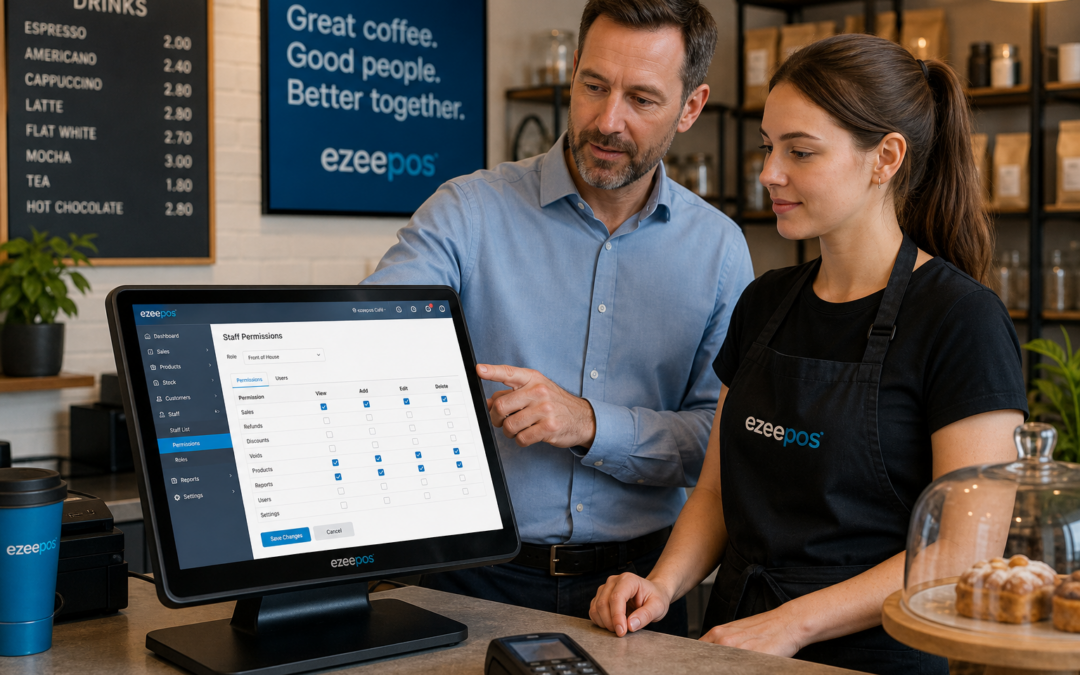
For many UK businesses, the point of sale is where the pace of the day is set. Orders are taken, discounts are applied, refunds are processed and cashing up begins from the same system. That is why staff permissions are such an important part of a well-run EPOS setup. They help owners stay in control without making the till area harder to use.
At eZeePOS, the focus is on giving retailers and hospitality businesses tools that make daily trading easier to manage. If you are looking at a practical EPOS system for your shop, cafe, restaurant or takeaway, staff permissions are one of the features worth understanding early. They may not be the flashiest part of a till system, but they can make a noticeable difference to accuracy, accountability and confidence on the shop or service floor.
What are staff permissions in an EPOS system?
Staff permissions let you decide what each member of staff can access or change inside the POS system. Rather than giving everyone the same level of control, you can set different permissions for different roles. For example, a supervisor may be allowed to approve refunds, discount approvals or end-of-day functions, while a new team member may only be able to take orders and process standard sales.
This approach is useful because not every part of a till system needs to be available to every person. In a busy business, that balance can help reduce errors and keep management tasks in the right hands.
Common examples of permission settings
- Allowing only managers to process refunds or voids
- Restricting discount changes to senior staff
- Limiting access to reports, cashing up or takings summaries
- Controlling access to product edits, menu changes or price updates
- Assigning different access levels for full-time staff, part-time staff and temporary team members
Why permissions matter for day-to-day control
When a business is busy, people tend to work quickly and confidently. That is usually a good thing, but it also means simple mistakes can happen. A staff member might apply the wrong discount, refund the wrong item or make an unplanned change to a product record. Staff permissions help reduce the chance of these errors causing wider problems.
Permissions also create a clearer line of responsibility. If only certain users can approve discounts or issue refunds, it becomes easier to understand what happened during service. That can be helpful for owners, supervisors and anyone responsible for cashing up or reviewing sales later in the day.
For independent businesses, that kind of control can be particularly valuable. Many smaller teams work across multiple tasks, so the EPOS system needs to support flexibility without losing visibility. A good permissions setup helps you do both.
How permissions can support different business types
The right settings will depend on how your business works. Retail shops may want a different setup from cafes or takeaways, and that is exactly where a flexible EPOS system proves useful.
Retail businesses
In shops, staff permissions can help protect price edits, refunds and discounts. This is useful in fashion and clothing stores, gift shops, convenience stores and other businesses where multiple staff may serve on the same till. If a manager wants to review sales reports or adjust product details, they can do so without giving every team member the same access.
Hospitality businesses
In cafes, bars, restaurants and takeaways, permissions can help keep service moving while reducing mistakes. A server may be able to take orders quickly, while a supervisor retains control over voids, discounts, menu changes or end-of-day checks. This supports smooth front-of-house service without opening up more sensitive parts of the system than necessary.
Multi-site or multi-team businesses
If you run more than one location, or if different teams use the same EPOS system, permissions become even more useful. They can help standardise control across sites while still allowing local managers to handle their own day-to-day tasks. That can make it easier to keep procedures consistent without making the system too rigid.
Staff permissions and training
One of the overlooked benefits of staff permissions is training support. New staff do not need access to everything from day one. Instead, they can focus on the tasks they need to learn first, such as taking payments, adding items or serving customers. As their confidence grows, you can give them more access when appropriate.
This can make onboarding smoother and reduce pressure on supervisors. It also helps new starters feel less overwhelmed, because the till screen only shows the functions they actually need. In a fast-moving environment, that simplicity can be a real advantage.
Better oversight without slowing staff down
A common concern is that adding permissions might slow staff down. In practice, the opposite can be true when the settings are well planned. Staff still get the functions they need for normal trading, while only the more sensitive actions require additional approval or higher access.
That means you can keep service moving while still protecting the business from unnecessary risk. It is a practical balance that suits independent retailers and hospitality venues alike.
Choosing an EPOS system with the right control features
If you are comparing EPOS options, it is worth asking how access levels are handled and how easy they are to manage. The best system for your business should not only help with takings and transactions, but also give you sensible control over who can do what.
At www.ezeepos.co.uk, you can explore EPOS software that is built with practical UK business use in mind. If staff permissions are important to your team, it is worth looking at how they fit alongside your wider workflow, from customer service to reporting and end-of-day checks.
For businesses that use payment integrations too, it can also be useful to think about how permissions sit alongside wider payment setup discussions. In some cases, businesses may wish to discuss payment integration options such as Teya and Dojo Payments with YCR Distribution, depending on their requirements and operating setup.
Final thoughts
Staff permissions are not just an admin feature. They are a practical way to protect your business, reduce avoidable mistakes and give each member of staff the right level of access for their role. For many UK retailers and hospitality businesses, that can make the till system easier to manage and the whole team more confident.
If you want a flexible EPOS setup that supports day-to-day control without overcomplicating service, eZeePOS is a good place to start. Contact YCR Distribution at sales@ezeepos.co.uk or call 01924 438238. You can also visit www.ezeepos.co.uk to learn more.
Recent Comments