
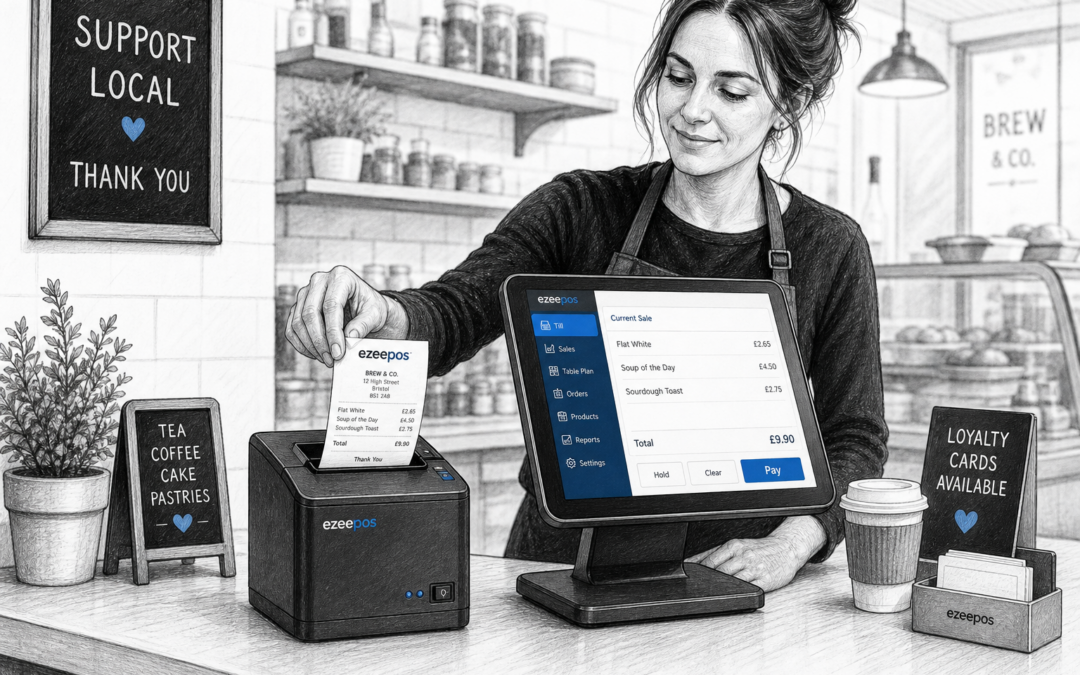
For many independent businesses, the receipt printer is one of those back-of-house or counter-side tools that only gets noticed when it slows things down. Yet in a busy retail shop, cafe, takeaway or hospitality venue, printing can have a real impact on how smoothly the counter runs. Choosing the right printer for your EPOS setup can help keep service moving, reduce frustration and make every transaction easier to manage.
If you are reviewing your till setup or planning a new one, it is worth looking at the wider system rather than the printer on its own. A practical EPOS setup from eZeePOS can be tailored to the way your business actually works, whether you need fast receipt printing at the front counter, clear order tickets in the kitchen or a compact setup for a small till space. You can learn more at www.ezeepos.co.uk.
Why the right receipt printer matters
A receipt printer does more than produce a piece of paper. It helps confirm purchases, keeps customer records clear and supports a more professional checkout experience. In a busy environment, it can also help staff stay confident by giving them a simple, familiar way to finish each sale.
For retailers, a reliable printer can mean faster handover at the till and fewer delays when queues start to build. For hospitality businesses, it can help keep customer bills, service notes and takeaway receipts organised. In both cases, the practical benefit is the same: less time spent waiting around, and more time focused on the next customer.
Start with your business type and service style
Every business uses receipt printing a little differently, so the best choice depends on where and how you trade.
Retail shops
In retail, receipt printers are often used at the main counter for quick transaction slips and customer copies. A compact printer can help keep the checkout area tidy, especially where space is limited and staff need to work quickly.
Cafes, takeaways and hospitality venues
In hospitality, printers may be used for customer receipts, order slips or both. A takeaway with a high volume of short orders will usually need a setup that can keep pace with trade. A cafe or bar may need something simple, clear and easy to position near the till without taking over the counter.
Pop-up or mobile businesses
If you trade from a pop-up, market stall or mobile setup, portability and practicality matter more than anything else. In these settings, a printer should be easy to move, quick to reconnect and suited to a smaller, more flexible counter area.
Key things to consider before you buy
There are a few functions and features worth thinking about before you choose a printer for your EPOS system.
- Print speed: Faster printing helps during busy periods and reduces waiting at the counter.
- Connection type: Make sure the printer suits your wider setup, whether that is USB, network or another connection option.
- Paper handling: Easy paper loading can save time for staff and reduce mistakes during service.
- Size and footprint: A printer should fit comfortably on your counter without creating clutter.
- Durability: Busy businesses need hardware that can cope with regular daily use.
- Ease of use: Staff should be able to operate the printer without lengthy training.
These details may seem small on paper, but they make a noticeable difference once the till opens and the queue starts moving.
Receipt printing in a modern touchscreen till setup
If you are moving from an older till to a touchscreen system, the printer becomes part of a larger workflow. The goal is not just to print a receipt quickly, but to make the whole checkout process simpler for staff. A modern touchscreen till can help people complete sales efficiently, while the printer provides a clear paper record where needed.
That is especially useful for businesses that want a clean, professional counter without a lot of separate devices. A well-planned EPOS setup can reduce the sense of clutter, making it easier for staff to work confidently and for customers to see a smooth, organised service.
How receipt printing supports day-to-day service
A good printer does not need to be flashy. It just needs to do its job reliably when trade is busy. That reliability supports several parts of day-to-day service:
- Clear transaction records: Customers leave with a receipt that is easy to read and keep.
- Better counter flow: Staff can complete sales without unnecessary pauses.
- More consistent service: The checkout feels organised, even during busy periods.
- Less pressure on staff: A simple, dependable printer removes one more thing to worry about.
When a printer works well, it tends to go unnoticed. That is usually a sign it is doing exactly what the business needs.
Matching the printer to the rest of your EPOS setup
It is always sensible to choose hardware as part of the complete system rather than in isolation. The right receipt printer should work alongside your EPOS software, counter layout and payment process. For businesses looking at broader payment workflow, eZeePOS can also support discussions around payment integration options such as Teya and Dojo Payments, depending on how you want your till and card payment process to work together.
That kind of joined-up approach can be helpful if you want to reduce manual steps at the counter and keep the customer experience straightforward. It also gives you a better chance of choosing hardware that suits the pace and shape of your business, rather than forcing your team to work around the equipment.
Why practical advice matters when planning hardware
Buying a receipt printer is rarely about the printer alone. It is about the whole trading environment: counter space, staff confidence, customer expectations and how quickly you need to serve. That is why it helps to work with an EPOS supplier that understands the pressures of real UK retail and hospitality settings.
With eZeePOS, the focus is on practical setups that fit everyday trading rather than overcomplicated technology. If you are planning a new till system or replacing old hardware, it is worth thinking about how the printer will support your service, not just whether it will switch on and print.
If you want to explore a more practical EPOS setup for your business, visit www.ezeepos.co.uk to see how eZeePOS may fit your needs. Contact YCR Distribution at sales@ezeepos.co.uk or call 01924 438238.
Recent Comments