
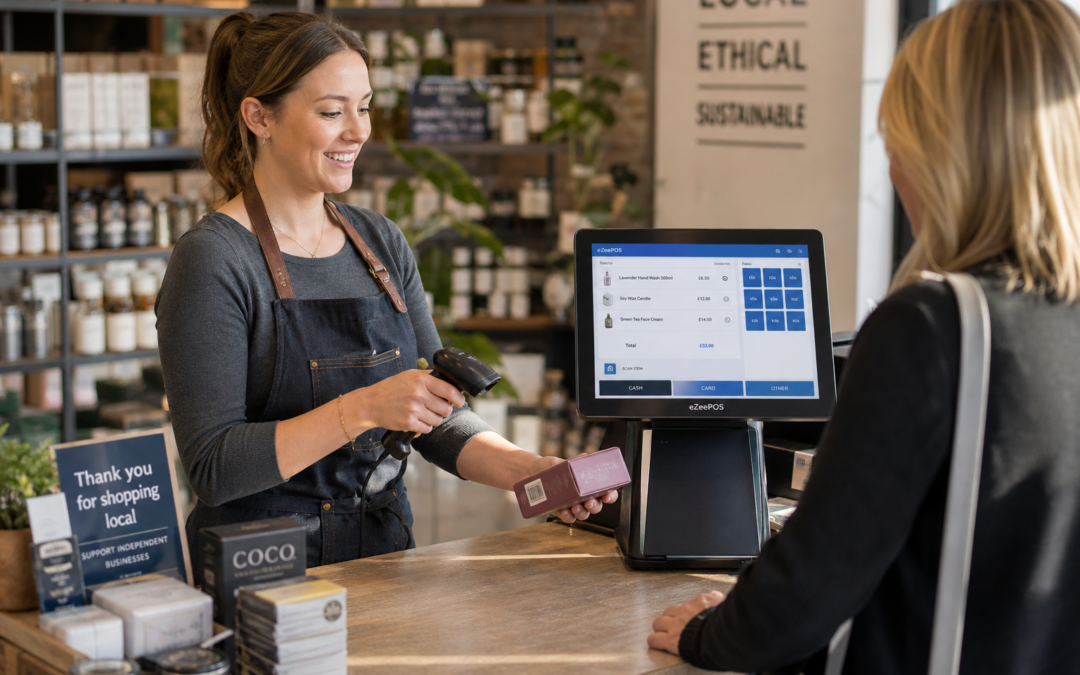
For many independent retailers, the checkout is where the pace of the whole shop is felt most keenly. Customers want to pay quickly, staff want to avoid mistakes and owners want each transaction to be as smooth as possible. Barcode scanning is one of the simplest ways to improve that process, and it works especially well when it is built into a clear, easy-to-use EPOS setup from eZeePOS.
Whether you run a convenience store, gift shop, fashion boutique, pet shop or hardware store, barcode scanning can help reduce keystrokes, speed up training and keep queues moving. It is a small feature with a big everyday impact.
Why barcode scanning matters at the till
When staff have to search for products manually, every transaction takes a little longer. That may not sound like much, but over the course of a busy day it can add up quickly. Barcode scanning removes a lot of that friction by identifying items instantly and sending the correct product details into the sale.
That means staff can focus more on serving the customer and less on typing in descriptions, checking prices or hunting through product menus. In a busy shop, that can make a real difference to:
- queue length
- checkout accuracy
- staff confidence
- overall customer experience
For retailers selling a wide mix of products, barcode scanning also helps make the till feel more organised. It creates a more consistent process, which is especially useful when different members of staff are serving throughout the week.
How it helps independent retailers day to day
Faster service in busy periods
Independent shops often have to do a lot with a small team. When the shop is busy, especially around lunch breaks, weekends or seasonal peaks, a quicker checkout process can prevent bottlenecks. Barcode scanning helps keep the flow steady even when there is a queue at the counter.
Less training time for new staff
A clear barcode-based checkout is easier for new staff to learn than a system that depends on remembering product names or keying in prices manually. That can be particularly useful for shops that rely on part-time staff, seasonal workers or family members helping out at short notice.
Fewer input errors
Typing mistakes at the till can lead to incorrect prices, awkward refunds or confusion on the daily reports. Barcode scanning reduces that risk because the product is identified automatically. It is not just about speed; it is also about keeping the sale accurate from the start.
Better consistency across shifts
When every sale follows the same process, there is less variation between staff members. That can make daily trading simpler to manage, especially in shops where multiple people serve customers across different shifts or departments.
Where barcode scanning works especially well
Barcode scanning is useful in many retail settings, but it is particularly practical in businesses with a repeat range of packaged goods or labelled stock. Common examples include:
- convenience stores
- pet shops
- hardware stores
- fashion and clothing shops
- gift shops
- farm shops
- garden centres
It is also helpful in shops that combine branded products with locally sourced or mixed stock. Even if some items must still be entered manually, barcode scanning can handle the majority of standard products and keep the queue moving.
Barcode scanning and product lookup work well together
In real retail environments, not every item has a barcode that can be scanned straight away. That is why barcode scanning works best alongside sensible product lookup tools. If a product is unlabelled, seasonal or unusual, staff should still be able to find it quickly without slowing the whole sale down.
With a well-structured EPOS layout, barcode scanning can handle the routine items while product lookup supports the exceptions. This is especially useful for stores with a broad range of stock, local products or items that change often throughout the year.
Making the most of a touchscreen till
Many modern retail businesses use touchscreen tills because they are simple to navigate and easy to train staff on. Barcode scanning fits naturally into that setup. Staff can scan the item, confirm the sale and move on without extra steps. If the customer is paying at the same counter, the whole process stays neat and efficient.
For shops looking to modernise an older till system, this can be a straightforward way to improve service without making the front counter more complicated. A good retail EPOS setup should feel practical rather than technical, and barcode scanning supports that approach.
What to think about before you upgrade
If you are considering barcode scanning for your shop, it is worth thinking about how your team actually works at the till. A good setup should suit your counters, your product range and the way your staff serve customers during busy times.
Key questions to ask
- How many products will staff need to scan each day?
- Do you need quick lookup for items without barcodes?
- Will new staff need a simple system they can learn quickly?
- Do you want the till to support a smoother front-counter layout?
- Is your current checkout process creating delays or errors?
Thinking about these questions early can help you choose an EPOS system that works well in practice, not just on paper.
Barcode scanning as part of a better retail workflow
Barcode scanning is not just a technical add-on. In a good retail environment, it becomes part of a smoother day-to-day workflow. It helps staff serve customers confidently, reduces unnecessary handling at the till and supports a more professional checkout experience.
For independent retailers, that can be one of the simplest ways to improve service without changing the character of the business. It keeps the focus on selling, serving and moving customers through the counter efficiently.
If you are reviewing your current setup and want a practical POS system for retail, eZeePOS can help you think through the right combination of software and checkout tools for your business. You can learn more at www.ezeepos.co.uk.
Contact YCR Distribution at sales@ezeepos.co.uk or call 01924 438238.
For a straightforward EPOS setup that supports faster checkouts and easier staff training, visit ezeepos.co.uk to find out more.
Recent Comments