
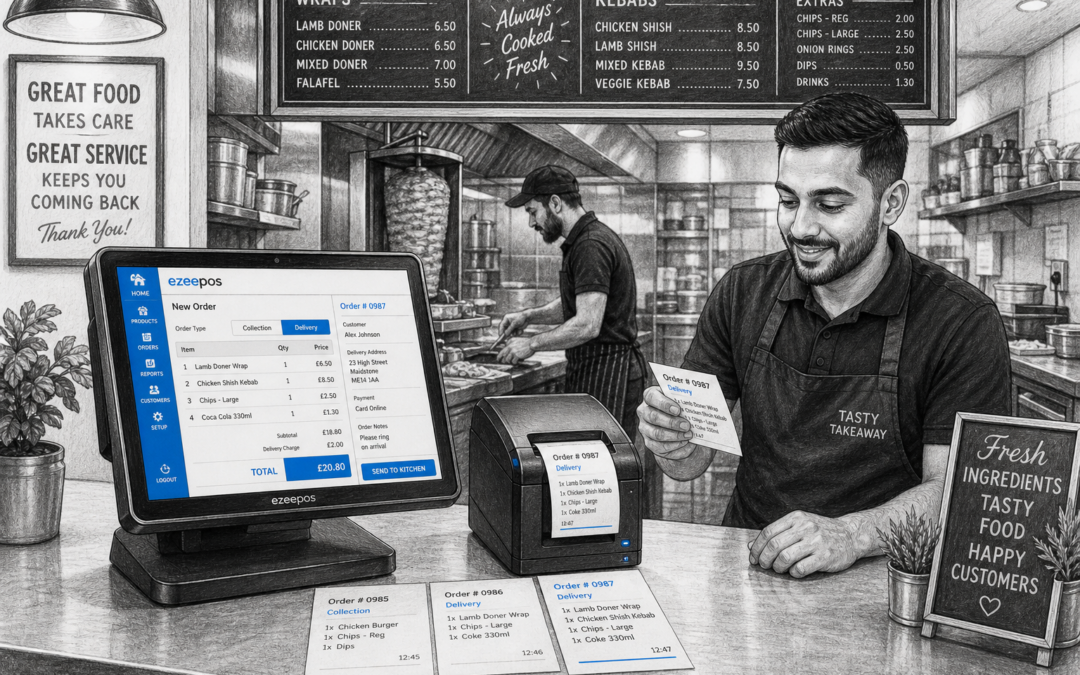
Busy takeaways do not have time for unclear orders, repeated questions or handwritten tickets that are easy to misread. When service is moving quickly, kitchen printing can make a real difference by sending orders straight to the right place in a clear, consistent format.
For independent takeaway owners, that matters because every mistake can slow down the queue, delay delivery times or lead to customer complaints. A well-set-up kitchen printer becomes part of the workflow, helping front-of-house staff, kitchen teams and delivery orders all stay better organised.
If you are reviewing your current system, eZeePOS is a practical UK EPOS option worth exploring. It is designed for retail and hospitality businesses that want a straightforward setup for day-to-day trading, including takeaway-style service where speed and clarity matter.
Why kitchen printing matters in a busy takeaway
In a fast-paced takeaway, every order has to move from the counter to the kitchen without confusion. That sounds simple, but in real life staff may be dealing with phone orders, in-person collections, delivery requests and custom additions all at once.
Kitchen printing helps reduce that pressure by creating a direct printed record for the people preparing the food. Instead of relying on memory or a shouted order across the room, the kitchen receives a printed ticket that can be read at a glance.
This is especially useful when:
- orders include changes or special requests
- multiple dishes or sides need to be grouped correctly
- staff are serving customers while the kitchen is already busy
- new team members need a simple, repeatable process
How clearer tickets improve order accuracy
Order accuracy is one of the biggest reasons takeaways invest in better EPOS workflows. A ticket that is easy to read and easy to follow can prevent a lot of avoidable issues before they happen.
Kitchen printing helps by making sure key information is captured in one place, such as item names, quantities and any notes entered at the till. That means the kitchen team is less likely to miss a sauce choice, forget a customer note or make two versions of the same dish by mistake.
Common problems kitchen printing can help reduce
- unclear handwriting on paper notes
- orders being repeated incorrectly between staff members
- lost tickets during busy periods
- confusion over which items belong to which order
- delays caused by staff having to check details again
For takeaways, that can mean smoother service and fewer returns to the counter. It also helps build trust with customers, especially those who order regularly and expect the same standard each time.
Keeping different parts of the order flow organised
Many takeaway businesses need more than just one basic printout. A good setup can help separate what the counter team needs from what the kitchen needs, which keeps the whole order process easier to manage.
For example, front-of-house staff may need one simple display at the till while the kitchen needs a more detailed ticket. That helps each team focus on what matters to them without cluttering the process.
In a practical takeaway environment, this may support:
- counter orders for collection
- delivery tickets for kitchen preparation
- notes for allergy awareness or substitutions
- clear sequencing for items that need to go out together
That kind of structure is especially helpful during peak trading times, when there is less room for explanation and more need for a reliable routine.
What takeaway owners should look for in a kitchen printing setup
Not every business needs the same approach, but there are a few practical things that matter for most takeaways. The main goal is to make sure the printer setup matches the way the business actually works.
1. Clear, readable ticket formatting
The printed ticket should be easy to understand at speed. Item names should be clear, notes should stand out and the layout should be simple enough for staff to read while working under pressure.
2. A setup that suits the counter and kitchen layout
Some takeaways have a compact front counter and a separate prep area, while others operate from a tighter open-plan space. The printer placement should support the way staff move between the till and the kitchen without creating extra steps.
3. Consistent printing during busy periods
When trade is heavy, reliability matters as much as speed. A kitchen printer is most useful when it keeps printing clearly and consistently, even when orders are coming in fast.
4. Easy staff training
Busy takeaway teams often need to get new staff up to speed quickly. A simple, easy-to-understand printing process helps reduce mistakes and makes training less stressful.
How kitchen printing supports better service
Kitchen printing is not just about reducing mistakes. It can also help service feel calmer and more professional. When the kitchen knows exactly what is coming through, staff can prepare orders in a more organised way and keep the pace of service steady.
That can make a noticeable difference during Friday evenings, lunch rushes or delivery peaks, when orders seem to arrive all at once. Instead of answering the same questions again and again, staff can focus on preparing food and serving customers well.
For customers, the benefit is simple: faster collection, fewer errors and a more dependable experience. For owners, it means fewer interruptions and a more manageable service flow.
Where eZeePOS fits in
eZeePOS is built for UK retail and hospitality businesses that want a practical EPOS system rather than unnecessary complexity. For takeaways, that can mean a more organised counter setup, clearer order handling and a better link between the till and the kitchen.
If you are looking at kitchen printing as part of a wider EPOS upgrade, it makes sense to think about the whole setup together: the till, the printer, the counter layout and the way staff take orders during busy periods. That is often where the biggest day-to-day improvement comes from.
Kitchen printing can also sit alongside other useful features such as reporting, payment handling and daily service management, giving takeaway owners a more complete picture of how the business is running.
Ready to improve order accuracy?
If your takeaway is still relying on unclear notes, repeated verbal instructions or a process that feels too manual, kitchen printing could be a simple and practical next step. It is one of those EPOS features that does not draw attention to itself when it works well, but makes a real difference to service.
To learn more about eZeePOS and how it supports UK retail and hospitality businesses, visit www.ezeepos.co.uk.
Contact YCR Distribution at sales@ezeepos.co.uk or call 01924 438238.
Recent Comments