
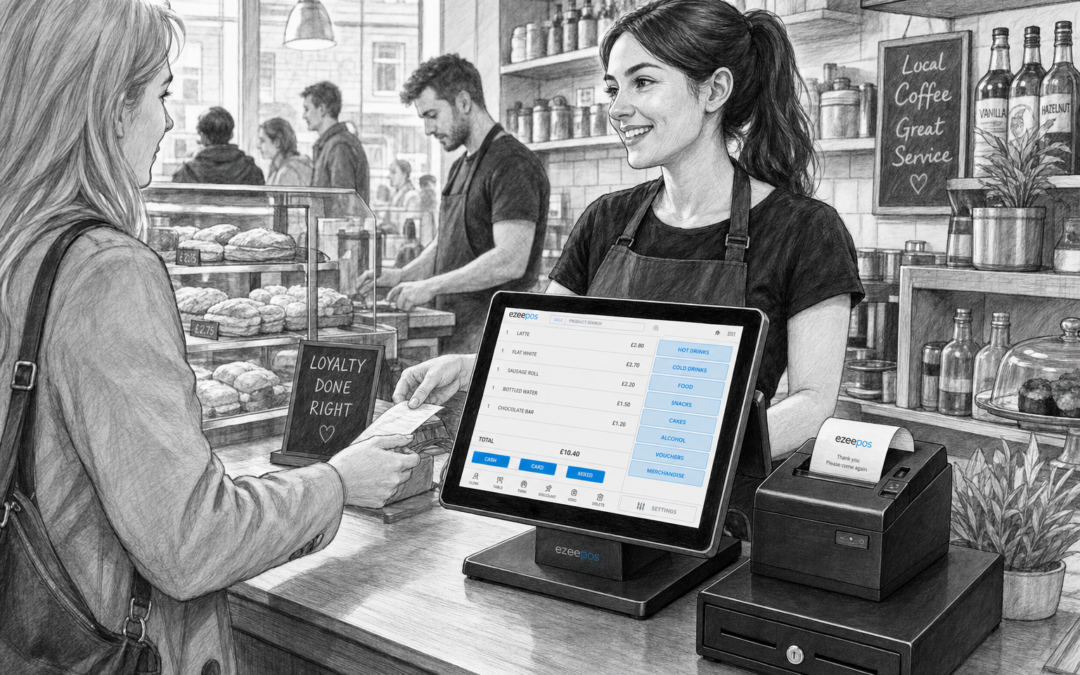
A busy counter leaves very little room for confusion. Whether you run a shop, cafe, takeaway or mobile food business, the till needs to be quick to use, easy to train on and reliable during rush periods. A good touchscreen till can make a noticeable difference to how smoothly service runs, especially when staff need to move between orders, payments and customer questions without delay.
If you are reviewing your current setup, it is worth looking at how a modern till system supports everyday work rather than just the headline features. eZeePOS, available at www.ezeepos.co.uk, is designed for UK retail and hospitality businesses that want a practical EPOS setup without unnecessary complexity.
Why touchscreen tills suit busy counters
The main advantage of a touchscreen system is simplicity. Instead of working through clunky buttons or paper-based processes, staff can tap through products, menus and payment steps more naturally. That matters when queues are building and customers want to be served quickly.
For independent businesses, speed is not only about shaving seconds off each transaction. It also helps reduce mistakes, keeps staff more confident and makes the whole counter feel more manageable. A touchscreen till can support that by keeping the most-used functions close to hand and easy to recognise.
Faster training for new staff
One of the biggest benefits of a touchscreen till is how quickly new starters can pick it up. In retail and hospitality, staff turn over can be high and many businesses rely on part-time or seasonal team members. A clear on-screen layout is easier to learn than a more cumbersome traditional till.
That can be especially helpful in places where service is fast and staff need to start helping customers quickly. The less time spent explaining basic till functions, the sooner a team member can take orders, process sales and keep the queue moving.
Cleaner counter layouts
Counter space is often limited. A compact touchscreen setup can help reduce clutter by bringing key functions into one main device. Instead of separate tools and workarounds, many businesses prefer a tidy, practical front counter that feels organised for staff and customers alike.
For a small cafe, this might mean a touchscreen terminal beside a receipt printer and cash drawer. For a shop, it might mean a streamlined payment area that supports fast scanning and checkout. In both cases, a neater workspace can improve confidence behind the counter.
What to look for in a touchscreen till
Not every business needs the same setup. A busy lunch counter has different needs from a village shop or a counter-service takeaway. The key is to choose a touchscreen till that matches the way your team actually works.
- Simple navigation: Staff should be able to find products and functions quickly.
- Clear screen layout: Buttons and menus should be easy to read at a glance.
- Reliable hardware fit: The terminal should suit your available counter space.
- Practical add-ons: Receipt printers, barcode scanners, cash drawers or card terminals may all be useful depending on your business.
- Useful reporting: Owners should be able to review sales and daily performance without extra hassle.
The best choice is usually the one that feels natural to use during a busy shift. A system that looks impressive but slows people down is rarely a good fit in a real working environment.
Retail and hospitality do not need the same layout
Although both sectors rely on fast counter service, the ideal touchscreen till is often different for each. Retail businesses usually need quick product lookup, barcode scanning and clear price handling. Hospitality businesses may need easier menu selection, modifiers and support for fast order-taking.
That is why it makes sense to think about your business type before choosing hardware and software. A touchscreen till should support the way customer service happens in your shop, cafe, takeaway or venue. eZeePOS offers a flexible UK EPOS approach that can be shaped around these different working patterns.
For retail counters
In retail, the till should make scanning, item lookup and payment handling as smooth as possible. Staff often need to keep their attention on the customer while still processing products accurately. A practical touchscreen setup can help them move quickly through the sale without feeling rushed or uncertain.
For hospitality counters
In cafes, takeaways and other food-led businesses, the counter can become busy very quickly. Staff may be taking orders, answering menu questions, checking details and handling payments all at once. A touchscreen till helps keep those steps together in one place, which can make service feel much calmer.
How hardware supports the customer experience
The till itself is only part of the picture. The surrounding hardware matters too. A receipt printer can keep transactions clear, a cash drawer can help with organised cash handling, and a card terminal can make checkout quicker when payments need to move efficiently.
Depending on your setup, a touchscreen till may also work well alongside a barcode scanner or customer-facing display. The aim is not to add more devices for the sake of it, but to build a setup that suits the pace of your business and the space available at the counter.
If you are planning a new till area or replacing an older one, it is worth thinking about the whole workflow. Staff should be able to move naturally from order to payment to receipt without unnecessary steps. That is often where a modern EPOS setup proves its value.
When it is time to upgrade
Many businesses start with a basic till or a system that only does the essentials. Over time, though, growing customer demand, tighter staffing and busier trading periods can expose the limits of that setup. If your current till feels slow, awkward or difficult to train on, a touchscreen system may be a more practical long-term option.
Upgrading does not need to be complicated. The key is to choose a system that fits your actual day-to-day needs and can support service without creating extra admin. For many independent businesses, that means balancing usability, counter space and support rather than chasing the most feature-heavy option.
A practical choice for independent businesses
A touchscreen till should make work easier, not harder. For independent retailers, cafes, takeaways and other busy counters, the right EPOS setup can help staff stay organised and service customers with more confidence. eZeePOS is built with that practical goal in mind, giving UK businesses a straightforward way to manage everyday trading.
If you are planning a new till setup or thinking about replacing an older system, take a look at www.ezeepos.co.uk to learn more about eZeePOS and how it may suit your business.
Contact YCR Distribution at sales@ezeepos.co.uk or call 01924 438238.
For a helpful next step, visit www.ezeepos.co.uk and explore a practical touchscreen till setup for your business.
Recent Comments