
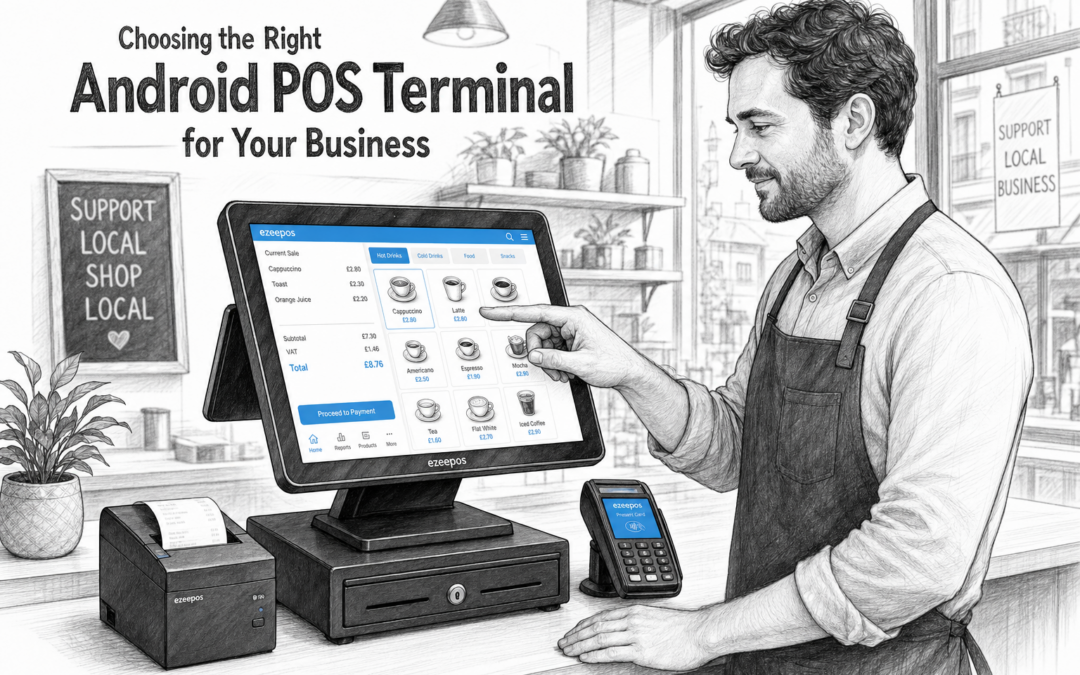
If you are looking at a new till setup for your business, the choice of hardware matters just as much as the software. For many independent retailers, cafés and takeaways, an Android POS terminal offers a simple, modern way to handle sales, speed up service and keep the counter organised. On eZeePOS, the focus is on practical systems that suit real UK businesses rather than forcing a one-size-fits-all approach.
Choosing the right terminal is not just about screen size or price. It is about how your team works, how busy your counter gets and what kind of customer experience you want to deliver. The best setup should feel straightforward for staff from day one and reliable enough to support trading during busier periods.
Why Android POS terminals are popular with growing businesses
Android-based POS terminals have become a practical option for many businesses because they are easy to use, compact and flexible. For independent shops and hospitality venues, that can make a real difference. Staff can learn the layout more quickly, busy till areas can stay less cluttered and the terminal can fit into a wide range of counter spaces.
For businesses moving away from a basic till, this type of setup is often a good stepping stone. It gives you a more modern touchscreen interface without making the process feel complicated. Instead of juggling separate systems for sales, stock, reporting and payments, a well-planned EPOS setup can bring those day-to-day tasks together.
What to look for in a terminal
Not every business needs the same device. The right choice depends on how you trade and where the terminal will be used. A small café counter has different needs from a convenience store or a busy lunch takeaway.
- Screen size: Make sure it is large enough for staff to use comfortably, but not so large that it overwhelms the counter.
- Touch response: A quick, responsive screen helps service feel smoother during busy periods.
- Counter space: Compact hardware can help keep the till area tidy and practical.
- Visibility: Staff should be able to see items, prompts and totals clearly without strain.
- Day-to-day durability: The terminal should suit regular use in a retail or hospitality environment.
It is also worth thinking about whether the terminal will be fixed in one place or moved around. Some businesses prefer a more permanent counter setup, while others benefit from a system that can be adapted for seasonal changes, pop-up counters or different service points.
Matching the terminal to your business type
Different businesses use EPOS in different ways, so it helps to think about what really happens during a normal trading day.
For retail shops
In retail, speed and clarity are often the main priorities. Staff need to find products quickly, process sales accurately and keep the queue moving. A touchscreen Android POS terminal can work well when it is paired with a tidy counter layout and clear item buttons. This is especially useful in shops where customers often ask for advice, add items at the last minute or expect a quick checkout.
For cafés, takeaways and other hospitality businesses
In hospitality, the terminal needs to keep up with service. Orders can change quickly, staff may be working under pressure and customers often expect fast turnaround. A practical Android-based setup can help make the process feel less stressful at the counter. If your business also uses kitchen printing, order flows or table service, the terminal should fit neatly into that wider workflow.
For takeaways and quick-service food businesses, a clear touchscreen layout can help reduce mistakes and keep orders moving. For cafés and bars, a compact but reliable terminal can support a busy front counter without taking up needed space.
Hardware that supports smoother day-to-day service
An Android POS terminal is only one part of the overall setup. In many businesses, it is the way the terminal works alongside other hardware that makes the biggest difference.
For example, a receipt printer helps keep transactions clear for both customer and staff. A cash drawer supports simple cash handling at the till. A card terminal helps complete payment more quickly. In retail, barcode scanning can speed up checkout. In hospitality, the right layout can make order taking feel less rushed and more organised.
The aim is not to add more equipment for the sake of it. It is to choose the hardware that genuinely helps the team work better. That might mean a compact counter setup for a small shop, or a more complete front-of-house arrangement for a venue with steady footfall.
Ease of training matters too
One of the most practical benefits of a touchscreen POS terminal is that it can be easier for staff to learn. That matters when you have part-time team members, seasonal staff or a team that changes through the year. If the system is simple to understand, training takes less time and new starters can become confident more quickly.
That is especially important when the business is busy. The last thing most owners want is a terminal that looks modern but is awkward to use. A good system should help staff focus on serving customers, not on remembering complicated steps.
Why it helps to plan for growth
When choosing hardware, it helps to think beyond today. A terminal that suits your business now should also leave room for future changes. You may add more products, open another counter, expand into online ordering or simply need a setup that works better as trading grows.
eZeePOS is built for UK retail and hospitality businesses that want a practical system they can rely on. If you are comparing options, it is worth looking at the overall fit between software, hardware and support rather than focusing on the screen alone. A well-matched setup can make everyday trading feel calmer and more efficient.
Need help choosing the right setup?
If you are planning an Android POS terminal for a shop, café, takeaway or similar business, start by thinking about how your team works at the counter and what would make service easier. The right terminal should feel natural to use, support your daily routine and fit the space you actually have.
To learn more about eZeePOS and the kind of systems it supports, visit www.ezeepos.co.uk. If you want to talk through your requirements, Contact YCR Distribution at sales@ezeepos.co.uk or call 01924 438238.
Recent Comments