
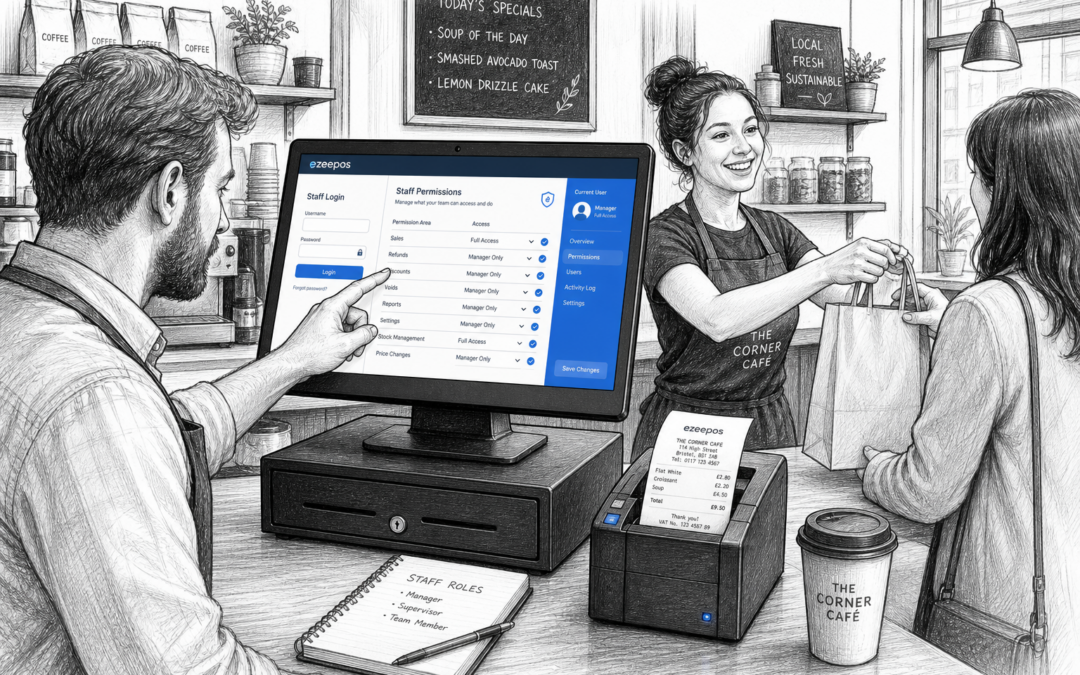
For many independent businesses, the busiest moments of the day are also the moments when small mistakes can be most expensive. That is why staff permissions are such a useful feature in a modern EPOS system. Whether you run a shop, cafe, takeaway, restaurant or bar, the ability to control who can access certain functions at the till can make service smoother and management easier.
At eZeePOS, staff permissions are part of the kind of practical setup that helps businesses stay organised without making the till harder to use. If you are looking at www.ezeepos.co.uk for a retail or hospitality EPOS solution, it is worth thinking about how much control your team really needs at counter level, and how much should stay with supervisors or managers.
What staff permissions do in an EPOS system
Staff permissions let you decide which team members can use certain features in the EPOS. Some users may only need the basics, such as taking payments, serving items and printing receipts. Others may need access to refunds, voids, discount approvals, stock adjustments or end-of-day reports.
That kind of control matters because not every member of staff needs the same level of access. A new starter in a busy cafe may only need a simple till screen, while a manager may need to authorise exceptions and review sales at the end of the shift. By separating those roles, you can make the system easier to use for staff and safer for the business.
Why permissions help reduce everyday mistakes
One of the biggest benefits of permissions is reducing accidental errors. In a retail or hospitality setting, mistakes often happen when someone is rushing, covering a busy shift or using a feature they do not fully understand yet.
Common problems permissions can help limit
- Unplanned discounts being applied without approval
- Refunds being processed without manager oversight
- Voids being used too freely during a busy service
- Items being deleted or changed by mistake
- Staff accessing reports or settings they do not need
When the till is set up with the right permissions, staff can focus on service rather than navigating options they do not use. That also helps new starters settle in more quickly, because the screen only shows what is relevant to their role.
A better fit for shops, cafes, restaurants and takeaways
Different businesses need permissions in different ways. A small independent clothing shop may only need to restrict refunds and discounts. A cafe or takeaway may want stronger controls around voids, meal deals and manager approvals. A pub or restaurant may need to separate table service actions from back-office reporting.
In retail, permissions can help protect margins by keeping promotions and price changes under control. In hospitality, they can support smoother service during busy periods by ensuring that the right person handles exceptions instead of interrupting the whole team.
This is especially useful for businesses with rotating staff, split shifts or a mix of full-time and part-time workers. With clear user roles, the till becomes simpler to manage and easier to trust.
How permissions support better control for managers
When managers can control access properly, they get a clearer picture of what is happening at the counter. It becomes easier to see who completed a transaction, who authorised a refund or who applied a discount. That does not mean creating a strict or complicated working environment. It simply means setting sensible boundaries so the EPOS works around your business, not against it.
For example, if a customer asks for a refund on an item that is no longer needed, the till can be configured so a supervisor handles the process. If a member of staff needs to discount a meal deal or adjust an order, you can keep that decision with the right person. These controls can help reduce confusion and support better accountability across the team.
Permissions and training go hand in hand
It is easy to think of permissions as a security feature only, but they are also a training tool. When a new employee logs in and sees a simple screen with the tasks they need most often, they can learn the system more quickly. That can reduce pressure during the first few weeks and make staff feel more confident serving customers.
As team members gain experience, you can gradually give them more access if needed. That flexibility is useful for growing businesses, because it means the EPOS can support both new starters and experienced supervisors without needing a different setup for each person.
Why permissions matter beyond the till
Staff permissions are not only about the front counter. They also affect stock changes, reporting, menu updates and business controls behind the scenes. In a busy business, limiting access to the right people can help keep records cleaner and reduce the chance of untracked changes.
That is particularly helpful if you manage more than one site, have several supervisors on different shifts or rely on part-time staff to help cover peak times. The right permissions structure can make the whole operation feel more consistent.
Choosing an EPOS setup that matches your team
If you are reviewing your current till setup, staff permissions are a good feature to ask about early. A system that is simple for staff but still gives managers proper control can save time every day. It can also help your business stay organised as you grow.
With eZeePOS, UK businesses can look at practical EPOS features that suit the way they trade, whether that is retail counter service, cafe transactions, restaurant ordering or takeaway service. The goal is not to add complexity, but to make the right controls available when you need them.
For businesses comparing options, it is worth checking how permissions are handled alongside reporting, discounts and transaction controls. A well-planned setup should be straightforward for staff and dependable for managers.
If you want to explore a flexible UK EPOS option that supports day-to-day control as well as speed of service, visit www.ezeepos.co.uk to learn more about eZeePOS.
Contact YCR Distribution at sales@ezeepos.co.uk or call 01924 438238.
Recent Comments